Home › Productivity

 US
US
1 of 1 storefronts
Content in en-US
Content in en-US
Information
Preview 3 platforms
iPhone 10 images




iPad 10 images



Apple Watch 3 images


What’s New Version 4.3.7
Speechy focuses on clearer capture, safer private notes, and easier export.
• Improved templates for meetings, interviews, lectures, legal notes, and SOAP-style summaries
• Calendar actions can turn dates and follow-ups from a transcript into real events
• Face ID or passcode lock helps protect sensitive recordings and notes
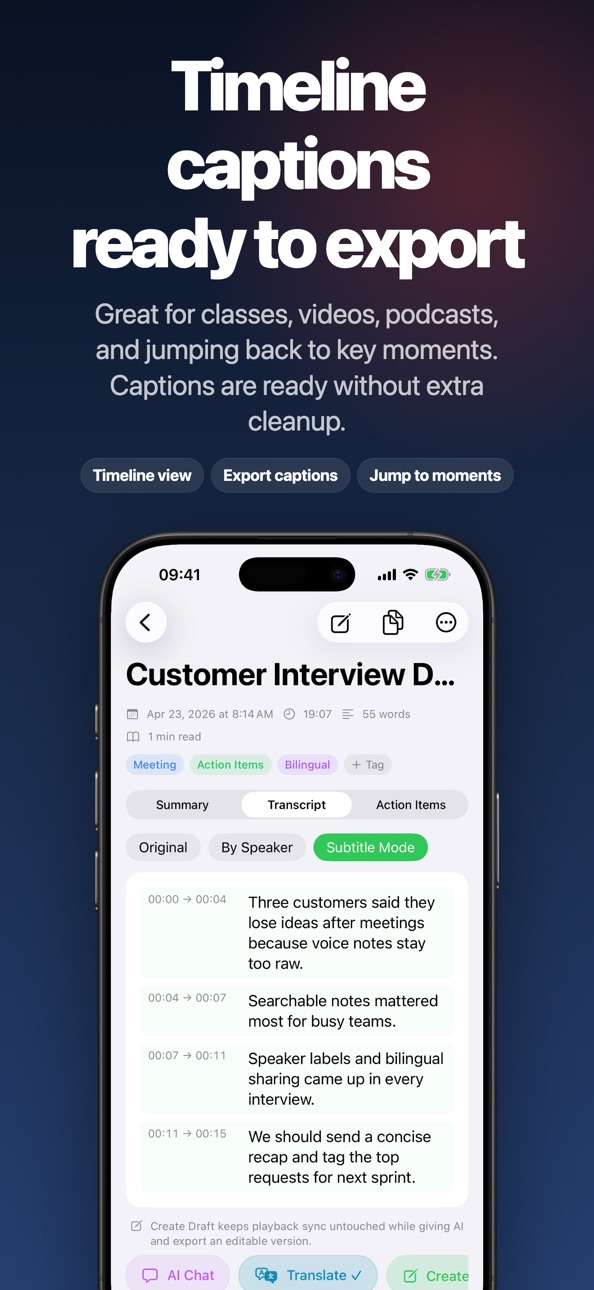
• Full transcript copy, speaker labels, and SRT/VTT export are easier to reach
• Apple Watch capture, Live Activity, and Dynamic Island status are more reliable
Thanks for using Speechy. If recording or transcription does not behave as expected, please contact support so we can help directly.
Description
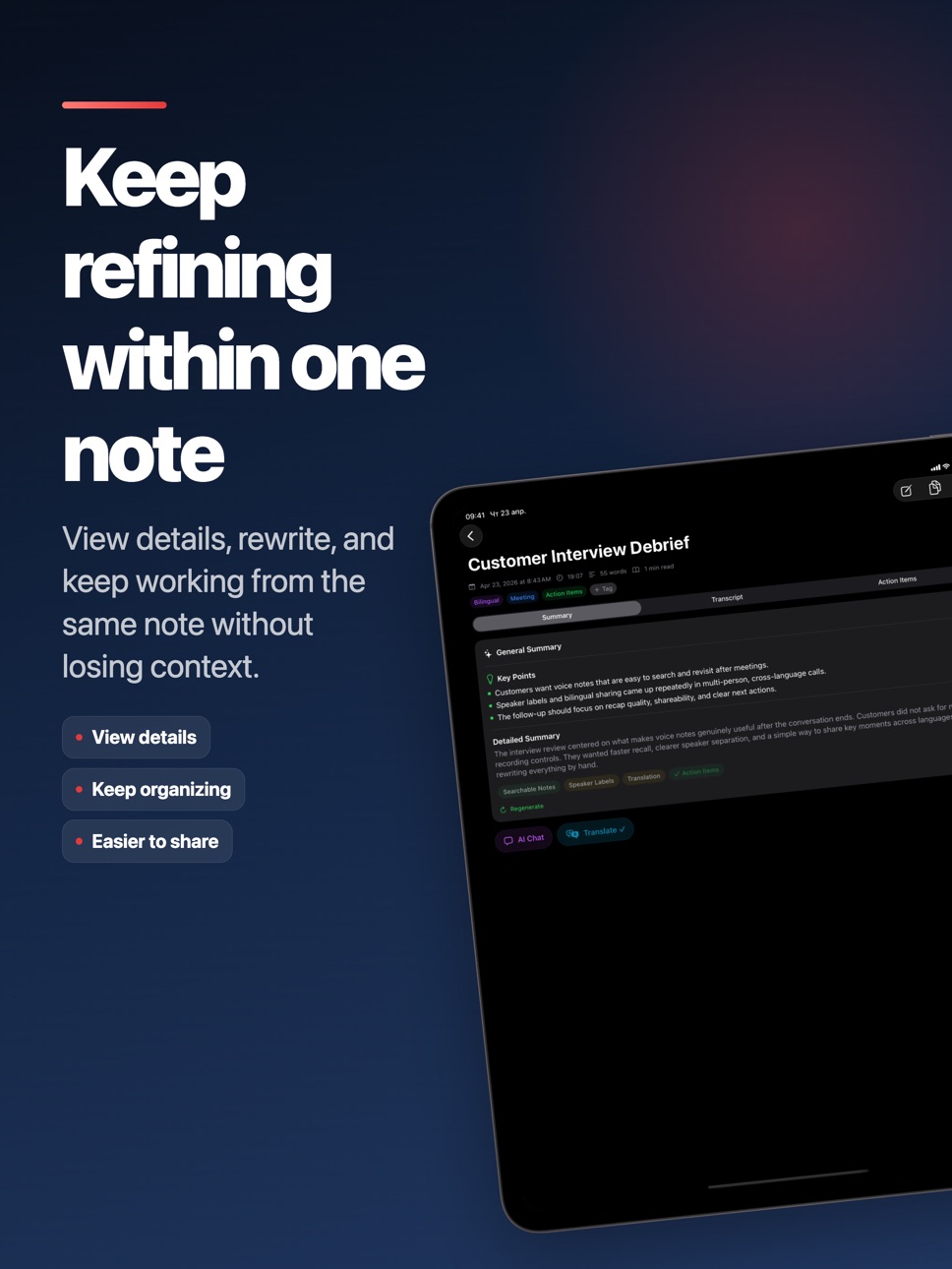
Every recording becomes a searchable note, an AI summary, and a list of action items — ready to share, translate, or export as SRT/VTT subtitles. Speechy follows your meetings, interviews, classes, podcasts, and customer calls on iPhone and Apple Watch.
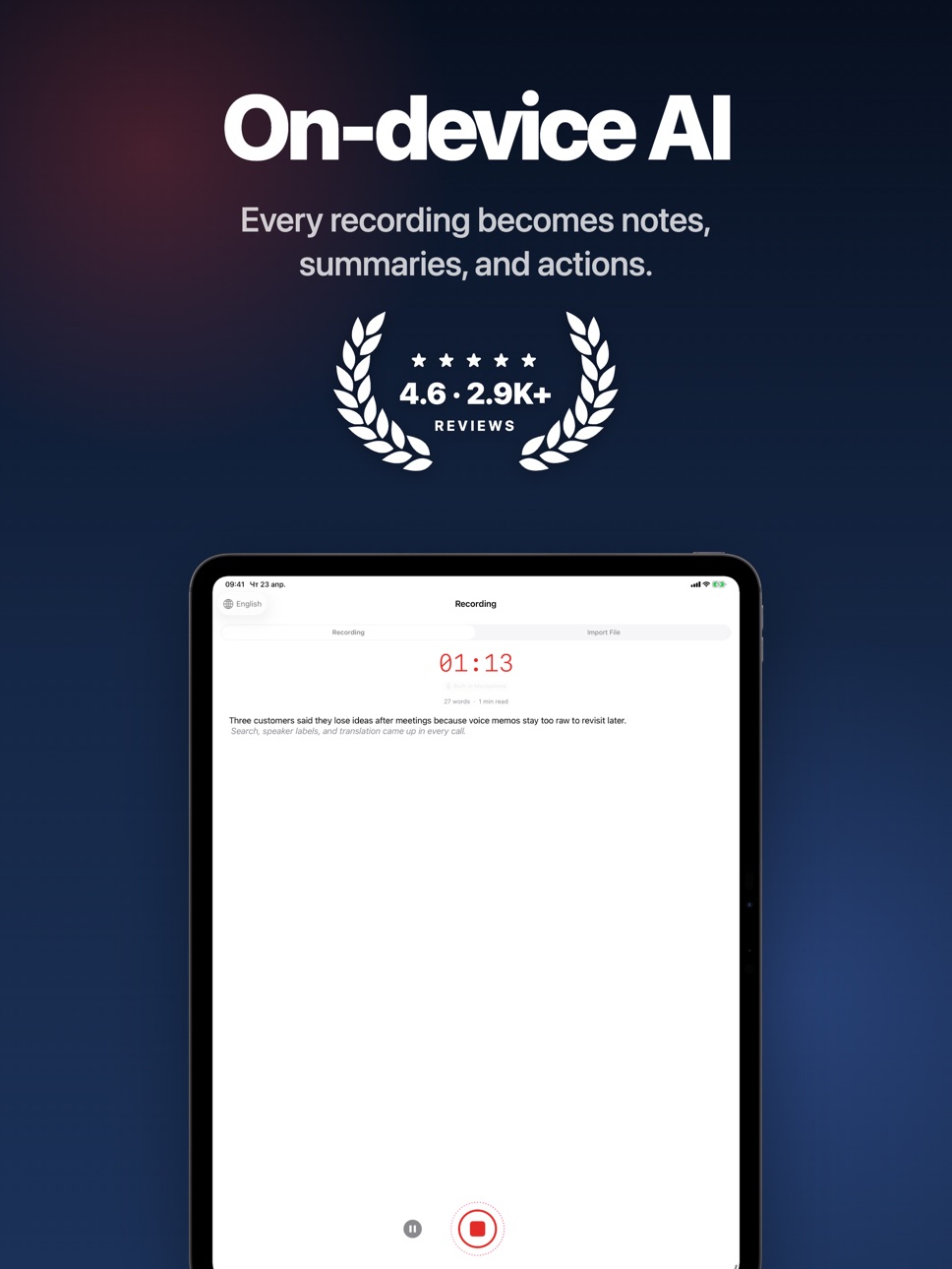
Transcription runs on device with Apple's speech recognition, so your audio stays private by default. From a single recording you get an editable transcript with speaker labels, a structured summary, bilingual translation, and SRT/VTT subtitles.
Why people use Speechy:
• Real-time dictation and transcription on iPhone
• Import audio and video files to transcribe old recordings
• Copy the full transcript or selected sections when you need them elsewhere
• Speaker labels for meetings, interviews, and podcasts
• Subtitle mode with SRT / VTT export
• AI summary templates for meetings, interviews, medical (SOAP), legal, lectures, and 1-on-1s
• Action items with one-tap send to Calendar — dates in your transcript become real events
• Face ID or passcode lock for the whole app or individual notes
• Bilingual translation and read aloud for original or translated text
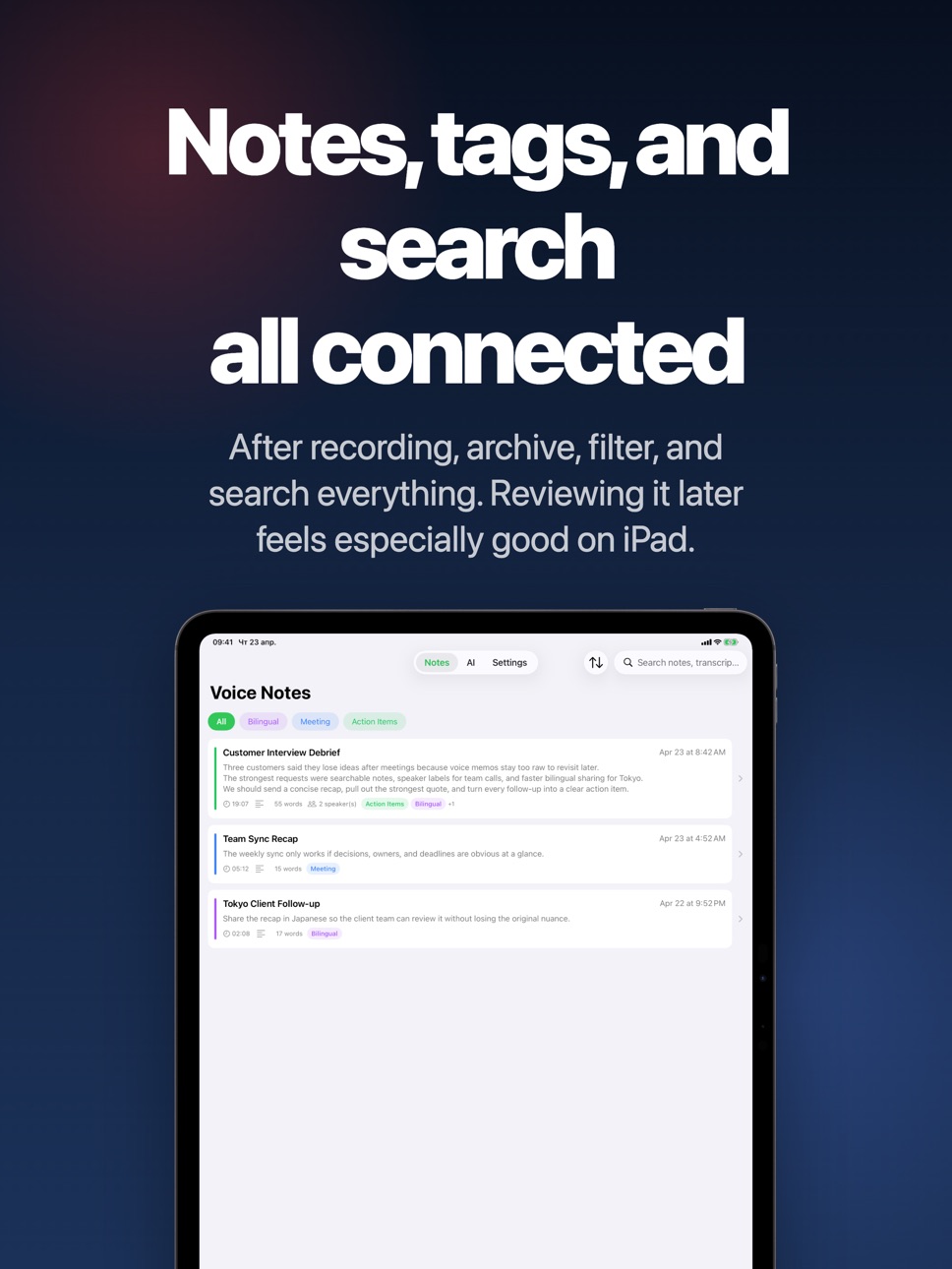
• Full-text search, tags, edited transcript, playback sync, and easy sharing
More ways to capture and work:
• Start recording from Apple Watch and continue on iPhone
• Use widgets, Live Activity, and Dynamic Island for faster access and status
• Send content from other apps with Share, Translate, and Read Aloud extensions
• Extract article text from web links and reopen notes from Spotlight
Advanced AI and control:
• Works with Apple Intelligence, local MLX models, OpenAI, Anthropic, Gemini, and custom OpenAI-compatible APIs
• Download and manage local MLX or Hugging Face models
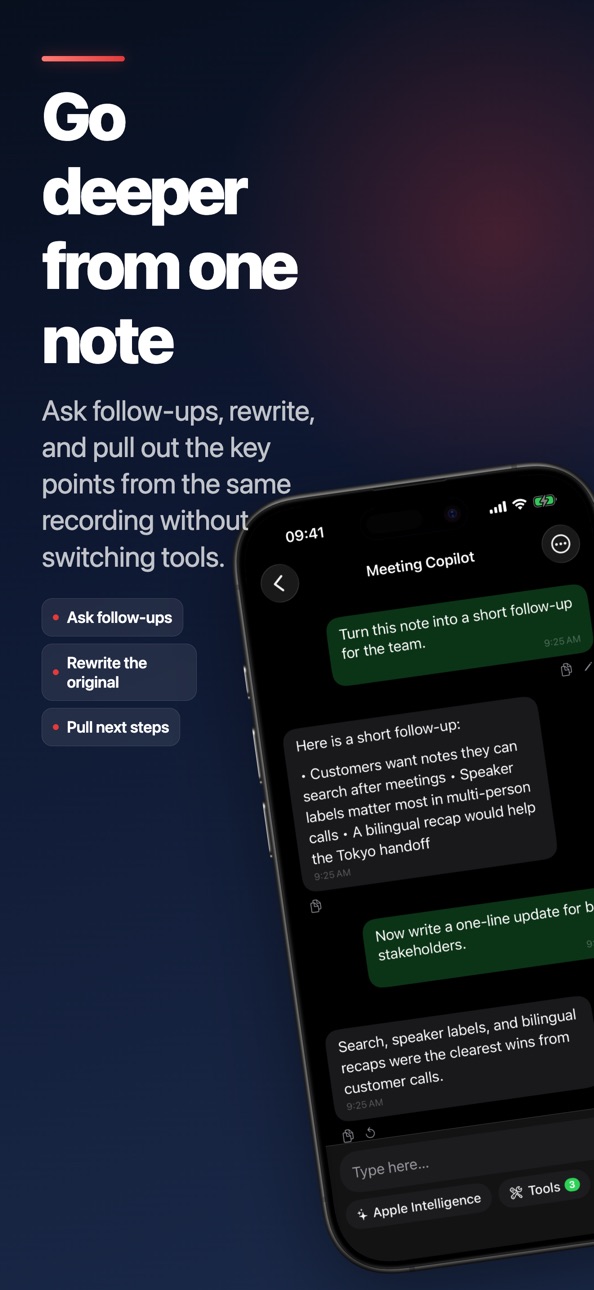
• Use AI memory, tools, and MCP servers for deeper note workflows
• Supports on-device speech recognition, on-device translation, and on-device speaker analysis
• Fine-tune recognition with custom vocabulary, VAD, auto punctuation, emoji conversion, and sensitive-word filtering
Great for:
• Meeting notes and project recaps
• Interviews, research, and customer calls
• Lectures, study notes, and podcasts
• Bilingual work, subtitles, and content creation
Get started in 3 steps:
1. Record, import a file, or start from Apple Watch
2. Review the transcript, summary, action items, speakers, and translation
3. Search, share, export subtitles, or ask AI to go deeper
Subscription:
Speechy Pro offers auto-renewing subscriptions:
• Monthly: US$6.99 / month
• Yearly: US$47.99 / year
Prices apply to customers in the United States. Pricing in other countries or regions may vary, and charges may be converted to your local currency.
Payment will be charged to your Apple Account at confirmation of purchase. Subscription renews automatically unless auto-renew is turned off at least 24 hours before the end of the current period. Your account will be charged for renewal within 24 hours before the end of the current period. You can manage or cancel subscriptions in your Account Settings after purchase.
Terms of Use:
https://www.speechy.app/terms-of-service
Privacy Policy:
https://www.speechy.app/privacy-policy
In-App Purchases US pricing
Speechy Pro Monthly Subscription
Monthly$6.99
Speechy Pro Yearly Subscription
Yearly$59.99
One-Time Purchases
Voice Dictation - Speechy Pro$9.99
Capabilities
In-App Purchases
Accessibility
ipadiphonemacrealityDevicetvoswatch
Version history 25 versions
Build 886560654v4.3.72026-06-06 01:31:07
Speechy focuses on clearer capture, safer private notes, and easier export.
• Improved templates for meetings, interviews, lectures, legal notes, and SOAP-style summaries
• Calendar actions can turn dates and follow-ups from a transcript into real events
• Face ID or passcode lock helps protect sensitive recordings and notes
• Full transcript copy, speaker labels, and SRT/VTT export are easier to reach
• Apple Watch capture, Live Activity, and Dynamic Island status are more reliable
Thanks for using Speechy. If recording or transcription does not behave as expected, please contact support so we can help directly.
Build 886106067v4.3.62026-05-28 00:19:06
Speechy focuses on clearer capture, safer private notes, and easier export.
• Improved templates for meetings, interviews, lectures, legal notes, and SOAP-style summaries
• Calendar actions can turn dates and follow-ups from a transcript into real events
• Face ID or passcode lock helps protect sensitive recordings and notes
• Full transcript copy, speaker labels, and SRT/VTT export are easier to reach
• Apple Watch capture, Live Activity, and Dynamic Island status are more reliable
Thanks for using Speechy. If recording or transcription does not behave as expected, please contact support so we can help directly.
Build 885775580v4.3.52026-05-23 16:35:17
Speechy 4.3.5 focuses on clearer capture, safer private notes, and easier export.
• Improved templates for meetings, interviews, lectures, legal notes, and SOAP-style summaries
• Calendar actions can turn dates and follow-ups from a transcript into real events
• Face ID or passcode lock helps protect sensitive recordings and notes
• Full transcript copy, speaker labels, and SRT/VTT export are easier to reach
• Apple Watch capture, Live Activity, and Dynamic Island status are more reliable
Thanks for using Speechy. If recording or transcription does not behave as expected, please contact support so we can help directly.
Build 885335350v4.3.42026-05-08 00:52:44
Speechy 4.3.4 — stability and polish.
• Fixes for known issues
• General performance and stability improvements
Build 885079506v4.3.32026-04-30 00:49:27
Speechy 4.3.3 — more reliable recording start.
• Fixed a rare crash when starting a recording, especially during Bluetooth or wired headset switches
• More resilient handling when the microphone or audio session isn't immediately ready
Thanks for using Speechy — keep the feedback coming.
Build 884877706v4.3.22026-04-25 02:11:12
Speechy 4.3.2 — small but welcome fixes.
• Various bug fixes and stability improvements
Thanks for using Speechy — keep the feedback coming.
Build 884827534v4.3.12026-04-24 00:08:25
Speechy 4.3.1 — small updates focused on accuracy and polish.
• More accurate calendar suggestions: batch timings, hypotheticals, and past references no longer clutter the one-tap Calendar list
• Various bug fixes and stability improvements
Thanks for using Speechy — keep the feedback coming.
Build 884715820v4.2.02026-04-22 12:56:32
Speechy 4.2 focuses on reliability for longer recordings.
• AI summaries handle long recordings more reliably with smarter chunking
• Fixed a rare crash when restarting recording after an interruption
• General stability and polish improvements
Build 884811852v4.3.02026-04-22 23:47:18
Speechy 4.3 makes your notes more useful and more private.
• Summary templates: pick Meeting Minutes, Interview, Medical (SOAP), Legal, Lecture, or 1-on-1 — each with a structured layout
• Calendar suggestions: dates mentioned in your recording surface as one-tap add-to-Calendar
• Face ID or passcode lock for the whole app, or just specific notes
• Share a transcript, or copy the entire thing in one tap from the detail toolbar
• Haptic feedback for starting, saving, and copying — with a setting to turn it off
Build 884662162v4.1.02026-04-20 02:13:57
Speechy 4.1 makes long recordings easier to read, control, and revisit.
• Reader-friendly text sizing with an 11-step slider and new Display & Reading settings
• Focus Reader with theme, spacing, and immersive layout for long transcripts
• Pin the notes you care about and sort the list by date, title, duration, or word count
• Pause and resume recordings without losing context
• Variable playback speed plus word count and reading time shown where you work
• AI chat polish: instant quick actions, send-to-stop dictation, richer session list
• Refined recording controls, note toolbar, and overall stability
Build 884195016v4.0.02026-04-15 10:47:16
Speechy 4.0 is here with a faster path from capture to action.
• Recording, file import, and Apple Watch capture are now easier to start and review
• New speaker view, subtitle mode, AI summaries, action items, translation, and AI chat
• Improved widgets, Live Activity, Dynamic Island, sharing extensions, and overall stability
Build 860331720v3.22.02023-10-17 10:20:11
Bug fixed.
Build 843000556v3.21.02021-07-08 16:01:37
Bug fixed.
Build 839522750v3.20.02020-12-07 01:10:14
Bug fixed.
Build 835700835v3.19.02020-04-27 02:13:18
New Feature:
・Auto Scroll On/Off Control.
・Zoom Texts.
Build 835450115v3.18.02020-04-09 01:44:04
Bug fixed.
Build 834660942v3.17.02020-02-11 22:35:29
Improvement On-device speech recognition performance.
Build 834648732v3.16.02020-02-09 23:01:51
・New Feature: On-device Speech Recognition
・fixed bugs
Build 832886129v3.15.02019-09-24 15:45:18
Bug fixed for audio import crash.
Build 831800306v3.14.02019-06-27 00:06:22
Bug fixed.
Build 831553268v3.13.02019-06-10 23:42:06
Bug fixed.
Build 830707507v3.12.02019-03-25 01:38:59
Bug fixed.
Build 830253215v3.11.02019-02-15 01:26:21
- Support import audio files.
- In the edit mode, you can add speech recognition anywhere.
- Bug fixed.
Build 830231047v3.10.02019-02-11 03:14:30
- Support Voice Dictation by audio files.
- Bug fixed.
Build 830158916v3.9.12019-02-01 00:31:53
- Reduce the audio file size.
- Bug fixed.
Price history by region
Currency
Show
Columns
Search
Availability 1 of 1 storefronts
| Region | Language | Price | Ratings | Avg | Version |
|---|---|---|---|---|---|
| US | en-US | Free | 2.9k | 4.6 | 4.3.7 |
Change log 29 changes · US
✎
releaseNotes updated
Speechy focuses on clearer capture, safer private notes, and easier export.
• Improved templates for meetings, interviews, lectures, legal notes, and SOAP-styl
✎
description updated
Every recording becomes a searchable note, an AI summary, and a list of action items — ready to share, translate, or export as SRT/VTT subtitles. Speechy follow
✎
subtitle updated
Dictation & Transcription
✎
name updated
Voice to Text - Speechy
◆
Version 4.3.7 released
Speechy focuses on clearer capture, safer private notes, and easier export.
• Improved templates for meetings, interviews, lectures, legal notes, and SOAP-style summaries
• Calendar actions can turn dates and follow-ups from a transcript i
◆
Version 4.3.6 released
Speechy focuses on clearer capture, safer private notes, and easier export.
• Improved templates for meetings, interviews, lectures, legal notes, and SOAP-style summaries
• Calendar actions can turn dates and follow-ups from a transcript i
◆
Version 4.3.5 released
Speechy 4.3.5 focuses on clearer capture, safer private notes, and easier export.
• Improved templates for meetings, interviews, lectures, legal notes, and SOAP-style summaries
• Calendar actions can turn dates and follow-ups from a transc
◆
Version 4.3.4 released
Speechy 4.3.4 — stability and polish.
• Fixes for known issues
• General performance and stability improvements
◆
Version 4.3.3 released
Speechy 4.3.3 — more reliable recording start.
• Fixed a rare crash when starting a recording, especially during Bluetooth or wired headset switches
• More resilient handling when the microphone or audio session isn't immediately ready
Th
◆
Version 4.3.2 released
Speechy 4.3.2 — small but welcome fixes.
• Various bug fixes and stability improvements
Thanks for using Speechy — keep the feedback coming.
◆
Version 4.3.1 released
Speechy 4.3.1 — small updates focused on accuracy and polish.
• More accurate calendar suggestions: batch timings, hypotheticals, and past references no longer clutter the one-tap Calendar list
• Various bug fixes and stability improvement
◆
Version 4.3.0 released
Speechy 4.3 makes your notes more useful and more private.
• Summary templates: pick Meeting Minutes, Interview, Medical (SOAP), Legal, Lecture, or 1-on-1 — each with a structured layout
• Calendar suggestions: dates mentioned in your reco
◆
Version 4.2.0 released
Speechy 4.2 focuses on reliability for longer recordings.
• AI summaries handle long recordings more reliably with smarter chunking
• Fixed a rare crash when restarting recording after an interruption
• General stability and polish improve
◆
Version 4.1.0 released
Speechy 4.1 makes long recordings easier to read, control, and revisit.
• Reader-friendly text sizing with an 11-step slider and new Display & Reading settings
• Focus Reader with theme, spacing, and immersive layout for long transcripts
•
◆
Version 4.0.0 released
Speechy 4.0 is here with a faster path from capture to action.
• Recording, file import, and Apple Watch capture are now easier to start and review
• New speaker view, subtitle mode, AI summaries, action items, translation, and AI chat
• I
◆
Version 3.22.0 released
Bug fixed.
◆
Version 3.21.0 released
Bug fixed.
◆
Version 3.20.0 released
Bug fixed.
◆
Version 3.19.0 released
New Feature:
・Auto Scroll On/Off Control.
・Zoom Texts.
◆
Version 3.18.0 released
Bug fixed.
◆
Version 3.17.0 released
Improvement On-device speech recognition performance.
◆
Version 3.16.0 released
・New Feature: On-device Speech Recognition
・fixed bugs
◆
Version 3.15.0 released
Bug fixed for audio import crash.
◆
Version 3.14.0 released
Bug fixed.
◆
Version 3.13.0 released
Bug fixed.
◆
Version 3.12.0 released
Bug fixed.
◆
Version 3.11.0 released
- Support import audio files.
- In the edit mode, you can add speech recognition anywhere.
- Bug fixed.
◆
Version 3.10.0 released
- Support Voice Dictation by audio files.
- Bug fixed.
◆
Version 3.9.1 released
- Reduce the audio file size.
- Bug fixed.