Home › Utilities

 US
US
1 of 1 storefronts
Content in en-US
Content in en-US
Information
Preview 1 platform
iPhone 5 images



What’s New Version 1.13
- Fixed reported crashes and bugs
Description
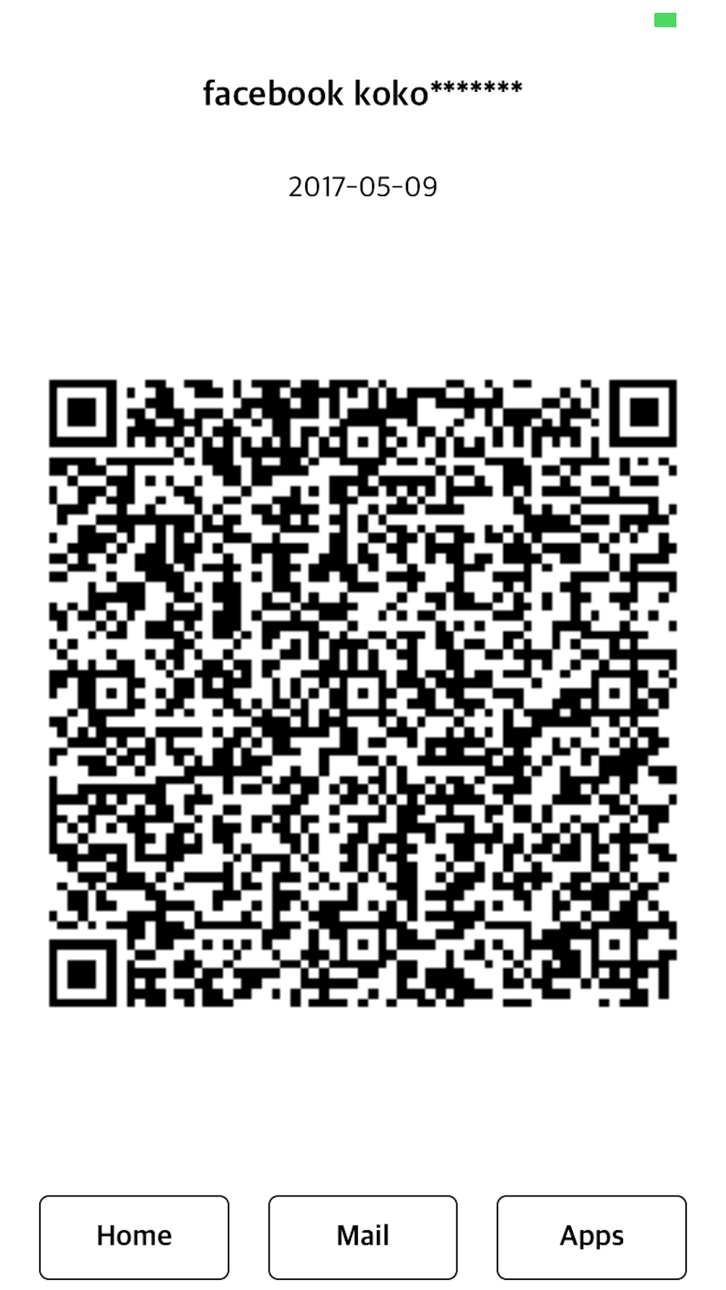
Save your password in QR code
Scan the QR code to find the password.
Generate passwords and convert images with QR codes
If you rescan the QR code image, you can check the password.
You can save QR code images to mail, photo, and cloud.
You can scan an image into an app and see it right away
You can copy it to your app and see it.
The verified QR code password can be verified directly in the app without having to rescan.
** Feature Summary **
- Passwords can be up to 32 characters and at least 8 characters
- Uppercase, lowercase, and special characters
- You can not find the QR code after expiration date with the expiration date set. (You may not set an expiration date.)
- Enter a hint to create a file name for your mail or cloud.
- Search by hint in mail or in the cloud.
- Double encryption of information, password verification only through the QR Password app
- Added the function to save frequently used e-mail addresses and automatically input them when sending mail.
- Added the ability to save recently verified passwords to the app (supports fingerprint recognition and enabled devices)
** The QR Password app does not run a separate server (QR Code is not stored on the server) and does not back up the generated QR Code images to iCloud.
** I can not verify my password with another QR code reader app.
Accessibility
ipadiphonemacrealityDevicetvoswatch
Version history 14 versions
Build 880576748v1.132026-02-13 22:38:45
- Fixed reported crashes and bugs
Build 873117409v1.122025-03-11 12:18:29
- Fixed reported crashes and bugs, improved functionality
Build 863917621v1.112024-02-21 19:19:37
- Fixed reported crashes
Build 848750801v1.102022-05-02 16:10:05
- IDFA applied
- Change to the minimum supported iOS version 13
- Other bug fixes
Build 828757938v1.92018-09-28 23:44:29
- Application of UI iPhone Xs Max, Xs, Xr size
- iOS 12 related improvements
Build 826180027v1.82018-03-05 16:36:16
- Bug fix: Fixed a bug that prevented importing external QR code images from iOS 11 devices.
Build 824812999v1.72017-11-28 21:01:21
- Bug fixes
Build 823514967v1.62017-09-25 21:44:36
- Bug fixes
Build 823105090v1.52017-08-01 22:11:46
- Added password mail copy function
- Bug fixes and improvements
Build 822884053v1.42017-07-28 16:47:23
- Add copy function after password creation
- Error correction
Build 822766278v1.32017-07-06 23:13:49
PC / MAC copy function added
Build 822323369v1.22017-05-29 21:34:30
Add password preview screen
Build 822143510v1.12017-05-16 22:11:20
- Added a function that saves frequently used incoming e-mail addresses and automatically enters them when sending e-mails
- Added a function to save recently confirmed passwords in the application (equipment that supports fingerprints and is activated)
- Add a guide phrase to the top of the main screen
Build 821973654v1.02017-05-10 15:20:57
No pricing data captured yet — comparisons appear once the app has paid storefronts or in-app purchases.
Availability 1 of 1 storefronts
| Region | Language | Price | Ratings | Avg | Version |
|---|---|---|---|---|---|
| US | en-US | Free | 2 | 4.5 | 1.13 |
Change log 18 changes · US
✎
releaseNotes updated
- Fixed reported crashes and bugs
✎
description updated
Save your password in QR code
Scan the QR code to find the password.
Generate passwords and convert images with QR codes
If you rescan the QR code image, you
✎
subtitle updated
Save password in QR code
✎
name updated
QR Password - QR, password
◆
Version 1.13 released
- Fixed reported crashes and bugs
◆
Version 1.12 released
- Fixed reported crashes and bugs, improved functionality
◆
Version 1.11 released
- Fixed reported crashes
◆
Version 1.10 released
- IDFA applied
- Change to the minimum supported iOS version 13
- Other bug fixes
◆
Version 1.9 released
- Application of UI iPhone Xs Max, Xs, Xr size
- iOS 12 related improvements
◆
Version 1.8 released
- Bug fix: Fixed a bug that prevented importing external QR code images from iOS 11 devices.
◆
Version 1.7 released
- Bug fixes
◆
Version 1.6 released
- Bug fixes
◆
Version 1.5 released
- Added password mail copy function
- Bug fixes and improvements
◆
Version 1.4 released
- Add copy function after password creation
- Error correction
◆
Version 1.3 released
PC / MAC copy function added
◆
Version 1.2 released
Add password preview screen
◆
Version 1.1 released
- Added a function that saves frequently used incoming e-mail addresses and automatically enters them when sending e-mails
- Added a function to save recently confirmed passwords in the application (equipment that supports fingerprints and
◆
Version 1.0 released