Home › Utilities

 US
US
1 of 1 storefronts
Content in en-US
Content in en-US
Information
Preview 2 platforms
iPhone 3 images


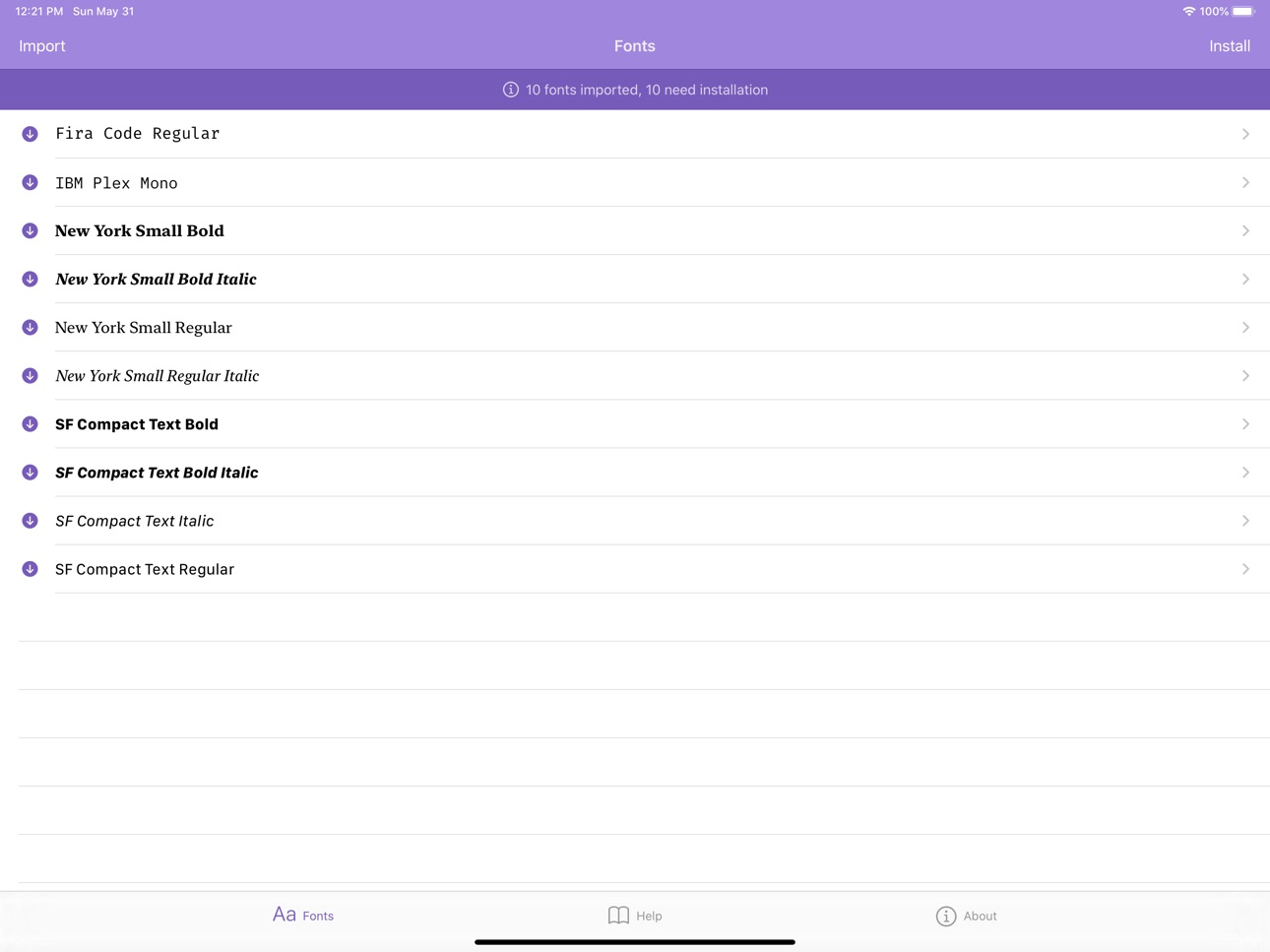
iPad 3 images


What’s New Version 2.0.1
• Updated install instructions
Changes on 2.0
• xFonts is now Fontcase - new branding to avoid confusion with another font app
• Now supports installing fonts from iCloud Drive and other Files storage locations like Dropbox
• An imported font can be previewed with its metadata
• Extensive help explaining the font installation process
• Support for Light and Dark Mode in iOS
• Adaptive layout that works well on all devices including iPad Pros to iPhone SE
Description
Fontcase is an app that lets you install custom fonts on iOS and iPadOS.
1) Import fonts from your iCloud Drive or Dropbox and add them to your collection of favorites.
2) Tap on any listed font and you'll get a preview of the characters along with other metadata.
3) When you're done collecting, install your fonts in Settings and they'll be available in other apps, including iWork, to make your documents look better than ever.
Fontcase is completely open source, so your privacy is insured. The app only adds fonts to your settings and does not modify them at all in the process. For more information on why this is important, see the app's Help tab.
Enjoy!
Accessibility
ipadiphonemacrealityDevicetvoswatch
Version history 4 versions
Build 849672152v2.0.12022-06-06 22:04:45
• Updated install instructions
Changes on 2.0
• xFonts is now Fontcase - new branding to avoid confusion with another font app
• Now supports installing fonts from iCloud Drive and other Files storage locations like Dropbox
• An imported font can be previewed with its metadata
• Extensive help explaining the font installation process
• Support for Light and Dark Mode in iOS
• Adaptive layout that works well on all devices including iPad Pros to iPhone SE
Build 836213878v2.02020-06-11 22:28:01
• xFonts is now Fontcase - new branding to avoid confusion with another font app
• Now supports installing fonts from iCloud Drive and other Files storage locations like Dropbox
• An imported font can be previewed with its metadata
• Extensive help explaining the font installation process
• Support for Light and Dark Mode in iOS
• Adaptive layout that works well on all devices including iPad Pros to iPhone SE
Build 825180859v1.0.12017-12-04 19:40:54
New
- iPhone X support.
Build 820916012v1.02017-04-20 01:56:57
No pricing data captured yet — comparisons appear once the app has paid storefronts or in-app purchases.
Availability 1 of 1 storefronts
| Region | Language | Price | Ratings | Avg | Version |
|---|---|---|---|---|---|
| US | en-US | Free | 86 | 3.9 | 2.0.1 |
Change log 7 changes · US
✎
releaseNotes updated
• Updated install instructions
Changes on 2.0
• xFonts is now Fontcase - new branding to avoid confusion with another font app
• Now supports installing fonts
✎
description updated
Fontcase is an app that lets you install custom fonts on iOS and iPadOS.
1) Import fonts from your iCloud Drive or Dropbox and add them to your collection of
✎
name updated
Fontcase - Manage Your Type
◆
Version 2.0.1 released
• Updated install instructions
Changes on 2.0
• xFonts is now Fontcase - new branding to avoid confusion with another font app
• Now supports installing fonts from iCloud Drive and other Files storage locations like Dropbox
• An imported f
◆
Version 2.0 released
• xFonts is now Fontcase - new branding to avoid confusion with another font app
• Now supports installing fonts from iCloud Drive and other Files storage locations like Dropbox
• An imported font can be previewed with its metadata
• Extens
◆
Version 1.0.1 released
New
- iPhone X support.
◆
Version 1.0 released