Home › Business

 US
US
1 of 1 storefronts
Content in en-US
Content in en-US
Information
Preview 2 platforms
iPhone 10 images






iPad 10 images






What’s New Version 2009
Bug Fixes
Description
The mWorkOrder mobile app is a part of the work order management software suite. This tool connects back-end work order management with floor- or field-based technicians to streamline how work orders are assigned, tracked, resolved, and reported. With secure access to the full work order scope, technicians can review histories and study asset information to quickly diagnose and repair issues.
Mobilize your workforce, automate work order processes, and bridge informational gaps to increase productivity
Bring pinpoint accuracy to maintenance measurements and readings, and extend the life of your mission-critical equipment
Analyze trends and implement proactive maintenance to ensure safety and compliance across the enterprise
Develop a repository of accurate performance and business data to identify energy waste and lower operational costs.
Accessibility
ipadiphonemacrealityDevicetvoswatch
Version history 19 versions
Build 847365633v20092022-05-30 05:04:53
Bug Fixes
Build 837921311v20062021-12-17 05:41:07
What’s New
- Operator Rounds
- Transaction Count (Offline)
- View & Reprocess Failed Transactions
- Templatization For Fields
Build 835444139v20032020-04-19 16:30:02
New Features & Enhancements - 2003 Release
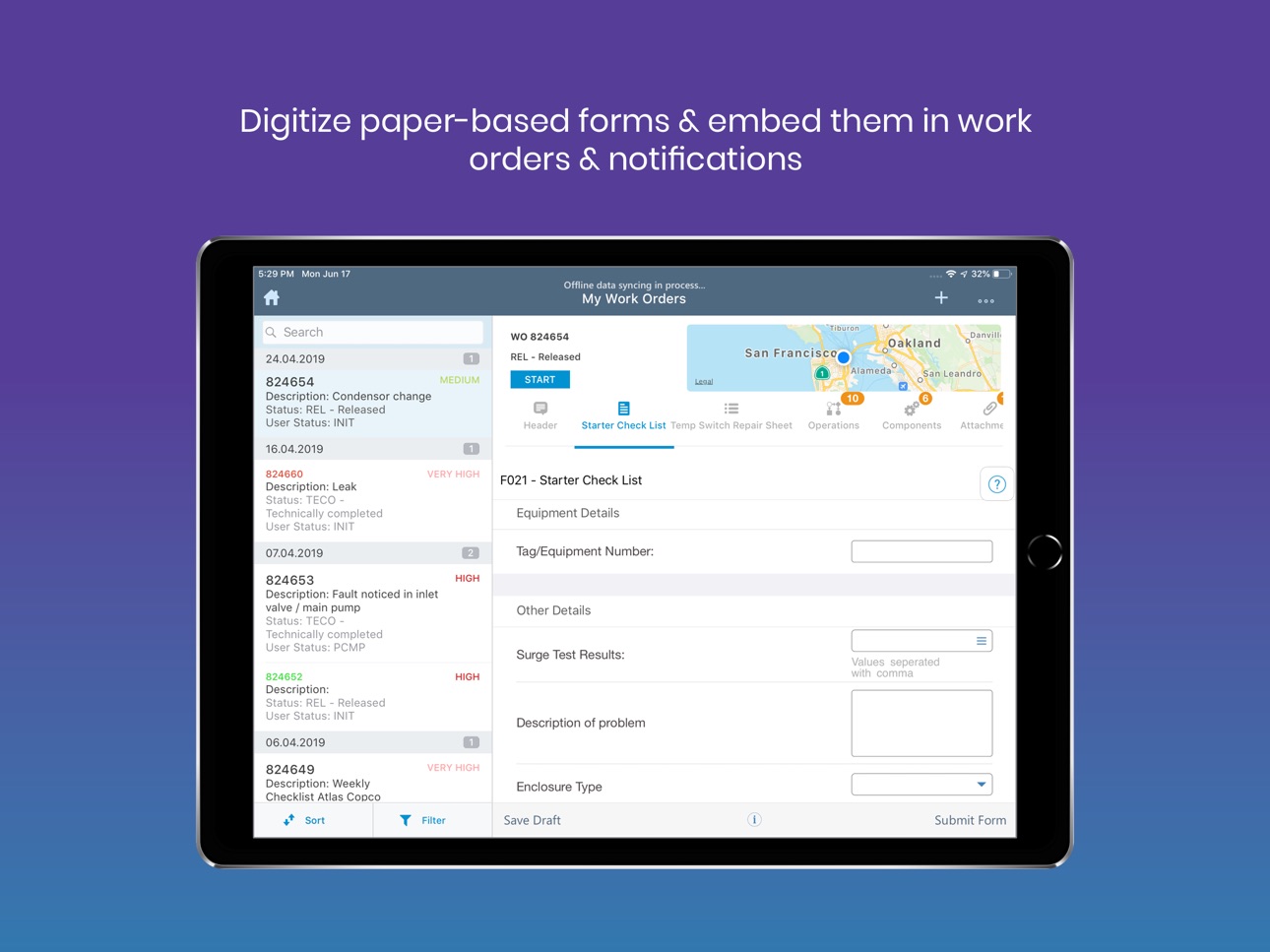
- Add forms to Work Order on the go
- Save Work Order forms as PDF
- Eliminate manual search to filter records
- Confirm Work Order Operation using measuring point PRTs
- View role-based Dashboard
- No Security password pop-up with SAML
- New Scan icon
- Hide irrelevant fields using UI validations
Build 833869673v7.4.02020-01-21 14:23:43
Stability and Performance Improvements.
Build 833156442v7.3.02019-11-14 16:08:06
Stability and performance improvements
Build 832649051v7.2.12019-09-05 15:10:28
What's New
- Filter drop down values using Wildcard search
- Delta Sync enhancements
- Sync data using customized filters
Build 831176308v7.2.02019-08-08 20:58:10
New features and enhancements - mWorkOrder 7.2.0 Release
-Objects in Work Order
-Revision History in Embedded Forms
-Code Group data using Catalog profile
-Long Text templates in the Notifications module
-Populating and making dependent fields non-editable
-Prioritize Notifications by customizing Risk Matrix
Build 829182373v7.0.02018-12-01 10:06:33
The new features and enhancements that have been included and available as part of the release 7.0.0 of mWorkOrder solution
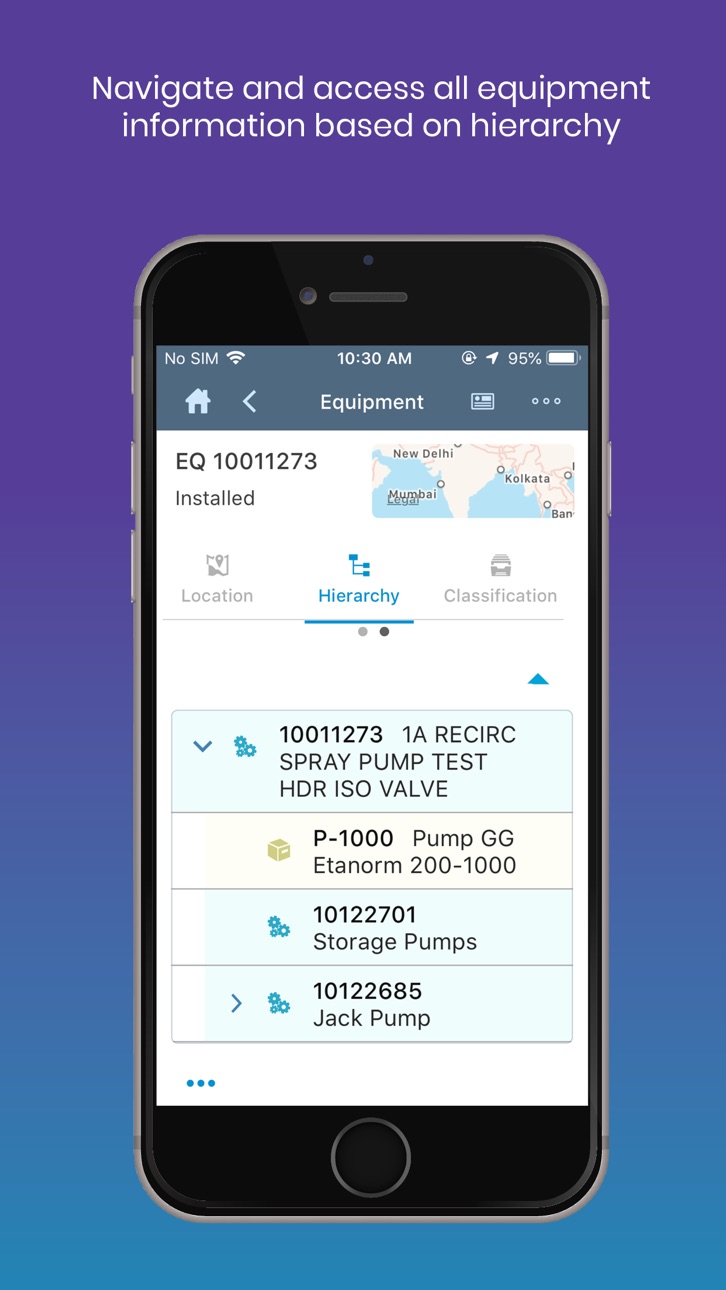
• Hierarchy-Based Drop Down and Selection—Equipment and Functional Location
• Configurable Font Size
• Graphical View—Measurement Readings
• Video Size Limitation
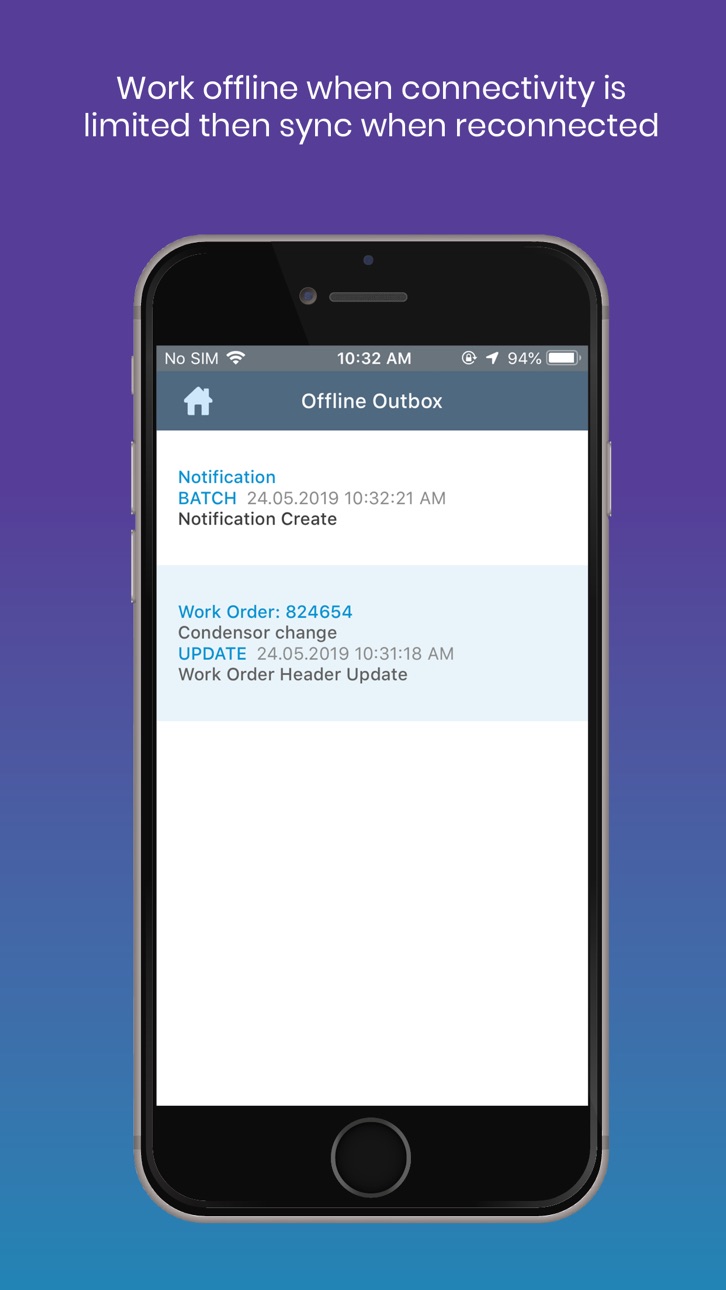
• Improved Offline Data Synchronization
• Reprocessing of Failed Transactions
• UI Changes—Header Offline Outbox
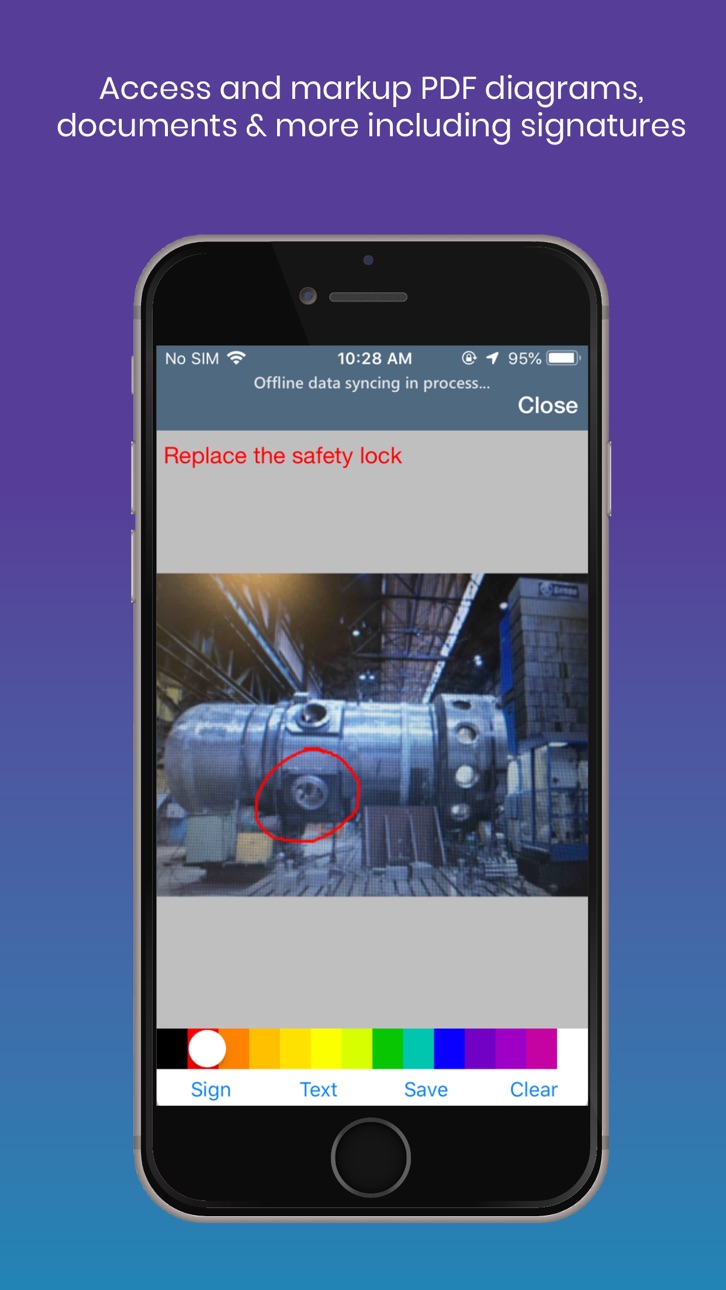
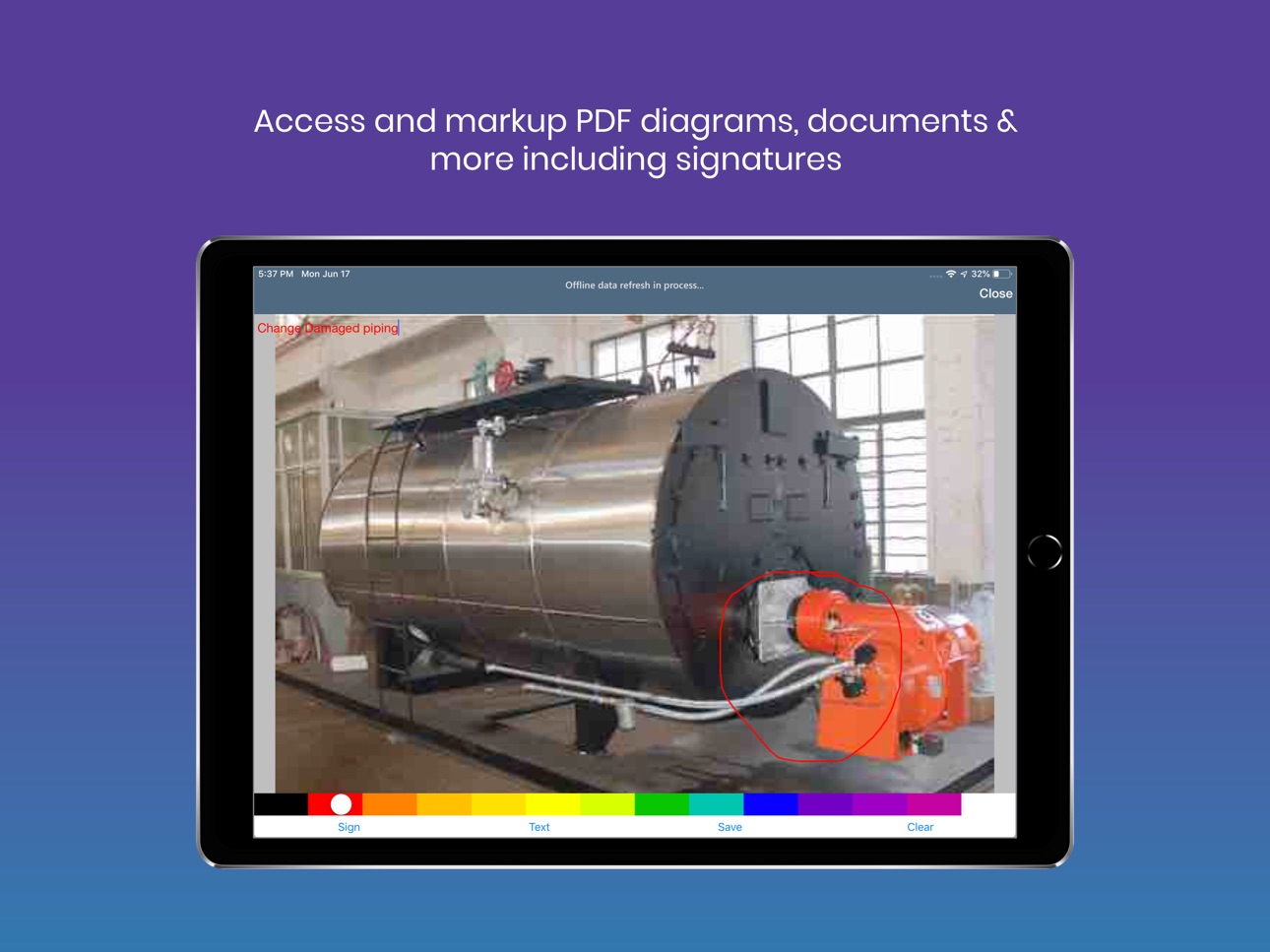
• PDF Markup
• Push Notifications
• RACE Configurability for Screen Sequence
• Reference Documentation
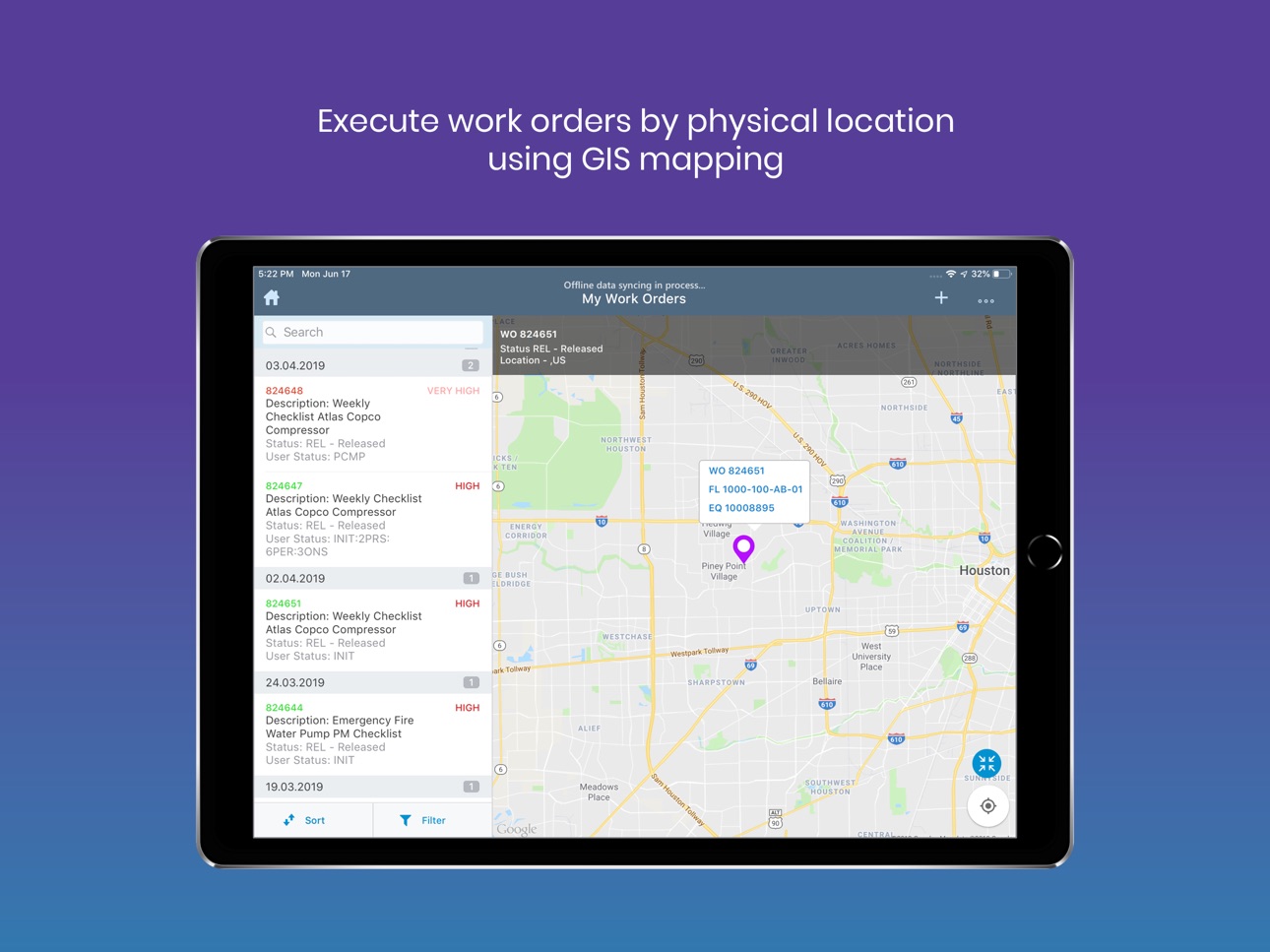
• GIS Support–Latlongo, Lemur
• Task List-Based Operations, Components, and PRT Documents
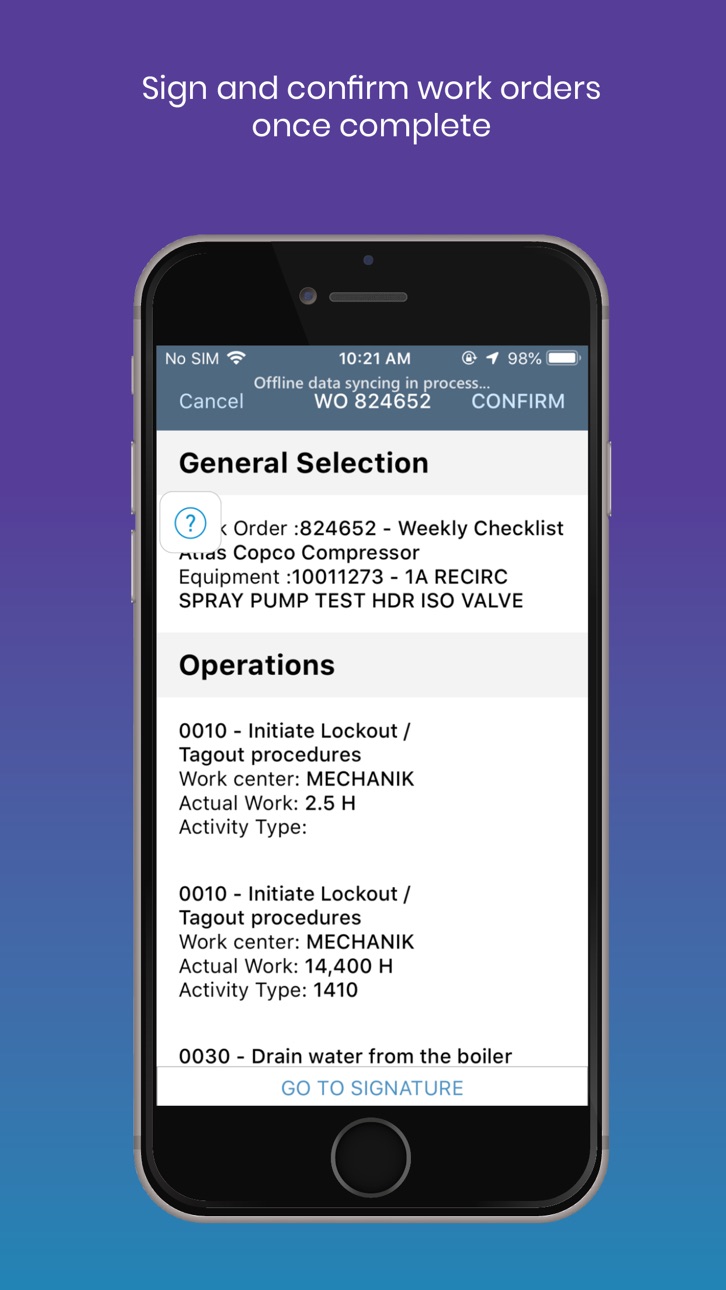
• Overall Confirmation—Work Orders
• Online/Offline Toggle Button
Build 827706386v6.1.32018-07-30 19:01:41
New features and enhancements that have been included and available as part of the release 6.1.3 of mWorkOrder solution.
•App Passcode Mandatory
•Application working fine in low Network Bandwidth
•Passcode pop-up verbiage change
Build 827497426v6.1.22018-06-23 21:28:25
•Navigate Through App during Auto Confirmation of an Operation
•Extended RACE Configuration for Dashboard
•RACE Configurability for Colour Codes of Work Order Standard Fields
•Focused Updated Records
•Select/Deselect All Options for Multi-Select Drop-Down Field
•Reprocessing of Failed Transactions for Embedded Forms
Build 826894927v6.1.02018-05-14 17:58:32
•Color Coded Work Order Numbers in Work Order List
•UI Enhancement—History Navigation
•Manual Work Order from Maintenance Plan
•User Preferred Offline Synchronization
•Configurable Dashboard
•Hierarchy Enhancements—Equipment and Functional Location
•Navigation and Create Notifications and Work Orders
•Bill of Material (BOM) Display in Hierarchy
•Auto HR Timesheet
•Classification—Equipment
Build 826481074v6.0.42018-04-02 20:06:36
Bug fixes
Build 826227718v6.0.32018-03-08 17:32:56
•Bug fixes and performance improvements
Build 826198325v6.0.22018-03-06 23:09:59
• Place Holder to Dynamic Form Fields
• New Field Type for Time Field with Seconds
• Default Time and Date Fields
• New UI Validations
Build 825954982v6.0.12018-02-19 20:20:39
• Color Coded Work Order Numbers in Work Order List
• UI Enhancement – History Navigation
• Manual Work Order from Maintenance Plan
• User Preferred Offline Synchronization
Build 825529989v6.0.02018-01-09 23:15:13
New features and enhancements that are included and available as part of the 6.0.0 release of mWorkOrder solution:
• Asset Dashboard
Asset dashboard is enhanced to allow users to access object data in one single screen to drive decisions and actions.
• Object details and Location information
• Warranty and Manufacturer details
• Classification
• Bill of Materials
• Functional Location and Equipment Hierarchy
• Manufacturer Part Information and Google Search
• Breakdowns Reported, Criticality Indicator and Annual Cost of Maintenance
• Historical object statistics with analytics
• Easy access to Documentation, Pictures and Videos
• History, Recent and Overdue Work Orders
• History, Recent and Overdue Notifications
• Historical Data for Mean Time to Repair and Mean Time Between Repairs
• Historical trends of Measurement Documents
• Fuzzy search and scan capability
• List Count View
The mWorkOrder application has been enhanced such that the user can now view the number of data records synchronized and available by every module on the Home Screen.
• User Profile and User Shift time logging
A new icon – Profile is now available on the Home Screen of the mWorkOrder application, which when tapped, will display a Profile pop-up. On this Profile screen, the user can initiate Shift Start and Shift End process steps. The Default Settings of the User is also included in the Profile pop-up.
• Operation Work calculation based on Resources & Duration
In Work Order Operation once the user enters the respective values for Work Effort and the Number of Resources, the Duration is automatically calculated and updated with the corresponding value.
• Follow-up Notification
The mWorkOrder application allows users to create Follow-up Notification to a Work Order which allows for extension of maintenance work based on findings after the processing completion of the Work Order.
• Emergency Work Order
Ability to create an Emergency Work Order that allows a technician to record an Emergency maintenance event and related work completion by automating all the process steps during the emergency work completion:
• Generation and Release of the Work Order
• Automatic Operations Confirmation
• Component Reservation and Goods Issue
• View thumbnails of the images
The mWorkOrder application has been enhanced such that all the images in the attachments section are distinctly displayed as thumbnails in the list of attachments.
• Mandatory attachments
Capability to force image capture as mandatory. This can be achieved with RACE configuration.
• Disable conversion of a Notification to a Work Order
Capability to enable and disable the function to convert a Notification to Work Order. This can be achieved with RACE configuration.
• Priority based Color coding
Capability to configure pre-defined color codes for Priorities of Work Orders and Notifications.
• Authorizing Order types to selective users
Order Types now can be assigned to authorized users based on their Role. The RACE Configuration that allowed for Order Type restrictions, now can also be restricted based on User Roles.
• Image annotations
mWorkOrder users are now able to edit an image before inserting them as an attachment on Work Orders, Notifications, Equipment and Functional Locations.
• Attachments – Enhanced features (DMS – Attachments, URL’s & Archive Link)
Attachments capability is enhanced to include DMS (Document Management System) as a source to read and retrieve related documents. These documents can include normal attachments stored in DMS, URL link based documents and Archive link based documents.
Build 823701558v5.1.32017-09-19 01:33:01
Enhanced functionality and Performance improvements with minor bug fixes
Build 821805340v5.1.02017-04-24 23:00:54
Ability to Create and Change Equipment
Ability to Create and Change Functional Location
Advanced Offline with subsequent document processing
Object Links related Documents synchronization and display
Field Level Personalization
Ability to create Work Order directly from Equipment & Functional Locations
Configurable Work Load Assignment
Improved GIS integration and related controls on the Maps
Enhanced Auto-confirmation - Ability to minimize and parallel process Work Order tasks
Build 820778617v5.0.12017-02-16 14:06:41
No pricing data captured yet — comparisons appear once the app has paid storefronts or in-app purchases.
Availability 1 of 1 storefronts
| Region | Language | Price | Ratings | Avg | Version |
|---|---|---|---|---|---|
| US | en-US | Free | 5 | 3.4 | 2009 |
Change log 23 changes · US
✎
releaseNotes updated
Bug Fixes
✎
description updated
The mWorkOrder mobile app is a part of the work order management software suite. This tool connects back-end work order management with floor- or field-based te
✎
subtitle updated
Mobile WorkOrder Management
✎
name updated
mWorkOrder
◆
Version 2009 released
Bug Fixes
◆
Version 2006 released
What’s New
- Operator Rounds
- Transaction Count (Offline)
- View & Reprocess Failed Transactions
- Templatization For Fields
◆
Version 2003 released
New Features & Enhancements - 2003 Release
- Add forms to Work Order on the go
- Save Work Order forms as PDF
- Eliminate manual search to filter records
- Confirm Work Order Operation using measuring point PRTs
- View role-based Dashboard
◆
Version 7.4.0 released
Stability and Performance Improvements.
◆
Version 7.3.0 released
Stability and performance improvements
◆
Version 7.2.1 released
What's New
- Filter drop down values using Wildcard search
- Delta Sync enhancements
- Sync data using customized filters
◆
Version 7.2.0 released
New features and enhancements - mWorkOrder 7.2.0 Release
-Objects in Work Order
-Revision History in Embedded Forms
-Code Group data using Catalog profile
-Long Text templates in the Notifications module
-Populating and making depend
◆
Version 7.0.0 released
The new features and enhancements that have been included and available as part of the release 7.0.0 of mWorkOrder solution
• Hierarchy-Based Drop Down and Selection—Equipment and Functional Location
• Configurable Font Size
• Graphical Vi
◆
Version 6.1.3 released
New features and enhancements that have been included and available as part of the release 6.1.3 of mWorkOrder solution.
•App Passcode Mandatory
•Application working fine in low Network Bandwidth
•Passcode pop-up verbiage change
◆
Version 6.1.2 released
•Navigate Through App during Auto Confirmation of an Operation
•Extended RACE Configuration for Dashboard
•RACE Configurability for Colour Codes of Work Order Standard Fields
•Focused Updated Records
•Select/Deselect All Options for Multi-S
◆
Version 6.1.0 released
•Color Coded Work Order Numbers in Work Order List
•UI Enhancement—History Navigation
•Manual Work Order from Maintenance Plan
•User Preferred Offline Synchronization
•Configurable Dashboard
•Hierarchy Enhancements—Equipment and Functional
◆
Version 6.0.4 released
Bug fixes
◆
Version 6.0.3 released
•Bug fixes and performance improvements
◆
Version 6.0.2 released
• Place Holder to Dynamic Form Fields
• New Field Type for Time Field with Seconds
• Default Time and Date Fields
• New UI Validations
◆
Version 6.0.1 released
• Color Coded Work Order Numbers in Work Order List
• UI Enhancement – History Navigation
• Manual Work Order from Maintenance Plan
• User Preferred Offline Synchronization
◆
Version 6.0.0 released
New features and enhancements that are included and available as part of the 6.0.0 release of mWorkOrder solution:
• Asset Dashboard
Asset dashboard is enhanced to allow users to access object data in one single screen to drive decisions an
◆
Version 5.1.3 released
Enhanced functionality and Performance improvements with minor bug fixes
◆
Version 5.1.0 released
Ability to Create and Change Equipment
Ability to Create and Change Functional Location
Advanced Offline with subsequent document processing
Object Links related Documents synchronization and display
Field Level Personalization
Ability to c
◆
Version 5.0.1 released