Home › Productivity

Information
Apple ID1200416157
Bundle IDcom.econnect.ios
SellerSeller
Min iOS13.0
Min macOS11.0
Device familiesiphone, ipad, ipod
Released2017-02-24
Copyright© EL.MO. S.p.A.
Privacy policyLink ↗
Preview 2 platforms
iPhone 10 images




iPad 5 images


What’s New Version 2.34.7
- Improved performance;
Description
e-Connect is a service for systems centralization, management and supervision that combines in a single cloud platform EL.MO intrusion and fire detection, home management systems and e-Vision® video surveillance systems.
e-Connect makes it possible to control intrusion and fire detection systems status (home, office, holiday houses, etc.), receive notifications, manage systems through graphic maps, enable/disable devices (ex. detectors), display images of video surveillance systems, and manage domotic systems such as irrigation and lighting systems.
Find out about e-Connect at http://e-connect.elmospa.com
The service usage requires the intervention of EL.MO. qualified and authorized security systems installers who are to create a system account, that is, a user profile enabled for the management of compatible EL.MO. intrusion detection control units and/or e-Vision PRO series DVRs/NVRs. Some functions will be available only for accounts set by installers registered to the platform with multi-level structure.
What can e-Connect manage?
- EL.MO. intrusion detection systems based on Villeggio, PREGIO, HERCOLA, ETR G2, TITANIA, NET and TACÓRA control units.
- DVRs, NVRs and IP cameras of e-Vision PRO series.
- Domotic systems associated to EL.MO. units
e-Connect can also manage several systems through a single account simultaneously: home, office, holiday houses.
What can e-Connect do?
Using smartphones and tablets it is possible to control systems status, receive notifications (also referred to InstaVision video verification for an immediate video monitoring upon events occurrence), enable/disable intrusion detection devices, display CCTV systems images (live both single and multichannel, and playback) or manage domotic systems. With regard to the chronothermostat, it will be possible to adjust the temperature and control its working mode from a remote site.
InstaVision Video Verification
InstaVision is a new e-Connect function for video verification that optimizes the synergy between EL.MO. intrusion and fire detection systems and CCTV e-Vision® PRO systems. It allows receiving real time notifications about one of its security systems and verify its condition immediately. When an event occurs (ex. intrusion attempt) InstaVision allows displaying live images, images recorded at the exact time of the event, and images recorded a few seconds before the occurrence of the event directly from e-Connect app. Such function enables to control whether the event is a false alarm or a true intrusion or fire event in which case a prompt intervention will be possible. Images are not recorded to third-party servers, but directly to users DVRs and NVRs so to reduce to zero personal data breach risks and to shorten dramatically system response time.
How is e-Connect interface?
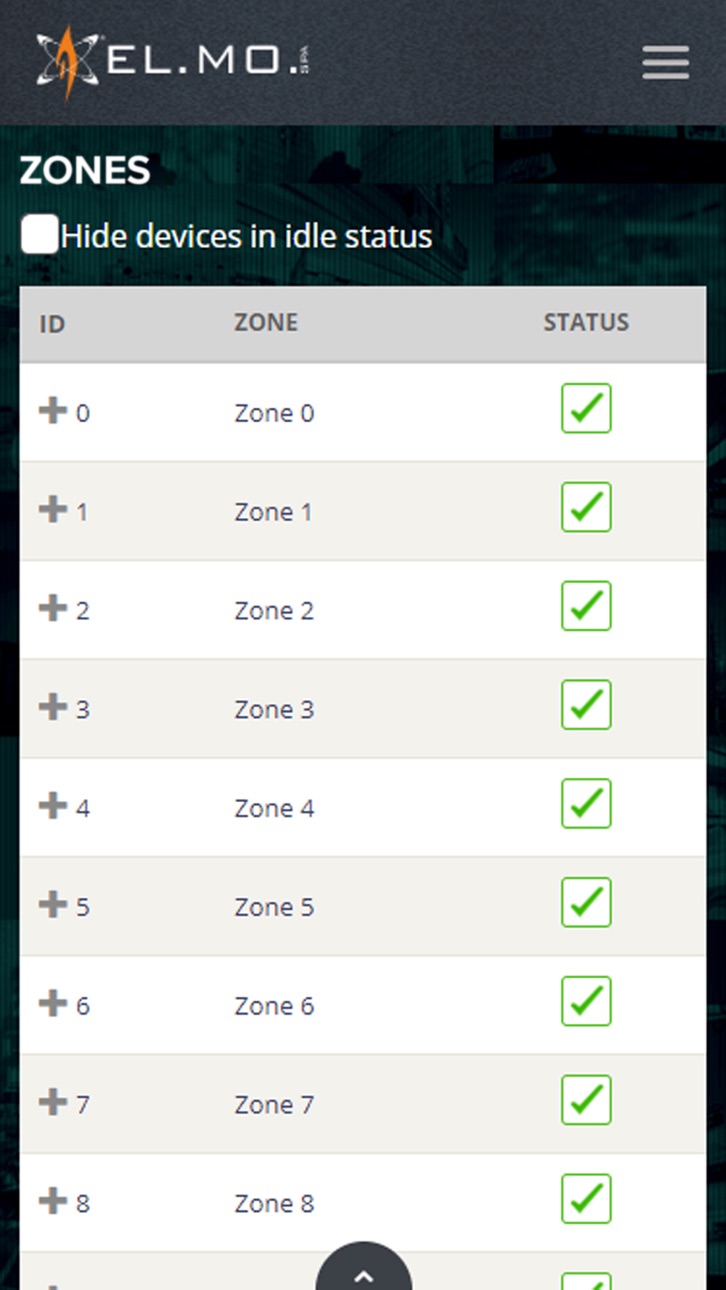
e-Connect features a complete but intuitive control panel. Main icons provide a quick view of the system status, while a convenient side menu grants an easy browsing of e-Connect menu pages. Systems interactive graphic maps allow managing devices and retrieve cameras images view.
How is power combined with security?
e-Connect features a Cloud Server structure that includes all control units connected to the network. The use of SSL communication protocol combined with certificates issued by international Certification Authority bodies grants an outstanding security level.
Easy setup and P2P
The configuration of e-Connect app and its association to security equipment such as control units and NVRs/DVRs is an easy operation also thanks to P2P connection to EL.MO. proprietary server.
For web browser version, visit http://connect.elmospa.com website.
e-Connect app performs a regular automatic check of the purchase licence validity; in case of errors, please download the most recent version available on App Store.
Accessibility
ipadiphonemacrealityDevicetvoswatch
Version history 25 versions
Build 886092935v2.34.72026-05-26 06:32:27
- Improved performance;
Build 884452022v2.34.62026-04-14 07:49:39
Improved performance
Build 883917421v2.34.52026-04-01 06:37:27
Improved performance
Build 882363991v2.34.42026-02-16 07:23:26
Improved performance
Build 881879332v2.34.32026-02-03 15:30:57
Performance improvements
Build 878916088v2.34.12025-10-16 07:29:58
Performance improvements
Build 878727537v2.34.02025-10-13 06:39:15
Performance improvements.
Build 873692452v2.31.32025-04-02 11:42:06
Improved performance
Build 873508160v2.31.12025-03-26 09:26:18
Improved performance
Build 873549433v2.31.22025-03-26 17:00:14
Improved performance
Build 870499330v2.30.12024-11-19 07:36:23
New camera and products models added
Build 870017074v2.30.02024-10-29 16:05:32
Integration of the Instavision function for the QHUBOCAM01 camera
Build 869376557v2.23.12024-09-30 12:36:54
Performance improvements
Build 867661592v2.23.02024-07-23 07:01:23
Performance improvements
Build 867110166v2.22.02024-07-01 15:01:49
- Performance improvement;
- New camera and products models added.
Build 866073956v2.21.42024-05-21 06:33:49
New camera models and products added
Build 864707185v2.21.32024-03-26 07:56:47
Performances improvement
Build 862937863v2.21.22024-01-17 08:28:43
- Performance improvement;
- iOS 12 support discontinued.
Build 861273302v2.21.12023-11-06 20:51:53
- Performances improvement
Build 860509798v2.21.02023-10-09 15:51:16
- Compatibility extension for new products and firmware;
- Implementation of the new VDControl service.
Build 860212713v2.20.32023-09-26 15:09:12
Added support for iOS17
Build 857987607v2.20.22023-06-22 20:21:45
Updated list of supported devices
Build 856345937v2.20.12023-04-13 21:45:09
- Improved phone/cameras timezone management;
- Updated supported devices list;
Build 854541367v2.202023-01-23 11:15:42
- Enhanced performances;
- Extended compatibility with new versions of cameras and NVRs;
Build 847595081v2.192022-03-09 15:06:59
Performance improvement.
Price history by region
Currency
Show
Columns
Search
Availability 28 of 28 storefronts
| Region | Language | Price | Ratings | Avg | Version |
|---|---|---|---|---|---|
 US US | en-US | USD 3.99 | 5 | 2.8 | 2.34.7 |
 GR GR | en-GB | EUR 4.99 | 2 | 4.5 | 2.34.7 |
 JO JO | en-GB | USD 3.99 | 1 | 5.0 | 2.34.7 |
 AE AE | en-GB | AED 14.99 | 0 | — | 2.34.7 |
 BY BY | en-GB | USD 4.99 | 0 | — | 2.34.7 |
 CD CD | en-GB | USD 3.99 | 0 | — | 2.34.7 |
 CZ CZ | en-GB | CZK 99 | 0 | — | 2.34.7 |
 DZ DZ | en-GB | USD 3.99 | 0 | — | 2.34.7 |
 GW GW | en-GB | USD 3.99 | 0 | — | 2.34.7 |
 HU HU | en-GB | HUF 1790 | 0 | — | 2.34.7 |
 KG KG | en-GB | USD 3.99 | 0 | — | 2.34.7 |
 KN KN | en-GB | USD 3.99 | 0 | — | 2.34.7 |
 LC LC | en-GB | USD 3.99 | 0 | — | 2.34.7 |
 MA MA | en-GB | USD 3.99 | 0 | — | 2.34.7 |
 MG MG | en-GB | USD 3.99 | 0 | — | 2.34.7 |
 MS MS | en-GB | USD 3.99 | 0 | — | 2.34.7 |
 MW MW | en-GB | USD 3.99 | 0 | — | 2.34.7 |
 MX MX | es-MX | MXN 89 | 0 | — | 2.34.7 |
 QA QA | en-GB | QAR 14.99 | 0 | — | 2.34.7 |
 SC SC | en-GB | USD 3.99 | 0 | — | 2.34.7 |
 SK SK | en-GB | EUR 4.99 | 0 | — | 2.34.7 |
 SL SL | en-GB | USD 3.99 | 0 | — | 2.34.7 |
 ST ST | en-GB | USD 3.99 | 0 | — | 2.34.7 |
 SZ SZ | en-GB | USD 3.99 | 0 | — | 2.34.7 |
 TD TD | en-GB | USD 3.99 | 0 | — | 2.34.7 |
 TJ TJ | en-GB | USD 3.99 | 0 | — | 2.34.7 |
 TN TN | en-GB | USD 3.99 | 0 | — | 2.34.7 |
 VC VC | en-GB | USD 3.99 | 0 | — | 2.34.7 |
Change log 28 changes · US
✎
releaseNotes updated
- Improved performance;
✎
description updated
e-Connect is a service for systems centralization, management and supervision that combines in a single cloud platform EL.MO intrusion and fire detection, home
✎
name updated
e-Connect
◆
Version 2.34.7 released
- Improved performance;
◆
Version 2.34.6 released
Improved performance
◆
Version 2.34.5 released
Improved performance
◆
Version 2.34.4 released
Improved performance
◆
Version 2.34.3 released
Performance improvements
◆
Version 2.34.1 released
Performance improvements
◆
Version 2.34.0 released
Performance improvements.
◆
Version 2.31.3 released
Improved performance
◆
Version 2.31.2 released
Improved performance
◆
Version 2.31.1 released
Improved performance
◆
Version 2.30.1 released
New camera and products models added
◆
Version 2.30.0 released
Integration of the Instavision function for the QHUBOCAM01 camera
◆
Version 2.23.1 released
Performance improvements
◆
Version 2.23.0 released
Performance improvements
◆
Version 2.22.0 released
- Performance improvement;
- New camera and products models added.
◆
Version 2.21.4 released
New camera models and products added
◆
Version 2.21.3 released
Performances improvement
◆
Version 2.21.2 released
- Performance improvement;
- iOS 12 support discontinued.
◆
Version 2.21.1 released
- Performances improvement
◆
Version 2.21.0 released
- Compatibility extension for new products and firmware;
- Implementation of the new VDControl service.
◆
Version 2.20.3 released
Added support for iOS17
◆
Version 2.20.2 released
Updated list of supported devices
◆
Version 2.20.1 released
- Improved phone/cameras timezone management;
- Updated supported devices list;
◆
Version 2.20 released
- Enhanced performances;
- Extended compatibility with new versions of cameras and NVRs;
◆
Version 2.19 released
Performance improvement.