Home › Weather

 US
US
1 of 1 storefronts
Content in en-US
Content in en-US
Information
Apple ID1186298709
Bundle IDcom.synertronixx.thermoconnect
SellerSeller
Min iOS11.0
Min macOS11.0
Device familiesiphone, ipad, ipod
Released2016-12-22
Copyright© DATA INFORMATION SERVICES GmbH
Privacy policyLink ↗
Preview 2 platforms
iPhone 7 images


iPad 3 images

What’s New Version 1.54
Minor bug fixes and adjustments
Description
The plus in safety
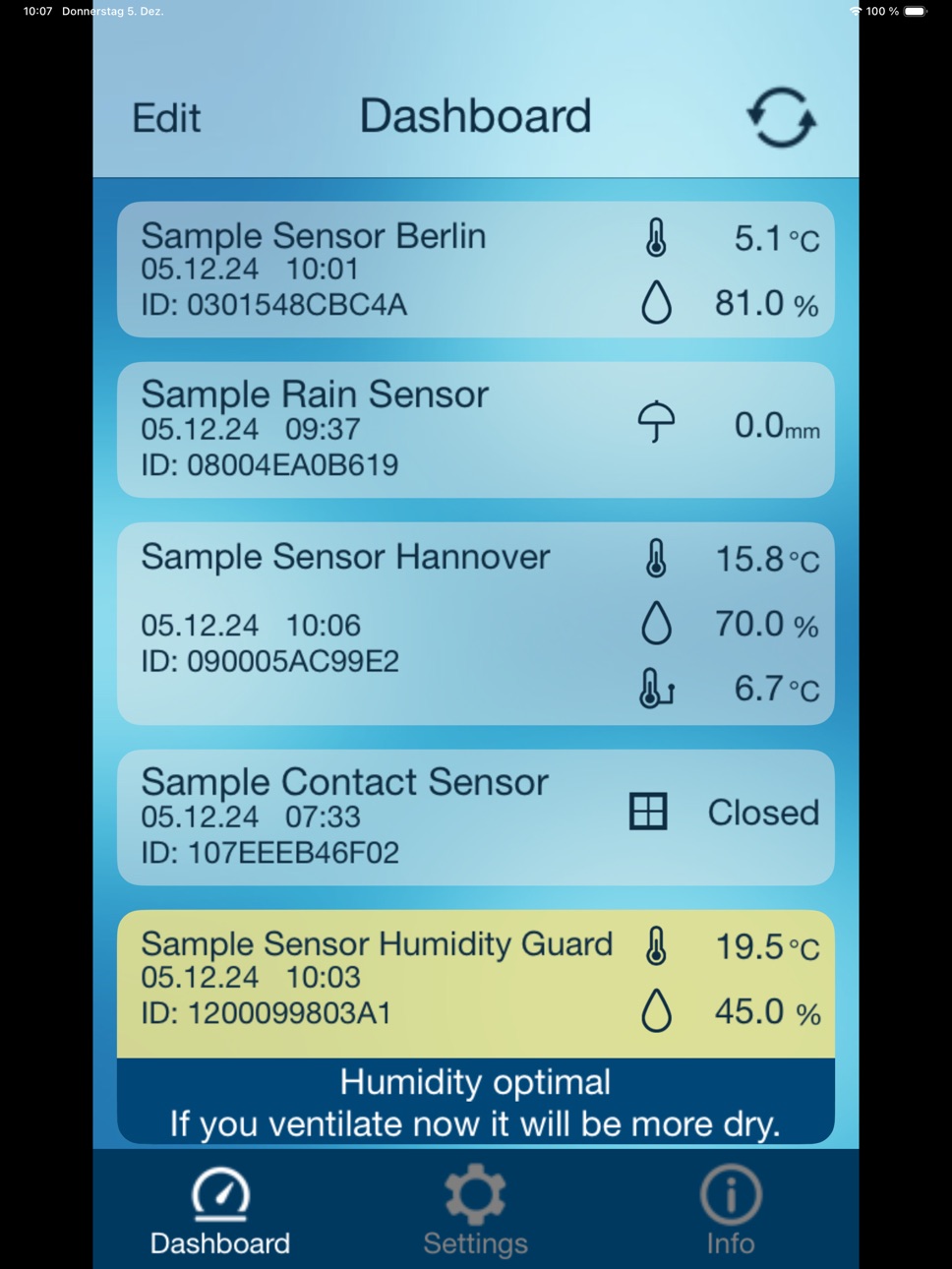
You want to know what your flat or house is doing right now - with the MOBILE ALERTS home monitoring system you can easily find out about its condition:
- Are all windows and doors closed?
- Is the freezer cold enough?
- Can I leave the washing machine running unattended?
- Has the power failed?
All these questions will be answered in the future by the MOBILE ALERTS home monitoring system in this practical app in combination with various wireless sensors for your home. All you need to operate this app is the necessary hardware, consisting of the gateway and at least one sensor of your choice (e.g. MOBILE ALERTS Starterkit MA 10001 Set) and an internet connection.
Via the Internet connection and the gateway, the MOBILE ALERTS app enables you to call up all the information from your home on your smartphone anywhere in the world. The sensors permanently monitor the current data and report malfunctions automatically and immediately via push notification to your smartphone, whereby greater damage can be avoided by targeted action.
The simple installation enables every user to monitor the house at any time in just 5 steps:
Once you have downloaded the permanently free MOBILE ALERTS app from the Appstore, it is immediately ready for use after installation thanks to Plug&Play.
A personal registration is not necessary.
Now connect the gateway to the power supply unit and your router.
Then insert batteries in the selected wireless sensors.
Open the app, scan in the codes of the wireless sensors and you can access all the recorded data with your smartphone and check the current status of your home - anytime, anywhere.
The whole process is completed within 2 minutes at the latest.
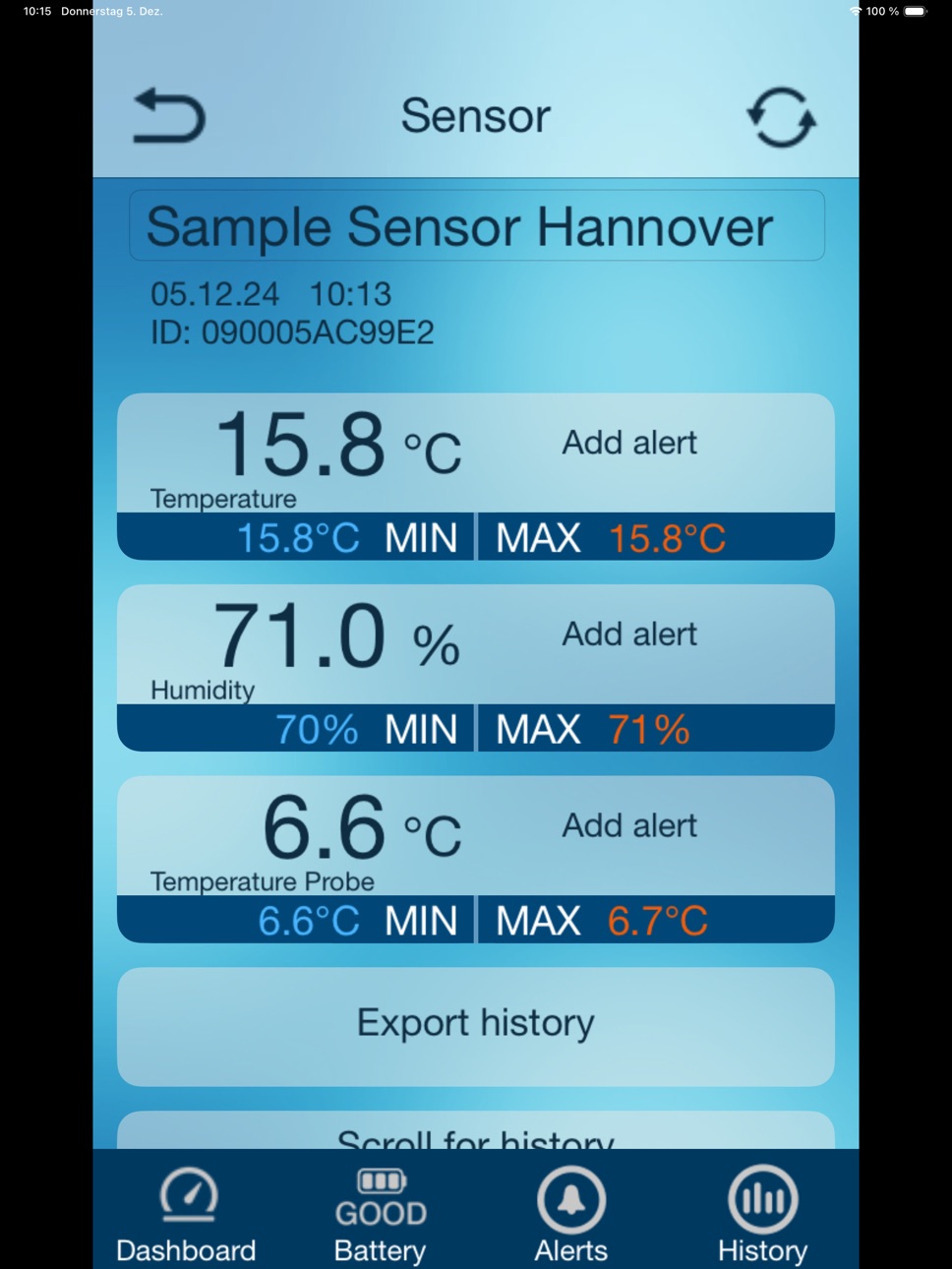
The app's self-explanatory, graphical user interface is intuitive to use and can be individually adapted to your needs. Define an individual name for each wireless sensor and set up specific alarm limits yourself. If these alarm limits are exceeded, the wireless sensors immediately report the fault to your smartphone and thus offer you the PLUS in security.
The MOBILE ALERTS system can be expanded with many other wireless sensors as required. In addition to temperature monitoring, these provide additional data on air humidity, water temperature, leaking water, information on open and closed windows or doors and much more.
The MOBILE ALERTS system can be used with many other IoT systems via the Conrad Connect IoT platform. In addition, there is support for the common language assistants.
We are continuously working on the range of our sensors. Further information, an overview of all available sensors and an additional video for installation can be found in your app under INFO or at www.mobile-alerts.eu.
Accessibility
ipadiphonemacrealityDevicetvoswatch
Version history 15 versions
Build 881220145v1.542026-01-07 11:40:14
Minor bug fixes and adjustments
Build 870863214v1.532024-12-11 15:47:21
Minor bug fixes and adjustments
Build 853784756v1.522022-12-09 07:55:29
Minor bug fixes and adjustments
Build 847993229v1.512022-05-09 14:52:00
With this update:
- the rotation problem on the iPad has been fixed
- we have implemented other small fixes.
Build 844401923v1.492021-10-26 16:25:02
You can now link the history of an old rain sensor with the history of a new / current rain sensor. When replacing a rain sensor, you can continue to use the historical data of the old rain sensor. You will find the function in the "Total" view of the new rain sensor.
MOBILE ALERTS now supports the new Wifi gateway. This gateway offers the possibility to connect the MOBILE ALERTS sensor system to the MOBILE ALERTS sensor cloud via a WLAN. The MOBILE ALERTS sensors continue to communicate with the MOBILE ALERTS gateway via the proven MOBILE ALERTS radio protocol.
In addition, we have revised some elements of the app and fixed minor bugs.
Build 841697786v1.482021-04-22 04:59:28
- Bugfix in the display of the minimum & maximum temperature of the weather station
- Stability improvements
- Optimizations
Build 839381627v1.472021-04-21 06:54:31
Fixed display error for French push messages.
Build 838537710v1.462020-11-25 09:43:45
We have improved the startup of the app and additionally the start screen can be disabled in the settings. The weather station data can now optionally be updated automatically every 15 minutes. Furthermore we have fixed some bugs and adapted the app to new smartphones. We wish all users a lot of fun.
Build 832207517v1.442019-08-10 08:21:56
- Now supports MOBILE ALERTS Lite
- Stability improvements and optimizations
Build 831248841v1.432019-07-18 10:45:33
- Support for the new air pressure sensor MA10238 (sensor for air pressure, indoor temperature and humidity)
- Stability improvements and optimizations
Build 829961896v1.392019-02-18 12:31:58
- Support for the new air pressure sensor MA10238 (sensor for air pressure, indoor temperature and humidity)
- Stability improvements and optimizations
Build 827322641v1.342018-05-29 12:17:33
- Adjustment regarding data protection
- Extensions in the app settings
Build 826355033v1.322018-03-20 08:13:58
- Support of new sensors
- Bug fixes and performance improvements
Build 822988625v1.302017-07-31 10:36:19
- Adjustment of alarm limits
- Bug fixes and performance improvements
Build 820164710v1.282016-12-22 09:12:24
No pricing data captured yet — comparisons appear once the app has paid storefronts or in-app purchases.
Availability 1 of 1 storefronts
| Region | Language | Price | Ratings | Avg | Version |
|---|---|---|---|---|---|
| US | en-US | Free | 0 | — | 1.54 |
Change log 18 changes · US
✎
releaseNotes updated
Minor bug fixes and adjustments
✎
description updated
The plus in safety
You want to know what your flat or house is doing right now - with the MOBILE ALERTS home monitoring system you can easily find out about it
✎
name updated
THERMO-CONNECT
◆
Version 1.54 released
Minor bug fixes and adjustments
◆
Version 1.53 released
Minor bug fixes and adjustments
◆
Version 1.52 released
Minor bug fixes and adjustments
◆
Version 1.51 released
With this update:
- the rotation problem on the iPad has been fixed
- we have implemented other small fixes.
◆
Version 1.49 released
You can now link the history of an old rain sensor with the history of a new / current rain sensor. When replacing a rain sensor, you can continue to use the historical data of the old rain sensor. You will find the function in the "Total"
◆
Version 1.48 released
- Bugfix in the display of the minimum & maximum temperature of the weather station
- Stability improvements
- Optimizations
◆
Version 1.47 released
Fixed display error for French push messages.
◆
Version 1.46 released
We have improved the startup of the app and additionally the start screen can be disabled in the settings. The weather station data can now optionally be updated automatically every 15 minutes. Furthermore we have fixed some bugs and adapte
◆
Version 1.44 released
- Now supports MOBILE ALERTS Lite
- Stability improvements and optimizations
◆
Version 1.43 released
- Support for the new air pressure sensor MA10238 (sensor for air pressure, indoor temperature and humidity)
- Stability improvements and optimizations
◆
Version 1.39 released
- Support for the new air pressure sensor MA10238 (sensor for air pressure, indoor temperature and humidity)
- Stability improvements and optimizations
◆
Version 1.34 released
- Adjustment regarding data protection
- Extensions in the app settings
◆
Version 1.32 released
- Support of new sensors
- Bug fixes and performance improvements
◆
Version 1.30 released
- Adjustment of alarm limits
- Bug fixes and performance improvements
◆
Version 1.28 released