Home › Utilities

 US
US
1 of 1 storefronts
Content in en-US
Content in en-US
Information
Preview 2 platforms
iPhone 2 images

iPad 1 image

What’s New Version v4.8.4
Changed:
- Improve JAVASCRIPT_FUNCTION UI
- Many other UI/UX improvements
Description
DOWNLOAD SERVER: https://barcodetopc.com/
Barcode to PC turns your smartphone into a real barcode scanner
• Supported platforms: Windows, macOS, Linux
• Keyboard emulation
Your smartphone sends real-time keystrokes directly to your computer, no copy-paste required!
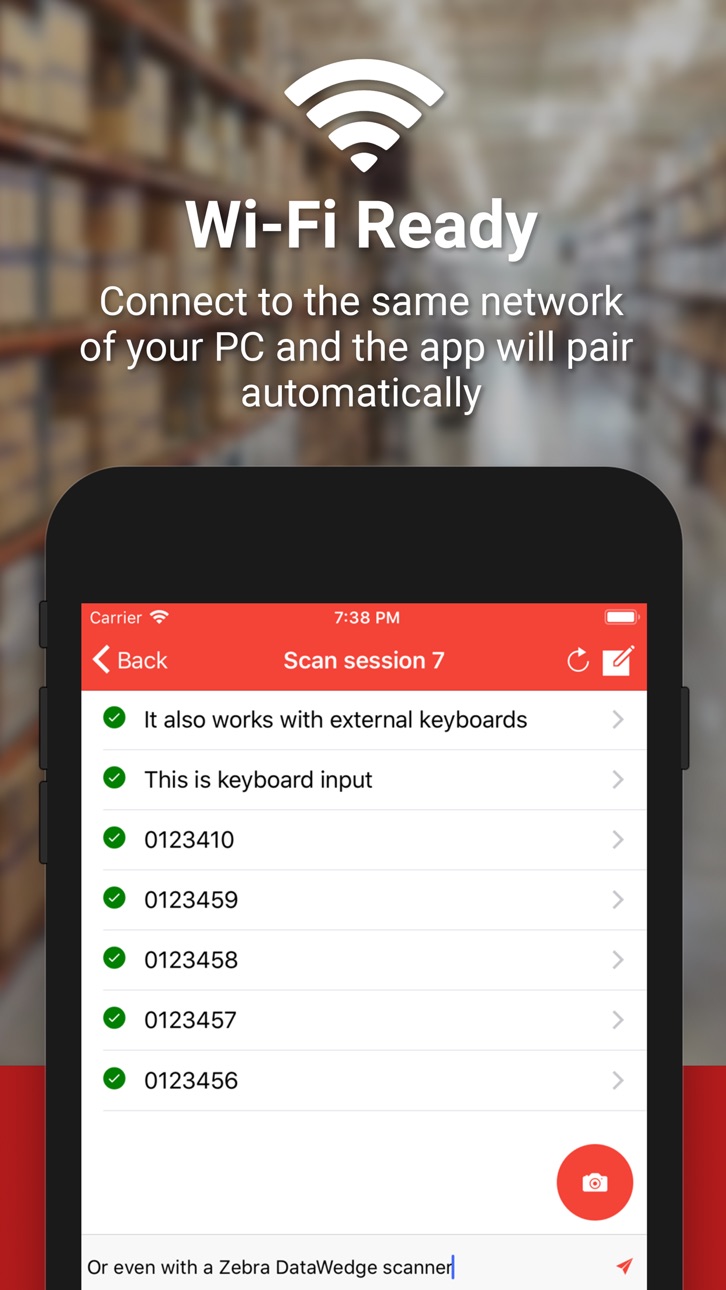
• Wi-Fi ready
Connect to the same network of your PC and the app will pair automatically
• CSV support
You can append your scannings to a file in real-time. You can also export the scans all at once in a CSV file
• QR Codes
Barcode to PC works also with QR codes and many other barcode formats
FAQ: https://barcodetopc.com/faq.html
Accessibility
ipadiphonemacrealityDevicetvoswatch
Version history 25 versions
Build 874157416vv4.8.42025-04-19 23:40:45
Changed:
- Improve JAVASCRIPT_FUNCTION UI
- Many other UI/UX improvements
Build 873016973vv4.8.32025-03-16 18:57:26
Changed:
- Minor UI/UX improvements
Fixed:
- Issues with Keyboard Emulation
Build 872544818vv4.8.12025-02-17 08:13:04
Changed:
- Minor fixes
- Improved pairing
- IMAGE component user interface
- Reduce executable size (remove bonjour service)
- Revamped server settings UI
Build 869125658vv4.7.52024-09-19 17:49:09
Fix:
- Connection issues
Changed:
- Minor UI Improvements in the Select Server Page
Build 868994810vv4.7.42024-09-15 06:37:03
Added:
- More output option
- Translation for Turkish, Taiwanese, and Portuguese languages
Changed:
- Improve Welcome Page
- Many UI/UX improvements
Build 861608942vv4.7.02024-07-27 21:28:33
Added:
- Excel output option
- Translation for Turkish, Taiwanese and Portuguese languages
Changed:
- Mino UX improvements
Fixed:
- Auto-update logic
Build 861464087vv4.6.22023-11-14 10:54:44
Changed:
- Minor UX Improvements
- Improve support for PDA devices
Build 861232282vv4.6.02023-11-04 00:40:23
Added:
- GEOLOCATION component
- More modifier keys for the PRESS_KEY component
- static_text variable
- Option to set a CSV basepath when importing templates
- Option to disable "Enable Wi-Fi" dialog
Fixed:
- Issue with the "Disable special characters" option
- Issue importing v3 templates
Build 856950122vv4.5.02023-05-30 17:37:28
Added:
- IMAGE component
- Links to the new documentation
- Arabic translation
- Portuguese translation
- QR Bill instructions
- Inverted barcode colors option
Changed:
- Improve settings page shortcuts
- Minor UX improvements
Fixed:
- DATE_TIME locale value not being applied
- iOS 13 crash issue
Build 856157592vv4.4.02023-04-06 16:22:10
Added:
- Wide lens support
Changed:
- Many barcode decoding improvements
- Improved acquisition screen
- Support for GS1 characters
Build 852997941vv4.3.02022-11-24 20:21:39
Added:
- Google Sheet integration
- NFC tags scanning support
- Option to execute components after offline scannings
Fixed
- Minor UI issues
Build 851391426vv4.2.02022-08-30 17:53:54
Added:
- Option to enable CSV Headers
- Windows Firewall auto-configuration
Changed:
- Improved Components descriptions
- Minor UI improvements
Removed:
- "Export only readable components" option
Fixed:
- JavaScript error (missing libnut-win32 module)
- Bonjour installation issue
Build 849689656vv4.0.02022-07-18 16:06:27
Added:
- Apple Silicon (M1) support (server program)
- HTTP OAuth 2.0 support
- WOOCOMMERCE Component
- Option to allow template selection
- Scan Session name filter
- Option to disable Real-Time send from the smartphone
- Option to detect duplicate barcodes in scan sessions
- Option to update the DATE_TIME value to the barcode acquisition date
- Support to set a custom server port
Changed:
- Improve Settings Page UI
- Improve Tray Icon handling on macOS Server program
- Improve UI reactiveness
Fixed:
- Prevent accidental dismission for the ALERT component
- Errors in variables
Build 846513044vv3.19.02022-03-20 10:22:36
Added:
- HTTP OAuth 2.0 support
- WOOCOMMERCE Component
- Option to allow template selection
- Scan Session name filter
- Option to disable Real-Time send from the smartphone
- Improve variables injection
Changed:
- Improve Settings Page UI
Fixed:
- Prevent accidental dismission for the ALERT component
Build 843858880vv3.18.02021-10-03 19:34:01
Added:
- Option to ignore duplicate barcodes
- Spanish language support
- Connection instructions page
Build 844454696vv3.18.22021-10-03 20:30:44
Fixed:
- Multi-line scans
Build 842837198vv3.17.02021-07-21 22:12:09
Added:
- Option to automatically delete scan sessions from the server
- Add option to change the row to update for the CSV_UPDATE component
Changed:
- Improve Continuous mode scan speed
- Improve UX
Fixed:
- CSV Exporting issue with unsupported charsets
- Fix beep sound not playing after exiting the ScanSession page
Build 842589496vv3.16.02021-06-09 19:41:40
Added:
- Title and message parameter to the SELECT_OPTION component
Fixed:
- CSV_UPDATE empty output issue
Build 842208127vv3.15.02021-05-25 13:26:19
Added:
- CSV_UPDATE component
- Option to archive scan sessions while offline
- Option to acquire the scan session name as a barcode
Changed:
- Improve QR Code pairing instructions
- Minor UX improvements
Build 841308947vv.3.14.02021-04-11 16:55:56
Added:
- Support for the "defaultValue" variable in the TEXT and NUMBER components
- Support for the "barcodes" variable
Changed:
- Improve buttons position
Fixed:
- Disappearing keyboard issue when using MANUAL INPUT mode
- DELAY component
- Sync button issue
Build 840779139vv3.13.22021-03-07 16:06:34
- Fixed
QR Code pairing issue
Build 839522387vv3.13.12020-12-06 18:15:52
Changed:
- Minor UI fixes
Removed:
- Alert from CSV Output
Fixed:
- macOS Big Sur menu icon dark mode color
Build 837928911vv3.13.02020-09-24 15:55:44
Added:
- ALERT component to show messages
- More options for the HTTP component
Removed:
- FOCUS_WINDOW component
Build 837866715vv3.12.02020-09-20 15:00:46
Added:
- FOCUS_WINDOW component
- Option to choose a delimiter character for the CSV_LOOKUP component
- Hide option to the tray icon (Linux only)
- Variables injection support for NUMBER and TEXT components
Changed:
- RUN, HTTP and CSV_LOOKUP Components are now executed synchronously
- You can now use run, http and csv_lookup variables
- Code Signing certificate
- Increased RUN Component output buffer
Fixed:
- Keyboard emulation issue with special characters (Linux only)
- Empty output when using CSV_LOOKUP
- Fix "enableTray" error
Build 836709730vv3.11.02020-07-06 18:19:23
Added:
- OCR support
- CSV_LOOKUP Component
- More CSV file name variables
- Vibration feedback option
Changed:
- Improve accessibility
Fixed:
- Keyboard input field issue
No pricing data captured yet — comparisons appear once the app has paid storefronts or in-app purchases.
Availability 1 of 1 storefronts
| Region | Language | Price | Ratings | Avg | Version |
|---|---|---|---|---|---|
| US | en-US | Free | 387 | 4.7 | v4.8.4 |
Change log 29 changes · US
✎
releaseNotes updated
Changed:
- Improve JAVASCRIPT_FUNCTION UI
- Many other UI/UX improvements
✎
description updated
DOWNLOAD SERVER: https://barcodetopc.com/
Barcode to PC turns your smartphone into a real barcode scanner
• Supported platforms: Windows, macOS, Linux
• Keyb
✎
subtitle updated
Instantly send barcodes
✎
name updated
Barcode to PC: Wi-Fi scanner
◆
Version v4.8.4 released
Changed:
- Improve JAVASCRIPT_FUNCTION UI
- Many other UI/UX improvements
◆
Version v4.8.3 released
Changed:
- Minor UI/UX improvements
Fixed:
- Issues with Keyboard Emulation
◆
Version v4.8.1 released
Changed:
- Minor fixes
- Improved pairing
- IMAGE component user interface
- Reduce executable size (remove bonjour service)
- Revamped server settings UI
◆
Version v4.7.5 released
Fix:
- Connection issues
Changed:
- Minor UI Improvements in the Select Server Page
◆
Version v4.7.4 released
Added:
- More output option
- Translation for Turkish, Taiwanese, and Portuguese languages
Changed:
- Improve Welcome Page
- Many UI/UX improvements
◆
Version v4.7.0 released
Added:
- Excel output option
- Translation for Turkish, Taiwanese and Portuguese languages
Changed:
- Mino UX improvements
Fixed:
- Auto-update logic
◆
Version v4.6.2 released
Changed:
- Minor UX Improvements
- Improve support for PDA devices
◆
Version v4.6.0 released
Added:
- GEOLOCATION component
- More modifier keys for the PRESS_KEY component
- static_text variable
- Option to set a CSV basepath when importing templates
- Option to disable "Enable Wi-Fi" dialog
Fixed:
- Issue with the "Disable speci
◆
Version v4.5.0 released
Added:
- IMAGE component
- Links to the new documentation
- Arabic translation
- Portuguese translation
- QR Bill instructions
- Inverted barcode colors option
Changed:
- Improve settings page shortcuts
- Minor UX improvements
Fixed:
- DA
◆
Version v4.4.0 released
Added:
- Wide lens support
Changed:
- Many barcode decoding improvements
- Improved acquisition screen
- Support for GS1 characters
◆
Version v4.3.0 released
Added:
- Google Sheet integration
- NFC tags scanning support
- Option to execute components after offline scannings
Fixed
- Minor UI issues
◆
Version v4.2.0 released
Added:
- Option to enable CSV Headers
- Windows Firewall auto-configuration
Changed:
- Improved Components descriptions
- Minor UI improvements
Removed:
- "Export only readable components" option
Fixed:
- JavaScript error (missing libnut
◆
Version v4.0.0 released
Added:
- Apple Silicon (M1) support (server program)
- HTTP OAuth 2.0 support
- WOOCOMMERCE Component
- Option to allow template selection
- Scan Session name filter
- Option to disable Real-Time send from the smartphone
- Option to detect
◆
Version v3.19.0 released
Added:
- HTTP OAuth 2.0 support
- WOOCOMMERCE Component
- Option to allow template selection
- Scan Session name filter
- Option to disable Real-Time send from the smartphone
- Improve variables injection
Changed:
- Improve Settings Page U
◆
Version v3.18.2 released
Fixed:
- Multi-line scans
◆
Version v3.18.0 released
Added:
- Option to ignore duplicate barcodes
- Spanish language support
- Connection instructions page
◆
Version v3.17.0 released
Added:
- Option to automatically delete scan sessions from the server
- Add option to change the row to update for the CSV_UPDATE component
Changed:
- Improve Continuous mode scan speed
- Improve UX
Fixed:
- CSV Exporting issue with unsup
◆
Version v3.16.0 released
Added:
- Title and message parameter to the SELECT_OPTION component
Fixed:
- CSV_UPDATE empty output issue
◆
Version v3.15.0 released
Added:
- CSV_UPDATE component
- Option to archive scan sessions while offline
- Option to acquire the scan session name as a barcode
Changed:
- Improve QR Code pairing instructions
- Minor UX improvements
◆
Version v.3.14.0 released
Added:
- Support for the "defaultValue" variable in the TEXT and NUMBER components
- Support for the "barcodes" variable
Changed:
- Improve buttons position
Fixed:
- Disappearing keyboard issue when using MANUAL INPUT mode
- DELAY compone
◆
Version v3.13.2 released
- Fixed
QR Code pairing issue
◆
Version v3.13.1 released
Changed:
- Minor UI fixes
Removed:
- Alert from CSV Output
Fixed:
- macOS Big Sur menu icon dark mode color
◆
Version v3.13.0 released
Added:
- ALERT component to show messages
- More options for the HTTP component
Removed:
- FOCUS_WINDOW component
◆
Version v3.12.0 released
Added:
- FOCUS_WINDOW component
- Option to choose a delimiter character for the CSV_LOOKUP component
- Hide option to the tray icon (Linux only)
- Variables injection support for NUMBER and TEXT components
Changed:
- RUN, HTTP and CSV_LOO
◆
Version v3.11.0 released
Added:
- OCR support
- CSV_LOOKUP Component
- More CSV file name variables
- Vibration feedback option
Changed:
- Improve accessibility
Fixed:
- Keyboard input field issue