Home › Productivity

 US
US
1 of 1 storefronts
Content in en-US
Content in en-US
Information
Preview 2 platforms
iPhone 6 images


iPad 8 images



What’s New Version 3.25.30241265
A side-effect of collaboration is looking for ways to get better. So we’ve taken time to fix bugs and make a few small improvements.
Description
Miro is a visual workspace for innovation that enables distributed teams of any size to dream, design, and build the future together. With the magic of Miro's Intelligent Canvas™, visualizing concepts, ideas, and solutions as a team can happen anywhere — no dry-erase markers needed. Sync, flow, and feel the connection of working side by side with your team — even in remote, distributed, or hybrid work environments.
The Miro app for iPad and iPhone gives you the tools to collaborate with boards that put projects and context all in one place.
Our customers love using Miro to:
• Run online meetings and team workshops
• Brainstorm new ideas and designs on a limitless board
• Edit, annotate and mark up documents and PDFs
• Take digital notes with an Apple Pencil (and reduce paper use!)
• Easily collect resources, photos, docs, links, and references
• Plan and manage agile workflows and scrum rituals
• Create user journeys, map processes, and develop personas
• Teach and facilitate interactive classes in a collaborative space
• Create a vision board of ideas and inspiration
Miro allows you to create anytime, anywhere. With over 200+ pre-made templates, a drag-and-drop interface, and no limit on collaborators, working on a Miro board is fast and fun.
With Miro’s mobile app, you can:
• Scan paper post-it notes and convert them into editable digital notes
• Create, view, and edit all your boards
• Capture and organize your ideas on the go
• Share boards publicly or invite team members to edit
• Upload images, pictures, docs, spreadsheets, and more
• Share boards and invite team members to edit
• Review, add and resolve comments
On tablets, you can also use Miro to:
• Draw concepts and sketch new design ideas with an Apple Pencil
• Convert pencil or stylus drawings into shapes, notes, and diagrams
• Set up your tablet as the second screen with Zoom or Microsoft Teams
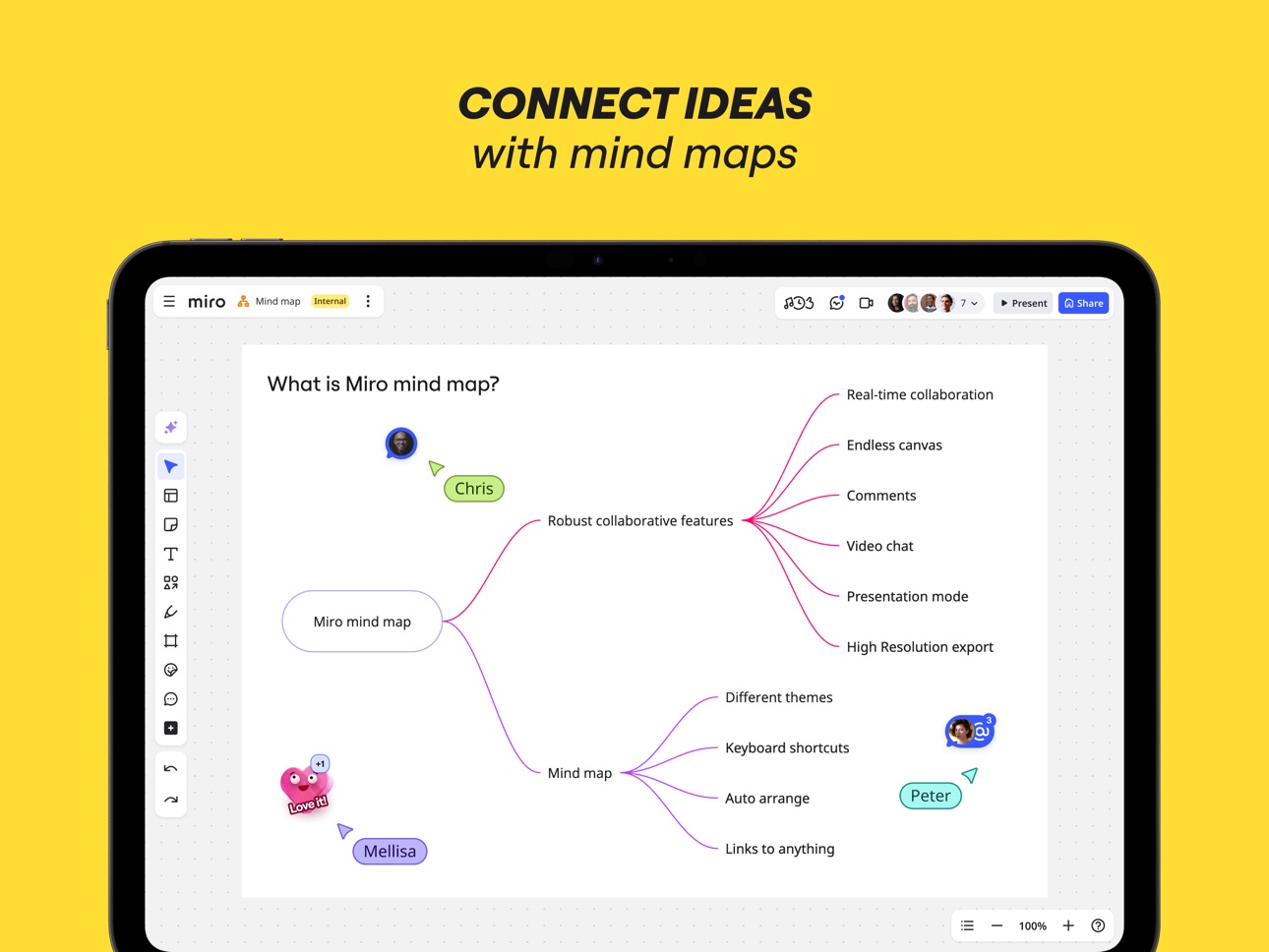
- Create Mind Maps to visualize your ideas
• Use Lasso to select and move sketches, drawings, or text anywhere on the board
• Use Highlighter to capture the attention of your team during a meeting
If you enjoy using Miro for collaboration, please leave us a review.
If something’s not working right or if you have a question or comment, get in touch with us using this form: https://help.miro.com/hc/en-us/requests/new?referer=store
Accessibility
ipadiphonemacrealityDevicetvoswatch
Version history 25 versions
Build 887949386v3.25.302412652026-07-08 07:16:57
A side-effect of collaboration is looking for ways to get better. So we’ve taken time to fix bugs and make a few small improvements.
Build 887386597v3.25.302412112026-06-25 08:14:11
Bug-fixing and improving is part of our collaborative DNA. You just get to reap the benefits.
Build 886529212v3.25.302412002026-06-08 07:40:02
A side-effect of collaboration is looking for ways to get better. So we’ve taken time to fix bugs and make a few small improvements.
Build 885569888v3.25.302411602026-05-13 09:25:20
Bug-fixing and improving is part of our collaborative DNA. You just get to reap the benefits.
Build 884318609v3.25.302411062026-04-13 08:33:41
Bug-fixing and improving is part of our collaborative DNA. You just get to reap the benefits.
Build 883836734v3.25.302410812026-03-30 07:44:06
A side-effect of collaboration is looking for ways to get better. So we’ve taken time to fix bugs and make a few small improvements.
Build 883259044v3.25.302410562026-03-16 10:04:56
Bug-fixing and improving is part of our collaborative DNA. You just get to reap the benefits.
Build 882341235v3.25.302409952026-02-13 07:29:55
A side-effect of collaboration is looking for ways to get better. So we’ve taken time to fix bugs and make a few small improvements.
Build 881739450v3.25.302409892026-01-26 14:33:58
Bug-fixing and improving is part of our collaborative DNA. You just get to reap the benefits.
Build 881573659v3.25.302409882026-01-19 11:00:52
A side-effect of collaboration is looking for ways to get better. So we’ve taken time to fix bugs and make a few small improvements.
Build 880263779v3.25.302409692025-12-03 08:52:53
A side-effect of collaboration is looking for ways to get better. So we’ve taken time to fix bugs and make a few small improvements.
Build 880102142v3.25.302409632025-11-27 10:00:15
Bug-fixing and improving is part of our collaborative DNA. You just get to reap the benefits.
Build 879871007v3.25.302409582025-11-19 10:55:16
A side-effect of collaboration is looking for ways to get better. So we’ve taken time to fix bugs and make a few small improvements.
Build 879644357v3.25.302409532025-11-17 07:10:48
A side-effect of collaboration is looking for ways to get better. So we’ve taken time to fix bugs and make a few small improvements.
Build 879486360v3.25.302409422025-11-05 12:04:31
Bug-fixing and improving is part of our collaborative DNA. You just get to reap the benefits.
Build 879335610v3.25.302409362025-10-30 14:00:05
A side-effect of collaboration is looking for ways to get better. So we’ve taken time to fix bugs and make a few small improvements.
Build 878996609v3.25.302409162025-10-17 02:16:40
Bug-fixing and improving is part of our collaborative DNA. You just get to reap the benefits.
Build 878619588v3.25.302409022025-10-07 07:29:33
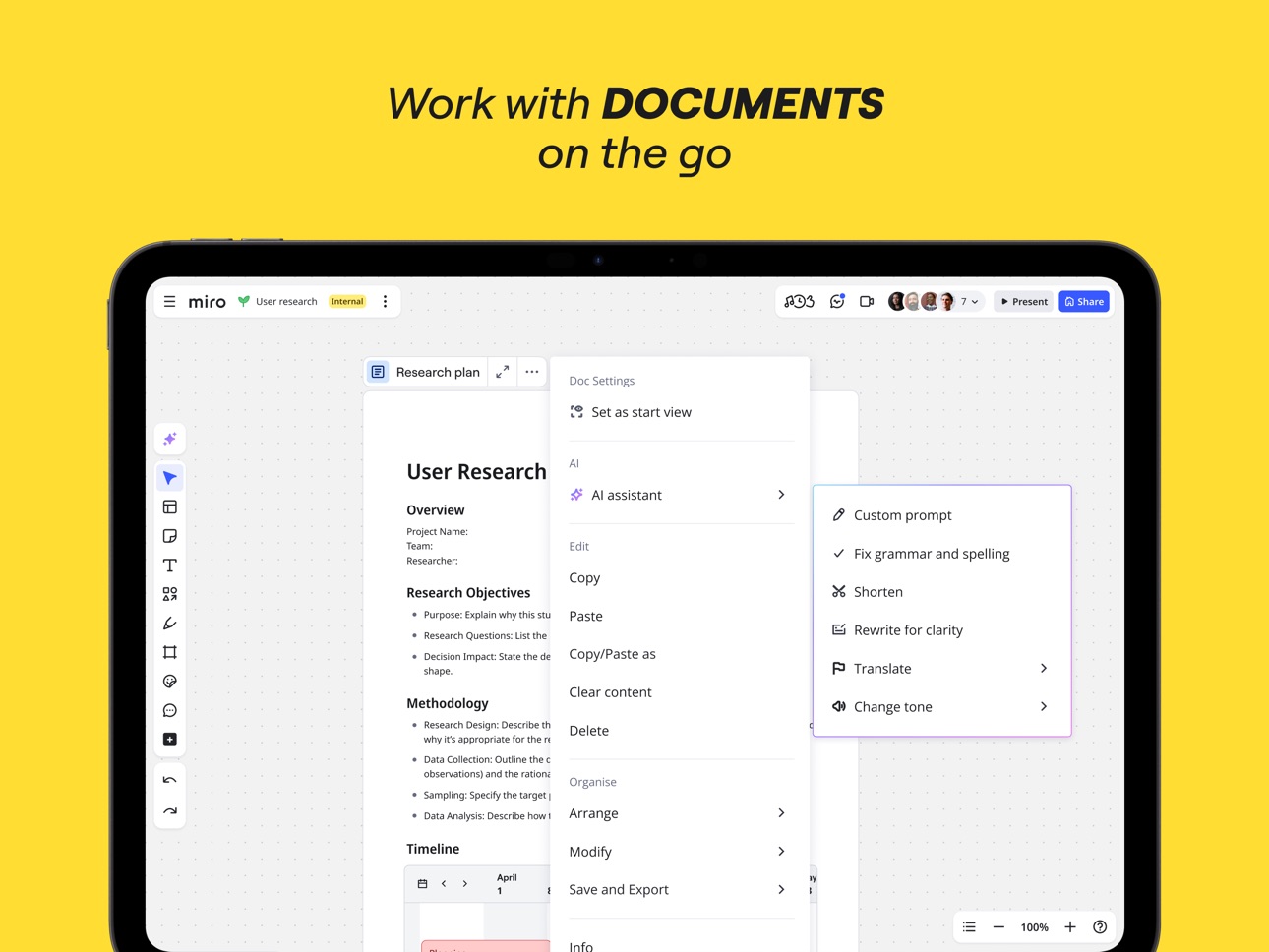
Focus mode for Docs for the Miro mobile app
With our new Focus Mode for Docs, you can now read and edit documents in a distraction-free, full-screen view. The text automatically adapts to your screen, providing a seamless, mobile-first experience that's optimized for both viewing and editing on the go.
Build 877550973v3.25.302408862025-09-11 14:32:26
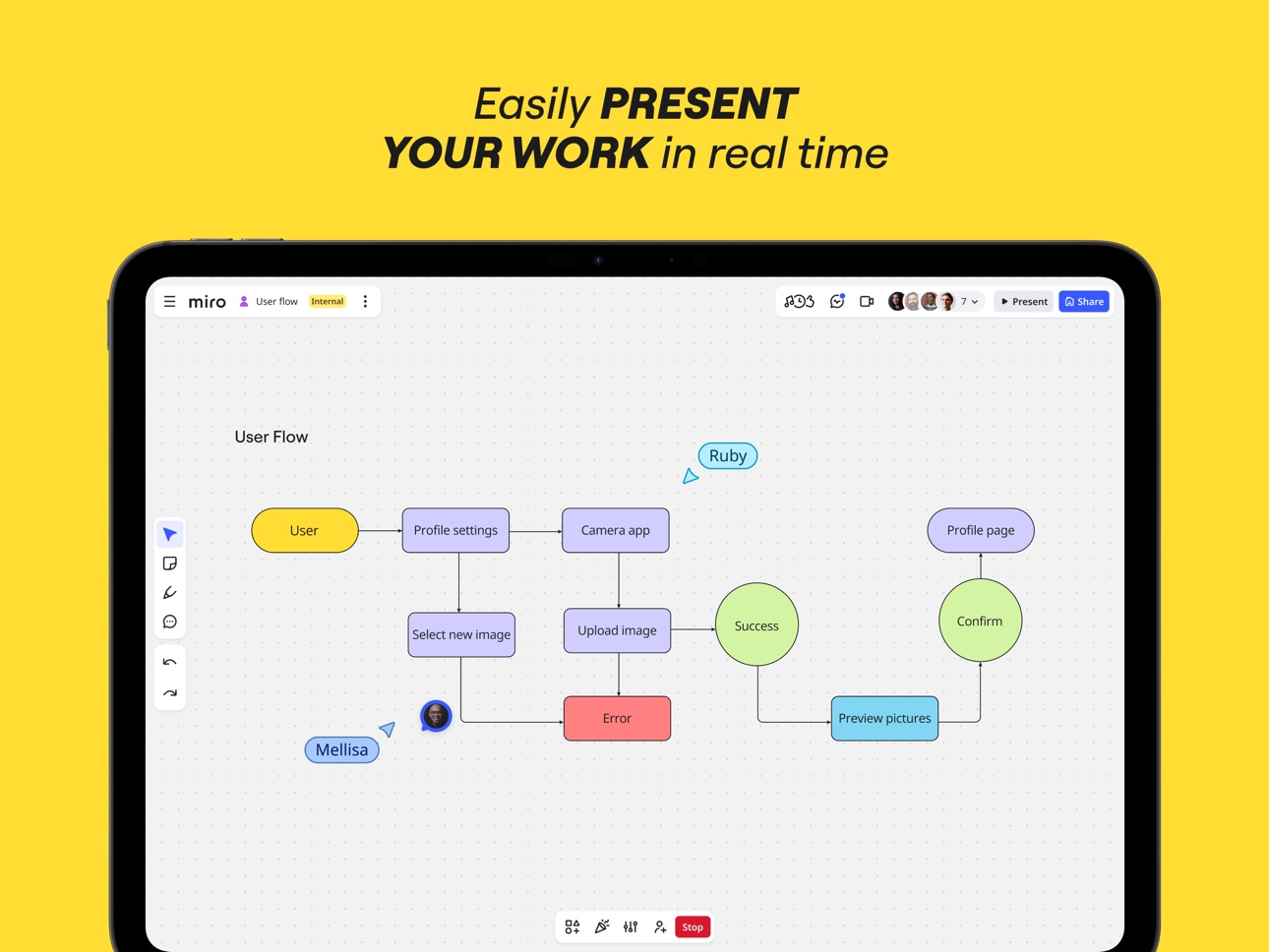
Miro Mobile now has a presentation clicker
You can now use your phone as a simple, mobile-first presentation controller in Miro Slides. Just open the Miro mobile app to navigate between frames and control your board.
Build 877452596v3.25.302408472025-08-25 07:38:37
Bug-fixing and improving is part of our collaborative DNA. You just get to reap the benefits.
Build 876578684v3.25.302407942025-07-23 08:37:54
A side-effect of collaboration is looking for ways to get better. So we’ve taken time to fix bugs and make a few small improvements.
Build 875654260v3.25.302407442025-07-07 07:48:35
Bug-fixing and improving is part of our collaborative DNA. You just get to reap the benefits.
Build 874776420v3.25.302407252025-05-20 12:21:18
A side-effect of collaboration is looking for ways to get better. So we’ve taken time to fix bugs and make a few small improvements.
Build 874640277v3.25.302407172025-05-12 08:57:01
Bug-fixing and improving is part of our collaborative DNA. You just get to reap the benefits.
Build 873608238v3.25.302406942025-04-28 07:30:42
Bug-fixing and improving is part of our collaborative DNA. You just get to reap the benefits.
No pricing data captured yet — comparisons appear once the app has paid storefronts or in-app purchases.
Availability 1 of 1 storefronts
| Region | Language | Price | Ratings | Avg | Version |
|---|---|---|---|---|---|
| US | en-US | Free | 5.7k | 4.7 | 3.25.30241265 |
Change log 29 changes · US
✎
releaseNotes updated
A side-effect of collaboration is looking for ways to get better. So we’ve taken time to fix bugs and make a few small improvements.
✎
description updated
Miro is a visual workspace for innovation that enables distributed teams of any size to dream, design, and build the future together. With the magic of Miro's I
✎
subtitle updated
Build the next big thing
✎
name updated
Miro: your visual workspace
◆
Version 3.25.30241265 released
A side-effect of collaboration is looking for ways to get better. So we’ve taken time to fix bugs and make a few small improvements.
◆
Version 3.25.30241211 released
Bug-fixing and improving is part of our collaborative DNA. You just get to reap the benefits.
◆
Version 3.25.30241200 released
A side-effect of collaboration is looking for ways to get better. So we’ve taken time to fix bugs and make a few small improvements.
◆
Version 3.25.30241160 released
Bug-fixing and improving is part of our collaborative DNA. You just get to reap the benefits.
◆
Version 3.25.30241106 released
Bug-fixing and improving is part of our collaborative DNA. You just get to reap the benefits.
◆
Version 3.25.30241081 released
A side-effect of collaboration is looking for ways to get better. So we’ve taken time to fix bugs and make a few small improvements.
◆
Version 3.25.30241056 released
Bug-fixing and improving is part of our collaborative DNA. You just get to reap the benefits.
◆
Version 3.25.30240995 released
A side-effect of collaboration is looking for ways to get better. So we’ve taken time to fix bugs and make a few small improvements.
◆
Version 3.25.30240989 released
Bug-fixing and improving is part of our collaborative DNA. You just get to reap the benefits.
◆
Version 3.25.30240988 released
A side-effect of collaboration is looking for ways to get better. So we’ve taken time to fix bugs and make a few small improvements.
◆
Version 3.25.30240969 released
A side-effect of collaboration is looking for ways to get better. So we’ve taken time to fix bugs and make a few small improvements.
◆
Version 3.25.30240963 released
Bug-fixing and improving is part of our collaborative DNA. You just get to reap the benefits.
◆
Version 3.25.30240958 released
A side-effect of collaboration is looking for ways to get better. So we’ve taken time to fix bugs and make a few small improvements.
◆
Version 3.25.30240953 released
A side-effect of collaboration is looking for ways to get better. So we’ve taken time to fix bugs and make a few small improvements.
◆
Version 3.25.30240942 released
Bug-fixing and improving is part of our collaborative DNA. You just get to reap the benefits.
◆
Version 3.25.30240936 released
A side-effect of collaboration is looking for ways to get better. So we’ve taken time to fix bugs and make a few small improvements.
◆
Version 3.25.30240916 released
Bug-fixing and improving is part of our collaborative DNA. You just get to reap the benefits.
◆
Version 3.25.30240902 released
Focus mode for Docs for the Miro mobile app
With our new Focus Mode for Docs, you can now read and edit documents in a distraction-free, full-screen view. The text automatically adapts to your screen, providing a seamless, mobile-first expe
◆
Version 3.25.30240886 released
Miro Mobile now has a presentation clicker
You can now use your phone as a simple, mobile-first presentation controller in Miro Slides. Just open the Miro mobile app to navigate between frames and control your board.
◆
Version 3.25.30240847 released
Bug-fixing and improving is part of our collaborative DNA. You just get to reap the benefits.
◆
Version 3.25.30240794 released
A side-effect of collaboration is looking for ways to get better. So we’ve taken time to fix bugs and make a few small improvements.
◆
Version 3.25.30240744 released
Bug-fixing and improving is part of our collaborative DNA. You just get to reap the benefits.
◆
Version 3.25.30240725 released
A side-effect of collaboration is looking for ways to get better. So we’ve taken time to fix bugs and make a few small improvements.
◆
Version 3.25.30240717 released
Bug-fixing and improving is part of our collaborative DNA. You just get to reap the benefits.
◆
Version 3.25.30240694 released
Bug-fixing and improving is part of our collaborative DNA. You just get to reap the benefits.