Home › Utilities

 US
US
1 of 1 storefronts
Content in en-US
Content in en-US
Information
Preview 1 platform
iPhone 5 images


What’s New Version 2.6.0
Fixed some issues with the new version
Description
Afinia Studio (IOS version) ---- Created by Afinia 3D,
3D Printing Within Your Reach!
Don’t know how to design 3D models?
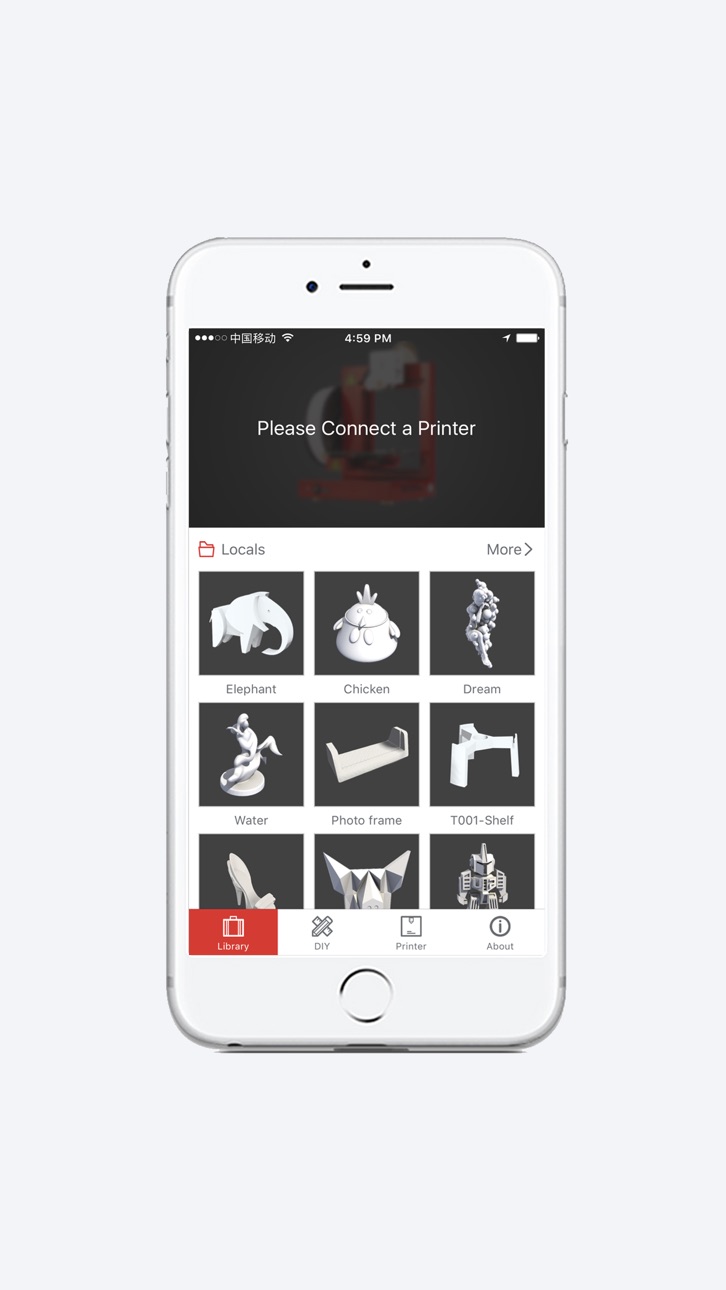
Afinia Studio provides 3D model library which includes free models you can download whenever and wherever you need them.
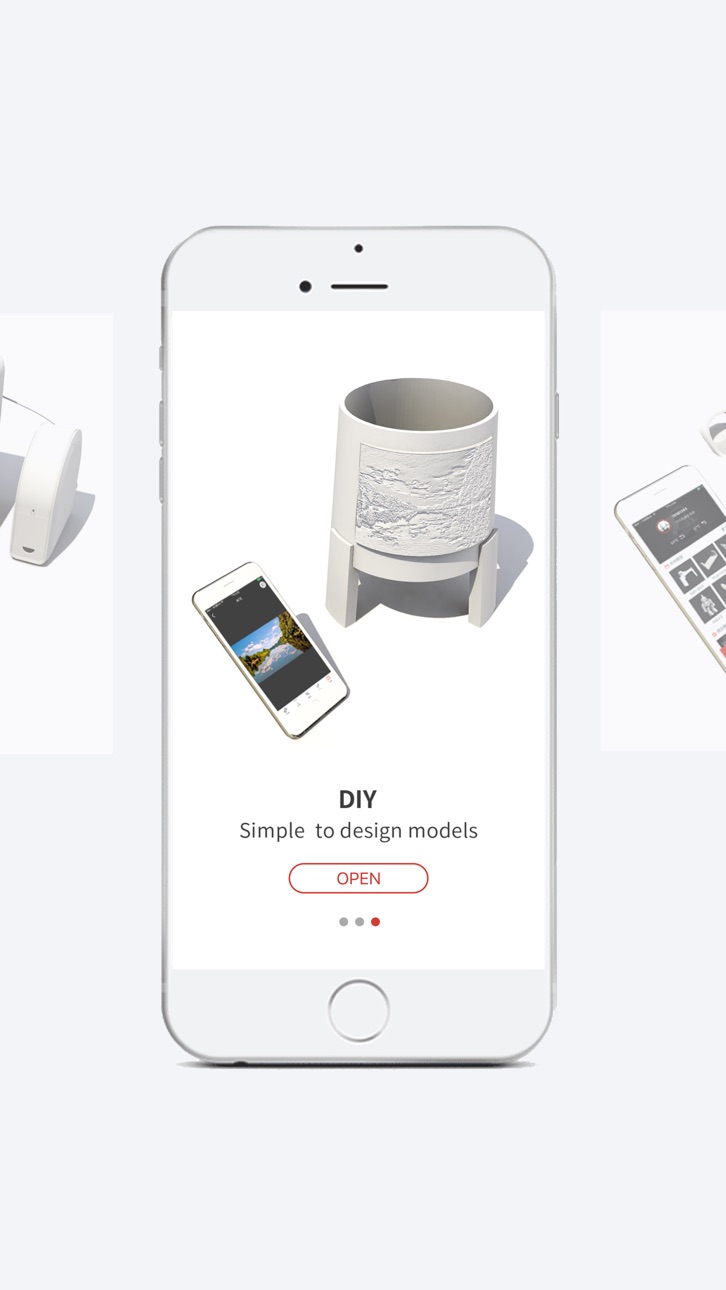
Convert your photo albums, pictures, 2D images whichever way you make them, into 3D models.
You can download your model files wherever they are, on the internet, or from your local storage. Afinia Studio manages your 3D model files in STL and UP3 format, and you can preview, fix, and store them in the Afinia Studio.
Have no 3D Printer?
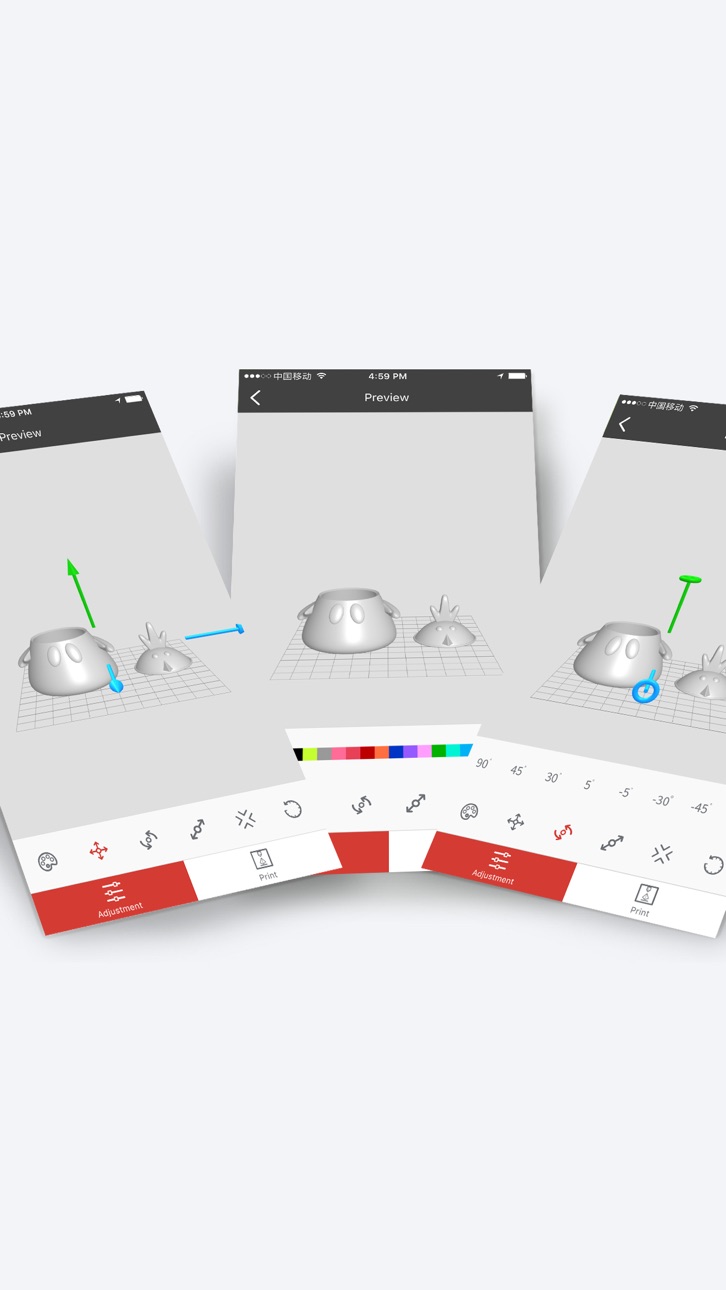
Afinia Studio supports native slicing in real time, and preview.
Still need USB in the 3D Printer?
Afinia Studio (IOS version) supports all the Afinia’s wifi-enabled Afinia 3D Printers. You can operate the 3D printers wirelessly, and do slicing and printing.
Accessibility
ipadiphonemacrealityDevicetvoswatch
Version history 7 versions
Build 833551516v2.6.02019-11-11 15:41:18
Fixed some issues with the new version
Build 828904071v2.5.02018-10-12 17:52:46
1. Added support for Print Queue.
2. Added support for new printer models.
Build 825494692v2.42018-01-03 17:42:41
Software optimization.
Build 823837129v2.32017-09-30 03:05:56
1. Added UP Glass Board Print Board.
2. Altering nozzle height will now delete all saved print slot content. Actions such as Auto Level, Nozzle Detect and software-assisted manual calibration will alter the nozzle height. Therefore, after performing one of these actions, all saved model print slots will be emptied to ensure printing isn’t attempted with the wrong nozzle height.
Build 823486638v2.22017-08-30 21:08:37
1. Available in more languages: Chinese (Traditional), French, Italian, Thai.
2. Added Pre-heat Build Plate button.
3. Added Calibrate which includes Auto Level and Nozzle detect .
4. Added “Stroke Weight” option for Pen while editing Picture in DIY.
5. Moved “Done” button to top right corner in Model Scale, Text Edit, Image Scale.
Build 823253002v2.12017-08-11 23:20:51
1. Afinia Studio for iPhone 2.0 is major upgrade.
2. New Interface Designed from Scratch.
3. One-click connect to a 3D Printer. You can check your printer's status more easily.
4. Major upgrade for the menu system. You can load and edit an STL more fluently.
5. Added new DIY feature to convert 2D images to 3D models, and embed them on a lamp or a picture frame.
Build 819870669v1.02017-02-08 18:37:49
No pricing data captured yet — comparisons appear once the app has paid storefronts or in-app purchases.
Availability 1 of 1 storefronts
| Region | Language | Price | Ratings | Avg | Version |
|---|---|---|---|---|---|
| US | en-US | Free | 4 | 3.3 | 2.6.0 |
Change log 10 changes · US
✎
releaseNotes updated
Fixed some issues with the new version
✎
description updated
Afinia Studio (IOS version) ---- Created by Afinia 3D,
3D Printing Within Your Reach!
Don’t know how to design 3D models?
Afinia Studio provides 3D model libr
✎
name updated
Afinia Studio
◆
Version 2.6.0 released
Fixed some issues with the new version
◆
Version 2.5.0 released
1. Added support for Print Queue.
2. Added support for new printer models.
◆
Version 2.4 released
Software optimization.
◆
Version 2.3 released
1. Added UP Glass Board Print Board.
2. Altering nozzle height will now delete all saved print slot content. Actions such as Auto Level, Nozzle Detect and software-assisted manual calibration will alter the nozzle height. Therefore, after p
◆
Version 2.2 released
1. Available in more languages: Chinese (Traditional), French, Italian, Thai.
2. Added Pre-heat Build Plate button.
3. Added Calibrate which includes Auto Level and Nozzle detect .
4. Added “Stroke Weight” option for Pen while editing Pic
◆
Version 2.1 released
1. Afinia Studio for iPhone 2.0 is major upgrade.
2. New Interface Designed from Scratch.
3. One-click connect to a 3D Printer. You can check your printer's status more easily.
4. Major upgrade for the menu system. You can load and edit an
◆
Version 1.0 released