Home › Business

 US
US
 AUen-AU
 CAen-CAUSen-US
 AENot Available
 AFNot Available
 ALNot Available
 AMNot Available
 ATNot Available
 AZNot Available
 BANot Available
 BENot Available
 BGNot Available
 BHNot Available
 BMNot Available
 BNNot Available
 BTNot Available
 BYNot Available
 CHNot Available
 CNNot Available
 CYNot Available
 CZNot Available
 DENot Available
 DKNot Available
 EENot Available
 EGNot Available
 ESNot Available
 FINot Available
 FJNot Available
 FMNot Available
 FRNot Available
 GBNot Available
 GENot Available
 GRNot Available
 HKNot Available
 HRNot Available
 HUNot Available
 IDNot Available
 IENot Available
 ILNot Available
 INNot Available
 IQNot Available
 ISNot Available
 ITNot Available
 JONot Available
 JPNot Available
 KGNot Available
 KHNot Available
 KRNot Available
 KWNot Available
 KZNot Available
 LANot Available
 LBNot Available
 LKNot Available
 LTNot Available
 LUNot Available
 LVNot Available
 MDNot Available
 MENot Available
 MKNot Available
 MMNot Available
 MNNot Available
 MONot Available
 MRNot Available
 MTNot Available
 MVNot Available
 MYNot Available
 NLNot Available
 NONot Available
 NPNot Available
 NRNot Available
 NZNot Available
 OMNot Available
 PGNot Available
 PHNot Available
 PKNot Available
 PLNot Available
 PTNot Available
 PWNot Available
 QANot Available
 RONot Available
 RSNot Available
 RUNot Available
 SANot Available
 SBNot Available
 SENot Available
 SGNot Available
 SINot Available
 SKNot Available
 THNot Available
 TJNot Available
 TMNot Available
 TONot Available
 TRNot Available
 TWNot Available
 UANot Available
 UZNot Available
 VNNot Available
 VUNot Available
 XKNot Available
 YENot Available
 ZANot Available
3 of 101 storefronts
Content in en-US
Content in en-US
Information
Preview 2 platforms
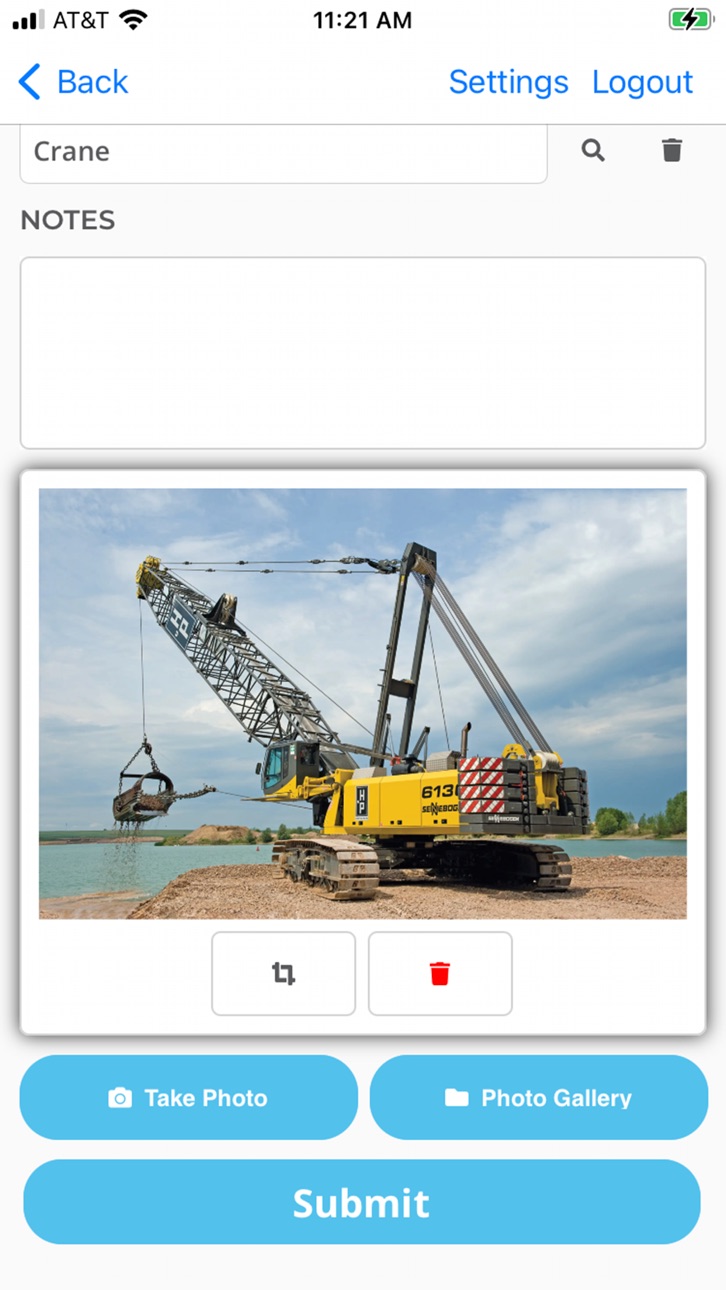
iPhone 4 images


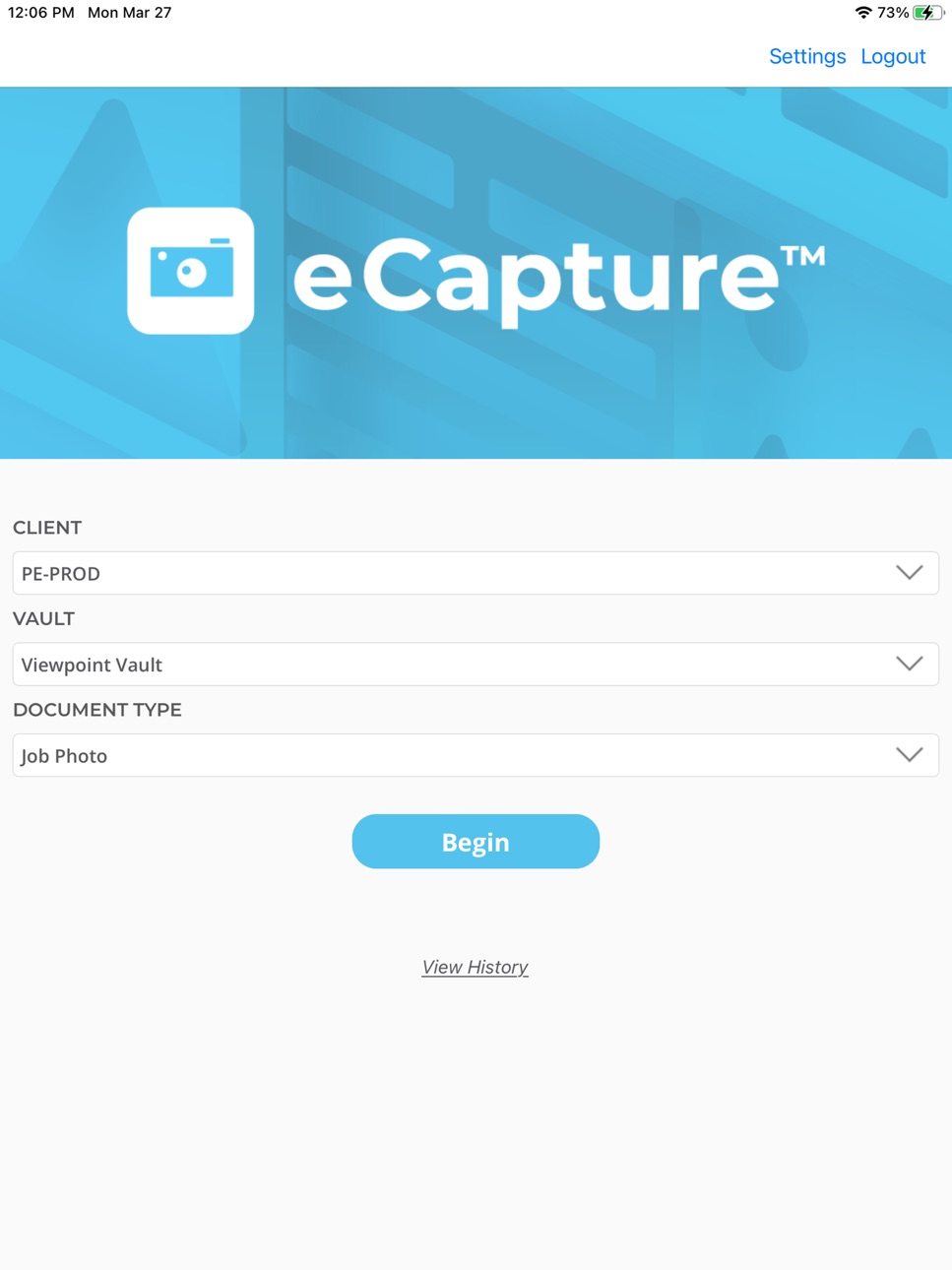
iPad 3 images


What’s New Version 2026.1
We are constantly working to improve our app to make it better.
- Fixed client and vault selection
- Fixed multiple image selection
- Fixed user lookup for emails that contain special characters
- Resolved issue running app on tablet
Description
Capture Job Photos, Credit Card Receipts, AP Receiver Tickets or AP Invoices, from the field, by using the camera on your field user's smartphone! Photos and data are submitted from the field back to your pVault Enterprise Content Management system for instant storage and routing.
Users must be setup as a web user on the linked pVault application server, which requires a purchased license.
Accessibility
ipadiphonemacrealityDevicetvoswatch
Version history 25 versions
Build 886306153v2026.12026-06-02 18:26:40
We are constantly working to improve our app to make it better.
- Fixed client and vault selection
- Fixed multiple image selection
- Fixed user lookup for emails that contain special characters
- Resolved issue running app on tablet
Build 886296563v2026.02026-05-29 18:51:37
We are constantly working to improve our app to make it better.
- Fixed client and vault selection
- Fixed multiple image selection
- Fixed user lookup for emails that contain special characters
Build 878134199v2025.62025-09-16 11:46:25
We are constantly working to improve our app to make it better.
- Fixed client and vault selection
- Fixed multiple image selection
- Fixed user lookup for emails that contain special characters
Build 876294996v2025.52025-07-10 23:53:36
We are constantly working to improve our app to make it better.
- Fixed client and vault selection
- Fixed multiple image selection
Build 873881765v2025.12025-04-09 08:45:06
We are constantly working to improve our app to make it better.
- Fixed client and vault selection
- Fixed multiple image selection
Build 873589797v2025.02025-03-28 05:42:50
We are constantly working to improve our app to make it better.
- Fixed client and vault selection
Build 869743499v2024.22024-10-16 08:59:25
We are constantly working to improve our app to make it better.
- Fixed viewing history
- Added ability to index or send to queue for pVault® Cloud
Build 868109658v2024.12024-08-10 10:53:34
We are constantly working to improve our app to make it better.
- Fixed viewing history
- Integration with pVault® Cloud"
Build 862979296v2023.72024-01-17 19:10:05
We are constantly working to improve our app to make it better.
- Fixed display for list items that are long
Build 861857315v2023.62023-11-29 22:31:56
We are constantly working to improve our app to make it better.
- Fixed display for Job Category description when there is an index override
Build 861093025v2023.42023-10-30 22:35:49
We are constantly working to improve our app to make it better.
- eCapture has a new look and feel
- Added image cropping
- Updated history descriptions
Build 859681294v2023.32023-09-05 18:25:13
We are constantly working to improve our app to make it better.
- eCapture has a new look and feel
- Added image cropping
- Updated history descriptions
Build 855546538v2023.02023-03-28 05:47:19
We constantly look for ways to improve our app and your user experience.
- eCapture has a new look and feel
- Added image cropping
- Updated history descriptions
Build 845714532v1.27.42021-12-04 10:08:59
We constantly look for ways to improve our app and your user experience.
- Added image cropping
- Updated history descriptions
Build 844494258v1.27.22021-10-05 17:47:22
We constantly look for ways to improve our app and your user experience.
- Added image cropping
- Updated history descriptions
Build 837227145v1.27.02020-08-07 00:26:49
We constantly look for ways to improve our app and your user experience.
- eCapture Advanced now includes OCR functionality for Credit Card Receipts. This means you can take a picture of a Credit Card Receipt and then click the ID Receipt button. Vendor and Total information is automatically entered which speeds up your Credit Card Receipt entry process.
- List Types will now display correctly
- Display issues in darkmode are fixed
Build 836043868v1.26.32020-05-21 10:31:00
We constantly look for ways to improve our app and your user experience.
- eCapture Advanced now includes OCR functionality for Credit Card Receipts. This means you can take a picture of a Credit Card Receipt and then click the ID Receipt button. Vendor and Total information is automatically entered which speeds up your Credit Card Receipt entry process.
Build 835814972v1.26.12020-05-12 07:40:05
We constantly look for ways to improve our app and your user experience.
- Images taken will no longer display incorrectly in landscape
Build 834638583v1.24.12020-02-08 14:27:31
We constantly look for ways to improve our app and your user experience.
- Removed auto cropping feature for the camera
Build 834289033v1.232020-01-09 19:46:33
We constantly look for ways to improve our app and your user experience.
- You can now enter in negative numbers in numeric fields
- Equipment list will now show Short Name if it is available
- iOS Darkmode will no longer hide the text on lookup lists
Build 834291632v1.242020-01-09 22:51:04
We constantly look for ways to improve our app and your user experience.
- You can now enter in negative numbers in numeric fields
- Equipment list will now show Short Name if it is available
- iOS Darkmode will no longer hide the text on lookup lists
Build 833118564v1.222019-10-10 22:42:39
We constantly look for ways to improve our app and your user experience.
- You can now enter in negative numbers in numeric fields
- Equipment list will now show Short Name if it is available
Build 830882237v1.212019-04-05 22:24:14
We constantly look for ways to improve our app and your user experience.
If you have pVault 7.0.1.21 or greater, the following new features will be available:
- View the history submitted documents for the last 30 days
- Ability to submit images as a single document
- The error when saving captured pictures locally has been fixed
Build 830687740v1.202019-03-21 19:37:19
We constantly look for ways to improve our app and your user experience.
If you have pVault 7.0.1.21 or greater, the following new features will be available:
- View the history of submitted documents for the last 30 days
- Ability to submit images as a single document
Build 830201518v1.192019-02-06 15:29:22
We constantly look for ways to improve our app and your user experience.
- List field entries are no longer limited to those predefined entries. The field will accept any manually entered information.
No pricing data captured yet — comparisons appear once the app has paid storefronts or in-app purchases.
Availability 3 of 101 storefronts
| Region | Language | Price | Ratings | Avg | Version |
|---|---|---|---|---|---|
| AU | en-AU | Free | 0 | — | 2026.1 |
| CA | en-CA | Free | 0 | — | 2026.1 |
| US | en-US | Free | 0 | — | 2026.1 |
Not available in: AE, AF, AL, AM, AT, AZ, BA, BE, BG, BH, BM, BN, BT, BY, CH, CN, CY, CZ, DE, DK, EE, EG, ES, FI, FJ, FM, FR, GB, GE, GR, HK, HR, HU, ID, IE, IL, IN, IQ, IS, IT, JO, JP, KG, KH, KR, KW, KZ, LA, LB, LK, LT, LU, LV, MD, ME, MK, MM, MN, MO, MR, MT, MV, MY, NL, NO, NP, NR, NZ, OM, PG, PH, PK, PL, PT, PW, QA, RO, RS, RU, SA, SB, SE, SG, SI, SK, TH, TJ, TM, TO, TR, TW, UA, UZ, VN, VU, XK, YE, ZA
Change log 28 changes · US
✎
releaseNotes updated
We are constantly working to improve our app to make it better.
- Fixed client and vault selection
- Fixed multiple image selection
- Fixed user lookup for e
✎
description updated
Capture Job Photos, Credit Card Receipts, AP Receiver Tickets or AP Invoices, from the field, by using the camera on your field user's smartphone! Photos and d
✎
name updated
Paperless eCapture
◆
Version 2026.1 released
We are constantly working to improve our app to make it better.
- Fixed client and vault selection
- Fixed multiple image selection
- Fixed user lookup for emails that contain special characters
- Resolved issue running app on tablet
◆
Version 2026.0 released
We are constantly working to improve our app to make it better.
- Fixed client and vault selection
- Fixed multiple image selection
- Fixed user lookup for emails that contain special characters
◆
Version 2025.6 released
We are constantly working to improve our app to make it better.
- Fixed client and vault selection
- Fixed multiple image selection
- Fixed user lookup for emails that contain special characters
◆
Version 2025.5 released
We are constantly working to improve our app to make it better.
- Fixed client and vault selection
- Fixed multiple image selection
◆
Version 2025.1 released
We are constantly working to improve our app to make it better.
- Fixed client and vault selection
- Fixed multiple image selection
◆
Version 2025.0 released
We are constantly working to improve our app to make it better.
- Fixed client and vault selection
◆
Version 2024.2 released
We are constantly working to improve our app to make it better.
- Fixed viewing history
- Added ability to index or send to queue for pVault® Cloud
◆
Version 2024.1 released
We are constantly working to improve our app to make it better.
- Fixed viewing history
- Integration with pVault® Cloud"
◆
Version 2023.7 released
We are constantly working to improve our app to make it better.
- Fixed display for list items that are long
◆
Version 2023.6 released
We are constantly working to improve our app to make it better.
- Fixed display for Job Category description when there is an index override
◆
Version 2023.4 released
We are constantly working to improve our app to make it better.
- eCapture has a new look and feel
- Added image cropping
- Updated history descriptions
◆
Version 2023.3 released
We are constantly working to improve our app to make it better.
- eCapture has a new look and feel
- Added image cropping
- Updated history descriptions
◆
Version 2023.0 released
We constantly look for ways to improve our app and your user experience.
- eCapture has a new look and feel
- Added image cropping
- Updated history descriptions
◆
Version 1.27.4 released
We constantly look for ways to improve our app and your user experience.
- Added image cropping
- Updated history descriptions
◆
Version 1.27.2 released
We constantly look for ways to improve our app and your user experience.
- Added image cropping
- Updated history descriptions
◆
Version 1.27.0 released
We constantly look for ways to improve our app and your user experience.
- eCapture Advanced now includes OCR functionality for Credit Card Receipts. This means you can take a picture of a Credit Card Receipt and then click the ID Recei
◆
Version 1.26.3 released
We constantly look for ways to improve our app and your user experience.
- eCapture Advanced now includes OCR functionality for Credit Card Receipts. This means you can take a picture of a Credit Card Receipt and then click the ID Recei
◆
Version 1.26.1 released
We constantly look for ways to improve our app and your user experience.
- Images taken will no longer display incorrectly in landscape
◆
Version 1.24.1 released
We constantly look for ways to improve our app and your user experience.
- Removed auto cropping feature for the camera
◆
Version 1.24 released
We constantly look for ways to improve our app and your user experience.
- You can now enter in negative numbers in numeric fields
- Equipment list will now show Short Name if it is available
- iOS Darkmode will no longer hide the t
◆
Version 1.23 released
We constantly look for ways to improve our app and your user experience.
- You can now enter in negative numbers in numeric fields
- Equipment list will now show Short Name if it is available
- iOS Darkmode will no longer hide the tex
◆
Version 1.22 released
We constantly look for ways to improve our app and your user experience.
- You can now enter in negative numbers in numeric fields
- Equipment list will now show Short Name if it is available
◆
Version 1.21 released
We constantly look for ways to improve our app and your user experience.
If you have pVault 7.0.1.21 or greater, the following new features will be available:
- View the history submitted documents for the last 30 days
- Ability to submit
◆
Version 1.20 released
We constantly look for ways to improve our app and your user experience.
If you have pVault 7.0.1.21 or greater, the following new features will be available:
- View the history of submitted documents for the last 30 days
- Ability t
◆
Version 1.19 released
We constantly look for ways to improve our app and your user experience.
- List field entries are no longer limited to those predefined entries. The field will accept any manually entered information.