Home › Utilities

Information
Preview 2 platforms
iPhone 5 images


iPad 5 images



What’s New Version 1.5
– New feature! You can FULLY customize your keyboard. Change, add or remove symbols. Make sure they're Unicode though.
– Full support for iOS 13 and Dark Mode.
– Improved speed for auto evaluation.
– Fixed some crashes and bugs.
Description
Numboard is the all-in-one keyboard for math and science. More than 110 math symbols, plus advanced autocomplete for math expressions. Your expressions will be evaluated as you type!
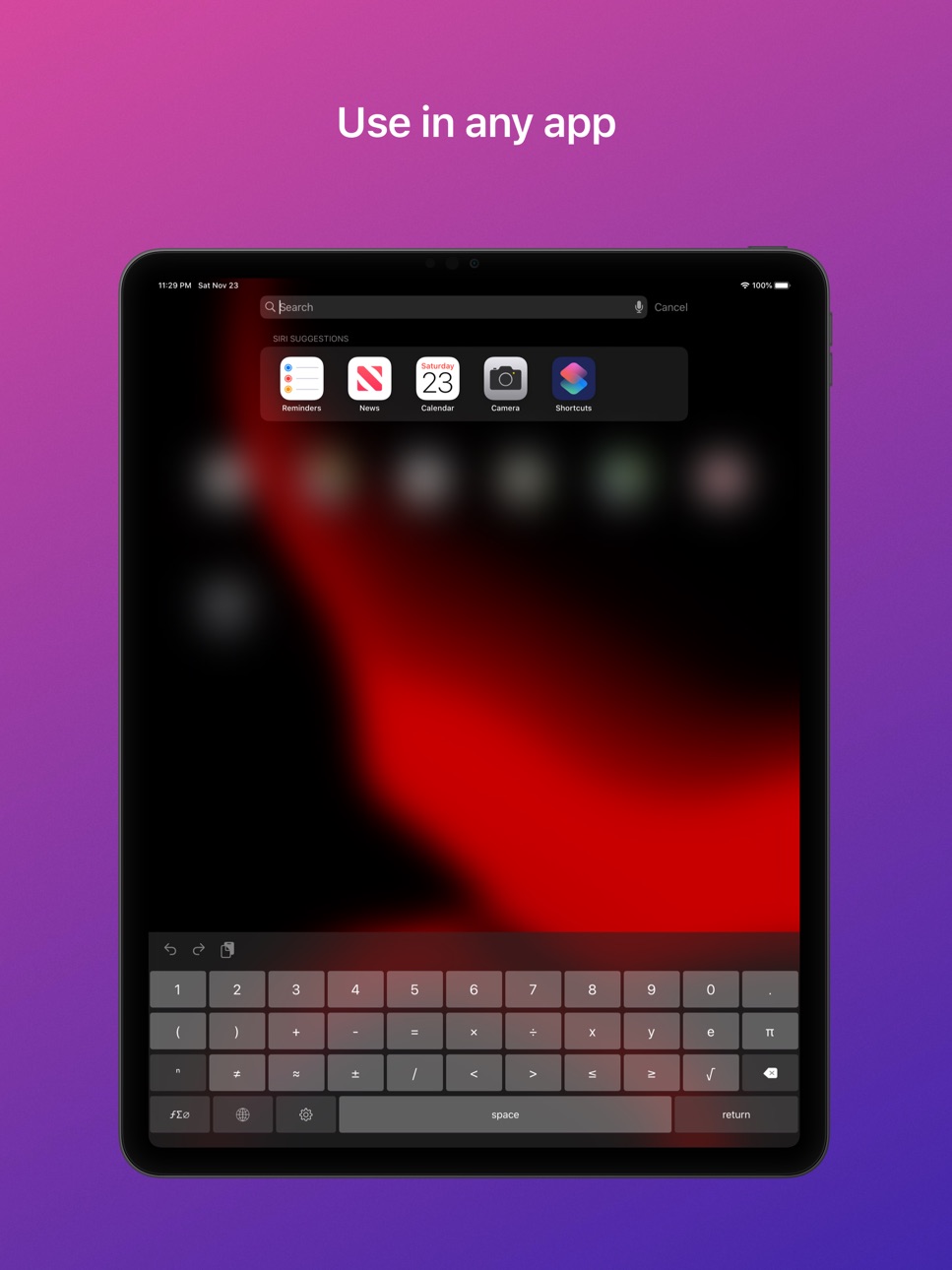
You can use Numboard in ANY app, just like your default keyboard.
Numboard features:
+ More than 110 specific symbols, including subscripts, superscripts, and more.
+ Your expressions will be evaluated in real-time when possible! This includes expressions with powers, variables, roots, and more.
+ Perfect for students: use your iOS device to do your homework! Everything you need is now in one single keyboard.
+ Quick typing process with intuitive behavior and great design.
+ Use Numboard in any app, just like your default keyboard. It can be installed as a keyboard extension.
Numboard was created in 2015 by a student. Today, our customers include students, teachers, and even schools from all around the world. We listen to our users' feedback and constantly improve the app.
In-App Purchases US pricing
One-Time Purchases
Numboard Pro$0.99
Capabilities
In-App Purchases
Accessibility
ipadiphonemacrealityDevicetvoswatch
Version history 8 versions
Build 832782076v1.52019-11-24 19:27:16
– New feature! You can FULLY customize your keyboard. Change, add or remove symbols. Make sure they're Unicode though.
– Full support for iOS 13 and Dark Mode.
– Improved speed for auto evaluation.
– Fixed some crashes and bugs.
Build 827135326v1.2.12018-05-13 17:24:15
This update fixes a critical bug.
Build 826938706v1.22018-05-11 21:41:46
This update contains the following:
- Better support for newer displays (iPhone X, iPad Pro)
- Automatic calculation for more expressions
- UI improvements
- Bug fixes
Thank you for using Numboard! New features are coming soon!
Build 820718071v1.12017-02-03 00:45:43
– Auto-evaluation. Your expressions will be automatically evaluated by the smart Numboard system, when possible. You do not have to press anything.
– If you would like to disable auto-evaluation, you can do it right from Settings section. (Go to the main Numboard app and scroll down).
– Several bug fixes.
Build 820183719v1.0.32016-12-19 17:38:47
Enjoy the good old Numboard.
No more subscriptions.
If you purchased Numboard earlier, tap "Restore" to restore your purchase.
Build 820121964v1.0.22016-12-14 16:11:38
Now free users can get free trial of Pro for 7 days.
Build 819825926v1.0.12016-12-05 20:22:03
– Now free users can get free trial of Pro for 7 days.
– Several improvements.
Build 819716750v1.02016-11-13 23:30:32
Price history by region
Currency
Show
Columns
Search
Availability 27 of 27 storefronts
| Region | Language | Price | Ratings | Avg | Version |
|---|---|---|---|---|---|
 US US | en-US | Free | 23 | 2.1 | 1.5 |
 AO AO | en-GB | Free | 0 | — | 1.5 |
 BF BF | en-GB | Free | 0 | — | 1.5 |
 BJ BJ | en-GB | Free | 0 | — | 1.5 |
 BW BW | en-GB | Free | 0 | — | 1.5 |
 CD CD | en-GB | Free | 0 | — | 1.5 |
 CG CG | en-GB | Free | 0 | — | 1.5 |
 CI CI | fr-FR | Free | 0 | — | 1.5 |
 CM CM | fr-FR | Free | 0 | — | 1.5 |
 CV CV | en-GB | Free | 0 | — | 1.5 |
 GA GA | fr-FR | Free | 0 | — | 1.5 |
 GH GH | en-GB | Free | 0 | — | 1.5 |
 KE KE | en-GB | Free | 0 | — | 1.5 |
 MA MA | en-GB | Free | 0 | — | 1.5 |
 MG MG | en-GB | Free | 0 | — | 1.5 |
 ML ML | en-GB | Free | 0 | — | 1.5 |
 MU MU | en-GB | Free | 0 | — | 1.5 |
 MZ MZ | en-GB | Free | 0 | — | 1.5 |
 NA NA | en-GB | Free | 0 | — | 1.5 |
 NE NE | en-GB | Free | 0 | — | 1.5 |
 NG NG | en-GB | Free | 0 | — | 1.5 |
 SN SN | en-GB | Free | 0 | — | 1.5 |
 TD TD | en-GB | Free | 0 | — | 1.5 |
 TZ TZ | en-GB | Free | 0 | — | 1.5 |
 UG UG | en-GB | Free | 0 | — | 1.5 |
 ZM ZM | en-GB | Free | 0 | — | 1.5 |
 ZW ZW | en-GB | Free | 0 | — | 1.5 |
Change log 12 changes · US
✎
releaseNotes updated
– New feature! You can FULLY customize your keyboard. Change, add or remove symbols. Make sure they're Unicode though.
– Full support for iOS 13 and Dark Mode.
✎
description updated
Numboard is the all-in-one keyboard for math and science. More than 110 math symbols, plus advanced autocomplete for math expressions. Your expressions will be
✎
subtitle updated
Math Keyboard with Calculator
✎
name updated
Numboard – Scientific Keyboard
◆
Version 1.5 released
– New feature! You can FULLY customize your keyboard. Change, add or remove symbols. Make sure they're Unicode though.
– Full support for iOS 13 and Dark Mode.
– Improved speed for auto evaluation.
– Fixed some crashes and bugs.
◆
Version 1.2.1 released
This update fixes a critical bug.
◆
Version 1.2 released
This update contains the following:
- Better support for newer displays (iPhone X, iPad Pro)
- Automatic calculation for more expressions
- UI improvements
- Bug fixes
Thank you for using Numboard! New features are coming soon!
◆
Version 1.1 released
– Auto-evaluation. Your expressions will be automatically evaluated by the smart Numboard system, when possible. You do not have to press anything.
– If you would like to disable auto-evaluation, you can do it right from Settings section. (
◆
Version 1.0.3 released
Enjoy the good old Numboard.
No more subscriptions.
If you purchased Numboard earlier, tap "Restore" to restore your purchase.
◆
Version 1.0.2 released
Now free users can get free trial of Pro for 7 days.
◆
Version 1.0.1 released
– Now free users can get free trial of Pro for 7 days.
– Several improvements.
◆
Version 1.0 released