Home › Photo & Video

 US
US
1 of 1 storefronts
Content in en-US
Content in en-US
Information
Preview 2 platforms
iPhone 8 images




iPad 8 images


What’s New Version 2.8.0
• Fixed issue with camera firmware version check for updates
• Added new ring tones and alarm sounds
• General improvement
Description
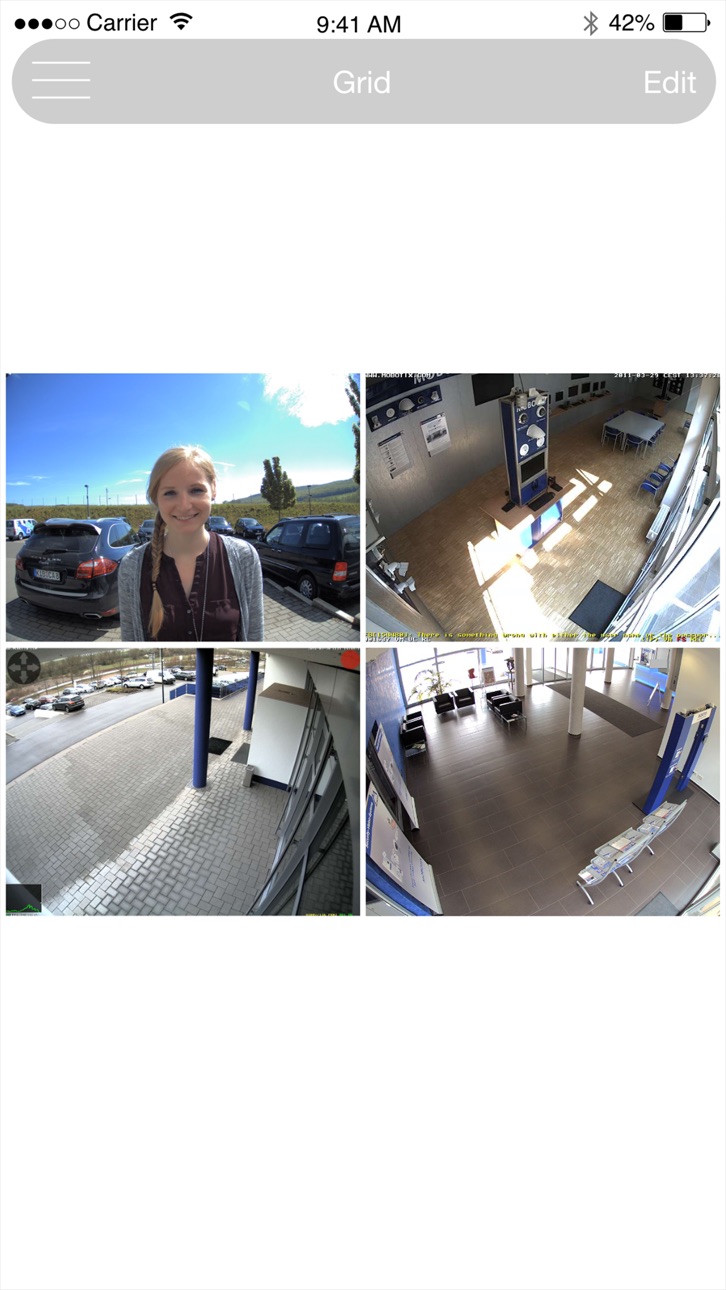
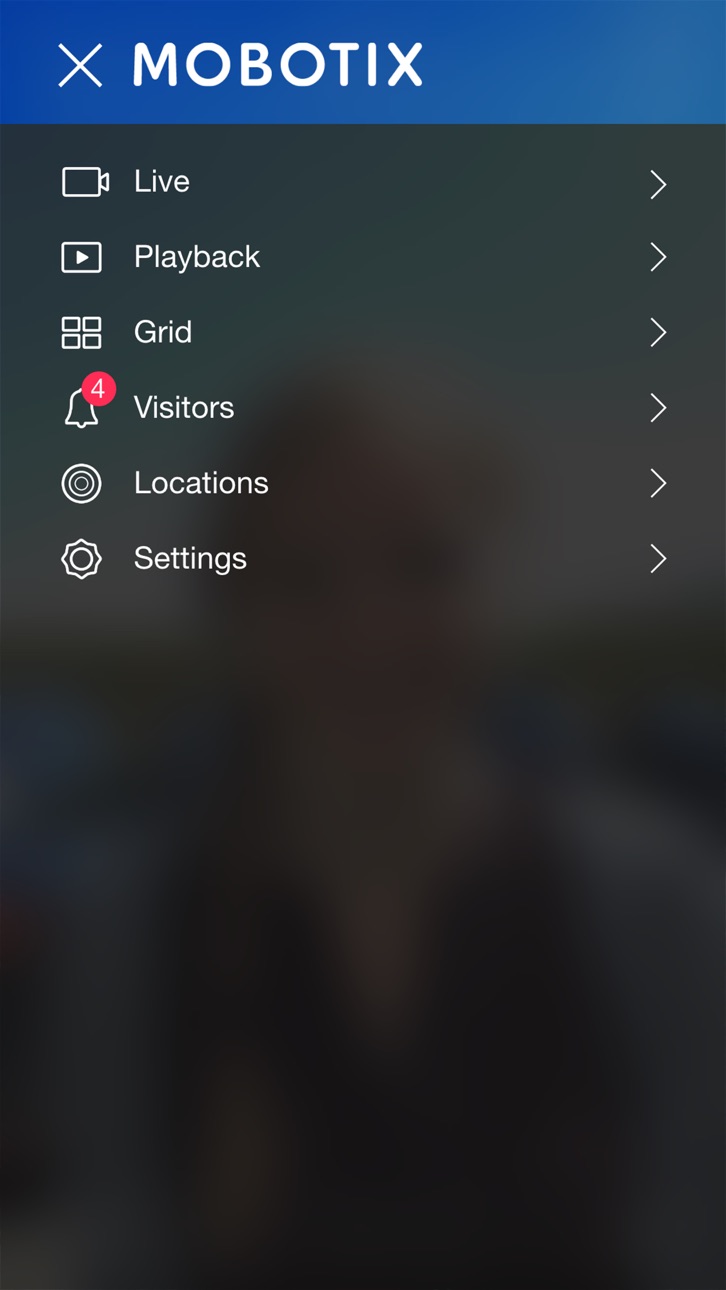
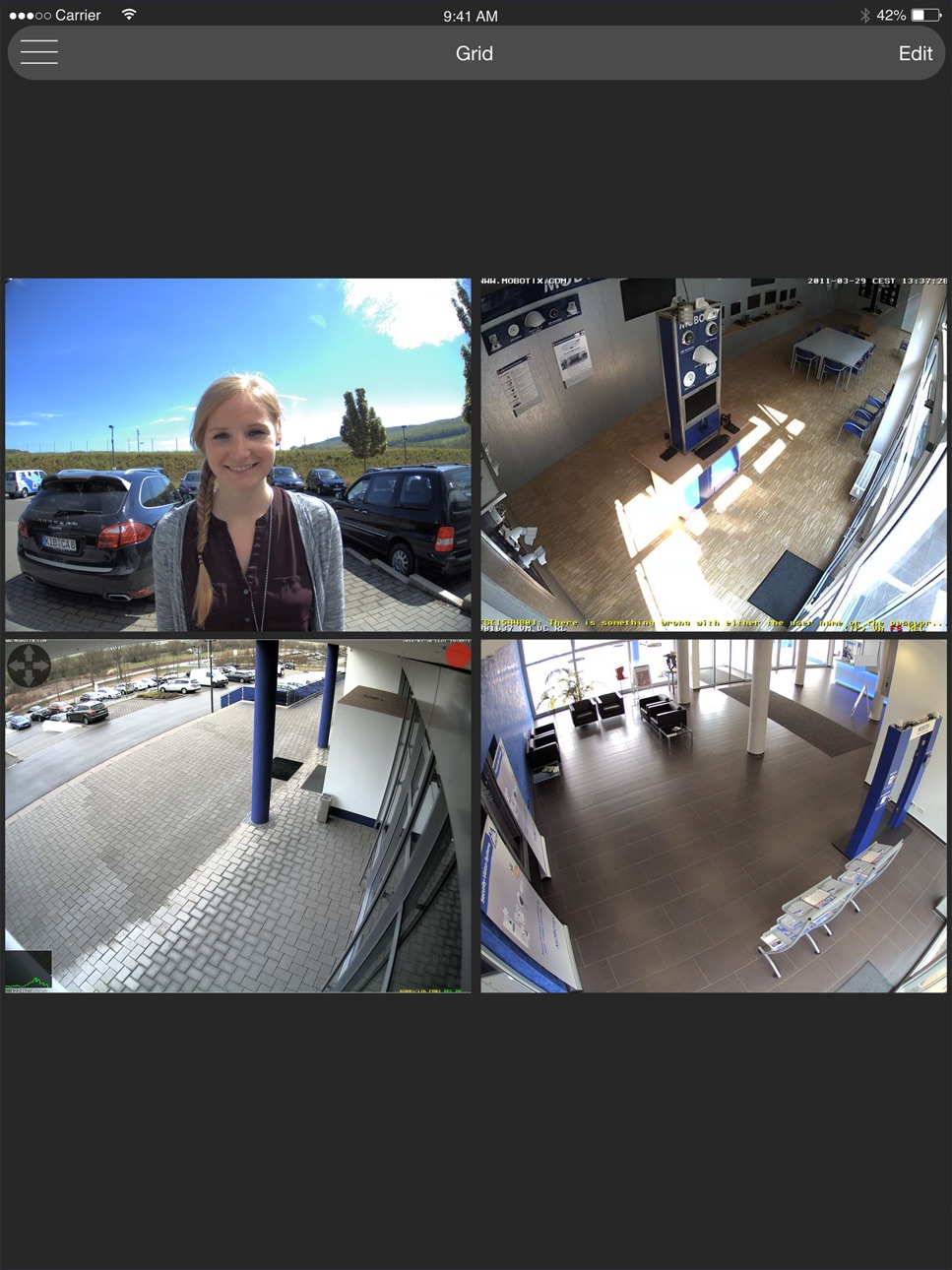
MOBOTIX LIVE the optimal app allows you to access your MOBOTIX cameras and MOBOTIX door stations quickly and easily with your smartphone or tablet. Never miss a visitor again thanks to push notification. MOBOTIX LIVE shows the ringing message of a MOBOTIX IP video door station as well as live and playback views of MOBOTIX cameras. Browse the latest events at the door station/camera in the playback screen. View different live streams of cameras in the Grid Views. Automatic camera search, Live View, camera connection via SSL and display of the connection status.
Highlights:
• Never miss a visitor thanks to push notifications.
• Shows doorbell message of a MOBOTIX IP Video Door Station.
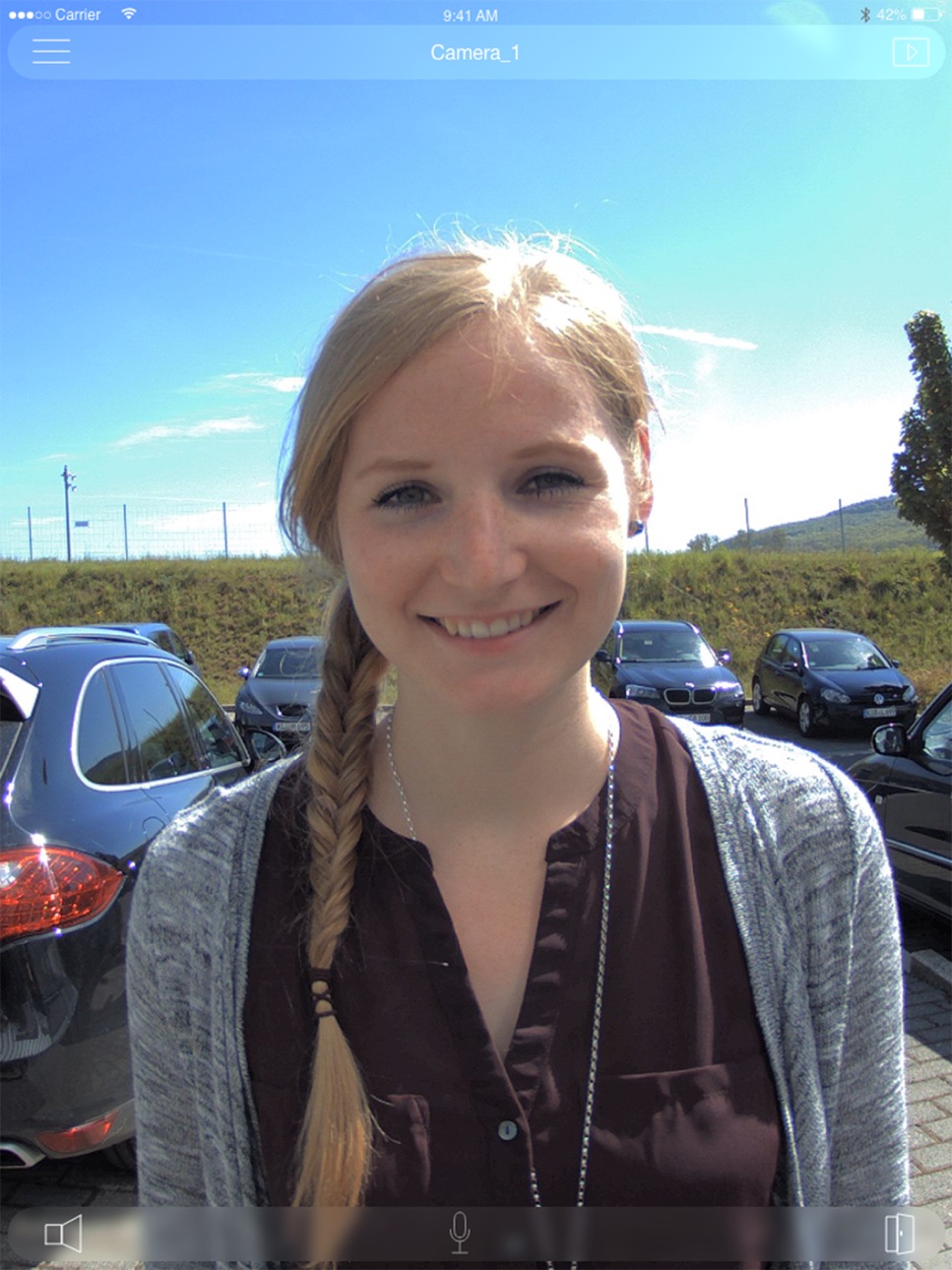
• Shows live images of MOBOTIX IP cameras with gesture-controlled PTZ.
• Open the door, use hands-free communication.
• Playback view allows reviewing the latest recorded events.
• Grid view shows the live streams of up to four MOBOTIX door stations or IP cameras simultaneously.
• Visitors view allows reviewing the latest events where people rang a doorbell at one of the attached door stations.
• Supports automatic camera discovery, live view and remote connection via SSL.
• See the connection status.
• Supports remote connections.
• Import and export of the app configuration
• Up to 8 Softbuttons to control cameras and other IP (IoT) devices from the APP using Http/Https API commands.
Notes:
Before viewing your cameras remotely via mobile data or other networks, you need to configure your router to allow incoming traffic. For security reasons, routers normally do not allow access to your internal network. Please read your router manual and your MOBOTIX camera manual regarding external camera access, port forwarding, DynDNS, etc.
When using wireless networks (WiFi, 3G/4G) on mobile devices, connection quality can vary and the connection may even fail completely. This means that some events, such as ringing the doorbell, will be transmitted later or not at all. MOBOTIX therefore recommends to also use a cable-based intercom system (such as MxDisplay).
If you do not use MOBOTIX LIVE often: To ensure ongoing push notification functionality, you should open the app at least once every month.
Please read the release notes before installing the app. You can find these notes on our website www.mobotix.com under Support > Download Center > Software Downloads > MOBOTIX LIVE.
System Requirements:
IOS 11 or higher
MOBOTIX IP Video Door Stations and IP cameras (P3/PXA320) with software 4.7.2.18 or higher
MOBOTIX IP Video Door Stations and IP cameras (Mx6) with software 5.2.3.30 or higher
Depending on the type of your mobile device, the app can manage more than 100 cameras (type. Examples: Apple iPhone 11 more than 130 cameras; )
Accessibility
ipadiphonemacrealityDevicetvoswatch
Version history 24 versions
Build 882638608v2.8.02026-03-04 17:25:50
• Fixed issue with camera firmware version check for updates
• Added new ring tones and alarm sounds
• General improvement
Build 869434332v2.7.32024-10-02 14:25:23
* Fix Crash with IOS 18
Build 867833656v2.7.22024-07-30 10:44:22
• Minimum Camera Firmware requirement Dialog updated. After 5 x time showing the dialog it will be disabled.
Build 861529638v2.6.62023-11-16 19:49:28
Bug Fix: Background notifications now playing the correct sound again.
Build 859100032v2.6.52023-08-11 13:58:29
Bug Fix: Playback Overlay Time is working now.
Build 853745420v2.6.42022-12-08 19:47:38
Bug Fix:
• Fix crash when removing Softbuttons.
Build 853229870v2.6.22022-11-08 20:41:48
• Support IPv6
Build 850127767v2.6.12022-06-14 18:33:49
Bug Fix: Search in playback now considers all time zones
Build 846837260v2.62022-01-25 18:19:32
• New comfortable event search for typical camera events with filter options according to period, events and cameras.
• Extension of the softbutton profiles for the MxMC and for the vendors Kentix and Patlite.
• URI support e.g. for Apple shortcuts
• Notification that a camera software update is required
• Various improvements and bug fixes
Build 842782162v2.5.42021-06-23 16:17:14
Small improvements:
• Fix door opener button
• Import of MxMC configuration: Accept imported URLs that contain special characters like "@" and ":"
Build 841470413v2.5.32021-04-16 19:28:18
• Softbuttons: Support now special characters in the "Messages" like Ü,Ö,Ä ...
• Icon size: Icon and font size for tablets now selectable. User can enable this under Settings -> "Use bigger icons".
Build 840705635v2.5.22021-03-11 19:15:33
Various bug fixes
Build 838315464v2.52020-10-27 12:56:21
The mobile companion for the MOBOTIX IoT camera
MxBell is now called MOBOTIX LIVE. But not only the name is new. The app has evolved from the original door station application to comprehensive mobile companion for MOBOTIX IoT cameras.
The application now has extended functions and a optimized operation. For example, the new Grid View can Display up to 25 IoT cameras in parallel. MOBOTIX LIVE supports IoT camera models from the x4 to the MOBOTIX 7 generation.
Build 837600768v2.42020-09-02 11:05:41
• Up to 8 Softbuttons to control cameras and other IP (IoT) devices from the APP using Http/Https API commands.
• Minor bug fixes
Build 836793968v2.3.12020-07-11 12:07:59
• Faster access to the camera list via live and playback mode
• Faster switching between full screen and grid using the permanently displayed X icon
Bug fixes:
• Local storage of the configuration now also possible
Build 836544804v2.3.02020-06-24 10:11:01
New in this version 2.3.0 is the import and export of the current app configuration using the appropriate tools available with your mobile device, such as Air Drop, Whats App or E-Mail.
Now possible for you:
• Transfer the current app configuration to other mobile devices
• Manage multiple app configurations on a mobile device
• Backup of the current app configuration
Additionally, some improvements have been made, especially an optimization concerning the maximum number of cameras.
Depending on the type of your mobile device, the app can now manage more than 100 cameras (Type. Examples: Apple iPhone 11 more than 130 cameras; Samsung Galaxy S9 up to 50 cameras)
Bugfixes:
• Textfields require two taps instead of one tap to show the keyboard
• Textfields not visible when in portrait mode and when using certain languages
• Fixed font style on One Plus mobile devices
• New added cameras do not inherit the credentials provided by the user
Build 835950767v2.2.22020-05-15 06:53:56
The latest version contains bug fixes and performance improvements.
Build 835728127v2.2.12020-04-30 06:25:34
The latest version contains bug fixes and performance improvements.
Build 835327994v2.22020-04-03 06:20:15
The latest version contains bug fixes and performance improvements.
Build 831220599v2.1.22019-05-08 06:27:09
The latest version contains bug fixes and performance improvements.
Build 830616730v2.12019-04-17 20:06:57
The following innovations are waiting for you:
* The facelift of this release provides for a contemporary look and improved user experience thanks to the use of overlay interface elements.
* The Dark Theme adds a fresh look to MxBell
* The Live, Playback, and Grid views can now show the camera images as a full screen with one tap; another tap switches back to show the overlay controls.
* Different pre-defined Ring Tones for ring and alarm notifications provide a great way to differentiate between these two audible notification types.
* The new Visitors view collects the ring events of all door stations to provide an overview of all visitors that rung a doorbell.
Build 826835765v2.0.12018-04-27 20:21:43
The following innovations are waiting for you:
- Playback View: Quick review of the latest door station and camera events
- Grid View: Display up to four different camera live streams simultaneously
- Improvement of stability and performance
Build 826423740v2.02018-04-20 00:53:21
The following innovations are waiting for you:
- Playback View: Quick review of the latest door station and camera events
- Grid View: Display up to four different camera live streams simultaneously
- General bug fixes and improvements
Build 819575840v1.02017-11-14 15:37:53
No pricing data captured yet — comparisons appear once the app has paid storefronts or in-app purchases.
Availability 1 of 1 storefronts
| Region | Language | Price | Ratings | Avg | Version |
|---|---|---|---|---|---|
| US | en-US | Free | 4 | 3.8 | 2.8.0 |
Change log 28 changes · US
✎
releaseNotes updated
• Fixed issue with camera firmware version check for updates
• Added new ring tones and alarm sounds
• General improvement
✎
description updated
MOBOTIX LIVE the optimal app allows you to access your MOBOTIX cameras and MOBOTIX door stations quickly and easily with your smartphone or tablet. Never miss a
✎
subtitle updated
For Cameras and Doorstations
✎
name updated
MOBOTIX LIVE
◆
Version 2.8.0 released
• Fixed issue with camera firmware version check for updates
• Added new ring tones and alarm sounds
• General improvement
◆
Version 2.7.3 released
* Fix Crash with IOS 18
◆
Version 2.7.2 released
• Minimum Camera Firmware requirement Dialog updated. After 5 x time showing the dialog it will be disabled.
◆
Version 2.6.6 released
Bug Fix: Background notifications now playing the correct sound again.
◆
Version 2.6.5 released
Bug Fix: Playback Overlay Time is working now.
◆
Version 2.6.4 released
Bug Fix:
• Fix crash when removing Softbuttons.
◆
Version 2.6.2 released
• Support IPv6
◆
Version 2.6.1 released
Bug Fix: Search in playback now considers all time zones
◆
Version 2.6 released
• New comfortable event search for typical camera events with filter options according to period, events and cameras.
• Extension of the softbutton profiles for the MxMC and for the vendors Kentix and Patlite.
• URI support e.g. for Apple
◆
Version 2.5.4 released
Small improvements:
• Fix door opener button
• Import of MxMC configuration: Accept imported URLs that contain special characters like "@" and ":"
◆
Version 2.5.3 released
• Softbuttons: Support now special characters in the "Messages" like Ü,Ö,Ä ...
• Icon size: Icon and font size for tablets now selectable. User can enable this under Settings -> "Use bigger icons".
◆
Version 2.5.2 released
Various bug fixes
◆
Version 2.5 released
The mobile companion for the MOBOTIX IoT camera
MxBell is now called MOBOTIX LIVE. But not only the name is new. The app has evolved from the original door station application to comprehensive mobile companion for MOBOTIX IoT cameras.
The
◆
Version 2.4 released
• Up to 8 Softbuttons to control cameras and other IP (IoT) devices from the APP using Http/Https API commands.
• Minor bug fixes
◆
Version 2.3.1 released
• Faster access to the camera list via live and playback mode
• Faster switching between full screen and grid using the permanently displayed X icon
Bug fixes:
• Local storage of the configuration now also possible
◆
Version 2.3.0 released
New in this version 2.3.0 is the import and export of the current app configuration using the appropriate tools available with your mobile device, such as Air Drop, Whats App or E-Mail.
Now possible for you:
• Transfer the current app confi
◆
Version 2.2.2 released
The latest version contains bug fixes and performance improvements.
◆
Version 2.2.1 released
The latest version contains bug fixes and performance improvements.
◆
Version 2.2 released
The latest version contains bug fixes and performance improvements.
◆
Version 2.1.2 released
The latest version contains bug fixes and performance improvements.
◆
Version 2.1 released
The following innovations are waiting for you:
* The facelift of this release provides for a contemporary look and improved user experience thanks to the use of overlay interface elements.
* The Dark Theme adds a fresh look to MxBell
* The
◆
Version 2.0.1 released
The following innovations are waiting for you:
- Playback View: Quick review of the latest door station and camera events
- Grid View: Display up to four different camera live streams simultaneously
- Improvement of stability and performan
◆
Version 2.0 released
The following innovations are waiting for you:
- Playback View: Quick review of the latest door station and camera events
- Grid View: Display up to four different camera live streams simultaneously
- General bug fixes and improvements
◆
Version 1.0 released