Home › Photo & Video

 US
US
USen-US PLen-GB
 GBen-GB
 CAen-CA
 DEde-DE
 FRfr-FR
 INen-GB
 CLes-MX
 ZAen-GB
 AUen-AU
 COes-MX
 ITit
ITit MYen-GB
 NLnl
NLnl ESes-ES
 CHde-CH
 ATde-DE
 BEen-GB
 EGen-GB
 HRen-GB
 NZen-AU
 DKen-GB
 PTpt-PT
 RSen-GB
 SEsv
SEsv CNzh-Hans-CN
 LUen-GB
 PKen-GB
 SKen-GB
 FIen-GB
 NOen-GB
 BNen-GB
 IEen-GB
 ISen-GB
 ALen-GB
 BAen-GB
 BTen-GB
 BYen-GB
 CIfr-FR
 CMfr-FR
 FJen-GB
 FMen-GB
 KWen-GB
 MDen-GB
 MKen-GB
 MLen-GB
 MTen-GB
 MVen-GB
 NRen-GB
 PGen-GB
 PWen-GB
 SBen-GB
 SNen-GB
 TJen-GB
 TMen-GB
 TOen-GB
 UZen-GB
 VUen-GB
58 of 58 storefronts
Content in en-US
Content in en-US
Information
Preview 3 platforms
iPhone 10 images



iPad 10 images


Mac 9 images




What’s New Version 5.2.2
LumaBooth 5.0, our biggest release yet.
AI Portraits are here. Watch your guests transform into superheroes, vintage oil paintings, and 3D characters right at your booth. Over 170 styles, one tap to enable, no green screen, no setup. Just pure wow.
820+ professional templates now in the LumaBooth Dashboard. Browse, favorite, and launch the perfect look for every event, no design skills needed.
The LumaBooth Dashboard changes everything. Imagine walking into any event knowing your booth is already configured and waiting. Set up your templates, overlays, and settings once from any browser, then show up. Launch instantly on iPhone, iPad, Mac, or Windows with dslrBooth. No other photo booth platform brings iOS and Windows together like this.
Your booth is ready before you walk in the door.
One platform. Every device.
--
LumaBooth 5.0.7 brings smarter guidance for AI Portraits — on-screen warnings now alert you when too many people are in the frame or subjects are standing too far from the camera, so you get better results every time. This update fixes email validation so addresses with international domains like .com.mx or .co.uk are accepted correctly, and resolves a rare crash when switching cameras with previously saved zoom settings. Several stability and reliability improvements are included, along with a fix for a stretched toggle button on the Event Link screen on iPhone.
--
LumaBooth 5.1 introduces Custom AI Portraits. Write your own prompt to create exactly the look you want, and add per-style guest questions so a single prompt can personalize every portrait using answers like a guest's name, jersey number, or chosen theme. AI Portraits now process all photos together after capture for a smoother guest experience.
This update also redesigns the guest browse and sharing screens with a new scrollable session gallery, improves USB webcam support on iPad, refreshes the app's look with a new font, and adds reliable hex color entry. Text messaging issues are fixed, per-event print settings now sync from the dashboard, and we resolved a range of crashes and stability issues — including better recovery after Wi-Fi interruptions so your overlays and settings are never lost.
--
LumaBooth 5.1.1 fixes a crash that could occur when duplicating an event, so reusing your favorite event setups is reliable again.
--
LumaBooth 5.2 sharpens the booth from start to share. The Layout Editor on iPad now responds exactly to your touch, so items move where you place them, and small items get easier-to-grab resize handles on iPhone. The Welcome screen reflects live view changes and lets you hide the start buttons for a clean single-tap booth.
Duplicating events is more reliable too. AI Portrait reference images and print layout text carry over cleanly when you open the copy on another device. GIFs gain 3:2 and 2:3 aspect ratio options, USB webcam video on Mac stays bright (no more dim recordings on cameras like the Logitech BRIO), print limit labels are clearer, and we resolved a long-standing crash when saving print layouts.
Description
The life of every party.
The easiest way to run a professional photo booth at your next wedding, birthday, or event. Just download, set up in minutes, and let your guests have the time of their lives. LumaBooth runs on iPhone, iPad, Mac, and Windows, perfect whether you're a first-timer or a seasoned pro.
LUMABOOTH DASHBOARD
Configure your entire event from any browser before you even arrive. Templates, overlays, backgrounds, settings, all ready and waiting on every device. No IT skills. No on-site setup. Just arrive. iPhone, iPad, Mac, or Windows with dslrBooth. No other photo booth platform brings iOS and Windows together like this.
AI PORTRAITS
Turn your guests into superheroes, vintage oil paintings, 3D characters, and more. Over 170 styles, no green screen, no complicated setup. One tap and every guest leaves with something they've never seen before.
PHOTO BOOTH
• Hundreds of pre-made photo layouts and templates, no design skills needed, just pick and go
• Customize with stickers, filters, and LUTs right from the booth
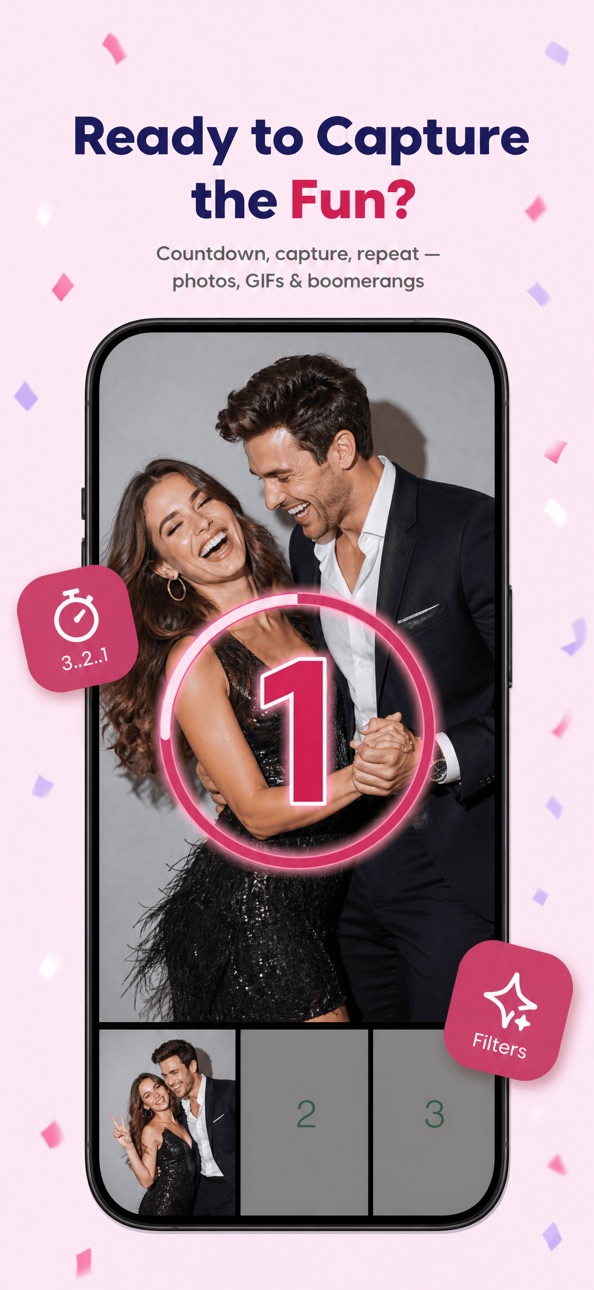
• GIF, boomerang, and slow-motion built in, no extra setup
• Print wirelessly with AirPrint or connect professional printers including DNP via WPS Pro
• Remove any background with AI or green screen, any venue becomes the perfect venue
360 AND VIDEO BOOTH
• High-quality video and slow-motion capture
• Animated and static overlays, pre-roll and post-roll videos
• 240fps on recent iPads and iPhones
• Video stabilization
• Motion-triggered sessions, no attendant needed
KEY FEATURES
• Works with cameras you already own, Canon, Sony, and Nikon supported
• Video and audio prompts guide guests through every step so your booth runs itself
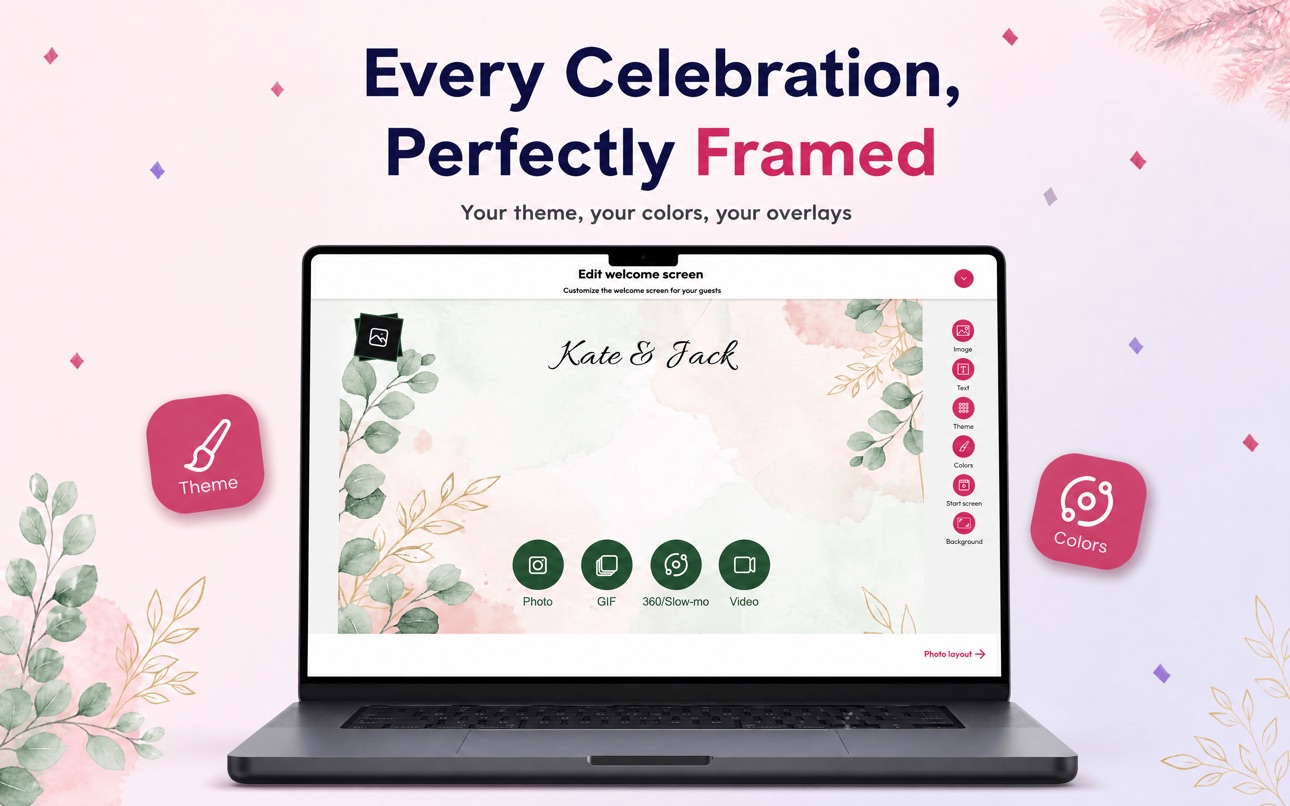
• Fully customizable start screen, no coding, no design tools required
• Guests relive the event through a branded online gallery, automatically created for every event photography session
• Surveys and disclaimers built in for lead capture and compliance
• Wireless remote trigger, stay with your clients, not behind the booth
SHARING
• Guests share instantly via email, SMS, AirDrop, QR code, WhatsApp, and Instagram, online or offline
• LumaShare for iPad and tablets turns any tablet into a dedicated sharing station with live slideshow
SUBSCRIPTION
LumaBooth requires a subscription for unlimited events with no watermark.
• Monthly subscription: $19.99 USD
• Charged to your Apple ID at confirmation
• Auto-renews unless cancelled at least 24 hours before the end of the current period
• Manage in Apple ID Account Settings
Terms of Service: lumabooth.com/terms-of-service
Privacy Policy: lumabooth.com/privacy-policy
In-App Purchases US pricing
Full Access Subscription
Monthly$19.99
Yearly$199.99
Capabilities
In-App Purchases
Accessibility
ipadiphonemacrealityDevicetvoswatch
Version history 25 versions
Build 887449802v5.2.22026-06-25 23:07:37
LumaBooth 5.0, our biggest release yet.
AI Portraits are here. Watch your guests transform into superheroes, vintage oil paintings, and 3D characters right at your booth. Over 170 styles, one tap to enable, no green screen, no setup. Just pure wow.
820+ professional templates now in the LumaBooth Dashboard. Browse, favorite, and launch the perfect look for every event, no design skills needed.
The LumaBooth Dashboard changes everything. Imagine walking into any event knowing your booth is already configured and waiting. Set up your templates, overlays, and settings once from any browser, then show up. Launch instantly on iPhone, iPad, Mac, or Windows with dslrBooth. No other photo booth platform brings iOS and Windows together like this.
Your booth is ready before you walk in the door.
One platform. Every device.
--
LumaBooth 5.0.7 brings smarter guidance for AI Portraits — on-screen warnings now alert you when too many people are in the frame or subjects are standing too far from the camera, so you get better results every time. This update fixes email validation so addresses with international domains like .com.mx or .co.uk are accepted correctly, and resolves a rare crash when switching cameras with previously saved zoom settings. Several stability and reliability improvements are included, along with a fix for a stretched toggle button on the Event Link screen on iPhone.
--
LumaBooth 5.1 introduces Custom AI Portraits. Write your own prompt to create exactly the look you want, and add per-style guest questions so a single prompt can personalize every portrait using answers like a guest's name, jersey number, or chosen theme. AI Portraits now process all photos together after capture for a smoother guest experience.
This update also redesigns the guest browse and sharing screens with a new scrollable session gallery, improves USB webcam support on iPad, refreshes the app's look with a new font, and adds reliable hex color entry. Text messaging issues are fixed, per-event print settings now sync from the dashboard, and we resolved a range of crashes and stability issues — including better recovery after Wi-Fi interruptions so your overlays and settings are never lost.
--
LumaBooth 5.1.1 fixes a crash that could occur when duplicating an event, so reusing your favorite event setups is reliable again.
--
LumaBooth 5.2 sharpens the booth from start to share. The Layout Editor on iPad now responds exactly to your touch, so items move where you place them, and small items get easier-to-grab resize handles on iPhone. The Welcome screen reflects live view changes and lets you hide the start buttons for a clean single-tap booth.
Duplicating events is more reliable too. AI Portrait reference images and print layout text carry over cleanly when you open the copy on another device. GIFs gain 3:2 and 2:3 aspect ratio options, USB webcam video on Mac stays bright (no more dim recordings on cameras like the Logitech BRIO), print limit labels are clearer, and we resolved a long-standing crash when saving print layouts.
Build 886798719v5.2.12026-06-11 19:31:38
LumaBooth 5.0, our biggest release yet.
AI Portraits are here. Watch your guests transform into superheroes, vintage oil paintings, and 3D characters right at your booth. Over 170 styles, one tap to enable, no green screen, no setup. Just pure wow.
820+ professional templates now in the LumaBooth Dashboard. Browse, favorite, and launch the perfect look for every event, no design skills needed.
The LumaBooth Dashboard changes everything. Imagine walking into any event knowing your booth is already configured and waiting. Set up your templates, overlays, and settings once from any browser, then show up. Launch instantly on iPhone, iPad, Mac, or Windows with dslrBooth. No other photo booth platform brings iOS and Windows together like this.
Your booth is ready before you walk in the door.
One platform. Every device.
--
LumaBooth 5.0.7 brings smarter guidance for AI Portraits — on-screen warnings now alert you when too many people are in the frame or subjects are standing too far from the camera, so you get better results every time. This update fixes email validation so addresses with international domains like .com.mx or .co.uk are accepted correctly, and resolves a rare crash when switching cameras with previously saved zoom settings. Several stability and reliability improvements are included, along with a fix for a stretched toggle button on the Event Link screen on iPhone.
--
LumaBooth 5.1 introduces Custom AI Portraits. Write your own prompt to create exactly the look you want, and add per-style guest questions so a single prompt can personalize every portrait using answers like a guest's name, jersey number, or chosen theme. AI Portraits now process all photos together after capture for a smoother guest experience.
This update also redesigns the guest browse and sharing screens with a new scrollable session gallery, improves USB webcam support on iPad, refreshes the app's look with a new font, and adds reliable hex color entry. Text messaging issues are fixed, per-event print settings now sync from the dashboard, and we resolved a range of crashes and stability issues — including better recovery after Wi-Fi interruptions so your overlays and settings are never lost.
--
LumaBooth 5.1.1 fixes a crash that could occur when duplicating an event, so reusing your favorite event setups is reliable again.
--
LumaBooth 5.2 sharpens the booth from start to share. The Layout Editor on iPad now responds exactly to your touch, so items move where you place them, and small items get easier-to-grab resize handles on iPhone. The Welcome screen reflects live view changes and lets you hide the start buttons for a clean single-tap booth.
Duplicating events is more reliable too. AI Portrait reference images and print layout text carry over cleanly when you open the copy on another device. GIFs gain 3:2 and 2:3 aspect ratio options, USB webcam video on Mac stays bright (no more dim recordings on cameras like the Logitech BRIO), print limit labels are clearer, and we resolved a long-standing crash when saving print layouts.
Build 886549145v5.22026-06-09 16:40:32
LumaBooth 5.0, our biggest release yet.
AI Portraits are here. Watch your guests transform into superheroes, vintage oil paintings, and 3D characters right at your booth. Over 170 styles, one tap to enable, no green screen, no setup. Just pure wow.
820+ professional templates now in the LumaBooth Dashboard. Browse, favorite, and launch the perfect look for every event, no design skills needed.
The LumaBooth Dashboard changes everything. Imagine walking into any event knowing your booth is already configured and waiting. Set up your templates, overlays, and settings once from any browser, then show up. Launch instantly on iPhone, iPad, Mac, or Windows with dslrBooth. No other photo booth platform brings iOS and Windows together like this.
Your booth is ready before you walk in the door.
One platform. Every device.
--
LumaBooth 5.0.7 brings smarter guidance for AI Portraits — on-screen warnings now alert you when too many people are in the frame or subjects are standing too far from the camera, so you get better results every time. This update fixes email validation so addresses with international domains like .com.mx or .co.uk are accepted correctly, and resolves a rare crash when switching cameras with previously saved zoom settings. Several stability and reliability improvements are included, along with a fix for a stretched toggle button on the Event Link screen on iPhone.
--
LumaBooth 5.1 introduces Custom AI Portraits. Write your own prompt to create exactly the look you want, and add per-style guest questions so a single prompt can personalize every portrait using answers like a guest's name, jersey number, or chosen theme. AI Portraits now process all photos together after capture for a smoother guest experience.
This update also redesigns the guest browse and sharing screens with a new scrollable session gallery, improves USB webcam support on iPad, refreshes the app's look with a new font, and adds reliable hex color entry. Text messaging issues are fixed, per-event print settings now sync from the dashboard, and we resolved a range of crashes and stability issues — including better recovery after Wi-Fi interruptions so your overlays and settings are never lost.
--
LumaBooth 5.1.1 fixes a crash that could occur when duplicating an event, so reusing your favorite event setups is reliable again.
--
LumaBooth 5.2 sharpens the booth from start to share. The Layout Editor on iPad now responds exactly to your touch, so items move where you place them, and small items get easier-to-grab resize handles on iPhone. The Welcome screen reflects live view changes and lets you hide the start buttons for a clean single-tap booth.
Duplicating events is more reliable too. AI Portrait reference images and print layout text carry over cleanly when you open the copy on another device. GIFs gain 3:2 and 2:3 aspect ratio options, USB webcam video on Mac stays bright (no more dim recordings on cameras like the Logitech BRIO), print limit labels are clearer, and we resolved a long-standing crash when saving print layouts.
Build 886167315v5.12026-05-27 00:22:36
LumaBooth 5.0, our biggest release yet.
AI Portraits are here. Watch your guests transform into superheroes, vintage oil paintings, and 3D characters right at your booth. Over 170 styles, one tap to enable, no green screen, no setup. Just pure wow.
820+ professional templates now in the LumaBooth Dashboard. Browse, favorite, and launch the perfect look for every event, no design skills needed.
The LumaBooth Dashboard changes everything. Imagine walking into any event knowing your booth is already configured and waiting. Set up your templates, overlays, and settings once from any browser, then show up. Launch instantly on iPhone, iPad, Mac, or Windows with dslrBooth. No other photo booth platform brings iOS and Windows together like this.
Your booth is ready before you walk in the door.
One platform. Every device.
--
LumaBooth 5.0.7 brings smarter guidance for AI Portraits — on-screen warnings now alert you when too many people are in the frame or subjects are standing too far from the camera, so you get better results every time. This update fixes email validation so addresses with international domains like .com.mx or .co.uk are accepted correctly, and resolves a rare crash when switching cameras with previously saved zoom settings. Several stability and reliability improvements are included, along with a fix for a stretched toggle button on the Event Link screen on iPhone.
--
LumaBooth 5.1 introduces Custom AI Portraits. Write your own prompt to create exactly the look you want, and add per-style guest questions so a single prompt can personalize every portrait using answers like a guest's name, jersey number, or chosen theme. AI Portraits now process all photos together after capture for a smoother guest experience.
This update also redesigns the guest browse and sharing screens with a new scrollable session gallery, improves USB webcam support on iPad, refreshes the app's look with a new font, and adds reliable hex color entry. Text messaging issues are fixed, per-event print settings now sync from the dashboard, and we resolved a range of crashes and stability issues — including better recovery after Wi-Fi interruptions so your overlays and settings are never lost.
Build 886197037v5.1.12026-05-27 15:18:19
LumaBooth 5.0, our biggest release yet.
AI Portraits are here. Watch your guests transform into superheroes, vintage oil paintings, and 3D characters right at your booth. Over 170 styles, one tap to enable, no green screen, no setup. Just pure wow.
820+ professional templates now in the LumaBooth Dashboard. Browse, favorite, and launch the perfect look for every event, no design skills needed.
The LumaBooth Dashboard changes everything. Imagine walking into any event knowing your booth is already configured and waiting. Set up your templates, overlays, and settings once from any browser, then show up. Launch instantly on iPhone, iPad, Mac, or Windows with dslrBooth. No other photo booth platform brings iOS and Windows together like this.
Your booth is ready before you walk in the door.
One platform. Every device.
--
LumaBooth 5.0.7 brings smarter guidance for AI Portraits — on-screen warnings now alert you when too many people are in the frame or subjects are standing too far from the camera, so you get better results every time. This update fixes email validation so addresses with international domains like .com.mx or .co.uk are accepted correctly, and resolves a rare crash when switching cameras with previously saved zoom settings. Several stability and reliability improvements are included, along with a fix for a stretched toggle button on the Event Link screen on iPhone.
--
LumaBooth 5.1 introduces Custom AI Portraits. Write your own prompt to create exactly the look you want, and add per-style guest questions so a single prompt can personalize every portrait using answers like a guest's name, jersey number, or chosen theme. AI Portraits now process all photos together after capture for a smoother guest experience.
This update also redesigns the guest browse and sharing screens with a new scrollable session gallery, improves USB webcam support on iPad, refreshes the app's look with a new font, and adds reliable hex color entry. Text messaging issues are fixed, per-event print settings now sync from the dashboard, and we resolved a range of crashes and stability issues — including better recovery after Wi-Fi interruptions so your overlays and settings are never lost.
Build 884465776v5.0.72026-04-13 23:03:15
LumaBooth 5.0, our biggest release yet.
AI Portraits are here. Watch your guests transform into superheroes, vintage oil paintings, and 3D characters right at your booth. Over 170 styles, one tap to enable, no green screen, no setup. Just pure wow.
820+ professional templates now in the LumaBooth Dashboard. Browse, favorite, and launch the perfect look for every event, no design skills needed.
The LumaBooth Dashboard changes everything. Imagine walking into any event knowing your booth is already configured and waiting. Set up your templates, overlays, and settings once from any browser, then show up. Launch instantly on iPhone, iPad, Mac, or Windows with dslrBooth. No other photo booth platform brings iOS and Windows together like this.
Your booth is ready before you walk in the door.
One platform. Every device.
--
LumaBooth 5.0.7 brings smarter guidance for AI Portraits — on-screen warnings now alert you when too many people are in the frame or subjects are standing too far from the camera, so you get better results every time. This update fixes email validation so addresses with international domains like .com.mx or .co.uk are accepted correctly, and resolves a rare crash when switching cameras with previously saved zoom settings. Several stability and reliability improvements are included, along with a fix for a stretched toggle button on the Event Link screen on iPhone.
Build 883958694v5.0.52026-04-01 14:20:52
LumaBooth 5.0, our biggest release yet.
AI Portraits are here. Watch your guests transform into superheroes, vintage oil paintings, and 3D characters right at your booth. Over 170 styles, one tap to enable, no green screen, no setup. Just pure wow.
820+ professional templates now in the LumaBooth Dashboard. Browse, favorite, and launch the perfect look for every event, no design skills needed.
The LumaBooth Dashboard changes everything. Imagine walking into any event knowing your booth is already configured and waiting. Set up your templates, overlays, and settings once from any browser, then show up. Launch instantly on iPhone, iPad, Mac, or Windows with dslrBooth. No other photo booth platform brings iOS and Windows together like this.
Your booth is ready before you walk in the door.
One platform. Every device.
Build 884028149v5.0.62026-04-01 19:46:06
LumaBooth 5.0, our biggest release yet.
AI Portraits are here. Watch your guests transform into superheroes, vintage oil paintings, and 3D characters right at your booth. Over 170 styles, one tap to enable, no green screen, no setup. Just pure wow.
820+ professional templates now in the LumaBooth Dashboard. Browse, favorite, and launch the perfect look for every event, no design skills needed.
The LumaBooth Dashboard changes everything. Imagine walking into any event knowing your booth is already configured and waiting. Set up your templates, overlays, and settings once from any browser, then show up. Launch instantly on iPhone, iPad, Mac, or Windows with dslrBooth. No other photo booth platform brings iOS and Windows together like this.
Your booth is ready before you walk in the door.
One platform. Every device.
Build 883813611v5.0.42026-03-27 07:04:12
LumaBooth 5.0, our biggest release yet.
AI Portraits are here. Watch your guests transform into superheroes, vintage oil paintings, and 3D characters right at your booth. Over 170 styles, one tap to enable, no green screen, no setup. Just pure wow.
820+ professional templates now in the LumaBooth Dashboard. Browse, favorite, and launch the perfect look for every event, no design skills needed.
The LumaBooth Dashboard changes everything. Imagine walking into any event knowing your booth is already configured and waiting. Set up your templates, overlays, and settings once from any browser, then show up. Launch instantly on iPhone, iPad, Mac, or Windows with dslrBooth. No other photo booth platform brings iOS and Windows together like this.
Your booth is ready before you walk in the door.
One platform. Every device.
Build 883724340v5.0.32026-03-25 16:12:35
LumaBooth 5.0, our biggest release yet.
AI Portraits are here. Watch your guests transform into superheroes, vintage oil paintings, and 3D characters right at your booth. Over 170 styles, one tap to enable, no green screen, no setup. Just pure wow.
820+ professional templates now in the LumaBooth Dashboard. Browse, favorite, and launch the perfect look for every event, no design skills needed.
The LumaBooth Dashboard changes everything. Imagine walking into any event knowing your booth is already configured and waiting. Set up your templates, overlays, and settings once from any browser, then show up. Launch instantly on iPhone, iPad, Mac, or Windows with dslrBooth. No other photo booth platform brings iOS and Windows together like this.
Your booth is ready before you walk in the door.
One platform. Every device.
Build 883599140v5.0.22026-03-22 14:05:19
LumaBooth 5.0, our biggest release yet.
AI Portraits are here. Watch your guests transform into superheroes, vintage oil paintings, and 3D characters right at your booth. Over 170 styles, one tap to enable, no green screen, no setup. Just pure wow.
820+ professional templates now in the LumaBooth Dashboard. Browse, favorite, and launch the perfect look for every event, no design skills needed.
The LumaBooth Dashboard changes everything. Imagine walking into any event knowing your booth is already configured and waiting. Set up your templates, overlays, and settings once from any browser, then show up. Launch instantly on iPhone, iPad, Mac, or Windows with dslrBooth. No other photo booth platform brings iOS and Windows together like this.
Your booth is ready before you walk in the door.
One platform. Every device.
Build 883473457v5.0.12026-03-20 05:47:26
LumaBooth 5.0, our biggest release yet.
AI Portraits are here. Watch your guests transform into superheroes, vintage oil paintings, and 3D characters right at your booth. Over 170 styles, one tap to enable, no green screen, no setup. Just pure wow.
820+ professional templates now in the LumaBooth Dashboard. Browse, favorite, and launch the perfect look for every event, no design skills needed.
The LumaBooth Dashboard changes everything. Imagine walking into any event knowing your booth is already configured and waiting. Set up your templates, overlays, and settings once from any browser, then show up. Launch instantly on iPhone, iPad, Mac, or Windows with dslrBooth. No other photo booth platform brings iOS and Windows together like this.
Your booth is ready before you walk in the door.
One platform. Every device.
Build 883432183v5.02026-03-17 01:27:41
LumaBooth 5.0, our biggest release yet.
AI Portraits are here. Watch your guests transform into superheroes, vintage oil paintings, and 3D characters right at your booth. Over 170 styles, one tap to enable, no green screen, no setup. Just pure wow.
820+ professional templates now in the LumaBooth Dashboard. Browse, favorite, and launch the perfect look for every event, no design skills needed.
The LumaBooth Dashboard changes everything. Imagine walking into any event knowing your booth is already configured and waiting. Set up your templates, overlays, and settings once from any browser, then show up. Launch instantly on iPhone, iPad, Mac, or Windows with dslrBooth. No other photo booth platform brings iOS and Windows together like this.
Your booth is ready before you walk in the door.
One platform. Every device.
Build 878974868v4.6.42025-10-16 18:14:28
IMPROVEMENTS
- Enhanced user interface on iOS 26/macOS 26
- Improved template selection layout with better spacing and visual clarity
- Corrected interface alignment issues in the Mac version
Better event management
- Improved cloud storage reliability for event assets
- Enhanced synchronization of settings across multiple devices
- More consistent template and layout organization
BUG FIXES
- Workaround for ISPs blocking uploads to fotoShare Cloud
- Corrected template selection spacing on iPhone
- Fixed Mac Catalyst interface alignment
- Improved cloud asset deletion reliability
Build 878971160v4.6.32025-10-15 23:51:51
IMPROVEMENTS
Enhanced user interface on iOS 26/macOS 26
- Fixed popup display issues on iPhone devices running iOS 18
- Improved template selection layout with better spacing and visual clarity
- Corrected interface alignment issues in the Mac version
Better event management
- Improved cloud storage reliability for event assets
- Enhanced synchronization of settings across multiple devices
- More consistent template and layout organization
BUG FIXES
- Workaround for ISPs blocking uploads to fotoShare Cloud
- Fixed popup window display issues on iOS 18 iPhones
- Corrected template selection spacing on iPhone
- Fixed Mac Catalyst interface alignment
- Improved cloud asset deletion reliability
Build 878271414v4.6.22025-09-19 19:34:41
Your photo booth experience just got better with improved stability and new features.
NEW FEATURES:
• Guided Access integration when locking your booth provides better security when running your booth at events
• Extended PIN codes up to 10 digits for increased security and delayed retry after failed attempts
• Automatically resume your last event after app restart, maintaining lock status
IMPROVEMENTS:
• Boomerang capture mode has been renamed to 360/Slo-mo mode for clarity
• Sharper, clearer image preview when selecting filters in portrait mode
• More accurate print limit messages keep you and your guests informed about remaining prints
• New rotation preview in camera settings for external cameras helps you frame guests perfectly
BUG FIXES:
• Fixed app freezing on welcome screen when capture button was touched repeatedly
• Corrected display issues with custom animated overlay size recommendations
• Fixed incorrect error messages when shooting JPG and RAW simultaneously
• Improved login reliability with better handling of password changes and connection errors
• Improved text alignment in surveys and photo information panels
• Fixed incorrect dimension values display when entering invalid measurements
• Eliminated black lines appearing in settings headers on Mac devices when using dark mode
v4.6.1
• Fixed photographer mode with external cameras not working
v4.6.2
• Fix multiple prints not working with airprint printers
Build 878211040v4.6.12025-09-18 02:40:09
Your photo booth experience just got better with improved stability and new features.
NEW FEATURES:
• Guided Access integration when locking your booth provides better security when running your booth at events
• Extended PIN codes up to 10 digits for increased security and delayed retry after failed attempts
• Automatically resume your last event after app restart, maintaining lock status
IMPROVEMENTS:
• Boomerang capture mode has been renamed to 360/Slo-mo mode for clarity
• Sharper, clearer image preview when selecting filters in portrait mode
• More accurate print limit messages keep you and your guests informed about remaining prints
• New rotation preview in camera settings for external cameras helps you frame guests perfectly
BUG FIXES:
• Fixed app freezing on welcome screen when capture button was touched repeatedly
• Corrected display issues with custom animated overlay size recommendations
• Fixed incorrect error messages when shooting JPG and RAW simultaneously
• Improved login reliability with better handling of password changes and connection errors
• Improved text alignment in surveys and photo information panels
• Fixed incorrect dimension values display when entering invalid measurements
• Eliminated black lines appearing in settings headers on Mac devices when using dark mode
v4.6.1
• Fixed photographer mode with external cameras not working
Build 878019478v4.62025-09-15 10:09:55
Your photo booth experience just got better with improved stability and new features.
NEW FEATURES:
• Guided Access integration when locking your booth provides better security when running your booth at events
• Extended PIN codes up to 10 digits for increased security and delayed retry after failed attempts
• Automatically resume your last event after app restart, maintaining lock status
IMPROVEMENTS:
• Boomerang capture mode has been renamed to 360/Slo-mo mode for clarity
• Sharper, clearer image preview when selecting filters in portrait mode
• More accurate print limit messages keep you and your guests informed about remaining prints
• New rotation preview in camera settings for external cameras helps you frame guests perfectly
BUG FIXES:
• Fixed app freezing on welcome screen when capture button was touched repeatedly
• Corrected display issues with custom animated overlay size recommendations
• Fixed incorrect error messages when shooting JPG and RAW simultaneously
• Improved login reliability with better handling of password changes and connection errors
• Improved text alignment in surveys and photo information panels
• Fixed incorrect dimension values display when entering invalid measurements
• Eliminated black lines appearing in settings headers on Mac devices when using dark mode
Build 875922025v4.5.32025-06-27 09:34:02
Choose from multiple print layout templates at session start with primary/secondary printer support. Each layout can print to different printers for various sizes.
NEW FEATURES
• Multiple print layout selection for guests
• Primary/secondary printer assignment per layout
• Print layout survey expanded from 5 to 10 answers
• Enhanced Print Layout and Welcome Screen Editor
IMPROVEMENTS
• SMS phone number handling with leading zero removal
• Automatic cleanup of events older than 18 months
• HTML email wrapping for better delivery
• iPhone SMS keyboard scaling improvements
• Enhanced LUT file compatibility for Windows environments
BUG FIXES
• Image upload resizing prevents memory crashes
• Print layout size capped at 5000px maximum
• Template size limited to 25MB prevents resets
• Canon camera video mode timeline effects now apply
• Manual shutter speed fixed for internal camera
• Welcome screen editor button responsiveness improved
• Loading spinner fixes for WhatsApp and QR buttons
• Album creation errors resolved on Mac
• Stability improvements
v4.5.3
• Instantly switch between layout options in Print layout editor using the new dropdown.
• Update text in real-time in Welcome screen and Print layout editors.
• Fix for creating multiple Photos albums with the same name for every event.
• Fix uploading issues for users in Turkey.
• Fixed compatibility issues with images missing color information.
Build 875730554v4.5.22025-06-20 00:31:04
Choose from multiple print layout templates at session start with primary/secondary printer support. Each layout can print to different printers for various sizes.
NEW FEATURES
• Multiple print layout selection for guests
• Primary/secondary printer assignment per layout
• Print layout survey expanded from 5 to 10 answers
• Enhanced Print Layout and Welcome Screen Editor
IMPROVEMENTS
• SMS phone number handling with leading zero removal
• Automatic cleanup of events older than 18 months
• HTML email wrapping for better delivery
• iPhone SMS keyboard scaling improvements
• Enhanced LUT file compatibility for Windows environments
BUG FIXES
• Image upload resizing prevents memory crashes
• Print layout size capped at 5000px maximum
• Template size limited to 25MB prevents resets
• Canon camera video mode timeline effects now apply
• Manual shutter speed fixed for internal camera
• Welcome screen editor button responsiveness improved
• Loading spinner fixes for WhatsApp and QR buttons
• Album creation errors resolved on Mac
• Stability improvements
Build 875514015v4.52025-06-16 14:15:32
• Unleash Creativity: Guests can now pick from multiple print layout templates at the start, with seamless primary or secondary printer support.
• Flawless Design: Enhanced Print Layout and Welcome Screen Editor with fixes for smoother editing, accurate rotations, and improved usability.
Build 873370826v4.3.52025-03-19 22:04:35
• Rock-Solid Stability: Fixed crashes when managing thousands of events—perfect for pros running multiple devices at big events!
• Faster Performance: Speedier app launch and event loading, even if you’ve got thousands of events. No more waiting around!
• Smarter Event Handling: Now shows your 100 most recent events with a handy "Load More" button to dig deeper. Plus, events you open stay at the top for quick access.
Pro Tip: Pro Tip: For the smoothest experience, delete old events from the Event Manager.
Thanks for using LumaBooth! We’ve squashed the bugs so you can focus entirely on capturing perfect moments.
Build 873083142v4.3.42025-03-10 12:13:49
• Fixed SMS Status – Failed SMS messages now show the correct icon.
• Better Upload Visibility – Recently uploaded items now display the correct options in Sharing Status.
• Resolved SMS Retry Issue – The app no longer repeatedly attempts to send failed messages to incorrect numbers.
• Smoother Uploads – Improved handling of upload errors for a more reliable experience.
• Enhanced Performance – Optimized network requests for better troubleshooting and stability.
Build 872819980v4.3.32025-02-26 23:27:40
Minor bug fixes.
Build 872632770v4.3.22025-02-19 17:33:32
Major New Features:
1. Enhanced Welcome Screen background image and camera preview handling:
• New display options (fill/fit without cropping)
• Improved cross-device compatibility for welcome screen backgrounds
• Fixed synchronization issues across devices
2. Expanded photographer mode capabilities:
• Now supports boomerang and video recording
• Direct camera controls for recording and stopping
• Automatic video processing after capture
Bug Fixes:
1. Stability improvements:
• Resolved crash affecting demo users
• Fixed crash when using delete/retake button on the sharing screen
2. Printing system improvements:
• Fixed auto-printing functionality when share screen timeout is set to zero
Price history by region
Currency
Show
Columns
Search
App performance US
Availability 58 of 58 storefronts
| Region | Language | Price | Ratings | Avg | Version |
|---|---|---|---|---|---|
| US | en-US | Free | 1.5k | 4.6 | 5.2.2 |
| PL | en-GB | Free | 82 | 4.5 | 5.2.2 |
| GB | en-GB | Free | 79 | 4.2 | 5.2.2 |
| CA | en-CA | Free | 78 | 4.4 | 5.2.2 |
| DE | de-DE | Free | 57 | 4.0 | 5.2.2 |
| FR | fr-FR | Free | 33 | 3.4 | 5.2.2 |
| IN | en-GB | Free | 33 | 4.3 | 5.2.2 |
| CL | es-MX | Free | 32 | 3.5 | 5.2.2 |
| ZA | en-GB | Free | 26 | 3.9 | 5.2.2 |
| AU | en-AU | Free | 24 | 4.3 | 5.2.2 |
| CO | es-MX | Free | 20 | 4.2 | 5.2.2 |
| IT | it | Free | 15 | 4.1 | 5.2.2 |
| MY | en-GB | Free | 15 | 3.5 | 5.2.2 |
| NL | nl | Free | 14 | 4.4 | 5.2.2 |
| ES | es-ES | Free | 12 | 4.3 | 5.2.2 |
| CH | de-CH | Free | 9 | 3.3 | 5.2.2 |
| AT | de-DE | Free | 7 | 4.9 | 5.2.2 |
| BE | en-GB | Free | 6 | 3.2 | 5.2.2 |
| EG | en-GB | Free | 6 | 4.2 | 5.2.2 |
| HR | en-GB | Free | 5 | 5.0 | 5.2.2 |
| NZ | en-AU | Free | 5 | 5.0 | 5.2.2 |
| DK | en-GB | Free | 4 | 3.8 | 5.2.2 |
| PT | pt-PT | Free | 4 | 4.8 | 5.2.2 |
| RS | en-GB | Free | 4 | 4.5 | 5.2.2 |
| SE | sv | Free | 4 | 4.0 | 5.2.2 |
| CN | zh-Hans-CN | Free | 3 | 3.0 | 5.2.2 |
| LU | en-GB | Free | 3 | 4.0 | 5.2.2 |
| PK | en-GB | Free | 3 | 3.7 | 5.2.2 |
| SK | en-GB | Free | 3 | 5.0 | 5.2.2 |
| FI | en-GB | Free | 2 | 5.0 | 5.2.2 |
| NO | en-GB | Free | 2 | 5.0 | 5.2.2 |
| BN | en-GB | Free | 1 | 5.0 | 5.2.2 |
| IE | en-GB | Free | 1 | 5.0 | 5.2.2 |
| IS | en-GB | Free | 1 | 5.0 | 5.2.2 |
| AL | en-GB | Free | 0 | — | 5.2.2 |
| BA | en-GB | Free | 0 | — | 5.2.2 |
| BT | en-GB | Free | 0 | — | 5.2.2 |
| BY | en-GB | Free | 0 | — | 5.2.2 |
| CI | fr-FR | Free | 0 | — | 5.2.2 |
| CM | fr-FR | Free | 0 | — | 5.2.2 |
| FJ | en-GB | Free | 0 | — | 5.2.2 |
| FM | en-GB | Free | 0 | — | 5.2.2 |
| KW | en-GB | Free | 0 | — | 5.2.2 |
| MD | en-GB | Free | 0 | — | 5.2.2 |
| MK | en-GB | Free | 0 | — | 5.2.2 |
| ML | en-GB | Free | 0 | — | 5.2.2 |
| MT | en-GB | Free | 0 | — | 5.2.2 |
| MV | en-GB | Free | 0 | — | 5.2.2 |
| NR | en-GB | Free | 0 | — | 5.2.2 |
| PG | en-GB | Free | 0 | — | 5.2.2 |
| PW | en-GB | Free | 0 | — | 5.2.2 |
| SB | en-GB | Free | 0 | — | 5.2.2 |
| SN | en-GB | Free | 0 | — | 5.2.2 |
| TJ | en-GB | Free | 0 | — | 5.2.2 |
| TM | en-GB | Free | 0 | — | 5.2.2 |
| TO | en-GB | Free | 0 | — | 5.2.2 |
| UZ | en-GB | Free | 0 | — | 5.2.2 |
| VU | en-GB | Free | 0 | — | 5.2.2 |
Change log 29 changes · US
✎
releaseNotes updated
LumaBooth 5.0, our biggest release yet.
AI Portraits are here. Watch your guests transform into superheroes, vintage oil paintings, and 3D characters right at
✎
description updated
The life of every party.
The easiest way to run a professional photo booth at your next wedding, birthday, or event. Just download, set up in minutes, and le
✎
subtitle updated
Easy Video & Photo Booth app
✎
name updated
LumaBooth Event Photo Booth
◆
Version 5.2.2 released
LumaBooth 5.0, our biggest release yet.
AI Portraits are here. Watch your guests transform into superheroes, vintage oil paintings, and 3D characters right at your booth. Over 170 styles, one tap to enable, no green screen, no setup. Just
◆
Version 5.2.1 released
LumaBooth 5.0, our biggest release yet.
AI Portraits are here. Watch your guests transform into superheroes, vintage oil paintings, and 3D characters right at your booth. Over 170 styles, one tap to enable, no green screen, no setup. Just
◆
Version 5.2 released
LumaBooth 5.0, our biggest release yet.
AI Portraits are here. Watch your guests transform into superheroes, vintage oil paintings, and 3D characters right at your booth. Over 170 styles, one tap to enable, no green screen, no setup. Just
◆
Version 5.1.1 released
LumaBooth 5.0, our biggest release yet.
AI Portraits are here. Watch your guests transform into superheroes, vintage oil paintings, and 3D characters right at your booth. Over 170 styles, one tap to enable, no green screen, no setup. Just
◆
Version 5.1 released
LumaBooth 5.0, our biggest release yet.
AI Portraits are here. Watch your guests transform into superheroes, vintage oil paintings, and 3D characters right at your booth. Over 170 styles, one tap to enable, no green screen, no setup. Just
◆
Version 5.0.7 released
LumaBooth 5.0, our biggest release yet.
AI Portraits are here. Watch your guests transform into superheroes, vintage oil paintings, and 3D characters right at your booth. Over 170 styles, one tap to enable, no green screen, no setup. Just
◆
Version 5.0.6 released
LumaBooth 5.0, our biggest release yet.
AI Portraits are here. Watch your guests transform into superheroes, vintage oil paintings, and 3D characters right at your booth. Over 170 styles, one tap to enable, no green screen, no setup. Just
◆
Version 5.0.5 released
LumaBooth 5.0, our biggest release yet.
AI Portraits are here. Watch your guests transform into superheroes, vintage oil paintings, and 3D characters right at your booth. Over 170 styles, one tap to enable, no green screen, no setup. Just
◆
Version 5.0.4 released
LumaBooth 5.0, our biggest release yet.
AI Portraits are here. Watch your guests transform into superheroes, vintage oil paintings, and 3D characters right at your booth. Over 170 styles, one tap to enable, no green screen, no setup. Just
◆
Version 5.0.3 released
LumaBooth 5.0, our biggest release yet.
AI Portraits are here. Watch your guests transform into superheroes, vintage oil paintings, and 3D characters right at your booth. Over 170 styles, one tap to enable, no green screen, no setup. Just
◆
Version 5.0.2 released
LumaBooth 5.0, our biggest release yet.
AI Portraits are here. Watch your guests transform into superheroes, vintage oil paintings, and 3D characters right at your booth. Over 170 styles, one tap to enable, no green screen, no setup. Just
◆
Version 5.0.1 released
LumaBooth 5.0, our biggest release yet.
AI Portraits are here. Watch your guests transform into superheroes, vintage oil paintings, and 3D characters right at your booth. Over 170 styles, one tap to enable, no green screen, no setup. Just
◆
Version 5.0 released
LumaBooth 5.0, our biggest release yet.
AI Portraits are here. Watch your guests transform into superheroes, vintage oil paintings, and 3D characters right at your booth. Over 170 styles, one tap to enable, no green screen, no setup. Jus
◆
Version 4.6.4 released
IMPROVEMENTS
- Enhanced user interface on iOS 26/macOS 26
- Improved template selection layout with better spacing and visual clarity
- Corrected interface alignment issues in the Mac version
Better event management
- Improved cloud stora
◆
Version 4.6.3 released
IMPROVEMENTS
Enhanced user interface on iOS 26/macOS 26
- Fixed popup display issues on iPhone devices running iOS 18
- Improved template selection layout with better spacing and visual clarity
- Corrected interface alignment issues in the
◆
Version 4.6.2 released
Your photo booth experience just got better with improved stability and new features.
NEW FEATURES:
• Guided Access integration when locking your booth provides better security when running your booth at events
• Extended PIN codes up to 1
◆
Version 4.6.1 released
Your photo booth experience just got better with improved stability and new features.
NEW FEATURES:
• Guided Access integration when locking your booth provides better security when running your booth at events
• Extended PIN codes up to 1
◆
Version 4.6 released
Your photo booth experience just got better with improved stability and new features.
NEW FEATURES:
• Guided Access integration when locking your booth provides better security when running your booth at events
• Extended PIN codes up to 1
◆
Version 4.5.3 released
Choose from multiple print layout templates at session start with primary/secondary printer support. Each layout can print to different printers for various sizes.
NEW FEATURES
• Multiple print layout selection for guests
• Primary/secon
◆
Version 4.5.2 released
Choose from multiple print layout templates at session start with primary/secondary printer support. Each layout can print to different printers for various sizes.
NEW FEATURES
• Multiple print layout selection for guests
• Primary/secon
◆
Version 4.5 released
• Unleash Creativity: Guests can now pick from multiple print layout templates at the start, with seamless primary or secondary printer support.
• Flawless Design: Enhanced Print Layout and Welcome Screen Editor with fixes for smoother edit
◆
Version 4.3.5 released
• Rock-Solid Stability: Fixed crashes when managing thousands of events—perfect for pros running multiple devices at big events!
• Faster Performance: Speedier app launch and event loading, even if you’ve got thousands of events. No more wa
◆
Version 4.3.4 released
• Fixed SMS Status – Failed SMS messages now show the correct icon.
• Better Upload Visibility – Recently uploaded items now display the correct options in Sharing Status.
• Resolved SMS Retry Issue – The app no longer repeatedly attempts t
◆
Version 4.3.3 released
Minor bug fixes.
◆
Version 4.3.2 released
Major New Features:
1. Enhanced Welcome Screen background image and camera preview handling:
• New display options (fill/fit without cropping)
• Improved cross-device compatibility for welcome screen backgrounds
• Fixed synchron