Home › Graphics & Design

Pixen - pixel art editor
Pixel art and animation editor
 US
US
1 of 1 storefronts
Content in en-US
Content in en-US
Information
Preview 2 platforms
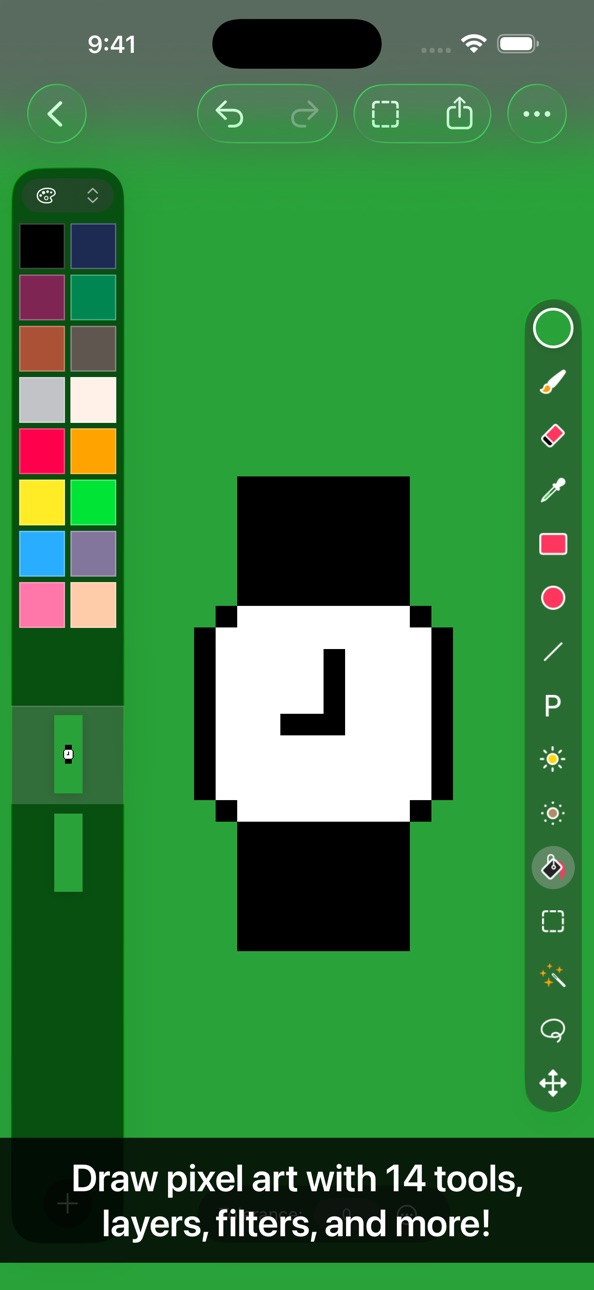
iPhone 8 images


iPad 8 images




What’s New Version 4.0.3
- Bug fixes
Previously in Pixen 4:
- Enjoy a refreshed design on iOS 26 with Liquid Glass
- Run Pixen on iPhone for the first time and edit your projects on the go
- Manage your creations more easily with the new document browser
- Sync your work via third-party file providers like Dropbox
- Use the app in Light Mode if you prefer a lighter environment (instead of Dark Mode)
- Work in different documents in separate windows
- Discover and access Pixen's features from the menu bar
- Speed up drawing symmetrical objects with the Mirror X / Mirror Y options for the Pencil tool
- Use the new "Clone Layer to All Frames" command to propagate layer changes to all frames in an animation, perfect for updating a background that is shared across all frames
- Adjust the size of the layers / color palettes sidebar
- Hide and show the layers / color palettes sidebar to free up canvas space
- Hide and show tool properties to free up canvas space
- Customize the toolbar to access common commands more easily
- Added a new command for selecting visible pixels
- Improved thumbnail rendering in the Files app
Description
Pixen is a native pixel art editor for iOS and macOS, designed for working with low-resolution raster art such as those 8-bit sprites found in old-school video games. Pixen packs all the tools pixel artists need in an intuitive, native interface including support for high zoom levels, animation editing, color palettes, and a lot more.
PROJECTS GALLERY
The Pixen experience starts in the projects gallery, which allows you to manage all of your creations in one place. You can import and export files in various file formats including PNG, JPEG, GIF, ICO, BMP, TIFF, SVG, and PSD. Files can be imported from your Photos library, the Files app, or the clipboard. Pixen for macOS users can take advantage of seamless iCloud sync. When you're ready, you can share your creations with friends.
TOOLS AND APPLE PENCIL
Leverage Pixen's wide array of tools when composing pixel art: Pencil, Eraser, Brightness, Text, Eyedropper, Zoom, Rectangular Selection, Magic Wand, Lasso, Move, Fill, Line, Rectangle, and Ellipse.
All of Pixen's tools are fully compatible with Apple Pencil on iPad. You can take advantage of the double-tap gesture on Apple Pencil 2 to quickly switch to your last tool, switch to the eraser, or bring up the color picker. Pixen even has hover support when using Apple Pencil Pro, so you can see a preview of what you're about to draw before your Apple Pencil touches the screen.
COLOR PALETTES
With Pixen, you can add and organize commonly-used colors into palettes. Pixen can also import and export color palettes in the Adobe Color Table, Microsoft Palette, JASC Palette, and GIMP Palette formats. You can even perform palette operations such as sorting colors and removing duplicate colors directly in the app.
ANIMATIONS
Create and arrange image frames in the filmstrip view to piece together animations. Pixen can import animated PNGs, animated GIFs, and sprite sheets. It can export animations as animated GIFs, animated PNGs, movies, image sequences, and sprite sheets!
GRID
Take advantage of Pixen's grid and alignment tools and create pixel-perfect artwork.
PATTERNS
Define custom patterns to use while drawing with the Pencil, Line, or Eraser tool (instead of a single pixel). You can even import patterns from 1-bit images.
PREVIEW
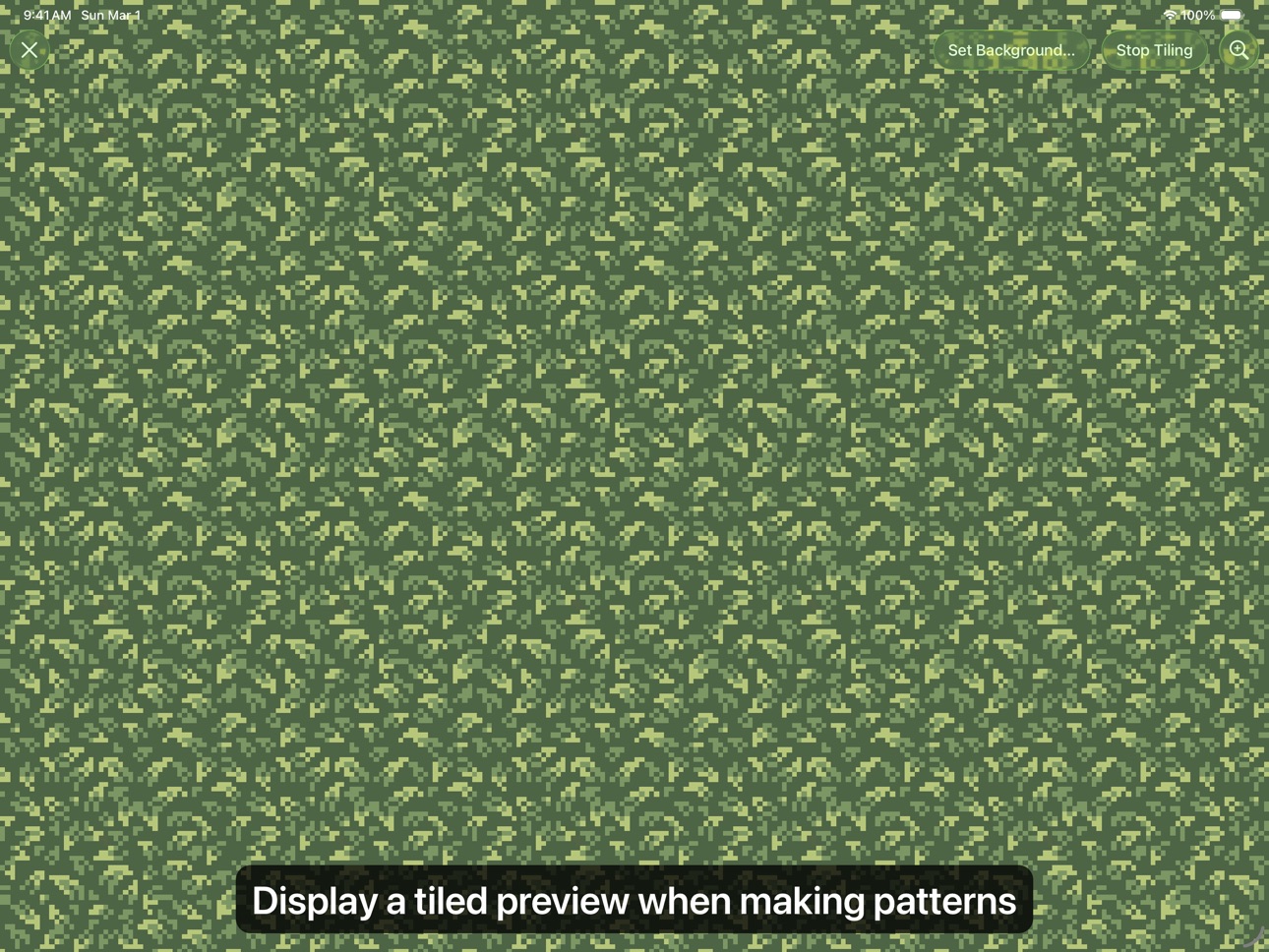
While editing at high zoom levels, use the Preview feature to view the canvas scaled out. You can play back animations and tile small images, useful when working on repeated patterns.
AND A LOT MORE...
- Sync your creations with Pixen for Mac over iCloud and resume your work right where you left off, regardless of device.
- Take advantage of the flexibility of layers and change opacities, blend modes, and more to compose creative effects.
- Invert colors, convert to grayscale, apply sepia tone, remove alpha components, palettize, pixellate, adjust hue, exposure, brightness, contrast, and more.
- Pixel Perfect mode removes extra pixels while drawing such that any drawn paths are at most 1 pixel in width. In other words, it removes the middle pixel of an L shape.
- Pick a flat, striped, or checkered background to be drawn beneath the canvas, or set a reference image.
- If you use your iPad with a keyboard, increase productivity with Pixen's wide array of keyboard shortcuts.
- Export your artwork in PNG, JPEG, GIF, ICO, BMP, TIFF, SVG, and PSD file formats.
- Share your creations quickly and easily via AirDrop, Messages, email, and more!
- Adjust the size and position of Pixen's sidebars, customize the Apple Pencil 2 double-tap gesture, and more.
Pixen is also available for macOS and is the only pixel art maker of its class that syncs projects with iCloud!
In-App Purchases US pricing
One-Time Purchases
Pro: One Time Purchase$9.99
Capabilities
In-App Purchases
Accessibility
ipadiphonemacrealityDevicetvoswatch
Version history 25 versions
Build 884528826v4.0.32026-04-17 16:52:57
- Bug fixes
Previously in Pixen 4:
- Enjoy a refreshed design on iOS 26 with Liquid Glass
- Run Pixen on iPhone for the first time and edit your projects on the go
- Manage your creations more easily with the new document browser
- Sync your work via third-party file providers like Dropbox
- Use the app in Light Mode if you prefer a lighter environment (instead of Dark Mode)
- Work in different documents in separate windows
- Discover and access Pixen's features from the menu bar
- Speed up drawing symmetrical objects with the Mirror X / Mirror Y options for the Pencil tool
- Use the new "Clone Layer to All Frames" command to propagate layer changes to all frames in an animation, perfect for updating a background that is shared across all frames
- Adjust the size of the layers / color palettes sidebar
- Hide and show the layers / color palettes sidebar to free up canvas space
- Hide and show tool properties to free up canvas space
- Customize the toolbar to access common commands more easily
- Added a new command for selecting visible pixels
- Improved thumbnail rendering in the Files app
Build 884484190v4.0.22026-04-14 16:12:11
- Bug fixes
Previously in Pixen 4:
- Enjoy a refreshed design on iOS 26 with Liquid Glass
- Run Pixen on iPhone for the first time and edit your projects on the go
- Manage your creations more easily with the new document browser
- Sync your work via third-party file providers like Dropbox
- Use the app in Light Mode if you prefer a lighter environment (instead of Dark Mode)
- Work in different documents in separate windows
- Discover and access Pixen's features from the menu bar
- Speed up drawing symmetrical objects with the Mirror X / Mirror Y options for the Pencil tool
- Use the new "Clone Layer to All Frames" command to propagate layer changes to all frames in an animation, perfect for updating a background that is shared across all frames
- Adjust the size of the layers / color palettes sidebar
- Hide and show the layers / color palettes sidebar to free up canvas space
- Hide and show tool properties to free up canvas space
- Customize the toolbar to access common commands more easily
- Added a new command for selecting visible pixels
- Improved thumbnail rendering in the Files app
Build 883349889v4.0.12026-03-22 20:22:44
- Bug fixes
Previously in Pixen 4:
- Enjoy a refreshed design on iOS 26 with Liquid Glass
- Run Pixen on iPhone for the first time and edit your projects on the go
- Manage your creations more easily with the new document browser
- Sync your work via third-party file providers like Dropbox
- Use the app in Light Mode if you prefer a lighter environment (instead of Dark Mode)
- Work in different documents in separate windows
- Discover and access Pixen's features from the menu bar
- Speed up drawing symmetrical objects with the Mirror X / Mirror Y options for the Pencil tool
- Use the new "Clone Layer to All Frames" command to propagate layer changes to all frames in an animation, perfect for updating a background that is shared across all frames
- Adjust the size of the layers / color palettes sidebar
- Hide and show the layers / color palettes sidebar to free up canvas space
- Hide and show tool properties to free up canvas space
- Customize the toolbar to access common commands more easily
- Added a new command for selecting visible pixels
- Improved thumbnail rendering in the Files app
Build 882921925v4.02026-03-12 06:24:16
Pixen 4 is a major update that introduces a fresh new design, iPhone support, and more advanced editing features.
- Enjoy a refreshed design on iOS 26 with Liquid Glass
- Run Pixen on iPhone for the first time and edit your projects on the go
- Manage your creations more easily with the new document browser
- Sync your work via third-party file providers like Dropbox
- Use the app in Light Mode if you prefer a lighter environment (instead of Dark Mode)
- Work in different documents in separate windows
- Discover and access Pixen's features from the menu bar
- Speed up drawing symmetrical objects with the Mirror X / Mirror Y options for the Pencil tool
- Use the new "Clone Layer to All Frames" command to propagate layer changes to all frames in an animation, perfect for updating a background that is shared across all frames
- Adjust the size of the layers / color palettes sidebar
- Hide and show the layers / color palettes sidebar to free up canvas space
- Hide and show tool properties to free up canvas space
- Customize the toolbar to access common commands more easily
- Added a new command for selecting visible pixels
- Improved thumbnail rendering in the Files app
Build 880215819v3.0.22025-12-02 06:49:30
- Fixed an issue where sometimes color palettes could not be imported
- Fixed an issue where the color picker could scroll horizontally unnecessarily
- Fixed an issue where layer previews could appear blank after using the app for a while
- Fixed an issue where tools could sometimes stop responding
- Lowered memory usage when using Pixen over long periods of time
Build 876842255v3.0.12025-07-31 01:40:03
- Bug fixes
Previously in Pixen 3:
- Dock color palettes in the sidebar so they're right at your fingertips
- Easily access your recent colors, your document's color palette, or any of your saved color palettes
- Customize this behavior and other workspace settings in the revamped Settings screen
- Layers, animation frames, and toolbars have a cleaner look and feel
- Improved the reliability of the rectangular selection tool
- Improved the sorting of color palettes
- Improved the quality of exported SVGs
- Tweaked a few icons so they are more consistent with the rest of the OS as well as other apps
- Duplicate colors can now be added to color palettes by default
Build 875733979v3.02025-06-20 18:29:14
Pixen 3 is a major update to Pixen for iPad that brings inline color palettes to the sidebar and a lot more.
- Dock color palettes in the sidebar so they're right at your fingertips
- Easily access your recent colors, your document's color palette, or any of your saved color palettes
- Customize this behavior and other workspace settings in the revamped Settings screen
- Layers, animation frames, and toolbars have a cleaner look and feel
- Improved the reliability of the rectangular selection tool
- Improved the sorting of color palettes
- Improved the quality of exported SVGs
- Tweaked a few icons so they are more consistent with the rest of the OS as well as other apps
- Duplicate colors can now be added to color palettes by default
Build 875158756v2.42025-05-30 02:33:01
- Added support for exporting layers as individual image files, each taking on the name of the layer
- Fixed an issue where merging hidden layers could cause their contents to disappear
Build 872730904v2.32025-02-28 18:10:43
- Pixen now remembers tool properties such as stroke width and pixel perfect mode across app relaunches
- Improved the display of font names when using the Text tool
Build 872363071v2.22025-02-10 08:46:11
Pixen 2.2 is a major update with redesigned sharing and export options, new pattern tools, and more.
- Share and export images and animations with the redesigned share screen
- Customize the scale, compression quality, color depth, and alpha channel of more formats during export
- Apply patterns with the Flood Fill tool
- Choose whether patterns should be tiled or drawn in when using the Pencil tool to draw patterns
Build 870986222v2.1.22024-12-08 20:02:29
- Added support for exporting image sequences at different scales
- Dithering options now respect pixels' alpha channel
- Added support for dark and tinted icons
- Improved the appearance of the background picker
- Improved the organization of settings
Build 870310934v2.1.12024-11-09 18:21:39
- Dithering options now respect pixels' alpha channel
- Added support for dark and tinted icons
- Improved the appearance of the background picker
- Improved the organization of settings
Build 869027769v2.12024-09-15 22:16:42
- Added support for dark and tinted icons
- Improved the appearance of the background picker
- Improved the organization of settings
Build 868329732v2.0.52024-08-20 10:09:40
- Added zoom options to the Preview screen
Build 867292831v2.0.42024-07-06 19:17:15
- Added the ability to export images without an alpha channel
- Added the ability to scale images and animations during export
- Added support for Apple Pencil Pro squeeze gestures
- Added support for the system-wide setting for Apple Pencil tool hover introduced in iOS 17.5
- Redesigned the contextual actions that appear when tapping and holding on a layer for easier access to more advanced commands
- Redesigned the layer info popover for simplicity
- Reduced the number of taps it takes to share the currently open project
- Improved accessibility when using Pixen with larger Dynamic Type sizes
- Improved the appearance of the Welcome screen
- Improved the appearance of the project manager
- Improved the layout of the Settings screen
- Improved copy / paste support
- Fixed a rare crash that could occur while organizing projects
- Reduced memory usage on older devices
Build 866562158v2.0.32024-06-09 19:55:03
- Added the ability to scale images and animations during export
- Added support for Apple Pencil Pro squeeze gestures
- Added support for the system-wide setting for Apple Pencil tool hover introduced in iOS 17.5
- Redesigned the contextual actions that appear when tapping and holding on a layer for easier access to more advanced commands
- Redesigned the layer info popover for simplicity
- Reduced the number of taps it takes to share the currently open project
- Improved accessibility when using Pixen with larger Dynamic Type sizes
- Improved the appearance of the Welcome screen
- Improved the appearance of the project manager
- Improved the layout of the Settings screen
- Improved copy / paste support
- Fixed a rare crash that could occur while organizing projects
- Reduced memory usage on older devices
Build 866219134v2.0.22024-05-26 04:23:12
- Added support for Apple Pencil Pro squeeze gestures
- Added support for the system-wide setting for Apple Pencil tool hover introduced in iOS 17.5
- Redesigned the contextual actions that appear when tapping and holding on a layer for easier access to more advanced commands
- Redesigned the layer info popover for simplicity
- Reduced the number of taps it takes to share the currently open project
- Improved accessibility when using Pixen with larger Dynamic Type sizes
- Improved the appearance of the Welcome screen
- Improved the appearance of the project manager
- Improved the layout of the Settings screen
- Improved copy / paste support
- Fixed a rare crash that could occur while organizing projects
- Reduced memory usage on older devices
Build 866198767v2.0.12024-05-25 03:52:18
- Added support for Apple Pencil Pro squeeze gestures
- Added support for the system-wide setting for Apple Pencil tool hover introduced in iOS 17.5
- Redesigned the contextual actions that appear when tapping and holding on a layer for easier access to more advanced commands
- Redesigned the layer info popover for simplicity
- Reduced the number of taps it takes to share the currently open project
- Improved accessibility when using Pixen with larger Dynamic Type sizes
- Improved the appearance of the Welcome screen
- Improved the appearance of the project manager
- Improved the layout of the Settings screen
- Improved copy / paste support
- Fixed a rare crash that could occur while organizing projects
- Reduced memory usage on older devices
Build 866056738v2.02024-05-22 14:00:50
- Added support for Apple Pencil Pro squeeze gestures
- Added support for the system-wide setting for Apple Pencil tool hover introduced in iOS 17.5
- Redesigned the contextual actions that appear when tapping and holding on a layer for easier access to more advanced commands
- Redesigned the layer info popover for simplicity
- Reduced the number of taps it takes to share the currently open project
- Improved accessibility when using Pixen with larger Dynamic Type sizes
- Improved the appearance of the Welcome screen
- Improved the appearance of the project manager
- Improved the layout of the Settings screen
- Improved copy / paste support
- Fixed a rare crash that could occur while organizing projects
- Reduced memory usage on older devices
Build 865053189v1.9.22024-04-09 10:43:53
- The Pattern Editor found in Pixen for Mac is now available on iPad for the first time
- Define custom patterns to use while drawing with the Pencil, Line, or Eraser tool (instead of a single pixel)
- Import patterns from 1-bit images
- Improved the design of tool properties
- Improved the design of context menus throughout the app
From Pixen 1.8:
- Added new and improved features that help with graphics creation for the Playdate game console
- Added different algorithms as options to the Convert to 1-bit filter, with thresholding and dithering settings included
- Added different algorithms as options to the Convert to Grayscale filter
- Added a 1-bit color palette to the default set of color palettes
Build 864672745v1.9.12024-03-25 01:06:39
- The Pattern Editor found in Pixen for Mac is now available on iPad for the first time
- Define custom patterns to use while drawing with the Pencil, Line, or Eraser tool (instead of a single pixel)
- Import patterns from 1-bit images
- Improved the design of tool properties
- Improved the design of context menus throughout the app
From Pixen 1.8:
- Added new and improved features that help with graphics creation for the Playdate game console
- Added different algorithms as options to the Convert to 1-bit filter, with thresholding and dithering settings included
- Added different algorithms as options to the Convert to Grayscale filter
- Added a 1-bit color palette to the default set of color palettes
Build 863693185v1.92024-02-11 22:53:48
- The Pattern Editor found in Pixen for Mac is now available on iPad for the first time
- Define custom patterns to use while drawing with the Pencil, Line, or Eraser tool (instead of a single pixel)
- Import patterns from 1-bit images
- Improved the design of tool properties
- Improved the design of context menus throughout the app
From Pixen 1.8:
- Added new and improved features that help with graphics creation for the Playdate game console
- Added different algorithms as options to the Convert to 1-bit filter, with thresholding and dithering settings included
- Added different algorithms as options to the Convert to Grayscale filter
- Added a 1-bit color palette to the default set of color palettes
Build 863232684v1.82024-01-28 22:30:13
Pixen 1.8 includes new and improved features that help with graphics creation for the Playdate game console:
- Added different algorithms as options to the Convert to 1-bit filter, with thresholding and dithering settings included
- Added different algorithms as options to the Convert to Grayscale filter
- Added a 1-bit color palette to the default set of color palettes
Build 863195715v1.7.52024-01-26 07:28:44
- Added the ability to scale layers from the layer popover
- Added different algorithms as options to the Convert to Grayscale filter
- Added a new color palette which is installed when trying Pixen for the first time
- Improved the layout of the Resize Canvas and Scale Canvas popovers
- Improved the appearance of buttons throughout the app
- Fixed the top crashes in the app
Build 863102350v1.7.42024-01-24 06:25:15
- Added the ability to scale layers from the layer popover
- Added different algorithms as options to the Convert to Grayscale filter
- Added a new color palette which is installed when trying Pixen for the first time
- Improved the layout of the Resize Canvas and Scale Canvas popovers
- Improved the appearance of buttons throughout the app
Price history by region
Currency
Show
Columns
Search
Availability 1 of 1 storefronts
| Region | Language | Price | Ratings | Avg | Version |
|---|---|---|---|---|---|
| US | en-US | Free | 166 | 4.7 | 4.0.3 |
Change log 29 changes · US
✎
releaseNotes updated
- Bug fixes
Previously in Pixen 4:
- Enjoy a refreshed design on iOS 26 with Liquid Glass
- Run Pixen on iPhone for the first time and edit your projects on t
✎
description updated
Pixen is a native pixel art editor for iOS and macOS, designed for working with low-resolution raster art such as those 8-bit sprites found in old-school video
✎
subtitle updated
Pixel art and animation editor
✎
name updated
Pixen - pixel art editor
◆
Version 4.0.3 released
- Bug fixes
Previously in Pixen 4:
- Enjoy a refreshed design on iOS 26 with Liquid Glass
- Run Pixen on iPhone for the first time and edit your projects on the go
- Manage your creations more easily with the new document browser
- Sync y
◆
Version 4.0.2 released
- Bug fixes
Previously in Pixen 4:
- Enjoy a refreshed design on iOS 26 with Liquid Glass
- Run Pixen on iPhone for the first time and edit your projects on the go
- Manage your creations more easily with the new document browser
- Sync y
◆
Version 4.0.1 released
- Bug fixes
Previously in Pixen 4:
- Enjoy a refreshed design on iOS 26 with Liquid Glass
- Run Pixen on iPhone for the first time and edit your projects on the go
- Manage your creations more easily with the new document browser
- Sync y
◆
Version 4.0 released
Pixen 4 is a major update that introduces a fresh new design, iPhone support, and more advanced editing features.
- Enjoy a refreshed design on iOS 26 with Liquid Glass
- Run Pixen on iPhone for the first time and edit your projects on the
◆
Version 3.0.2 released
- Fixed an issue where sometimes color palettes could not be imported
- Fixed an issue where the color picker could scroll horizontally unnecessarily
- Fixed an issue where layer previews could appear blank after using the app for a while
-
◆
Version 3.0.1 released
- Bug fixes
Previously in Pixen 3:
- Dock color palettes in the sidebar so they're right at your fingertips
- Easily access your recent colors, your document's color palette, or any of your saved color palettes
- Customize this behavior a
◆
Version 3.0 released
Pixen 3 is a major update to Pixen for iPad that brings inline color palettes to the sidebar and a lot more.
- Dock color palettes in the sidebar so they're right at your fingertips
- Easily access your recent colors, your document's color
◆
Version 2.4 released
- Added support for exporting layers as individual image files, each taking on the name of the layer
- Fixed an issue where merging hidden layers could cause their contents to disappear
◆
Version 2.3 released
- Pixen now remembers tool properties such as stroke width and pixel perfect mode across app relaunches
- Improved the display of font names when using the Text tool
◆
Version 2.2 released
Pixen 2.2 is a major update with redesigned sharing and export options, new pattern tools, and more.
- Share and export images and animations with the redesigned share screen
- Customize the scale, compression quality, color depth, and alp
◆
Version 2.1.2 released
- Added support for exporting image sequences at different scales
- Dithering options now respect pixels' alpha channel
- Added support for dark and tinted icons
- Improved the appearance of the background picker
- Improved the organization
◆
Version 2.1.1 released
- Dithering options now respect pixels' alpha channel
- Added support for dark and tinted icons
- Improved the appearance of the background picker
- Improved the organization of settings
◆
Version 2.1 released
- Added support for dark and tinted icons
- Improved the appearance of the background picker
- Improved the organization of settings
◆
Version 2.0.5 released
- Added zoom options to the Preview screen
◆
Version 2.0.4 released
- Added the ability to export images without an alpha channel
- Added the ability to scale images and animations during export
- Added support for Apple Pencil Pro squeeze gestures
- Added support for the system-wide setting for Apple Penci
◆
Version 2.0.3 released
- Added the ability to scale images and animations during export
- Added support for Apple Pencil Pro squeeze gestures
- Added support for the system-wide setting for Apple Pencil tool hover introduced in iOS 17.5
- Redesigned the contextua
◆
Version 2.0.2 released
- Added support for Apple Pencil Pro squeeze gestures
- Added support for the system-wide setting for Apple Pencil tool hover introduced in iOS 17.5
- Redesigned the contextual actions that appear when tapping and holding on a layer for eas
◆
Version 2.0.1 released
- Added support for Apple Pencil Pro squeeze gestures
- Added support for the system-wide setting for Apple Pencil tool hover introduced in iOS 17.5
- Redesigned the contextual actions that appear when tapping and holding on a layer for eas
◆
Version 2.0 released
- Added support for Apple Pencil Pro squeeze gestures
- Added support for the system-wide setting for Apple Pencil tool hover introduced in iOS 17.5
- Redesigned the contextual actions that appear when tapping and holding on a layer for eas
◆
Version 1.9.2 released
- The Pattern Editor found in Pixen for Mac is now available on iPad for the first time
- Define custom patterns to use while drawing with the Pencil, Line, or Eraser tool (instead of a single pixel)
- Import patterns from 1-bit images
- Im
◆
Version 1.9.1 released
- The Pattern Editor found in Pixen for Mac is now available on iPad for the first time
- Define custom patterns to use while drawing with the Pencil, Line, or Eraser tool (instead of a single pixel)
- Import patterns from 1-bit images
- Im
◆
Version 1.9 released
- The Pattern Editor found in Pixen for Mac is now available on iPad for the first time
- Define custom patterns to use while drawing with the Pencil, Line, or Eraser tool (instead of a single pixel)
- Import patterns from 1-bit images
- Im
◆
Version 1.8 released
Pixen 1.8 includes new and improved features that help with graphics creation for the Playdate game console:
- Added different algorithms as options to the Convert to 1-bit filter, with thresholding and dithering settings included
- Added
◆
Version 1.7.5 released
- Added the ability to scale layers from the layer popover
- Added different algorithms as options to the Convert to Grayscale filter
- Added a new color palette which is installed when trying Pixen for the first time
- Improved the layout
◆
Version 1.7.4 released
- Added the ability to scale layers from the layer popover
- Added different algorithms as options to the Convert to Grayscale filter
- Added a new color palette which is installed when trying Pixen for the first time
- Improved the layout