Home › Health & Fitness

 US
US
1 of 1 storefronts
Content in en-US
Content in en-US
Information
Preview 2 platforms
iPhone 5 images


iPad 5 images



What’s New Version 4.27
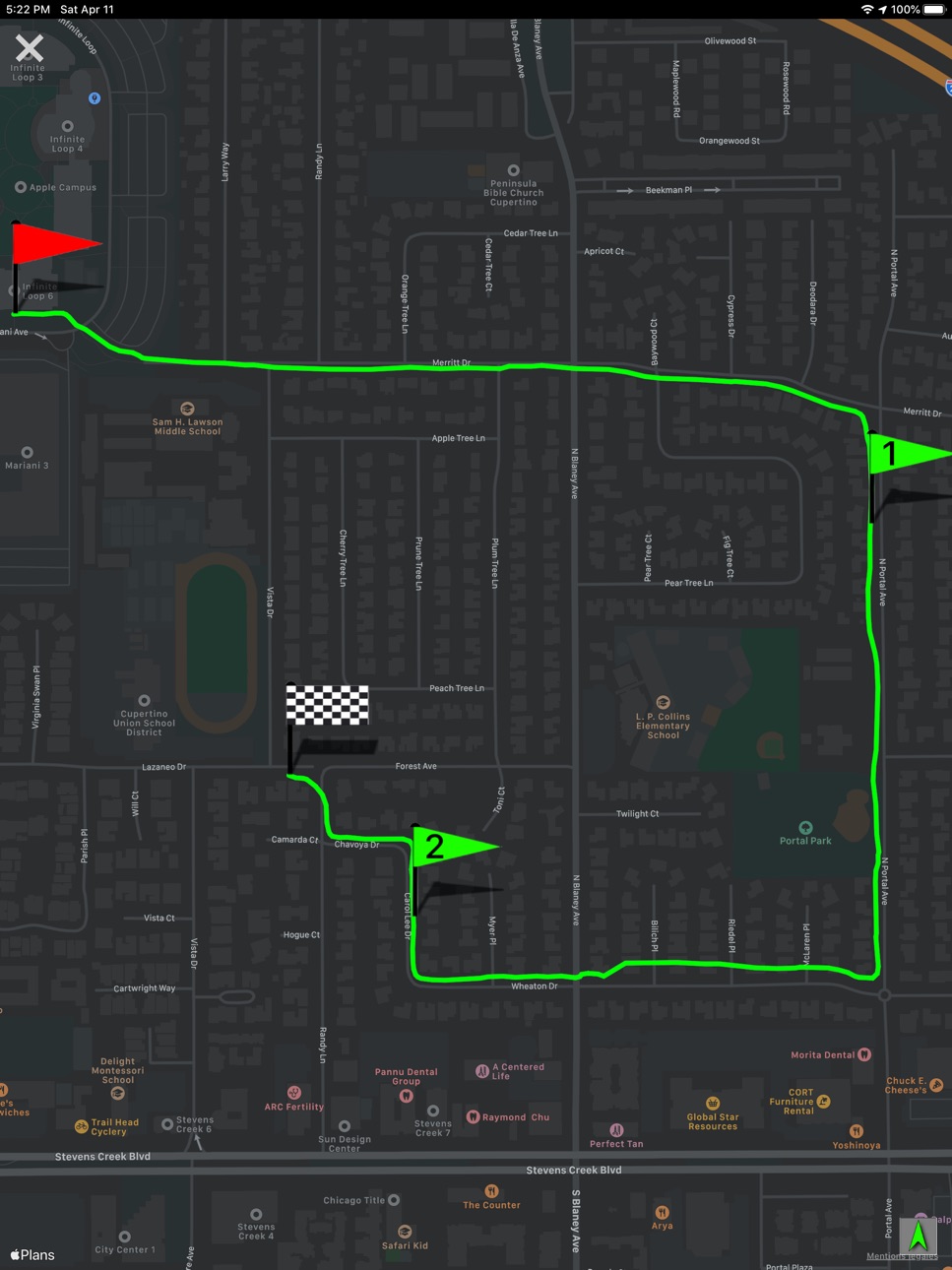
- The entries in the history table now show a mini-map of the track and additional activity data
- The color of the track in the activity view is now configurable
Description
Fitmeter Run turns your iPhone into a running computer with incredible functionality. Your session is tracked GPS based and all data is presented in real-time. The app is designed for a wide user base, from amateur to professional.
Features:
- GPS based position and route of the session will be displayed on a map including distance markers
- Distance
- Duration of the session
- Pause time
- Auto Pause detection
- Current pace
- Pace of last mile
- Fastest mile
- Altitude tracking. Uphill / Downhill
- Burned calories
- Split times
- History. Activities will be stored and can be reviewed. The session count is limited to 10.
- Export all activities to a CSV file
- Statistics for a session. Speed and Altitude over distance
- Records. See your all-time records and a summary over all sessions.
- Facebook support. Post sessions to your Facebook timeline.
- Apple health support:
Read the weight and use it calculate the burned calories
Save the workout and its activity energy
- No registration required
- No annoying notifications
- No marketing emails
Continued use of GPS running in the background can dramatically decrease battery life.
Accessibility
ipadiphonemacrealityDevicetvoswatch
Version history 25 versions
Build 886561005v4.272026-06-13 06:31:38
- The entries in the history table now show a mini-map of the track and additional activity data
- The color of the track in the activity view is now configurable
Build 882292666v4.262026-04-11 17:42:59
Increased the font size of the bottom tab bar.
Build 880590768v4.252026-01-12 06:00:50
Bug fixes and improvements
Build 878530922v4.242025-10-08 09:27:50
- In the session view the elevation field now shows separate values for uphill and downhill
- Color corrections for iOS 26
Build 875748169v4.232025-06-28 06:58:01
Bug fix: The app occasionally closed when adding an activity manually
Build 873713438v4.222025-04-09 21:09:03
Bug fixes and improvements
Build 869786899v4.202024-10-29 12:53:28
Color adjustments for iOS 18. The app icon follows the tinted and dark mode guidelines
Build 867978489v4.192024-08-13 06:37:14
Bug fixes and improvements
Build 867763792v4.182024-07-29 17:29:03
Bug fixes and improvements
Build 866397819v4.172024-06-18 17:03:36
- Adjustable colors for the Start/Stop buttons and the navigation bar
- The absolute altitude is shown on various screens in addition to the elevation change
Build 862618271v4.162024-03-19 05:01:47
- The activities with the best performances are marked in the history.
- Bug fix: Occasionally the users track was not drawn on the session map when the app was running in the background.
Build 861960998v4.152023-12-18 05:33:53
The distance is now displayed with 2 decimal places
Build 860712103v4.142023-10-30 06:03:37
Corrected the calculation of the distance in case you moved during a pause
Adjustments for iPhone 15, iOS 17 and WatchOS 10
Build 859102857v4.122023-08-15 04:01:52
Bug fixes and improvements
Build 857571046v4.112023-06-13 03:53:08
Minor memory and performance improvements
Build 855302968v4.102023-03-07 21:18:55
Minor memory and performance improvements
Build 855077345v4.92023-02-23 05:28:57
Minor memory and performance improvements
Build 853551300v4.82022-12-05 06:41:48
- Map orientation. The map can follow the user’s course
- Map perspective. The viewing angle on the map is adjustable
Build 852528683v4.72022-10-03 13:01:38
The user may pause the activity while being in autopause
Build 848248397v4.62022-06-16 09:36:44
Minor memory and performance improvements
Build 847683468v4.52022-03-17 07:32:40
The history table shows the average pace for each activity
Build 847187964v4.42022-02-17 06:22:27
Minor memory and performance improvements
Build 846172603v4.32022-01-04 06:30:14
Storing additional information (ascent/descent) about the workout in Apple Health
Minor fix for the main tab bar color on iOS 15
Build 843567636v4.22021-08-25 05:08:14
The recorded route of the activity is stored in the Apple Health workout
Build 842063981v4.12021-05-10 05:11:19
- New language: Spanish
- Apple Health: Average and Top speed are stored
- Bug fixes
No pricing data captured yet — comparisons appear once the app has paid storefronts or in-app purchases.
Availability 1 of 1 storefronts
| Region | Language | Price | Ratings | Avg | Version |
|---|---|---|---|---|---|
| US | en-US | Free | 212 | 4.7 | 4.27 |
Change log 29 changes · US
✎
releaseNotes updated
- The entries in the history table now show a mini-map of the track and additional activity data
- The color of the track in the activity view is now configurab
✎
description updated
Fitmeter Run turns your iPhone into a running computer with incredible functionality. Your session is tracked GPS based and all data is presented in real-time.
✎
subtitle updated
Running, Walking & Hiking
✎
name updated
Fitmeter Run Basic – GPS Run
◆
Version 4.27 released
- The entries in the history table now show a mini-map of the track and additional activity data
- The color of the track in the activity view is now configurable
◆
Version 4.26 released
Increased the font size of the bottom tab bar.
◆
Version 4.25 released
Bug fixes and improvements
◆
Version 4.24 released
- In the session view the elevation field now shows separate values for uphill and downhill
- Color corrections for iOS 26
◆
Version 4.23 released
Bug fix: The app occasionally closed when adding an activity manually
◆
Version 4.22 released
Bug fixes and improvements
◆
Version 4.20 released
Color adjustments for iOS 18. The app icon follows the tinted and dark mode guidelines
◆
Version 4.19 released
Bug fixes and improvements
◆
Version 4.18 released
Bug fixes and improvements
◆
Version 4.17 released
- Adjustable colors for the Start/Stop buttons and the navigation bar
- The absolute altitude is shown on various screens in addition to the elevation change
◆
Version 4.16 released
- The activities with the best performances are marked in the history.
- Bug fix: Occasionally the users track was not drawn on the session map when the app was running in the background.
◆
Version 4.15 released
The distance is now displayed with 2 decimal places
◆
Version 4.14 released
Corrected the calculation of the distance in case you moved during a pause
Adjustments for iPhone 15, iOS 17 and WatchOS 10
◆
Version 4.12 released
Bug fixes and improvements
◆
Version 4.11 released
Minor memory and performance improvements
◆
Version 4.10 released
Minor memory and performance improvements
◆
Version 4.9 released
Minor memory and performance improvements
◆
Version 4.8 released
- Map orientation. The map can follow the user’s course
- Map perspective. The viewing angle on the map is adjustable
◆
Version 4.7 released
The user may pause the activity while being in autopause
◆
Version 4.6 released
Minor memory and performance improvements
◆
Version 4.5 released
The history table shows the average pace for each activity
◆
Version 4.4 released
Minor memory and performance improvements
◆
Version 4.3 released
Storing additional information (ascent/descent) about the workout in Apple Health
Minor fix for the main tab bar color on iOS 15
◆
Version 4.2 released
The recorded route of the activity is stored in the Apple Health workout
◆
Version 4.1 released
- New language: Spanish
- Apple Health: Average and Top speed are stored
- Bug fixes