Home › Medical

 US
US
USen-US CAen-CA
 GBen-GB
 ARes-MX
 ATde-DE
 AUen-AU
 PEes-MX
 PLen-GB
 PTpt-PT
 ALen-GB
 AOen-GB
 BEen-GB
 BFen-GB
 BGen-GB
 BJen-GB
 BRpt-BR
 BWen-GB
 CDen-GB
 CGen-GB
 CHde-CH
 CIfr-FR
 CLes-MX
 CMfr-FR
 COes-MX
 CVen-GB
 CZen-GB
 DEde-DE
 DKen-GB
 DZen-GB
 ESes-ES
 FIen-GB
 FRfr-FR
 GAfr-FR
 GHen-GB
 GMen-GB
 GRen-GB
 GWen-GB
 HRen-GB
 HUen-GB
 IEen-GB
 ISen-GB
 ITit
ITit KEen-GB
 LTen-GB
 LUen-GB
 LYen-GB
 MAen-GB
 MDen-GB
 MGen-GB
 MKen-GB
 MLen-GB
 MUen-GB
 MZen-GB
 NAen-GB
 NEen-GB
 NGen-GB
 NLnl
NLnl NOen-GB
 NZen-AU
 ROen-GB
 RWen-GB
 SEsv
SEsv SKen-GB
 SNen-GB
 TDen-GB
 TNen-GB
 TZen-GB
 UGen-GB
 VEes-MX
 ZMen-GB
 ZWen-GB
71 of 71 storefronts
Content in en-US
Content in en-US
Information
Preview 2 platforms
iPhone 6 images


iPad 6 images


What’s New Version 2.0
• Added Home Screen Quick Actions so you can jump straight to recent calculators.
• Added a new “Watch Tutorial” option in the side menu for faster onboarding.
• Improved layouts and typography across key calculators, especially Intermediate Rx and Induced Prism.
• Improved slider/stepper input behavior for smoother, more precise adjustments.
• Added Favorites so your preferred calculators stay saved.
• General fixes and stability improvements.
Description
The best Optical Calculator on the App Store.
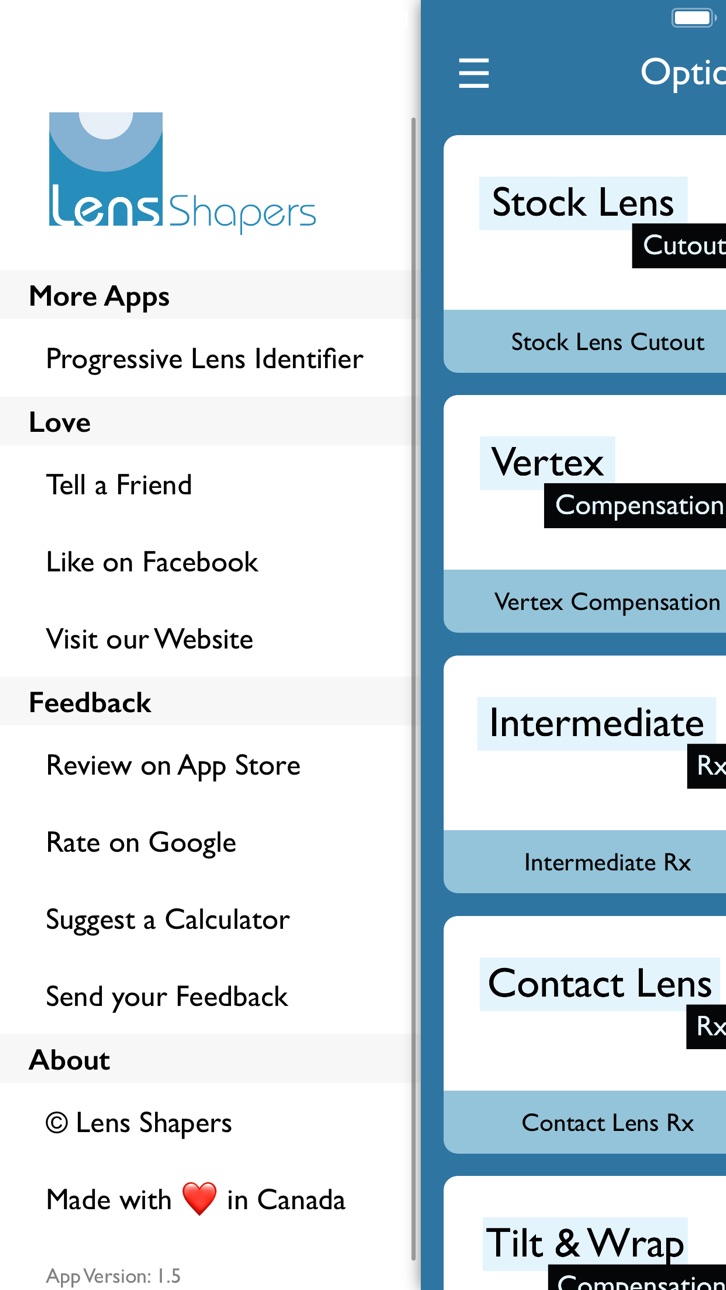
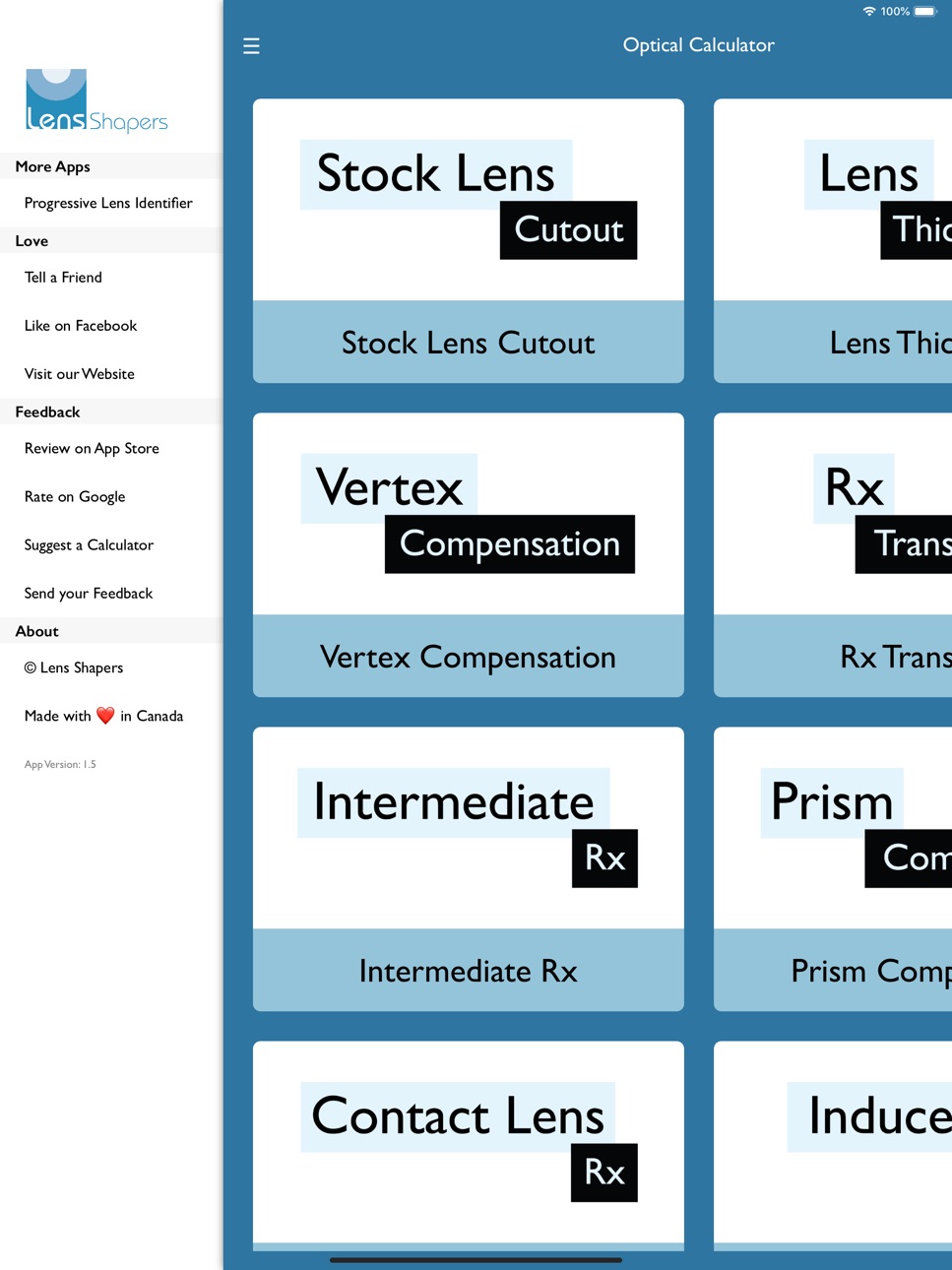
• Stock Lens Cutout
• Lens Thickness
• Vertex Compensation
• Rx Transpose
• Intermediate Rx
• Prism Compounding
• Contact Lens Rx
• Induced Prism
• Tilt & Wrap Compensation
• Crossed Cylinders
• Resolving Prism
• Spectacle Magnification
• Vertical Imbalance Compensation
• Power in Oblique Meridians
If you want another calculator, let us know and we will add it.
The app is easy to use and to the point.
______________________________________________
About Subscription:
• You may subscribe to our service for a free trial. This subscription auto-renews yearly at the specified price.
• This subscription provides you full access to all our current and future optical calculators.
• Subscription automatically renews unless auto-renew is turned off at least 24-hours before the end of the current period.
• The account will be charged for renewal within 24-hours prior to the end of the current period.
• Payment will be charged to your iTunes Account at confirmation of purchase.
• You may manage the subscription and auto-renewal may be turned off by going to the user's Account Settings after purchase.
• Any unused portion of a free trial period will be forfeited when you purchase the subscription.
• Privacy policy: http://www.lens-shapers.com/privacy
• Terms of use: http://www.lens-shapers.com/terms
In-App Purchases US pricing
Subscription Subscription
Yearly · Yearly 3-day free trial$49.99
Monthly · Monthly 3-day free trial$4.99
Capabilities
In-App Purchases
Accessibility
ipadiphonemacrealityDevicetvoswatch
Version history 12 versions
Build 882456848v2.02026-04-16 08:44:59
• Added Home Screen Quick Actions so you can jump straight to recent calculators.
• Added a new “Watch Tutorial” option in the side menu for faster onboarding.
• Improved layouts and typography across key calculators, especially Intermediate Rx and Induced Prism.
• Improved slider/stepper input behavior for smoother, more precise adjustments.
• Added Favorites so your preferred calculators stay saved.
• General fixes and stability improvements.
Build 860459584v1.72023-10-06 18:59:04
Bug fixes and improvements.
Build 844031164v1.62023-09-21 20:08:03
Calculators Improvements:
• Improved Stock Lens Cutout calculator now incorporates B size and OC height for better accuracy.
• Improved Lens Thickness calculator now incorporates B size and OC heights for better accuracy.
• OC will stay locked to B/2 unless manually changed.
• Resultant Zero Cyl and Zero Axis values now show as -- for ease of understanding.
UI Improvements:
• Slider has been moved to the right to avoid accidental app menu activation.
Other bug fixes and improvements.
Build 832483834v1.5.12020-08-13 00:13:26
• Bug fixes and improvements.
Build 830399199v1.52019-05-02 19:57:35
- Eight New Calculators:
• Contact Lens Rx
• Induced Prism
• Tilt & Wrap Compensation
• Crossed Cylinders
• Resolving Prism
• Spectacle Magnification
• Vertical Imbalance Compensation
• Power in Oblique Meridians
- Added slider for easier data entry.
- Now you can single tap to switch toggle values like In/Out, Up/Down prism directions etc.
- Improved font sizing for easier readability.
- Other bug fixes and improvements.
- Optimized for iPad Pro 12.9"
Build 824215058v1.22017-11-01 00:59:27
A brand new icon to go with the new look of the app. Easier than ever to make optical calculations on the fly.
Build 824127086v1.1.32017-10-24 13:02:12
Enhancements and bug fixes.
Build 823645667v1.1.22017-09-14 05:06:54
Bug fixes and enhancements.
Build 823616232v1.1.12017-09-11 20:53:30
Bug fixes and enhancements.
Build 823370183v1.12017-08-30 18:49:31
Added new calculators:
• Rx Transpose
• Intermediate Rx
• Prism Compounding
- Bug fixes and improvements.
Build 822921742v1.0.12017-07-18 20:10:59
Bug fixes and enhancements.
Build 818595320v1.02017-07-14 21:39:09
Price history by region
Currency
Show
Columns
Search
Availability 71 of 71 storefronts
| Region | Language | Price | Ratings | Avg | Version |
|---|---|---|---|---|---|
| US | en-US | Free | 27 | 4.5 | 2.0 |
| CA | en-CA | Free | 18 | 4.6 | 2.0 |
| GB | en-GB | Free | 5 | 1.8 | 2.0 |
| AR | es-MX | Free | 1 | 5.0 | 2.0 |
| AT | de-DE | Free | 1 | 5.0 | 2.0 |
| AU | en-AU | Free | 1 | 5.0 | 2.0 |
| PE | es-MX | Free | 1 | 5.0 | 2.0 |
| PL | en-GB | Free | 1 | 5.0 | 2.0 |
| PT | pt-PT | Free | 1 | 4.0 | 2.0 |
| AL | en-GB | Free | 0 | — | 2.0 |
| AO | en-GB | Free | 0 | — | 2.0 |
| BE | en-GB | Free | 0 | — | 2.0 |
| BF | en-GB | Free | 0 | — | 2.0 |
| BG | en-GB | Free | 0 | — | 2.0 |
| BJ | en-GB | Free | 0 | — | 2.0 |
| BR | pt-BR | Free | 0 | — | 2.0 |
| BW | en-GB | Free | 0 | — | 2.0 |
| CD | en-GB | Free | 0 | — | 2.0 |
| CG | en-GB | Free | 0 | — | 2.0 |
| CH | de-CH | Free | 0 | — | 2.0 |
| CI | fr-FR | Free | 0 | — | 2.0 |
| CL | es-MX | Free | 0 | — | 2.0 |
| CM | fr-FR | Free | 0 | — | 2.0 |
| CO | es-MX | Free | 0 | — | 2.0 |
| CV | en-GB | Free | 0 | — | 2.0 |
| CZ | en-GB | Free | 0 | — | 2.0 |
| DE | de-DE | Free | 0 | — | 2.0 |
| DK | en-GB | Free | 0 | — | 2.0 |
| DZ | en-GB | Free | 0 | — | 2.0 |
| ES | es-ES | Free | 0 | — | 2.0 |
| FI | en-GB | Free | 0 | — | 2.0 |
| FR | fr-FR | Free | 0 | — | 2.0 |
| GA | fr-FR | Free | 0 | — | 2.0 |
| GH | en-GB | Free | 0 | — | 2.0 |
| GM | en-GB | Free | 0 | — | 2.0 |
| GR | en-GB | Free | 0 | — | 2.0 |
| GW | en-GB | Free | 0 | — | 2.0 |
| HR | en-GB | Free | 0 | — | 2.0 |
| HU | en-GB | Free | 0 | — | 2.0 |
| IE | en-GB | Free | 0 | — | 2.0 |
| IS | en-GB | Free | 0 | — | 2.0 |
| IT | it | Free | 0 | — | 2.0 |
| KE | en-GB | Free | 0 | — | 2.0 |
| LT | en-GB | Free | 0 | — | 2.0 |
| LU | en-GB | Free | 0 | — | 2.0 |
| LY | en-GB | Free | 0 | — | 2.0 |
| MA | en-GB | Free | 0 | — | 2.0 |
| MD | en-GB | Free | 0 | — | 2.0 |
| MG | en-GB | Free | 0 | — | 2.0 |
| MK | en-GB | Free | 0 | — | 2.0 |
| ML | en-GB | Free | 0 | — | 2.0 |
| MU | en-GB | Free | 0 | — | 2.0 |
| MZ | en-GB | Free | 0 | — | 2.0 |
| NA | en-GB | Free | 0 | — | 2.0 |
| NE | en-GB | Free | 0 | — | 2.0 |
| NG | en-GB | Free | 0 | — | 2.0 |
| NL | nl | Free | 0 | — | 2.0 |
| NO | en-GB | Free | 0 | — | 2.0 |
| NZ | en-AU | Free | 0 | — | 2.0 |
| RO | en-GB | Free | 0 | — | 2.0 |
| RW | en-GB | Free | 0 | — | 2.0 |
| SE | sv | Free | 0 | — | 2.0 |
| SK | en-GB | Free | 0 | — | 2.0 |
| SN | en-GB | Free | 0 | — | 2.0 |
| TD | en-GB | Free | 0 | — | 2.0 |
| TN | en-GB | Free | 0 | — | 2.0 |
| TZ | en-GB | Free | 0 | — | 2.0 |
| UG | en-GB | Free | 0 | — | 2.0 |
| VE | es-MX | Free | 0 | — | 2.0 |
| ZM | en-GB | Free | 0 | — | 2.0 |
| ZW | en-GB | Free | 0 | — | 2.0 |
Change log 16 changes · US
✎
releaseNotes updated
• Added Home Screen Quick Actions so you can jump straight to recent calculators.
• Added a new “Watch Tutorial” option in the side menu for faster onboarding.
✎
description updated
The best Optical Calculator on the App Store.
• Stock Lens Cutout
• Lens Thickness
• Vertex Compensation
• Rx Transpose
• Intermediate Rx
• Prism Compounding
•
✎
subtitle updated
Quick, Accurate, Easy to Use
✎
name updated
Optical Calculator for ECPs
◆
Version 2.0 released
• Added Home Screen Quick Actions so you can jump straight to recent calculators.
• Added a new “Watch Tutorial” option in the side menu for faster onboarding.
• Improved layouts and typography across key calculators, especially Intermediat
◆
Version 1.7 released
Bug fixes and improvements.
◆
Version 1.6 released
Calculators Improvements:
• Improved Stock Lens Cutout calculator now incorporates B size and OC height for better accuracy.
• Improved Lens Thickness calculator now incorporates B size and OC heights for better accuracy.
• OC will stay loc
◆
Version 1.5.1 released
• Bug fixes and improvements.
◆
Version 1.5 released
- Eight New Calculators:
• Contact Lens Rx
• Induced Prism
• Tilt & Wrap Compensation
• Crossed Cylinders
• Resolving Prism
• Spectacle Magnification
• Vertical Imbalance Compensation
• Power in Oblique Meridians
- Added slider for easier
◆
Version 1.2 released
A brand new icon to go with the new look of the app. Easier than ever to make optical calculations on the fly.
◆
Version 1.1.3 released
Enhancements and bug fixes.
◆
Version 1.1.2 released
Bug fixes and enhancements.
◆
Version 1.1.1 released
Bug fixes and enhancements.
◆
Version 1.1 released
Added new calculators:
• Rx Transpose
• Intermediate Rx
• Prism Compounding
- Bug fixes and improvements.
◆
Version 1.0.1 released
Bug fixes and enhancements.
◆
Version 1.0 released