Home › Utilities

 US
US
1 of 1 storefronts
Content in en-US
Content in en-US
Information
Preview 3 platforms
iPhone 2 images

iPad 2 images


Mac 2 images


What’s New Version 2.0.0
# New features
1. Preview your app icon in Home Screen, export for Xcode
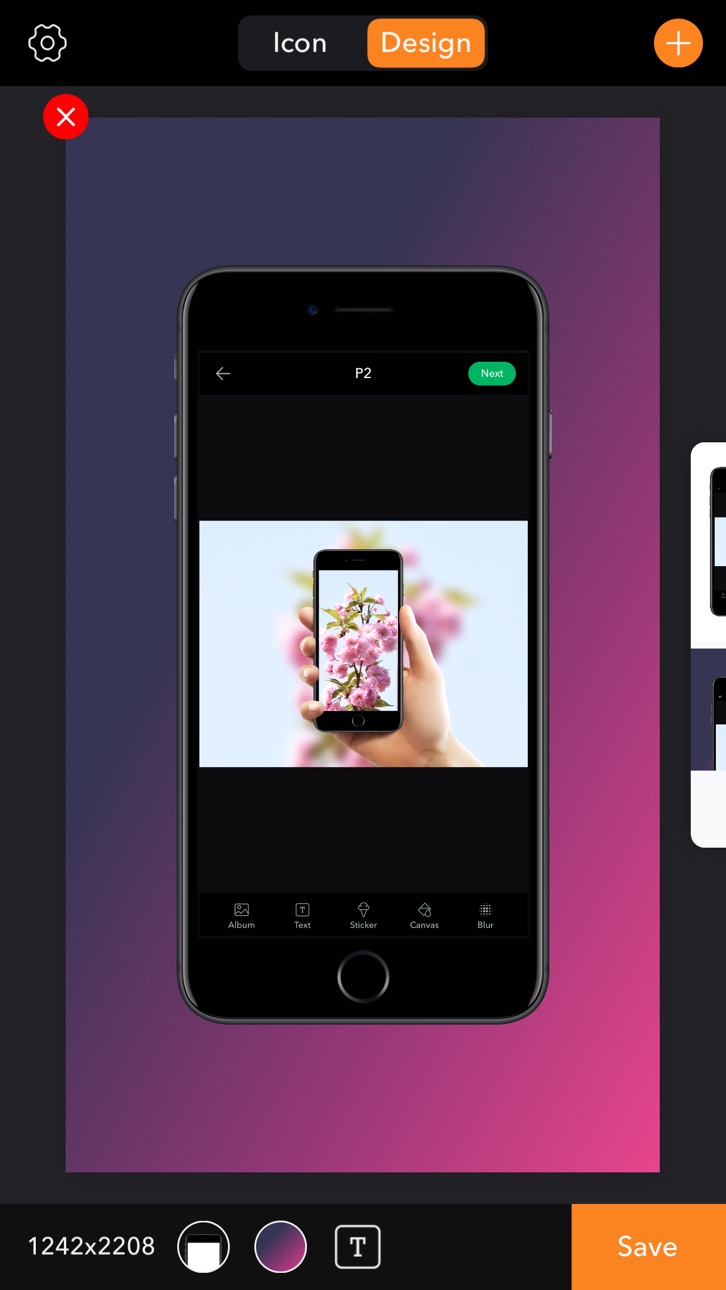
2. Preview your app design in iPhone iPad, make preview screenshot for App Store
3. Use color or gradient color as background
4. Add texts to your preview screenshot
5. Response to iOS 13 dark mode
6. Support iPadOS
7. Bugs fixed
Description
Export your app icons and preview screenshots for App Store in Icon x Design.
• Preview your app icon in Home Screen, export icons for Xcode with png format.
• Preview your design with iPhone/iPad mockups, export preview screenshots for App Store.
• Use single color or gradient color as background.
• Add texts to preview screenshots.
I'm an indie developer,any questions or suggestions,please contactemail me via codesignus@yahoo.com, I'll try my best to improve the user experience.
Accessibility
ipadiphonemacrealityDevicetvoswatch
Version history 4 versions
Build 825638068v2.0.02020-04-02 00:59:53
# New features
1. Preview your app icon in Home Screen, export for Xcode
2. Preview your app design in iPhone iPad, make preview screenshot for App Store
3. Use color or gradient color as background
4. Add texts to your preview screenshot
5. Response to iOS 13 dark mode
6. Support iPadOS
7. Bugs fixed
Build 822351154v1.1.12017-06-05 19:31:10
1. Custom background color when export designs
2. Fix the white line bug when export designs
3. Other bugs fix
Build 819386588v1.1.02017-04-30 14:41:54
Add your text and background color to your design preview, export the screenshots for iTunes connect, share them.
Build 818335851v1.0.02016-09-08 22:28:30
No pricing data captured yet — comparisons appear once the app has paid storefronts or in-app purchases.
Availability 1 of 1 storefronts
| Region | Language | Price | Ratings | Avg | Version |
|---|---|---|---|---|---|
| US | en-US | Free | 0 | — | 2.0.0 |
Change log 8 changes · US
✎
releaseNotes updated
# New features
1. Preview your app icon in Home Screen, export for Xcode
2. Preview your app design in iPhone iPad, make preview screenshot for App Store
3. Use
✎
description updated
Export your app icons and preview screenshots for App Store in Icon x Design.
• Preview your app icon in Home Screen, export icons for Xcode with png format.
✎
subtitle updated
Export icons design screenshot
✎
name updated
Icon x Design
◆
Version 2.0.0 released
# New features
1. Preview your app icon in Home Screen, export for Xcode
2. Preview your app design in iPhone iPad, make preview screenshot for App Store
3. Use color or gradient color as background
4. Add texts to your preview screenshot
5
◆
Version 1.1.1 released
1. Custom background color when export designs
2. Fix the white line bug when export designs
3. Other bugs fix
◆
Version 1.1.0 released
Add your text and background color to your design preview, export the screenshots for iTunes connect, share them.
◆
Version 1.0.0 released