Home › Utilities

 US
US
1 of 1 storefronts
Content in en-US
Content in en-US
Information
Preview 2 platforms
iPhone 5 images



iPad 5 images


What’s New Version 2.1.7.2
● Video recording at wrong framerate.
● Crashing on video playback.
● Fixed Plane 'Go To Point'
● Fixed TLogs missing data
● Improved GeoFences
● Added TLog Playback
● Added more Action Items (Set Parameter, Follow Me and GCS Distance)
Description
This is the app for drone enthusiasts who wish to have a more portable ground station.
Works with ArduPilot autopilot via WiFi, Bluetooth Low Energy or Cellular connection, including 3DR Solo.
Supports ExpressLRS MAVLink telemetry.
NOTE: You must have either WiFi, Cellular or Serial Bluetooth connection to your drone.
User Manual is available at https://sidepilot.net
Features:
• Supports ArduCopter, ArduPlane and ArduRover via ELRS, WiFi or Bluetooth.
• Displays current drone location, with information such as altitude, yaw, pitch and roll.
• ADSB integration to display nearby aircraft and provide warnings.
• Create, edit and delete waypoints and geofences.
• Audible alerts for important information.
• Edit, save and load parameters.
• Perform a Pre-Flight checklist with live weather information.
• Low battery warnings and alerts.
• View onboard video, and live stream it to YouTube.
• Record telemetry logs and export for sharing.
• Follow Me - Have your drone follow you using your devices GPS location, or visually with Object Tracking.
• Orbit mode - Automatically orbit an object for a fantastic cinematic shots!
• Grid Waypoints - Create a survey grid to fly
• Tap to fly - Tap a location on the map to send your drone there!
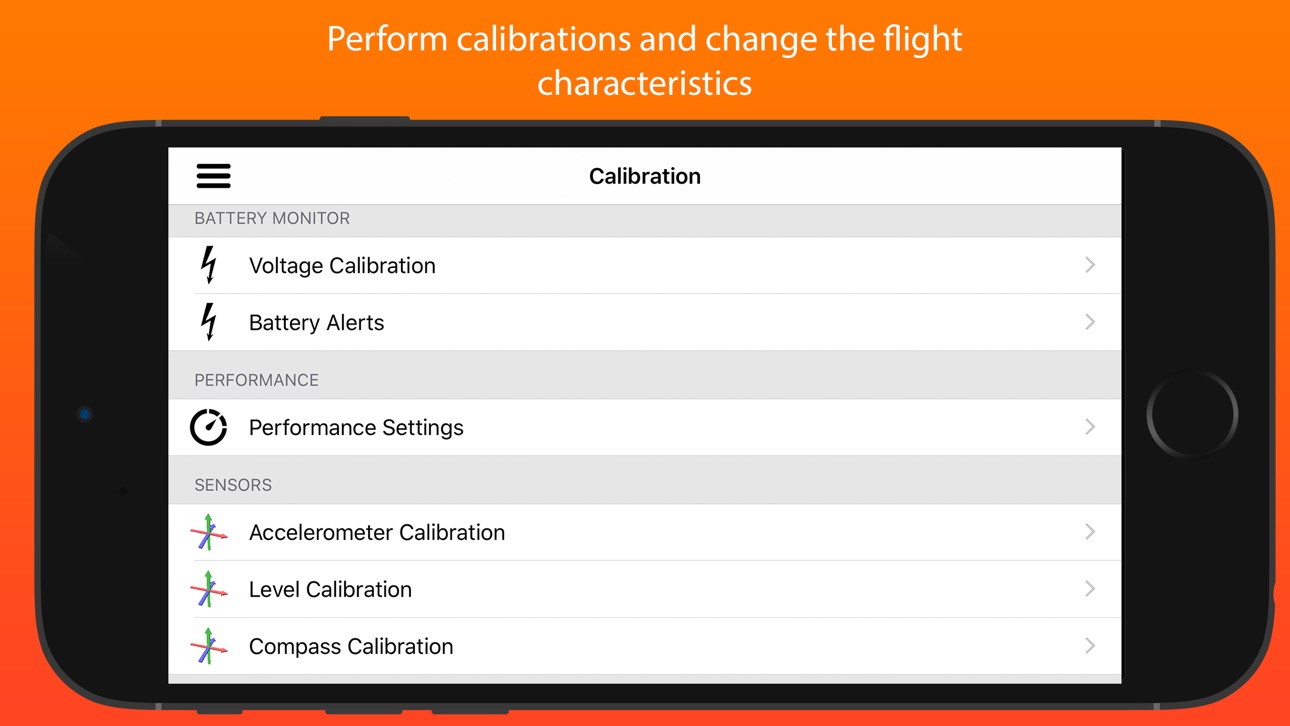
• Perform calibrations at the field.
• And many, many more...
Quick-start guide (Using a WiFi connection):
1. Turn on drone and connect using WiFi.
2. Start SidePilot, navigate to settings and select either WiFi UDP, TCP or 3DR Solo (as applicable).
3. If setting up WiFi manually, click on WiFi Settings and input the correct IP address and port that the MAVLink protocol is running over.
4. Go back to the main screen and press the connect button on the top right. The app will begin displaying information about the drone. If not, double check your WiFi settings.
Please post suggestions and bug reports on the SidePilot Facebook page or via email to tom@sidepilot.net
WARNING: Continued use of GPS running in the background can dramatically decrease battery life.
Note: iPads without cellular do not have GPS capability unless tethered to a iOS Device with cellular, and even then it is poor and not suitable for navigation.
Accessibility
ipadiphonemacrealityDevicetvoswatch
Version history 25 versions
Build 884617417v2.1.7.22026-04-17 20:16:50
● Video recording at wrong framerate.
● Crashing on video playback.
● Fixed Plane 'Go To Point'
● Fixed TLogs missing data
● Improved GeoFences
● Added TLog Playback
● Added more Action Items (Set Parameter, Follow Me and GCS Distance)
Build 883054013v2.1.7.12026-03-05 17:34:13
- Improved ArduPlane support.
- Fixed parameter loading feedback on slow connections such as ELRS.
- Fixed a bug with certain parameters causing the app to crash.
Build 882779151v2.1.72026-02-25 21:43:23
- Improved ArduPlane support
- Fixed parameter loading feedback on slow connections such as ELRS.
Build 881411247v2.1.62026-01-13 00:14:59
● Added FPV Mode (fullscreen video)
● Added ADSB filter for maximum altitude
● Fixed GPS2 Altitude status
● Added Rangefinder HUD options
● Fixed pre-flight checklist arm warning not appearing
● And more!
Build 876802452v2.1.52025-08-25 22:13:02
- Added NAMED_VALUE MAVLink message item to HUD Bar
- Added Wind to HUD Bar
- Added Smart Waypoint Path Planning (BETA feature)
- Fixed bugs
Build 876547060v2.1.4.12025-07-21 20:08:53
2.1.4.1:
● Fixing crashes when taking a photo with Solo
2.1.4:
● Video Grid Overlay
● Additional Failsafe setup options
● Added Motor testing, Rangefinder and Large vehicle calibrations
● Many bug fixes and improvements
Build 875989267v2.1.42025-07-17 12:10:15
● Video Grid Overlay
● Additional Failsafe setup options
● Added Motor testing, Rangefinder and Large vehicle calibrations
● Many bug fixes and improvements
Build 874787187v2.1.32025-06-03 03:56:43
● Added Simple Accelerometer Calibration
● SRTM Terrain Data
● Copter Speed Performance Slider
● LUA Script Editor
● MAVLink Gimbal & Camera Support
● Many Bugs fixes and other improvements.
Build 874011831v2.1.22025-05-06 12:30:18
Loads of improvements and bug fixes, including:
- GStreamer universal video streaming
- Advanced PFD Flight Path Director (ArduPlane only)
- Improved NTRIP RTCM handling
- Additional Waypoint creation types
- MAVLink packet signing
- Customize Telemetry rates
- Added support for Rally Points
- Improved support for more than one vehicle.
- Added more default Map types
- And many more!
Build 871223305v2.1.12025-03-10 15:14:24
- New layout for iPads (Split Screen).
- Improved waypoints (Spline, Loiter, Circle).
- Improved Attitude Indicator (PFD) display.
- Select between AMSL and AGL.
- Added new GPS and Battery HUD options.
- Added Battery setup menu.
- Fixed performance sliders and calibrations.
And many more improvements and bug fixes. Enjoy!
Build 870725851v2.1.0.22024-11-27 12:48:14
2.1.0.2:
- Adds additional copter frame icons
2.1.0:
NEW:
- RTK NTRIP Corrections
FIXED:
- Crashing during custom action create
- Crashes when starting a Cable Cam shot
- Other bug fixes and improvements
Build 870332435v2.1.0.12024-11-11 12:44:47
2.1.0.1 - Fixes some annoying crashes
2.1.0:
NEW:
- RTK NTRIP Corrections
FIXED:
- Crashing during custom action create
- Crashes when starting a Cable Cam shot
- Other bug fixes and improvements
Build 870104628v2.1.02024-11-03 11:08:23
NEW:
- RTK NTRIP Injection
FIXED:
- Crashing during custom action create
- Crashes when starting a Cable Cam shot
- Other bug fixes and improvements
Build 869301055v2.0.92024-10-14 07:48:29
NEW:
- MavFTP support
- Customizable Action Button (with flows)
- Support for Portrait orientation in all menus (except the main map view)
- Visual Follow Me tuning
FIXED:
- 3DR Solo stick calibration and button selection not working
- Waypoint files not importing
As well as many other bug fixes and improvements
Build 867373521v2.0.8.12024-07-24 20:34:20
* Bug fixes and improvements.
Build 866243528v2.0.82024-05-27 13:54:23
* Added universal video player (FFmpeg based)
* Loads of bug fixes and improvements.
Build 864923507v2.0.72024-04-06 06:02:13
2.0.7:
● Resizable video view
● Improved Solo connection
● Tutorial to show off features
● Many bug fixes and improvements
Build 864125347v2.0.6.22024-03-01 00:45:42
2.0.6.2:
● Fixed 3DR Solo video feed not working
2.0.6.1:
● Fixed MAVLink Connection Bug
2.0.6:
● Improved Internet ADSB
● Fixed the weather display in the Pre-Flight Checklist
● Removed Facebook Livestream option
Build 863944258v2.0.6.12024-02-25 18:23:26
2.0.6.1:
● Fixed MAVLink Connection Bug
2.0.6:
● Improved Internet ADSB
● Fixed the weather display in the Pre-Flight Checklist
● Removed Facebook Livestream option
Build 863398734v2.0.62024-02-07 19:38:39
● Fixed Accelerometer Calibration Bug
● Improved Internet ADSB
● Fixed the weather display in the Pre-Flight Checklist
● Removed Facebook Livestream option
Build 852159241v2.0.5.12022-09-13 01:49:10
2.0.5.1:
• Some small bug fixes
2.0.5:
• Fixed Solo GoPro Control
• Added ArduRemoteID Support (Beta)
• Added GeoFence
• And squished a few bugs
Build 852132771v2.0.52022-09-12 07:06:16
• Fixed Solo GoPro Control
• Added ArduRemoteID Support (Beta)
• Added GeoFence
• And squished a few bugs
Build 848434774v2.0.42022-05-03 12:02:51
Many changes in this version:
* Custom maps with offline cache capability
* Waypoint/Cable cam direction arrows
* Waypoint/Parameter set import/export from Mission Planner
* Customisable top bar items (tap and hold to change)
* ArduPlane and ArduRover support
* Improved compass calibration
* Rehauled settings screen, moved around some settings
* Many other small fixes/improvements.
Build 847654637v2.0.3.12022-03-12 12:51:04
* Bug fix for GoPro shutter/mode change not working.
Build 847101350v2.0.32022-02-24 03:31:53
• Advanced Mission Resume
• Raw MAVLink data inspector
• Waypoints are now draggable to new locations
• Improved Grid mission creation
• Improved Cable cam yaw
• Fixed RTM not working as expected
• Other small bug fixes and UI improvements.
Price history by region
Currency
Show
Columns
Search
Availability 1 of 1 storefronts
| Region | Language | Price | Ratings | Avg | Version |
|---|---|---|---|---|---|
| US | en-US | USD 13.99 | 94 | 4.0 | 2.1.7.2 |
Change log 29 changes · US
✎
releaseNotes updated
● Video recording at wrong framerate.
● Crashing on video playback.
● Fixed Plane 'Go To Point'
● Fixed TLogs missing data
● Improved GeoFences
● Added TLog Pla
✎
description updated
This is the app for drone enthusiasts who wish to have a more portable ground station.
Works with ArduPilot autopilot via WiFi, Bluetooth Low Energy or Cellula
✎
subtitle updated
THE ArduPilot Ground Station
✎
name updated
SidePilot
◆
Version 2.1.7.2 released
● Video recording at wrong framerate.
● Crashing on video playback.
● Fixed Plane 'Go To Point'
● Fixed TLogs missing data
● Improved GeoFences
● Added TLog Playback
● Added more Action Items (Set Parameter, Follow Me and GCS Distance)
◆
Version 2.1.7.1 released
- Improved ArduPlane support.
- Fixed parameter loading feedback on slow connections such as ELRS.
- Fixed a bug with certain parameters causing the app to crash.
◆
Version 2.1.7 released
- Improved ArduPlane support
- Fixed parameter loading feedback on slow connections such as ELRS.
◆
Version 2.1.6 released
● Added FPV Mode (fullscreen video)
● Added ADSB filter for maximum altitude
● Fixed GPS2 Altitude status
● Added Rangefinder HUD options
● Fixed pre-flight checklist arm warning not appearing
● And more!
◆
Version 2.1.5 released
- Added NAMED_VALUE MAVLink message item to HUD Bar
- Added Wind to HUD Bar
- Added Smart Waypoint Path Planning (BETA feature)
- Fixed bugs
◆
Version 2.1.4.1 released
2.1.4.1:
● Fixing crashes when taking a photo with Solo
2.1.4:
● Video Grid Overlay
● Additional Failsafe setup options
● Added Motor testing, Rangefinder and Large vehicle calibrations
● Many bug fixes and improvements
◆
Version 2.1.4 released
● Video Grid Overlay
● Additional Failsafe setup options
● Added Motor testing, Rangefinder and Large vehicle calibrations
● Many bug fixes and improvements
◆
Version 2.1.3 released
● Added Simple Accelerometer Calibration
● SRTM Terrain Data
● Copter Speed Performance Slider
● LUA Script Editor
● MAVLink Gimbal & Camera Support
● Many Bugs fixes and other improvements.
◆
Version 2.1.2 released
Loads of improvements and bug fixes, including:
- GStreamer universal video streaming
- Advanced PFD Flight Path Director (ArduPlane only)
- Improved NTRIP RTCM handling
- Additional Waypoint creation types
- MAVLink packet signing
- Custom
◆
Version 2.1.1 released
- New layout for iPads (Split Screen).
- Improved waypoints (Spline, Loiter, Circle).
- Improved Attitude Indicator (PFD) display.
- Select between AMSL and AGL.
- Added new GPS and Battery HUD options.
- Added Battery setup menu.
- Fixed p
◆
Version 2.1.0.2 released
2.1.0.2:
- Adds additional copter frame icons
2.1.0:
NEW:
- RTK NTRIP Corrections
FIXED:
- Crashing during custom action create
- Crashes when starting a Cable Cam shot
- Other bug fixes and improvements
◆
Version 2.1.0.1 released
2.1.0.1 - Fixes some annoying crashes
2.1.0:
NEW:
- RTK NTRIP Corrections
FIXED:
- Crashing during custom action create
- Crashes when starting a Cable Cam shot
- Other bug fixes and improvements
◆
Version 2.1.0 released
NEW:
- RTK NTRIP Injection
FIXED:
- Crashing during custom action create
- Crashes when starting a Cable Cam shot
- Other bug fixes and improvements
◆
Version 2.0.9 released
NEW:
- MavFTP support
- Customizable Action Button (with flows)
- Support for Portrait orientation in all menus (except the main map view)
- Visual Follow Me tuning
FIXED:
- 3DR Solo stick calibration and button selection not working
- Wayp
◆
Version 2.0.8.1 released
* Bug fixes and improvements.
◆
Version 2.0.8 released
* Added universal video player (FFmpeg based)
* Loads of bug fixes and improvements.
◆
Version 2.0.7 released
2.0.7:
● Resizable video view
● Improved Solo connection
● Tutorial to show off features
● Many bug fixes and improvements
◆
Version 2.0.6.2 released
2.0.6.2:
● Fixed 3DR Solo video feed not working
2.0.6.1:
● Fixed MAVLink Connection Bug
2.0.6:
● Improved Internet ADSB
● Fixed the weather display in the Pre-Flight Checklist
● Removed Facebook Livestream option
◆
Version 2.0.6.1 released
2.0.6.1:
● Fixed MAVLink Connection Bug
2.0.6:
● Improved Internet ADSB
● Fixed the weather display in the Pre-Flight Checklist
● Removed Facebook Livestream option
◆
Version 2.0.6 released
● Fixed Accelerometer Calibration Bug
● Improved Internet ADSB
● Fixed the weather display in the Pre-Flight Checklist
● Removed Facebook Livestream option
◆
Version 2.0.5.1 released
2.0.5.1:
• Some small bug fixes
2.0.5:
• Fixed Solo GoPro Control
• Added ArduRemoteID Support (Beta)
• Added GeoFence
• And squished a few bugs
◆
Version 2.0.5 released
• Fixed Solo GoPro Control
• Added ArduRemoteID Support (Beta)
• Added GeoFence
• And squished a few bugs
◆
Version 2.0.4 released
Many changes in this version:
* Custom maps with offline cache capability
* Waypoint/Cable cam direction arrows
* Waypoint/Parameter set import/export from Mission Planner
* Customisable top bar items (tap and hold to change)
* ArduPlane an
◆
Version 2.0.3.1 released
* Bug fix for GoPro shutter/mode change not working.
◆
Version 2.0.3 released
• Advanced Mission Resume
• Raw MAVLink data inspector
• Waypoints are now draggable to new locations
• Improved Grid mission creation
• Improved Cable cam yaw
• Fixed RTM not working as expected
• Other small bug fixes and UI improvements.