Home › Music

 US
US
1 of 1 storefronts
Content in en-US
Content in en-US
Information
Apple ID1128295177
Bundle IDjp.co.casio.chordanaplay
SellerSeller
Min iOS11.0
Min macOS11.0
Device familiesiphone, ipad, ipod
Released2017-03-09
Copyright© 2016 CASIO COMPUTER CO., LTD.
Privacy policyLink ↗
Preview 2 platforms
iPhone 9 images





iPad 9 images




What’s New Version 2.0.4
・Bug fixes and performance improvements
Description
●This App was featured as "New apps we love" on the App Store of more 90 countries and regions, including USA, China and Japan! !
●This App won the first place in the free iPad app music category of the App Store of 65 countries and regions, including Japan, Saudi Arabia, Ukraine and UAE! !
Learn your favorite songs.
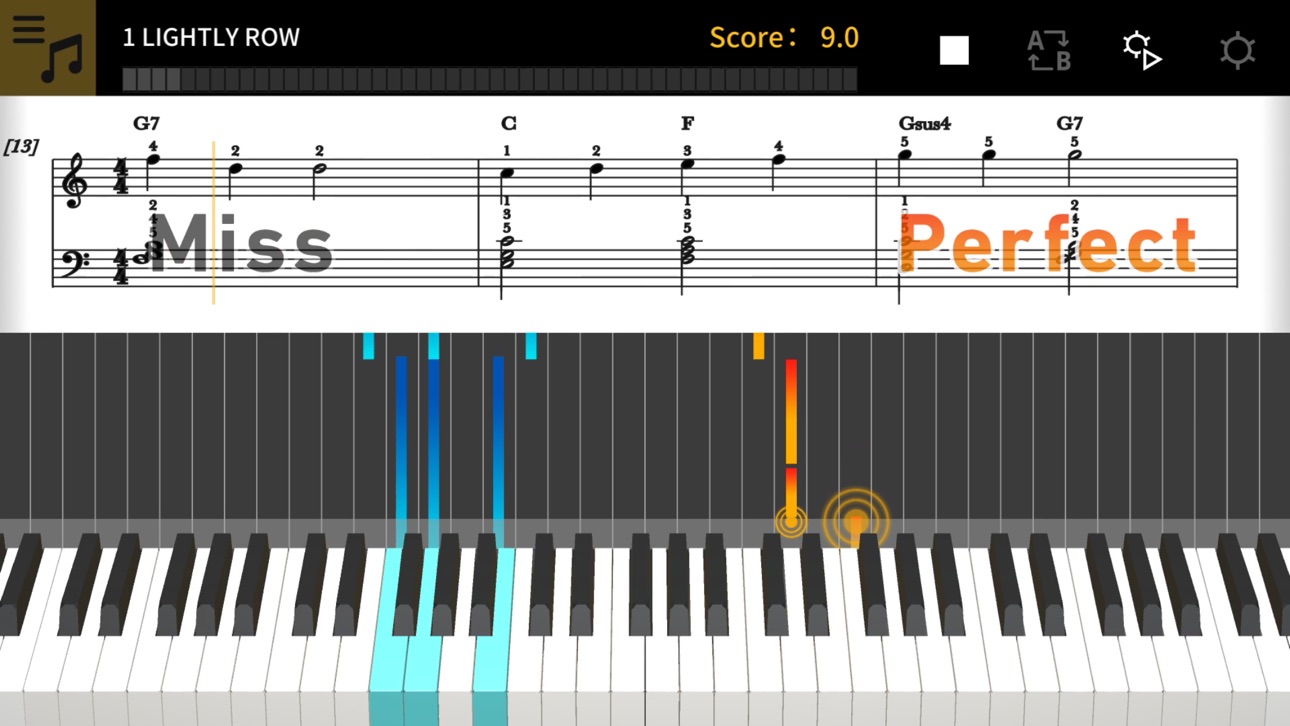
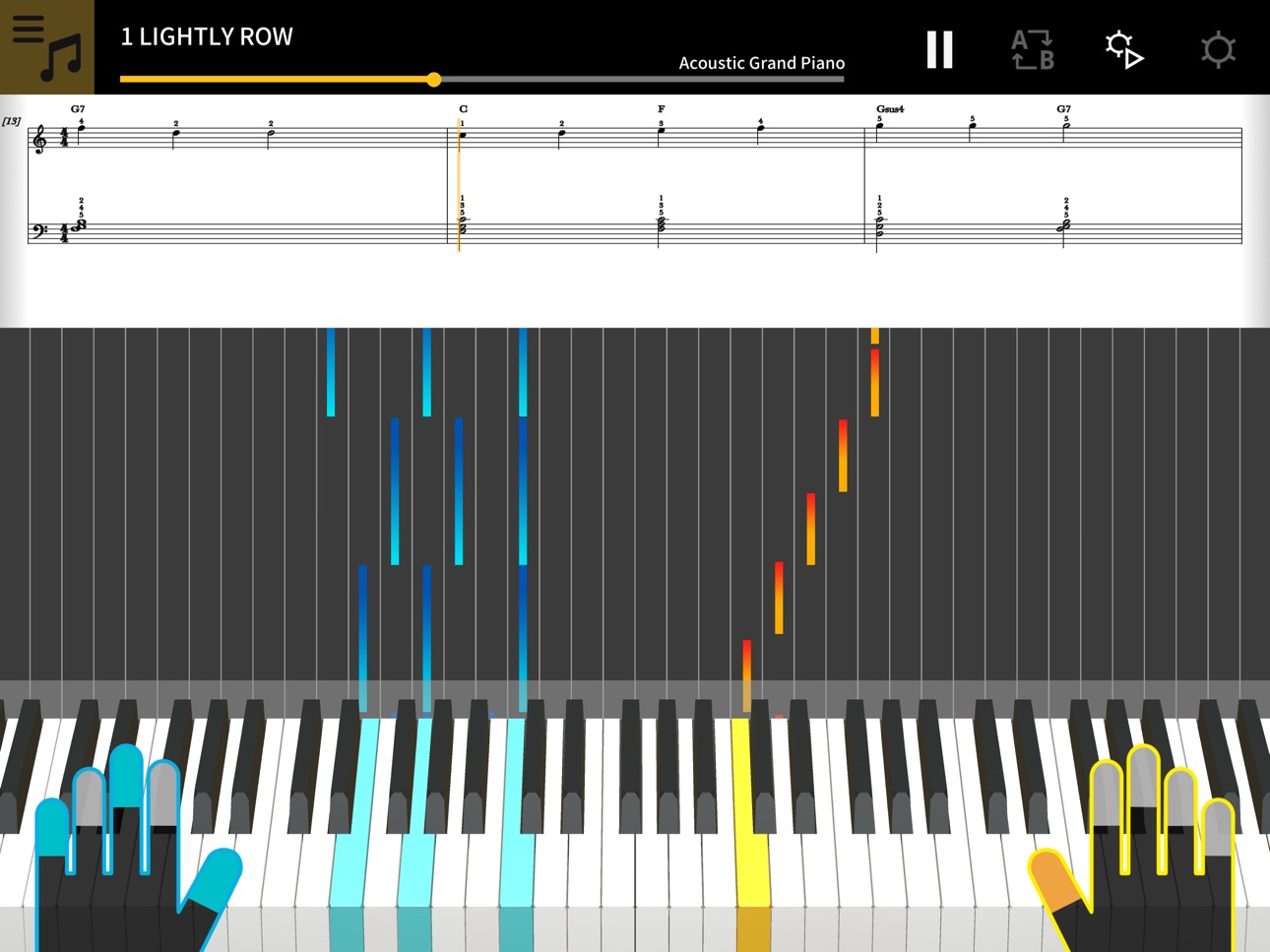
1. Music score and piano roll notation make it fun and easy to learn!
Chordana Play displays the music score and piano roll notation for built-in songs and MIDI files. With MIDI files, you can select which tracks to play with your left and right hands, or you can assign the melody to the right hand and chords generated by the app to your left hand. Slow the tempo, transpose the score into a key that is easier to play, and with the AB repeat function, take lessons (practice) at your own pace.
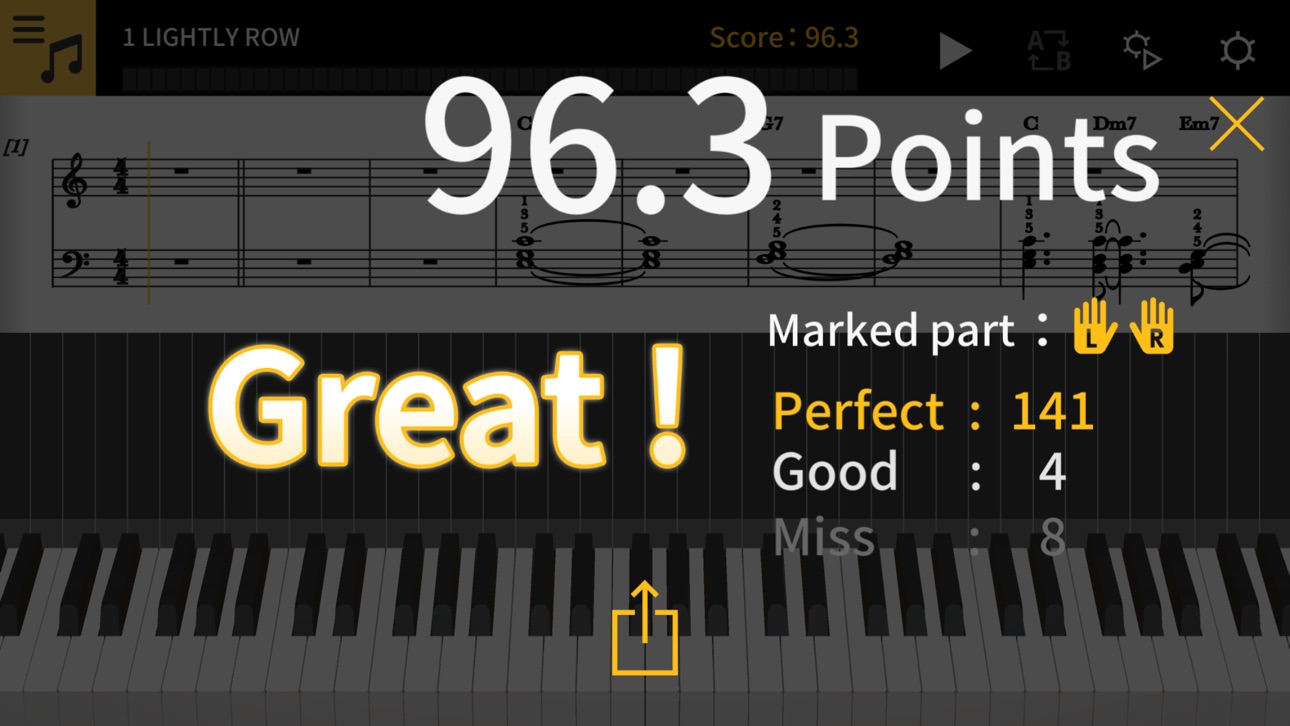
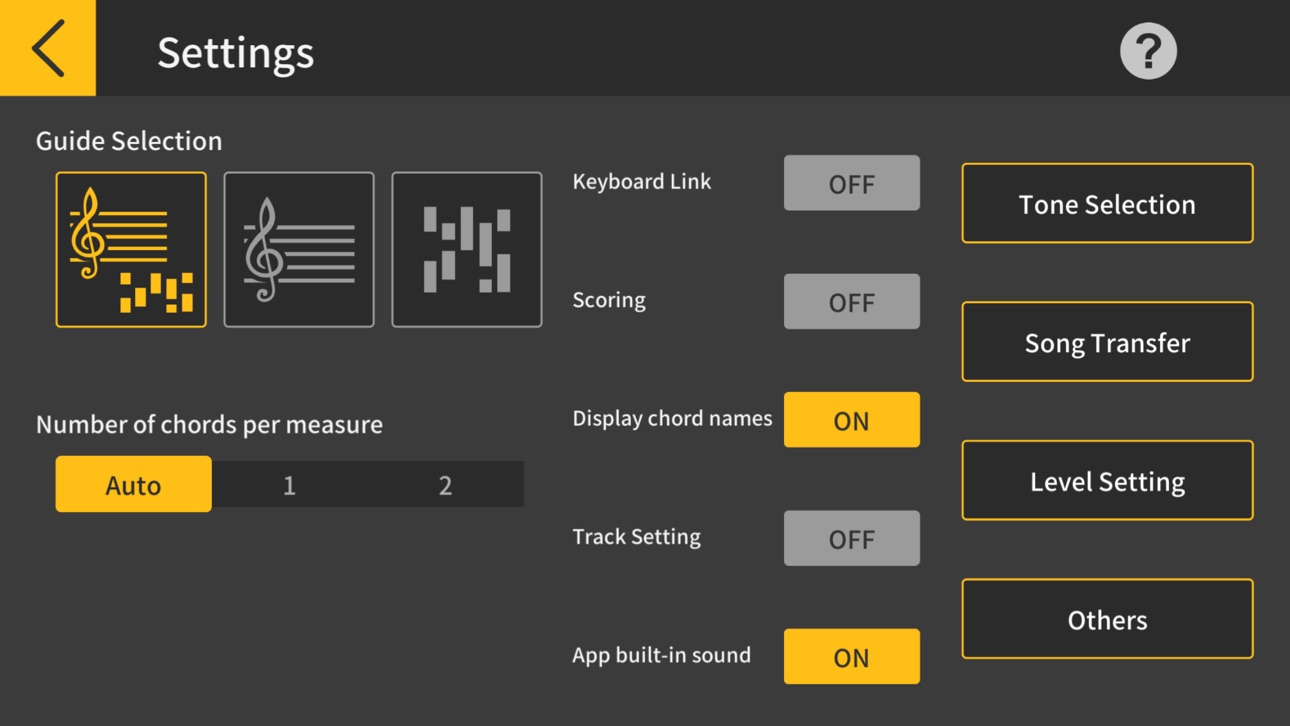
You can take three-step lessons using the virtual on-screen keyboard. Select from 128 kinds of tone quality. Plus, a scoring system lets you keep track of your improving skills.
2. Use the 50 built-in songs or import standard MIDI files
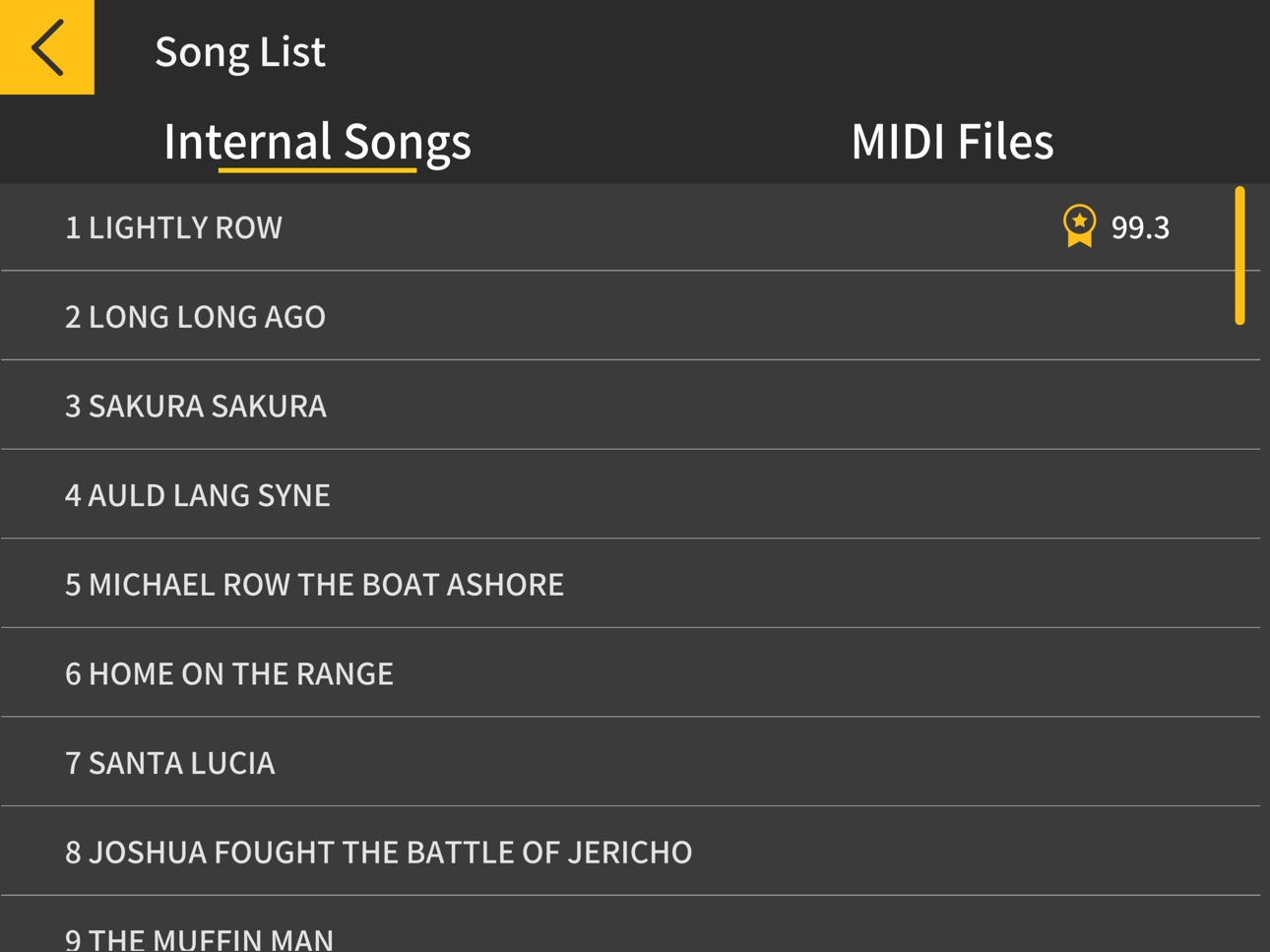
Play one of the 50 songs included in Chordana Play, or add MIDI files.
Chordana Play can generate a music score from the MIDI file and detect chords, too, making it easy to learn to play two-handed piano pieces. You can search for and download MIDI files using the browser on your smartphone or tablet, then import them directly into Chordana Play. You can also import MIDI files from your computer to Chordana Play.
3. Lesson Mode
Using either the app's keyboard or a USB-connected musical instrument keyboard, you can take a three-step lesson while following the music score and piano roll. The scoring feature makes mastering a song even more fun.
4. Audio Mode
Play back audio on your device with musical tools such as key shift and tempo change, looping, and melody cancel.
5. Connecting your smart device to a musical instrument via a wireless adapter
● Supported CASIO Keyboard models
CT-S1, CT-S400, CT-S410, LK-S450
● What is needed for connecting and the connection method used
See here for more details on connections.
https://web.casio.com/app/en/play/support/connect.html
・Using a wireless adapter keeps the area around your keyboard neat and tidy and makes Lesson mode or Audio mode even more enjoyable.
・Do not connect the Wireless MIDI & audio adaptor (WU-BT10), a USB cable and an audio cable to the smart device at the same time.
・Set the connected smart device to a mode that prevents mobile data communication, such as In-Flight mode.
6. Connecting your smart device to a musical instrument via a USB cable
● Supported CASIO Keyboard models
CT-S1, CT-S195, CT-S200, CT-S300, CT-S400, CT-S410, LK-S250, LK-S450
● What is needed for connecting and the connection method used
See here for more details on connections.
https://web.casio.com/app/en/play/support/connect.html
・Do not connect a USB cable and audio cable to the smart device at the same time.
・Set the connected smart device to a mode that prevents mobile data communication, such as In-Flight mode.
7. Keyboard Link
● Supported CASIO Keyboard models
LK-265, LK-266, CTK-2500, CTK-2550, and CTK-3500
● Stereo mini to stereo mini cable required.
The keyboard link function enables you to use an audio cable to send melody and chord data along with the audio playback. Use the keyboard's light-up function and practice step-up lessons directly on the keyboard itself. The function has two modes.
■ Performance mode
When a song is played, the light-up keyboard shows the left-hand part and the melody. The notes and chords for the melody are shown on the keyboard's LCD.
■ Save mode
You can transfer and save the song's right-hand melody and left-hand chord data, or the left-hand performance data, to the keyboard. You can then play along to the song and use the step-up lesson function.
Accessibility
ipadiphonemacrealityDevicetvoswatch
Version history 25 versions
Build 848430756v2.0.42022-05-08 23:44:58
・Bug fixes and performance improvements
Build 847515756v2.0.32022-03-07 07:04:57
・Fixed minor problems
Build 842702638v2.0.22021-06-21 01:41:36
・Fixed minor problems
Build 842258839v2.0.12021-05-20 05:17:03
・Fixed minor problems
Build 841241532v2.0.02021-04-20 02:12:58
・Supported Bluetooth MIDI
・Added Audio mode
・Added USB/Bluetooth transfer
・Improved a part of UI
・Improved the operability
・Improved the stability
・Fixed minor problems
Build 839259399v1.3.22020-11-19 05:32:50
・Fixed minor problems
Build 838090359v1.3.12020-10-07 06:09:49
・Fixed minor problems
・Improved the operability
・Improved the stability
Build 834463005v1.3.02020-08-28 02:23:58
・Fixed minor problems
Build 831731588v1.2.02019-07-30 15:05:12
・Supported USB-MIDI
・Improved scoring system
・Improved a part of UI
・Improved the operability
・Improved the stability
・Fixed minor problems
Build 825641479v1.1.92018-01-17 06:45:26
・UI improvements.
・Fixed bugs.
Build 825412395v1.1.82017-12-22 23:04:47
・Improved the AB repeat function.
・Fixed bugs.
Build 825184225v1.1.72017-12-06 07:30:54
・Localization support for Spanish, Portuguese, Traditional Chinese and Vietnamese.
・Supported the File's app. *iOS 11 or later
・Fixed bugs.
Build 823958706v1.1.62017-10-10 14:21:10
・Fixed bugs
Build 823237100v1.1.52017-08-09 23:04:44
・Fixed bugs
Build 822725936v1.1.42017-06-30 00:29:36
・Updated user manual
Build 822580141v1.1.32017-06-17 11:37:46
・Fixed bugs
Build 822351455v1.1.22017-06-09 21:36:21
・Fixed bugs
Build 822306673v1.1.12017-05-30 02:06:06
・Localization support for Russian and Korean
・Fixed bugs
Build 821910962v1.1.02017-05-19 01:56:53
・Localization support for Simplified Chinese
Build 821600537v1.0.92017-04-05 00:04:01
・Fixed bugs
Build 821154569v1.0.82017-03-09 00:43:56
・Fixed bugs
Build 820480893v1.0.72017-02-16 07:17:13
・Fixed bugs
Build 820320817v1.0.62017-01-03 07:22:46
・Added display of selected tone name on the top bar
・Fixed bugs
Build 820155859v1.0.52016-12-16 00:46:46
・Changed scoring display
・Improved operability in the list screen
・Fixed bugs
Build 819458584v1.0.42016-11-14 02:43:26
・Fixed bugs
No pricing data captured yet — comparisons appear once the app has paid storefronts or in-app purchases.
Availability 1 of 1 storefronts
| Region | Language | Price | Ratings | Avg | Version |
|---|---|---|---|---|---|
| US | en-US | Free | 67 | 2.7 | 2.0.4 |
Change log 28 changes · US
✎
releaseNotes updated
・Bug fixes and performance improvements
✎
description updated
●This App was featured as "New apps we love" on the App Store of more 90 countries and regions, including USA, China and Japan! !
●This App won the first place
✎
name updated
Chordana Play
◆
Version 2.0.4 released
・Bug fixes and performance improvements
◆
Version 2.0.3 released
・Fixed minor problems
◆
Version 2.0.2 released
・Fixed minor problems
◆
Version 2.0.1 released
・Fixed minor problems
◆
Version 2.0.0 released
・Supported Bluetooth MIDI
・Added Audio mode
・Added USB/Bluetooth transfer
・Improved a part of UI
・Improved the operability
・Improved the stability
・Fixed minor problems
◆
Version 1.3.2 released
・Fixed minor problems
◆
Version 1.3.1 released
・Fixed minor problems
・Improved the operability
・Improved the stability
◆
Version 1.3.0 released
・Fixed minor problems
◆
Version 1.2.0 released
・Supported USB-MIDI
・Improved scoring system
・Improved a part of UI
・Improved the operability
・Improved the stability
・Fixed minor problems
◆
Version 1.1.9 released
・UI improvements.
・Fixed bugs.
◆
Version 1.1.8 released
・Improved the AB repeat function.
・Fixed bugs.
◆
Version 1.1.7 released
・Localization support for Spanish, Portuguese, Traditional Chinese and Vietnamese.
・Supported the File's app. *iOS 11 or later
・Fixed bugs.
◆
Version 1.1.6 released
・Fixed bugs
◆
Version 1.1.5 released
・Fixed bugs
◆
Version 1.1.4 released
・Updated user manual
◆
Version 1.1.3 released
・Fixed bugs
◆
Version 1.1.2 released
・Fixed bugs
◆
Version 1.1.1 released
・Localization support for Russian and Korean
・Fixed bugs
◆
Version 1.1.0 released
・Localization support for Simplified Chinese
◆
Version 1.0.9 released
・Fixed bugs
◆
Version 1.0.8 released
・Fixed bugs
◆
Version 1.0.7 released
・Fixed bugs
◆
Version 1.0.6 released
・Added display of selected tone name on the top bar
・Fixed bugs
◆
Version 1.0.5 released
・Changed scoring display
・Improved operability in the list screen
・Fixed bugs
◆
Version 1.0.4 released
・Fixed bugs