Home › Photo & Video

 US
US
1 of 1 storefronts
Content in en-US
Content in en-US
Information
Preview 2 platforms
iPhone 9 images


iPad 9 images




What’s New Version 6.29
Improved stability of large backups and exports.
Description
PIC SCANNER GOLD – Photos & Album Scanner
-----
Stop scanning old photos one by one. Pic Scanner Gold scans multiple photos - or an entire album page - with one click. It auto-crops, auto-enhances, and saves individual photos at 300 DPI. No other app does all this. Read all about our EXCLUSIVE features below.
Pic Scanner Gold is the original multi-photo scanning app (since 2013), trusted by hundreds of thousands of families worldwide. No subscriptions. No in-app purchases or hidden fees. No ads. No watermark. One-time purchase for unlimited, lifetime use.
WHAT'S SPECIAL ABOUT PIC SCANNER GOLD?
-----
* Scans Multiple Photos at Once: Automatically detects and crops each image separately — saving hours of manual work.
* Max-Resolution Scanning: Up to 48 MP on iPhone 14 Pro or Max and newer Pro/Max models (Most apps only offer 12 MP).
* True 300 DPI Scans: High-quality. Great for reprints, photo books, scrapbooks, family history (Other apps only do 72 DPI).
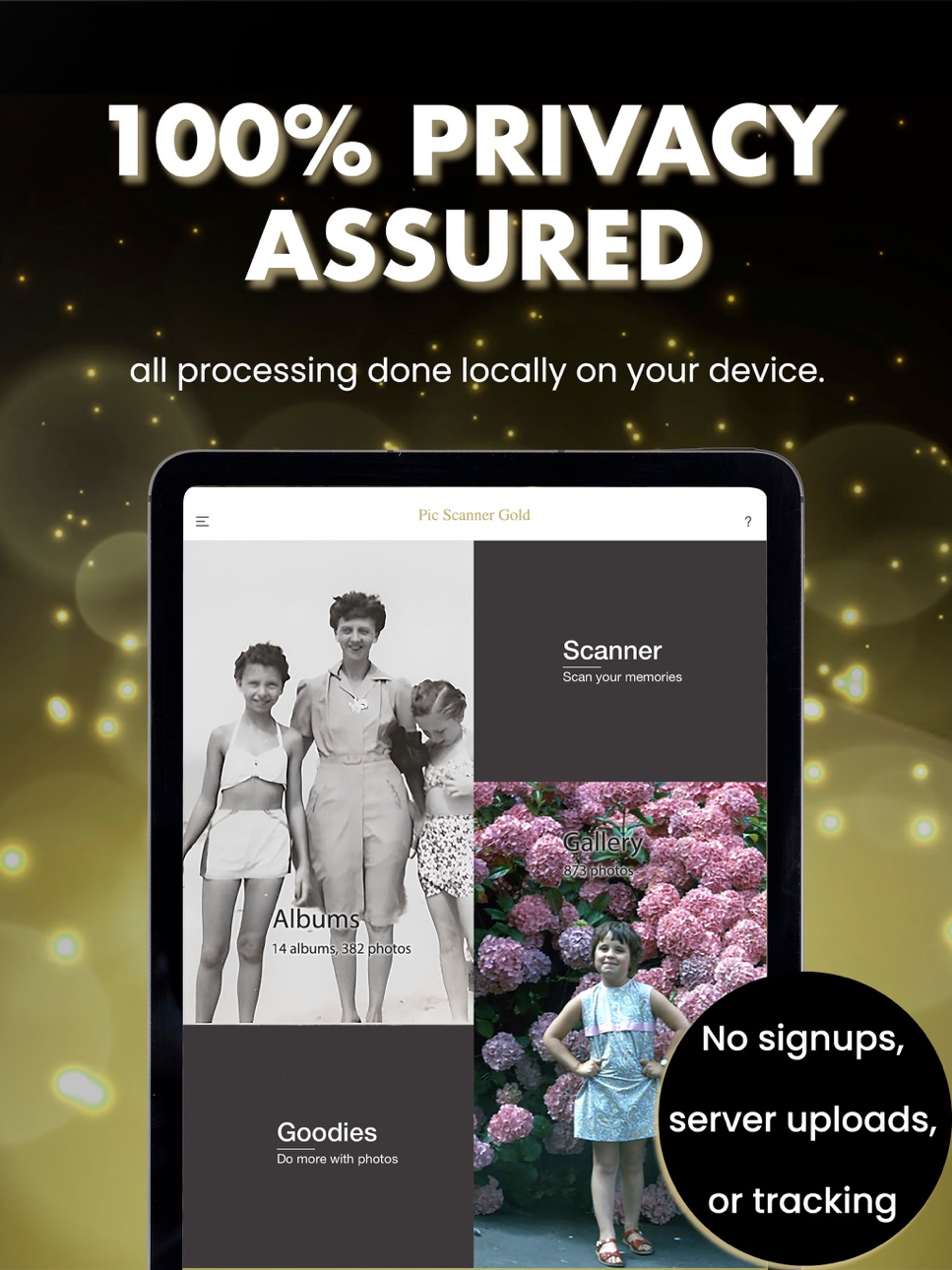
* 100% Privacy: Your family memories belong on your phone, not our servers. No accounts. No tracking. No data harvesting.
* AI Automatic Cropping & Enhancement: Highly accurate edge detection. All processing done locally on your device.
• AI Up-scaling for Small Photos: If the app determines that the scan is too small, it can auto-enlarge and sharpen it.
* Metadata Editing: The ONLY scanner app with EXIF date, location, description editing: Vital for organizing old photos.
• Captions to Save Memories: EXCLUSIVE! Lets you view and print date, locations, and descriptions below the photos!
* Dark Mode option - for a more comfortable, distraction-free browsing experience.
No other photo scanner makes it all so simple, or does it so well.
COMPLETE EDITING & ORGANIZATION
-----
• 25-tool image editor
• Add captions below photos (unique feature)
• Create albums
• Auto-create Favorites
• Instant slideshows with music
• 200+ greeting cards & calendar designs
Preserve memories — beautifully.
SHARE & BACK UP ANYWHERE
-----
• Save to Apple Photos
• Sync via iCloud
• Export to Mac or PC
• Bulk-export albums as folders
• Share via Messages, AirDrop, email, or social apps
• Save in any cloud storage service
NO NASTY SURPRISES
-----
• No subscription • No in-app purchases • No ads • No watermark • No account required • No export limits • 100% on-device privacy
Buy once. Own it forever.
PERFECT FOR
-----
• Digitizing old family photos
• Preserving inherited albums
• Genealogy & family history
• Archiving printed pictures
• Saving vintage Kodak prints
• Creating memory books
Paper fades. Digital lasts.
MEDIA PRAISE
-----
Featured by Cult of Mac, BBC, National Geographic Traveler, The Guardian, and more.
BUY WITH CONFIDENCE
-----
Fast, friendly 100% human support.
If you love old photos, you’ll love Pic Scanner Gold.
***
Note: Not designed for scanning film negatives or slides.
Accessibility
ipadiphonemacrealityDevicetvoswatch
Version history 25 versions
Build 884640220v6.292026-04-18 21:28:27
Improved stability of large backups and exports.
Build 883691580v6.272026-03-24 22:22:12
Pro-Quality Edits: You asked, we delivered. Now edited photos also save at full 300 DPI resolution. Whether scanning or editing, your memories stay print-ready and crystal clear.
Build 883462788v6.262026-03-17 22:56:52
Now with Dark Mode option!
For a more comfortable, distraction-free experience—especially when viewing or editing photos at night.
Build 883186074v6.252026-03-10 21:41:38
Improved UI on scanner screen.
Build 882677066v6.232026-02-24 00:30:45
Updated some internal libraries to latest versions for improved stability and performance.New screenshots illustrating the app's latest features.
Build 882201080v6.222026-02-06 17:01:44
Updated the screenshots on Pic Scanner Gold's App Store page.
Build 881873566v6.212026-01-28 22:41:21
Little refinements.
Build 881736720v6.22026-01-25 20:51:48
Improved captions. Minor bug-fixes.
Build 881540219v6.12026-01-16 01:11:08
Higher resolution scans using full 48MP image capture in new Pro models.
Build 880873560v6.02025-12-20 23:09:49
Fixed UI bug related to iOS 26.
Build 879956733v5.992025-11-22 18:43:50
Improved ShowTime slideshow.
Build 879784507v5.982025-11-15 20:22:49
More goodies: 2026 Calendars and new greeting cards for all occasions! Get ready to ring in the new year!
Build 879391507v5.972025-11-02 22:51:52
New app icon. Improved 'View Caster' slideshow.
Build 878871171v5.962025-10-14 20:22:40
New! Export up to ten albums at a time. Quick and easy way to back up your memories offline or in any cloud storage service, or share with loved ones (Menu > Export > Export Albums).
Build 877992423v5.942025-09-10 21:06:33
New feature: Scans smaller than 2 megapixels are now automatically enhanced by 20% using AI. This is especially useful when scanning several small photos at once, such as faces in a yearbook. If you don’t need it, you can turn it off in Settings.
Build 877534299v5.932025-08-25 19:14:12
New: You can now save scans either in Normal or Compact (Via Menu > Settings & Info > Quality Control). The latter saves smaller-sized files without reducing image resolution.
Build 877421372v5.922025-08-21 11:10:43
Lots of small but meaningful improvements for a smoother scanning experience.
Build 877081559v5.912025-08-08 18:41:52
Improved navigation and User Guide.
Build 876362961v5.902025-07-15 01:18:25
Pic Scanner Gold now offers superior AI-powered cropping accuracy. All processing is done locally on your iPhone or iPad, unlike other apps that upload your photos to their servers.
Build 875336202v5.802025-06-05 20:11:06
Added German language support
Build 872293895v5.742025-02-06 19:20:46
Minor bug-fix for an issue that impacted some old users.
Build 871860158v5.732025-01-19 14:10:31
We recently implemented automatic iCloud backups for your scans. But what if you either don't use iCloud or your iCloud storage is full? In this case, our app will now periodically prompt you to backup your photos to your Mac or another cloud storage service.
Build 871479611v5.722025-01-02 18:54:43
Resolved automatic red-eye correction bug.
Build 871010291v5.712024-12-11 08:55:09
Added 2025 Calendars! (Try them out: Goodies > Greeting Cards > Calendars). Redesigned "View Caster" slideshow.
Build 870773196v5.702024-12-01 13:30:16
Minor bug-fixes in Crop/Edit functions and iCloud automatic backups.
Price history by region
Currency
Show
Columns
Search
Availability 1 of 1 storefronts
| Region | Language | Price | Ratings | Avg | Version |
|---|---|---|---|---|---|
| US | en-US | USD 9.99 | 361 | 4.3 | 6.29 |
Change log 29 changes · US
✎
releaseNotes updated
Improved stability of large backups and exports.
✎
description updated
PIC SCANNER GOLD – Photos & Album Scanner
-----
Stop scanning old photos one by one. Pic Scanner Gold scans multiple photos - or an entire album page - with one
✎
subtitle updated
Digitize Old Prints & Albums
✎
name updated
Pic Scanner Gold: Scan Photos
◆
Version 6.29 released
Improved stability of large backups and exports.
◆
Version 6.27 released
Pro-Quality Edits: You asked, we delivered. Now edited photos also save at full 300 DPI resolution. Whether scanning or editing, your memories stay print-ready and crystal clear.
◆
Version 6.26 released
Now with Dark Mode option!
For a more comfortable, distraction-free experience—especially when viewing or editing photos at night.
◆
Version 6.25 released
Improved UI on scanner screen.
◆
Version 6.23 released
Updated some internal libraries to latest versions for improved stability and performance.New screenshots illustrating the app's latest features.
◆
Version 6.22 released
Updated the screenshots on Pic Scanner Gold's App Store page.
◆
Version 6.21 released
Little refinements.
◆
Version 6.2 released
Improved captions. Minor bug-fixes.
◆
Version 6.1 released
Higher resolution scans using full 48MP image capture in new Pro models.
◆
Version 6.0 released
Fixed UI bug related to iOS 26.
◆
Version 5.99 released
Improved ShowTime slideshow.
◆
Version 5.98 released
More goodies: 2026 Calendars and new greeting cards for all occasions! Get ready to ring in the new year!
◆
Version 5.97 released
New app icon. Improved 'View Caster' slideshow.
◆
Version 5.96 released
New! Export up to ten albums at a time. Quick and easy way to back up your memories offline or in any cloud storage service, or share with loved ones (Menu > Export > Export Albums).
◆
Version 5.94 released
New feature: Scans smaller than 2 megapixels are now automatically enhanced by 20% using AI. This is especially useful when scanning several small photos at once, such as faces in a yearbook. If you don’t need it, you can turn it off in Set
◆
Version 5.93 released
New: You can now save scans either in Normal or Compact (Via Menu > Settings & Info > Quality Control). The latter saves smaller-sized files without reducing image resolution.
◆
Version 5.92 released
Lots of small but meaningful improvements for a smoother scanning experience.
◆
Version 5.91 released
Improved navigation and User Guide.
◆
Version 5.90 released
Pic Scanner Gold now offers superior AI-powered cropping accuracy. All processing is done locally on your iPhone or iPad, unlike other apps that upload your photos to their servers.
◆
Version 5.80 released
Added German language support
◆
Version 5.74 released
Minor bug-fix for an issue that impacted some old users.
◆
Version 5.73 released
We recently implemented automatic iCloud backups for your scans. But what if you either don't use iCloud or your iCloud storage is full? In this case, our app will now periodically prompt you to backup your photos to your Mac or another clo
◆
Version 5.72 released
Resolved automatic red-eye correction bug.
◆
Version 5.71 released
Added 2025 Calendars! (Try them out: Goodies > Greeting Cards > Calendars). Redesigned "View Caster" slideshow.
◆
Version 5.70 released
Minor bug-fixes in Crop/Edit functions and iCloud automatic backups.