Home › Utilities

 US
US
1 of 1 storefronts
Content in en-US
Content in en-US
Information
Preview 3 platforms
iPhone 10 images





iPad 9 images





Apple Watch 5 images


What’s New Version 8.2
• General enhancements
Description
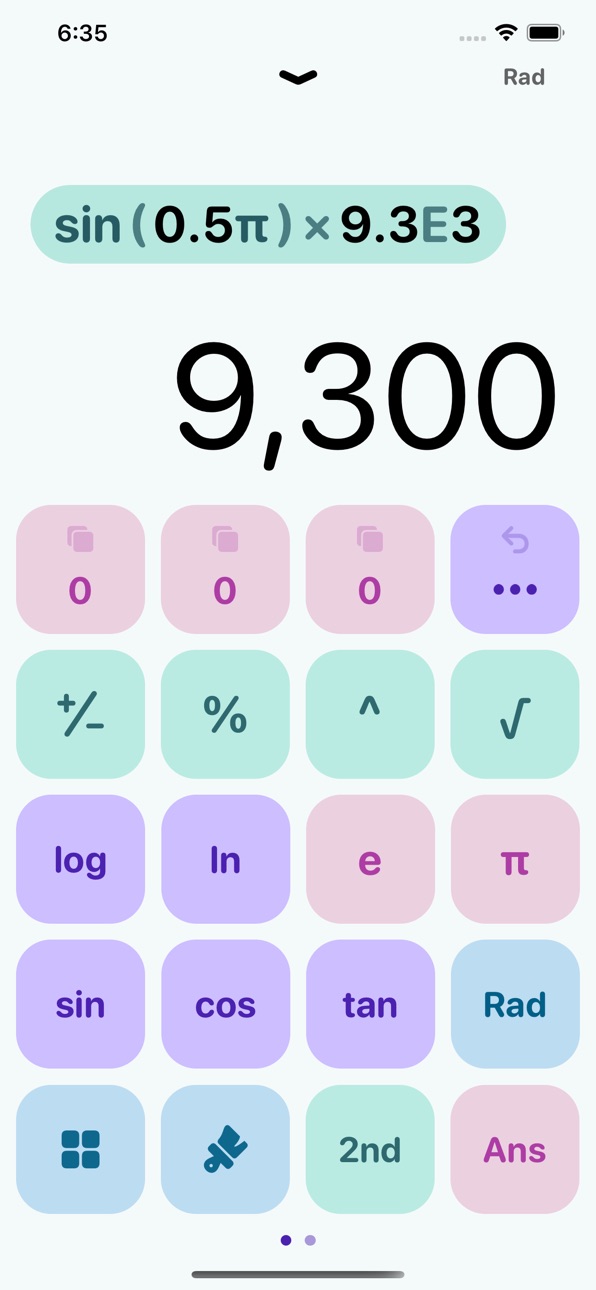
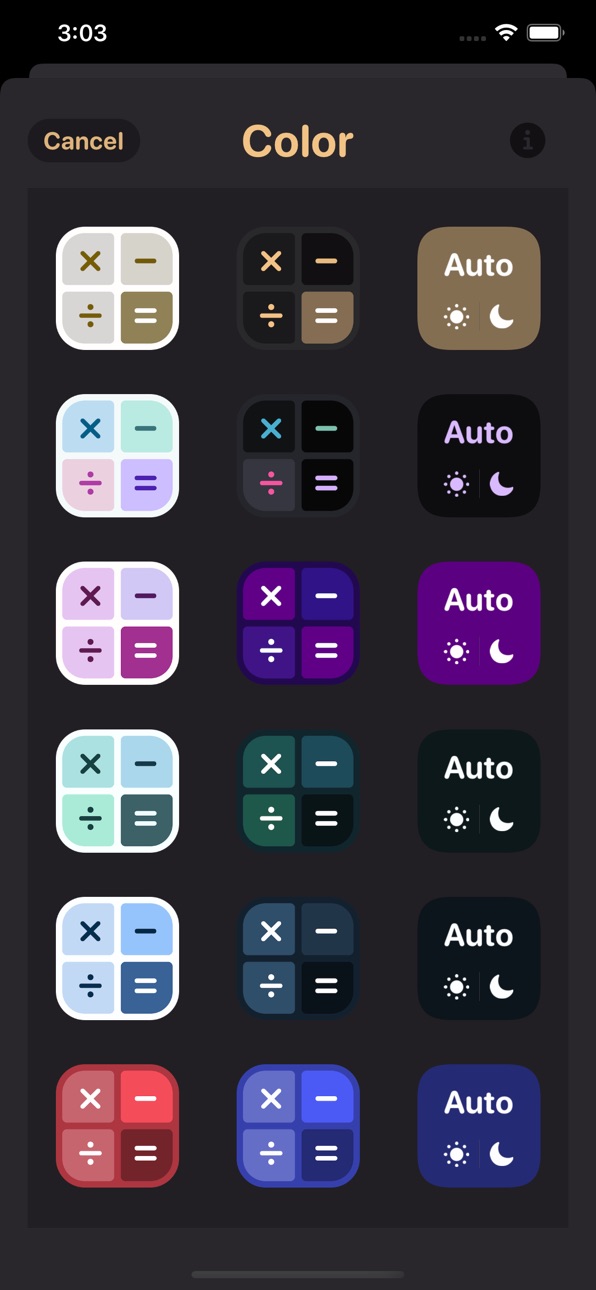
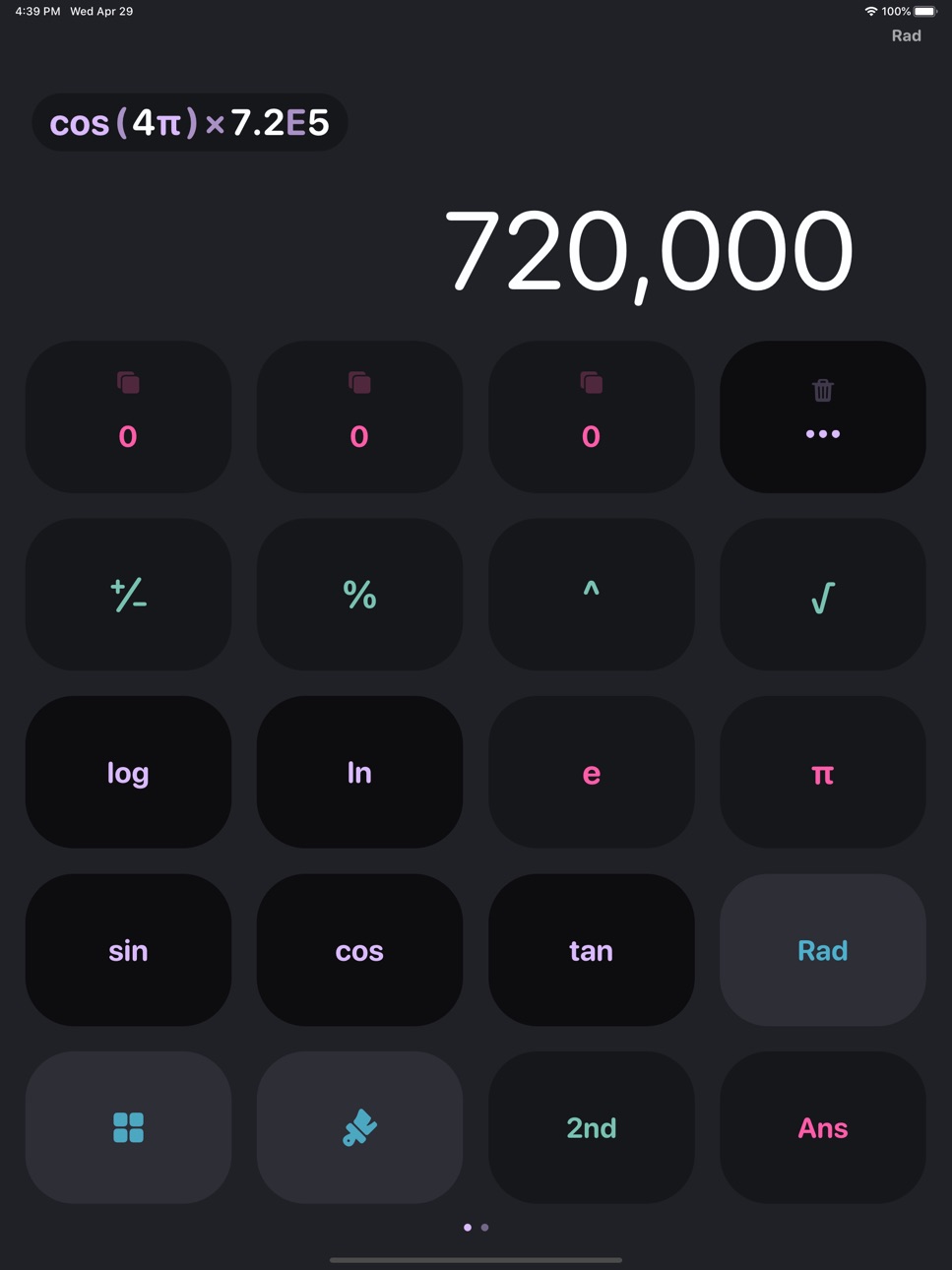
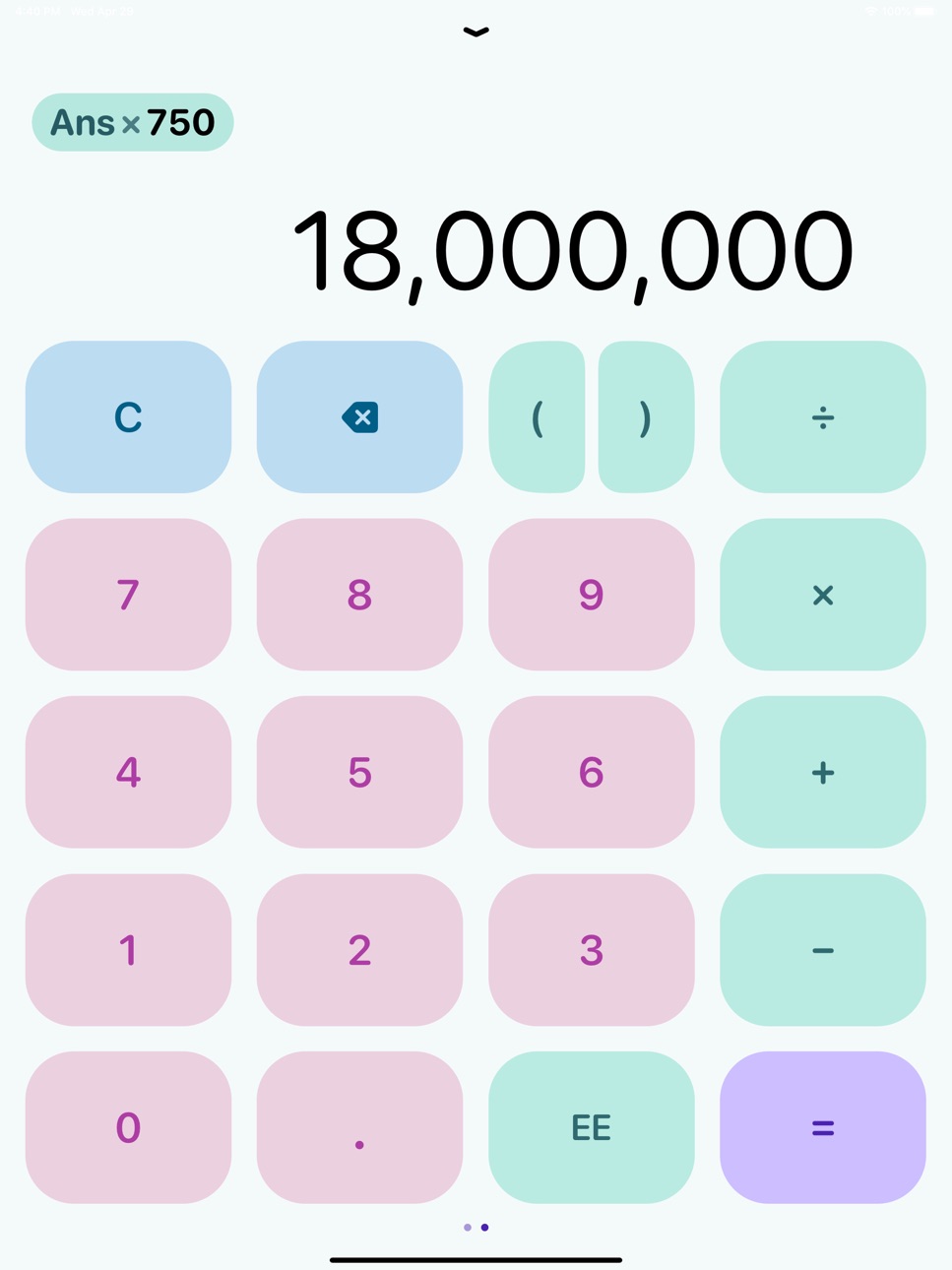
While building Haseba, we focused most of our energy on the user interface. We think that the key to any great app is a beautiful, and simple design that works seamlessly with the app's features.
• Scientific Calculator
• Voice Calculator
• History (Swipe down in the display area)
• Copy and Paste
• Dynamic Light / Dark Themes (and icons)
• Larger Buttons Option
• Available on Apple Watch
Memory Slots
• Save a value inside one of 11 memory slots to use them in calculations later
• A value may be the result of a previous calculation, or pasted from the clipboard into a memory slot
• The process to store a value in a memory slot is very easy and fast, just drag down a memory slot
• Copy memory slot value to clipboard
• After having a set of occupied memory slots, you can apply one of six different operations on them in one tap: sum, average, product, median, max, min, of the occupied memory slots.
___________________________________________
Terms & Privacy: https://bit.ly/haseba-terms-privacy
Need help or have questions? Reach out to us at haseba-app@hotmail.com
In-App Purchases US pricing
Voice Mode Subscription
7 days$0.99
Haseba Voice Mode · Monthly$2.99
Haseba Voice Mode · Yearly$19.99
One-Time Purchases
Unlock Themes & Icons$0.99
HasebaPro$2.99
HasebaPro$3.99
HasebaPro$4.99
Capabilities
In-App Purchases
Accessibility
ipadiphonemacrealityDevicetvoswatch
Version history 25 versions
Build 885460418v8.22026-05-10 18:44:58
• General enhancements
Build 879081028v8.12025-10-21 22:55:59
• Fixed a bug where memory slot tap didn’t work
• General enhancements and bug fixes
Build 878606247v8.02025-10-02 12:40:39
• External keyboard support
• Scrollable history list
• History now saved after closing
• No more pop-up ads
• Support for iOS 26
Build 876591317v7.62025-07-22 16:48:55
• General improvements
Build 876146709v7.52025-07-05 15:40:05
• General improvements and bug fixes.
Build 875843764v7.42025-06-25 20:00:20
• General improvements and bug fixes.
Build 875822330v7.32025-06-23 19:15:03
• Add Haseba to your Control Center—always a swipe and tap away wherever you are!
• General improvements and bug fixes.
Build 875717712v7.22025-06-20 15:27:21
• General improvements and bug fixes.
Build 875592387v7.12025-06-18 20:30:15
• Voice calculator now supports gold and silver conversions!
• General improvements and bug fixes.
Build 875220735v7.02025-06-10 16:17:55
Introducing Voice Calculations!
Your favorite calculator just learned to listen! In this major update, we're revolutionizing how you calculate:
• Speak Your Math – Simply say your calculations out loud and get instant results.
• Natural Language – Ask questions naturally: "What's 15% of 80?" or "Convert 100 euros to dollars."
• Instant Processing – Powered by cutting-edge AI technology for real-time voice recognition and calculation.
• Smart Understanding – Handles everything from basic arithmetic to complex expressions, percentages, and conversions.
Your beloved keypad isn't going anywhere! Switch seamlessly between voice and traditional input modes whenever you prefer.
Build 867946080v6.02024-08-03 14:23:43
• Fixed issue where thousand and decimal separators in the expression did not match the result (for some countries).
• Added option to choose thousand and decimal separators in settings.
• Option to replace the EE button with the % button, placing % on the main keypad.
• Haptics now apply to all buttons.
• Option to turn off haptics in settings.
• Option to mute sound in settings.
• Other general enhancements.
Build 862683056v5.122024-01-04 21:40:55
Quick fix: We've resolved the spacing issue with the thousands comma introduced in the last update.
Build 862571486v5.112023-12-31 13:33:25
• New Lock Screen Widget: Open Haseba Calc with a random color every time!
• Resolved a display issue with the Apple Watch widget.
• Improved result formatting: Small numbers retain their decimal format up to a higher digit count before converting to scientific notation.
• Some themes received a visual makeover for improved aesthetics.
• One new FREE theme added.
Build 859977312v5.102023-10-02 20:14:27
• General Enhancement & Bug Fixes
• Refined for Apple Watch Ultra
• Optimized for iOS 17
Looking for step-by-step animated solutions for algebra problems? Check out our latest app, Animath!
Build 852333210v5.92022-09-23 04:21:41
• A lot of bug fixes and improvements.
• New lock screen widget for iOS 16.
Build 851929230v5.8.12022-09-01 17:21:13
• General improvements and bug fixes.
ANOUNCEMENT:
We were developing a new app the last 2 years, dedicated specifically for math students, and we are very excited to announce that it's finally out in the app store! A link to its download page will appear at the bottom of the settings menu after downloading this update. Go check it out!
Build 848257188v5.82022-04-16 23:51:53
• Thousands separators (,) used to be shown in the result only, now it will shown in the expression (typing area) too.
• Fixed a bug where closing the app would switch larger buttons off.
• General bug fixes.
ANOUNCEMENT:
We were working on a new app the last ~2 years, we are very excited to finally let you get your hands on it! A link to the TestFlight version will appear at the bottom of the (settings/color) menu after downloading this update.
Build 846170679v5.72021-12-28 19:14:01
• Scientific calculator functions are free now!
• Fixed a bug related to pasting into the expression
• General bug fixes
Build 844334980v5.62021-10-05 00:31:58
• Support for the new iPad mini
• Now percentage % works the way you expect
• Fixed many UI issues
• General bug fixes
Build 839411162v5.5.22020-11-29 18:47:52
Bug fixes
Build 839347266v5.5.12020-11-24 23:51:51
Bug fixes
Build 837924574v5.52020-09-24 03:11:44
Bug fixes
Build 837872289v5.32020-09-21 00:23:02
• This update fixes some bugs that was introduced to Haseba with iOS 14, a major one was the expression getting off screen and unabled to be scrolled.
• Other bug fixes.
Build 837887542v5.42020-09-21 22:32:49
• More bug fixes related to UI
Build 837761447v5.2.12020-09-13 02:38:59
Important bug fixes
Price history by region
Currency
Show
Columns
Search
Availability 1 of 1 storefronts
| Region | Language | Price | Ratings | Avg | Version |
|---|---|---|---|---|---|
| US | en-US | Free | 3.8k | 4.6 | 8.2 |
Change log 29 changes · US
✎
releaseNotes updated
• General enhancements
✎
description updated
While building Haseba, we focused most of our energy on the user interface. We think that the key to any great app is a beautiful, and simple design that works
✎
subtitle updated
Basic, Scientific, Easy to Use
✎
name updated
Haseba Calculator
◆
Version 8.2 released
• General enhancements
◆
Version 8.1 released
• Fixed a bug where memory slot tap didn’t work
• General enhancements and bug fixes
◆
Version 8.0 released
• External keyboard support
• Scrollable history list
• History now saved after closing
• No more pop-up ads
• Support for iOS 26
◆
Version 7.6 released
• General improvements
◆
Version 7.5 released
• General improvements and bug fixes.
◆
Version 7.4 released
• General improvements and bug fixes.
◆
Version 7.3 released
• Add Haseba to your Control Center—always a swipe and tap away wherever you are!
• General improvements and bug fixes.
◆
Version 7.2 released
• General improvements and bug fixes.
◆
Version 7.1 released
• Voice calculator now supports gold and silver conversions!
• General improvements and bug fixes.
◆
Version 7.0 released
Introducing Voice Calculations!
Your favorite calculator just learned to listen! In this major update, we're revolutionizing how you calculate:
• Speak Your Math – Simply say your calculations out loud and get instant results.
• Natural La
◆
Version 6.0 released
• Fixed issue where thousand and decimal separators in the expression did not match the result (for some countries).
• Added option to choose thousand and decimal separators in settings.
• Option to replace the EE button with the % button,
◆
Version 5.12 released
Quick fix: We've resolved the spacing issue with the thousands comma introduced in the last update.
◆
Version 5.11 released
• New Lock Screen Widget: Open Haseba Calc with a random color every time!
• Resolved a display issue with the Apple Watch widget.
• Improved result formatting: Small numbers retain their decimal format up to a higher digit count before con
◆
Version 5.10 released
• General Enhancement & Bug Fixes
• Refined for Apple Watch Ultra
• Optimized for iOS 17
Looking for step-by-step animated solutions for algebra problems? Check out our latest app, Animath!
◆
Version 5.9 released
• A lot of bug fixes and improvements.
• New lock screen widget for iOS 16.
◆
Version 5.8.1 released
• General improvements and bug fixes.
ANOUNCEMENT:
We were developing a new app the last 2 years, dedicated specifically for math students, and we are very excited to announce that it's finally out in the app store! A link to its download
◆
Version 5.8 released
• Thousands separators (,) used to be shown in the result only, now it will shown in the expression (typing area) too.
• Fixed a bug where closing the app would switch larger buttons off.
• General bug fixes.
ANOUNCEMENT:
We were working
◆
Version 5.7 released
• Scientific calculator functions are free now!
• Fixed a bug related to pasting into the expression
• General bug fixes
◆
Version 5.6 released
• Support for the new iPad mini
• Now percentage % works the way you expect
• Fixed many UI issues
• General bug fixes
◆
Version 5.5.2 released
Bug fixes
◆
Version 5.5.1 released
Bug fixes
◆
Version 5.5 released
Bug fixes
◆
Version 5.4 released
• More bug fixes related to UI
◆
Version 5.3 released
• This update fixes some bugs that was introduced to Haseba with iOS 14, a major one was the expression getting off screen and unabled to be scrolled.
• Other bug fixes.
◆
Version 5.2.1 released
Important bug fixes