Home › Business

 US
US
1 of 1 storefronts
Content in en-US
Content in en-US
Information
Apple ID1115637363
Bundle IDgr.softone.s360
SellerSeller
Min iOS15.5.0
Min macOS12.4
Device familiesiphone, ipad, ipod
Released2016-06-15
Copyright© Softone Technologies S.A.
Privacy policyLink ↗
Preview 2 platforms
iPhone 7 images




iPad 8 images




What’s New Version 6.1.30
-- Price Policy issue with item wih no suggested quantity fixed.
-- Delay issue in reljob menu with saldoc creation fixed.
-- Timeline in edit form added
Description
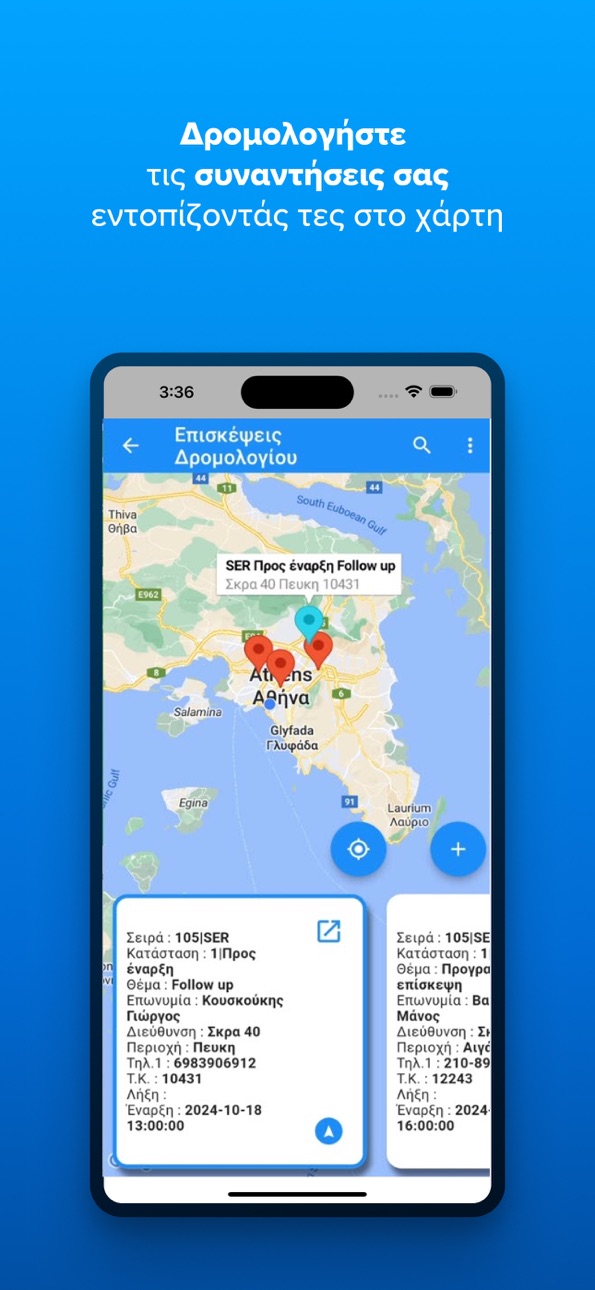
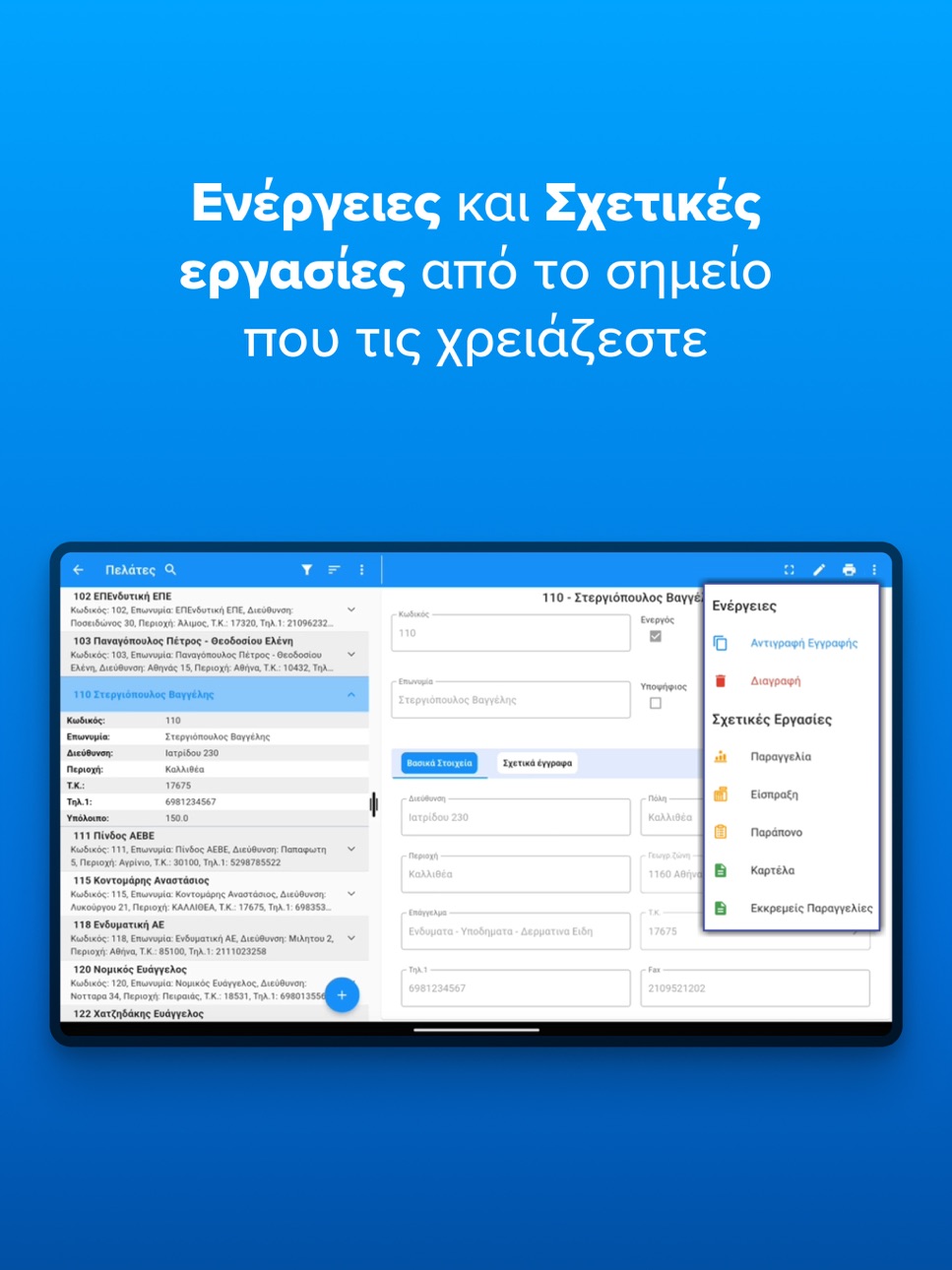
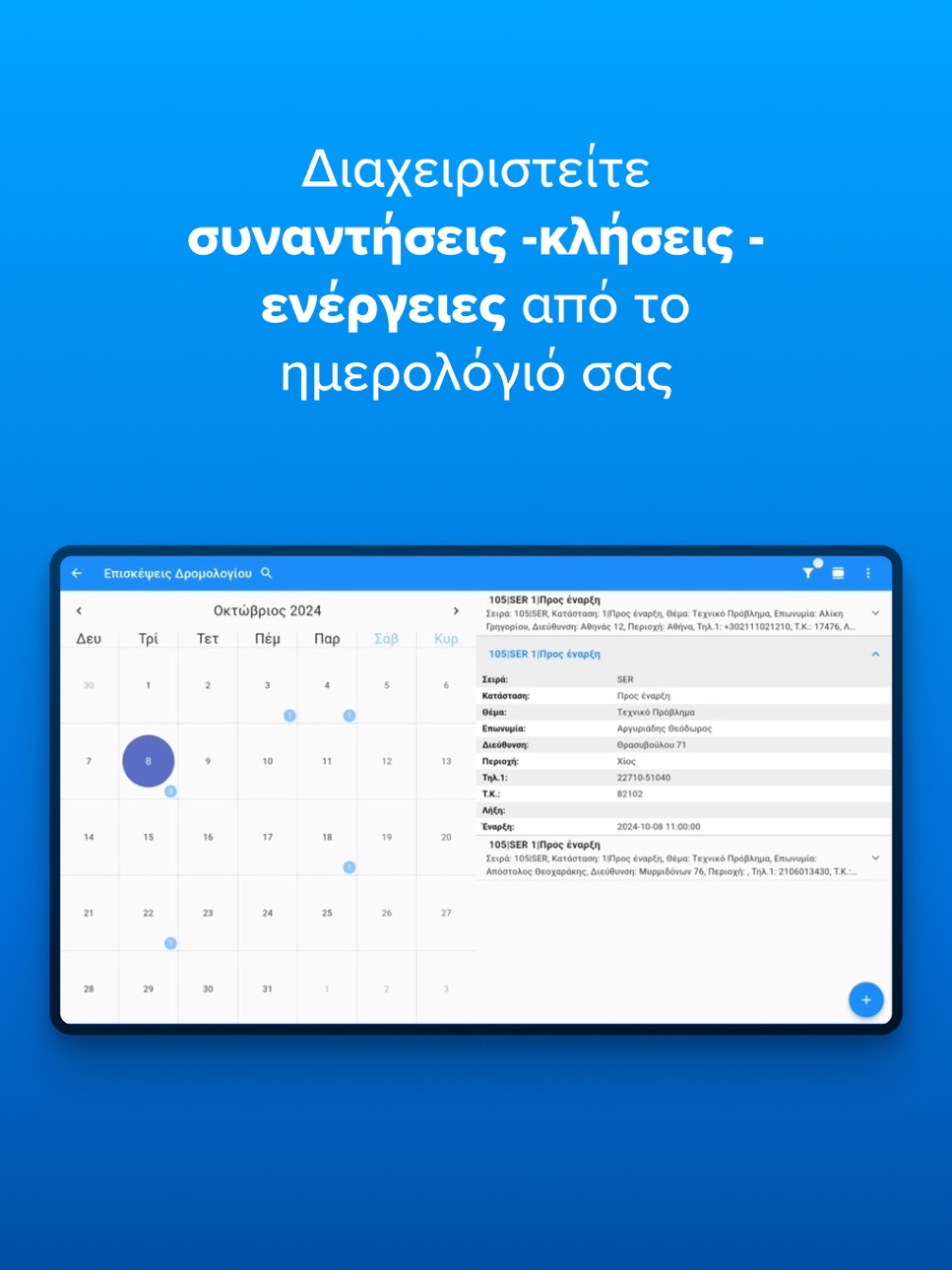
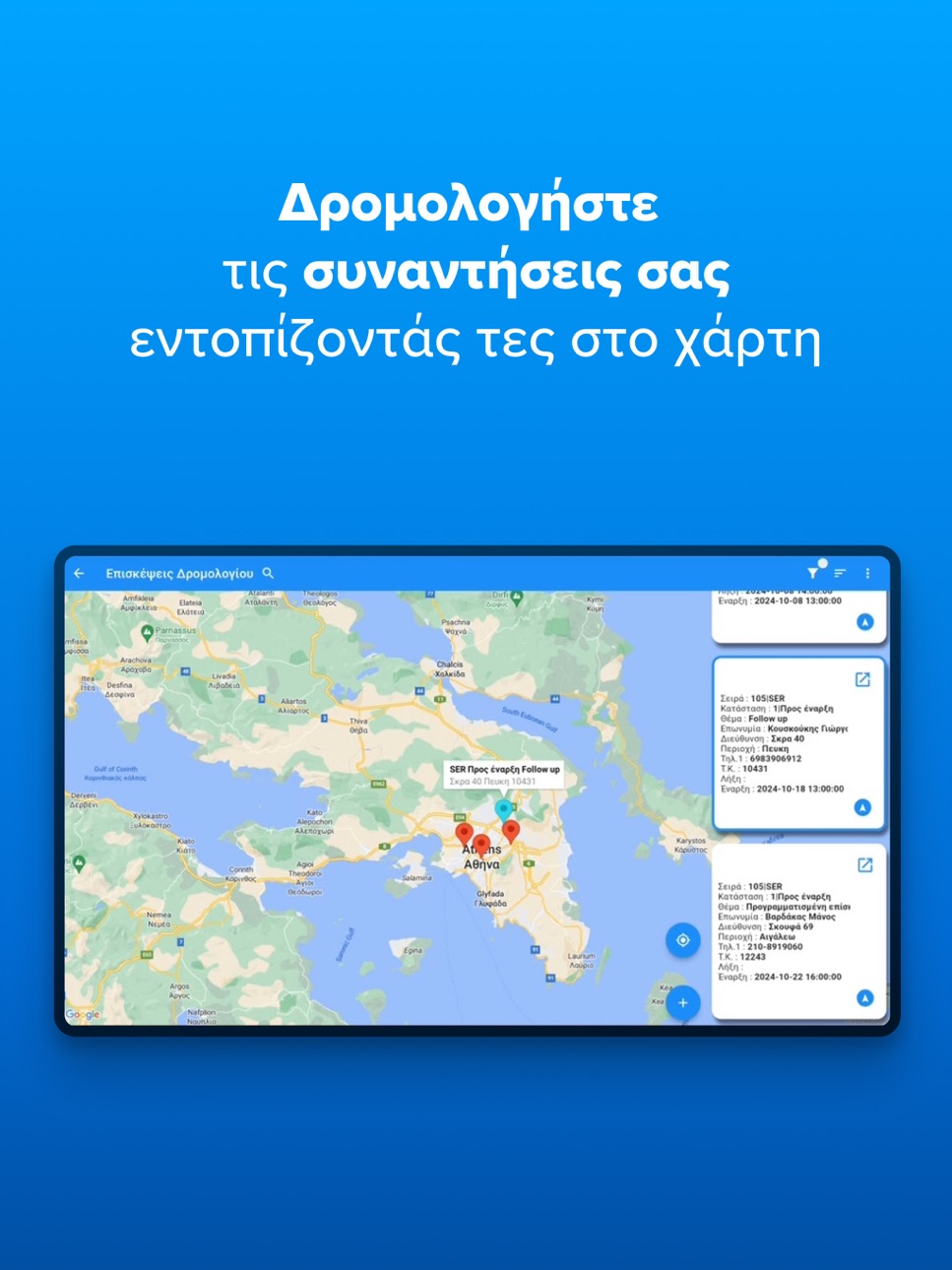
Soft1 360 is a unique enterprise mobility solution that allows the secure and reliable operation of the Soft1’s functionality from anywhere.
Soft1 360 can be utilized as a powerful alternative user interface that enhances the flexibility of use and the availability of critical business information.
It is an innovative application that extends Soft1 ERP’s "reach", helping your people seamlessly utilize its functionality whenever they need it, even when away from the office!
Integrates Dropbox syncing features for media files (images, video), digital signature files and other document files.
Accessibility
ipadiphonemacrealityDevicetvoswatch
Version history 25 versions
Build 887628705v6.1.302026-07-02 06:59:54
-- Price Policy issue with item wih no suggested quantity fixed.
-- Delay issue in reljob menu with saldoc creation fixed.
-- Timeline in edit form added
Build 885326728v6.1.292026-05-07 06:51:29
-- Sharepoint storage added to cloud providers
-- Automatic calculation added to production documents with specification entry
-- eTransport second phase
-- Fix for date filters in IOS
Build 884188859v6.1.282026-04-07 07:28:19
-- Display Quantities in the Showroom
-- Showroom cart clearance
-- Go directly to first and last page in reports
Build 883223362v6.1.272026-03-13 07:13:42
-- The ability to select multiple units has been added to the multi selector.
-- Navigation feature added to the showroom
-- Recalculation of pricing policies upon customer re-selection
Build 882374717v6.1.262026-02-18 07:36:42
-- Take full control! You can now Zoom In/Out to see every detail and use smooth horizontal scrolling in showroom.
-- Smart Routing: Find your way with ease! We’ve added a direct map link for seamless navigation to your chosen destination.
-- Open item feature added.
Build 880597961v6.1.242025-12-15 17:59:20
-- IRIS payments with device connector
Build 879986537v6.1.232025-11-24 18:49:03
-- SSO feature added
Build 878596137v6.1.222025-10-06 06:07:21
-- Device connector added
-- added option to select page in reports
Build 876481393v6.1.212025-07-18 08:44:40
-- multi selector stringiest issue resolved
Build 876410937v6.1.202025-07-16 07:00:47
-- Fixed the problem with the multi-company schema when running the calculation service.
-- Issue with Batch Balance Exceeded resolved
Build 876101671v6.1.192025-07-06 17:17:19
-- problem with reljob solved
Build 875811205v6.1.182025-07-01 08:33:09
-- rendering error in browser gadget
-- Error when entering a receipt with SoftPOS
-- showroom shows duplicate item records when cust items flag is enabled
Build 873777025v6.1.172025-05-23 08:25:17
-- The image coverage, in the zoom of the photograph, should cover as much space as possible in showroom
-- Does not print Greek characters to Zebra
-- QR CODE is not printed on IOS
Build 871933454v6.1.152025-02-21 09:37:02
- When I don't have cache enabled and I filter records from the grouping, as I scroll down, the groupings disappear from above.
- Sorting added to browser
- Print multiple copies to thermal printers
Build 871795910v6.1.142025-01-22 07:57:03
-- app crashes in iOS version 15.
-- dropbox functionality fixed.
Build 871363279v6.1.132025-01-10 13:29:18
- Item selection in a document with input from a barcode fixed
- Selector data is not filtered based on the editor fixed
- filter in the installations does not work properly fixed
Build 870265037v6.1.122024-11-08 11:45:36
-- dropbox error fixed
-- google maps working properly
-- iOS 15 crashes fixed
Build 870136144v6.1.112024-11-06 07:05:45
New native S360 version arrived
Build 853339097v5.2.412022-12-27 10:20:26
BUG FIXES
• General bug fixes
NEW FEATURES
• Performance Updates
Build 852990175v5.2.392022-10-27 09:05:08
BUG FIXES
• General bug fixes
NEW FEATURES
• Performance Updates
Build 849611471v5.2.352022-07-04 08:15:50
BUG FIXES
• General bug fixes
NEW FEATURES
• Added the ability to use links in prints
• Responsive images in forms
• Added the option to show the filters panel before loading the print
Build 848039951v5.2.272022-04-08 07:44:40
BUG FIXES
• General bug fixes
NEW FEATURES
• Added the ability to control the info button behaviour on showroom. A new preference was added on General Settings, named "Open Item on info button click in showroom". When enabled, the info button on the showroom list will open the item. When disabled, the button will display a pop-up with the item details. The info button on showroom viewer will always open the item.
Build 847616196v5.2.262022-03-16 08:16:03
BUG FIXES
• General bug fixes
NEW FEATURES
• Added the ability to print Qr Code on Bixlon printers
• While adding an item on the sale document though the 'Insert from barcode' pop-up, if the item requires custom dimensions (size/color) and they are not already filled, app will show a pop up, letting user choose the required options. User can still proceed without filling the options, but they must be filled before submitting.
Build 846305293v5.2.252022-03-09 14:09:59
BUG FIXES
• Resolved the issue where the correct amount was not filled in after a scan on the Honeywell device.
• Resolved the issue with the display of images stored in the database offline.
NEW FEATURES
• Added the ability to open a predefined URL in the device browser with a task menu. To open externally, the prefix 'ext:' must be placed before the link and the link must follow.
• Added the ability to display the image of the item with larger dimensions by clicking on the image in the multiple selector.
• Added the ability for the user to change the display date in the calendar.
Build 846167828v5.2.242021-12-24 07:31:45
BUG FIXES
• Resolved the issue by copying the document that the findocs and mtrliness fields were not excluded from the copy.
• Resolved the issue where the message 'Cannot read properties ..' appeared after selecting the series.
• The issue in 'MyStats' web component was resolved.
• Resolved the issue with the display of images stored in the database offline.
NEW FEATURES
• Web Components nesting functionality in views, examples Check-in, Maps is now available.
• Added the ability to display the image of the item with larger dimensions by clicking on the image in the multiple selector.
No pricing data captured yet — comparisons appear once the app has paid storefronts or in-app purchases.
Availability 1 of 1 storefronts
| Region | Language | Price | Ratings | Avg | Version |
|---|---|---|---|---|---|
| US | en-US | Free | 0 | — | 6.1.30 |
Change log 28 changes · US
✎
releaseNotes updated
-- Price Policy issue with item wih no suggested quantity fixed.
-- Delay issue in reljob menu with saldoc creation fixed.
-- Timeline in edit form added
✎
description updated
Soft1 360 is a unique enterprise mobility solution that allows the secure and reliable operation of the Soft1’s functionality from anywhere.
Soft1 360 can be u
✎
name updated
Soft1 360
◆
Version 6.1.30 released
-- Price Policy issue with item wih no suggested quantity fixed.
-- Delay issue in reljob menu with saldoc creation fixed.
-- Timeline in edit form added
◆
Version 6.1.29 released
-- Sharepoint storage added to cloud providers
-- Automatic calculation added to production documents with specification entry
-- eTransport second phase
-- Fix for date filters in IOS
◆
Version 6.1.28 released
-- Display Quantities in the Showroom
-- Showroom cart clearance
-- Go directly to first and last page in reports
◆
Version 6.1.27 released
-- The ability to select multiple units has been added to the multi selector.
-- Navigation feature added to the showroom
-- Recalculation of pricing policies upon customer re-selection
◆
Version 6.1.26 released
-- Take full control! You can now Zoom In/Out to see every detail and use smooth horizontal scrolling in showroom.
-- Smart Routing: Find your way with ease! We’ve added a direct map link for seamless navigation to your chosen destination.
◆
Version 6.1.24 released
-- IRIS payments with device connector
◆
Version 6.1.23 released
-- SSO feature added
◆
Version 6.1.22 released
-- Device connector added
-- added option to select page in reports
◆
Version 6.1.21 released
-- multi selector stringiest issue resolved
◆
Version 6.1.20 released
-- Fixed the problem with the multi-company schema when running the calculation service.
-- Issue with Batch Balance Exceeded resolved
◆
Version 6.1.19 released
-- problem with reljob solved
◆
Version 6.1.18 released
-- rendering error in browser gadget
-- Error when entering a receipt with SoftPOS
-- showroom shows duplicate item records when cust items flag is enabled
◆
Version 6.1.17 released
-- The image coverage, in the zoom of the photograph, should cover as much space as possible in showroom
-- Does not print Greek characters to Zebra
-- QR CODE is not printed on IOS
◆
Version 6.1.15 released
- When I don't have cache enabled and I filter records from the grouping, as I scroll down, the groupings disappear from above.
- Sorting added to browser
- Print multiple copies to thermal printers
◆
Version 6.1.14 released
-- app crashes in iOS version 15.
-- dropbox functionality fixed.
◆
Version 6.1.13 released
- Item selection in a document with input from a barcode fixed
- Selector data is not filtered based on the editor fixed
- filter in the installations does not work properly fixed
◆
Version 6.1.12 released
-- dropbox error fixed
-- google maps working properly
-- iOS 15 crashes fixed
◆
Version 6.1.11 released
New native S360 version arrived
◆
Version 5.2.41 released
BUG FIXES
• General bug fixes
NEW FEATURES
• Performance Updates
◆
Version 5.2.39 released
BUG FIXES
• General bug fixes
NEW FEATURES
• Performance Updates
◆
Version 5.2.35 released
BUG FIXES
• General bug fixes
NEW FEATURES
• Added the ability to use links in prints
• Responsive images in forms
• Added the option to show the filters panel before loading the print
◆
Version 5.2.27 released
BUG FIXES
• General bug fixes
NEW FEATURES
• Added the ability to control the info button behaviour on showroom. A new preference was added on General Settings, named "Open Item on info button click in showroom". When enabled, the in
◆
Version 5.2.26 released
BUG FIXES
• General bug fixes
NEW FEATURES
• Added the ability to print Qr Code on Bixlon printers
• While adding an item on the sale document though the 'Insert from barcode' pop-up, if the item requires custom dimensions (size/color)
◆
Version 5.2.25 released
BUG FIXES
• Resolved the issue where the correct amount was not filled in after a scan on the Honeywell device.
• Resolved the issue with the display of images stored in the database offline.
NEW FEATURES
• Added the ability to open a p
◆
Version 5.2.24 released
BUG FIXES
• Resolved the issue by copying the document that the findocs and mtrliness fields were not excluded from the copy.
• Resolved the issue where the message 'Cannot read properties ..' appeared after selecting the series.
• The