Home › Photo & Video

 US
US
1 of 1 storefronts
Content in en-US
Content in en-US
Information
Apple ID1112420326
Bundle IDotapps.Face-Blur
SellerSeller
Min iOS9.0
Min macOS11.0
Device familiesiphone, ipad, ipod
Released2016-05-16
Copyright© 2016 Sketch My Pic
Privacy policyLink ↗
Preview 2 platforms
iPhone 5 images



iPad 5 images



What’s New Version 2.4
This update from Apple will improve the functionality of this app. No new features are included.
This update addresses an issue with inverse blurring not working on a particular blur effect.
The radial blur effect has been improved.
Added a photo quality slider which can be set from low to high. This slider determines whether the photo should be resized. This fix was added due to two complaints about the quality of the photo being reduced and also about the size of the photo being reduced.
The app now uses less memory overall.
Note that the app has a higher chance of crashing if the photo quality is set too high. During our tests, the app didn't crash but our analysis tell us it's possible. To prevent the app from crashing, it is recommended that you release other apps while Face Blur+ is running or set the photo quality at a lower level. If Face Blur+ is the only app running, chances are very low. With certain photos, the chances of the app crashing are very low. Low quality photos will not affect how the app runs regardless of the photo quality settings and therefore, the app's chances of crashing are very low.
Description
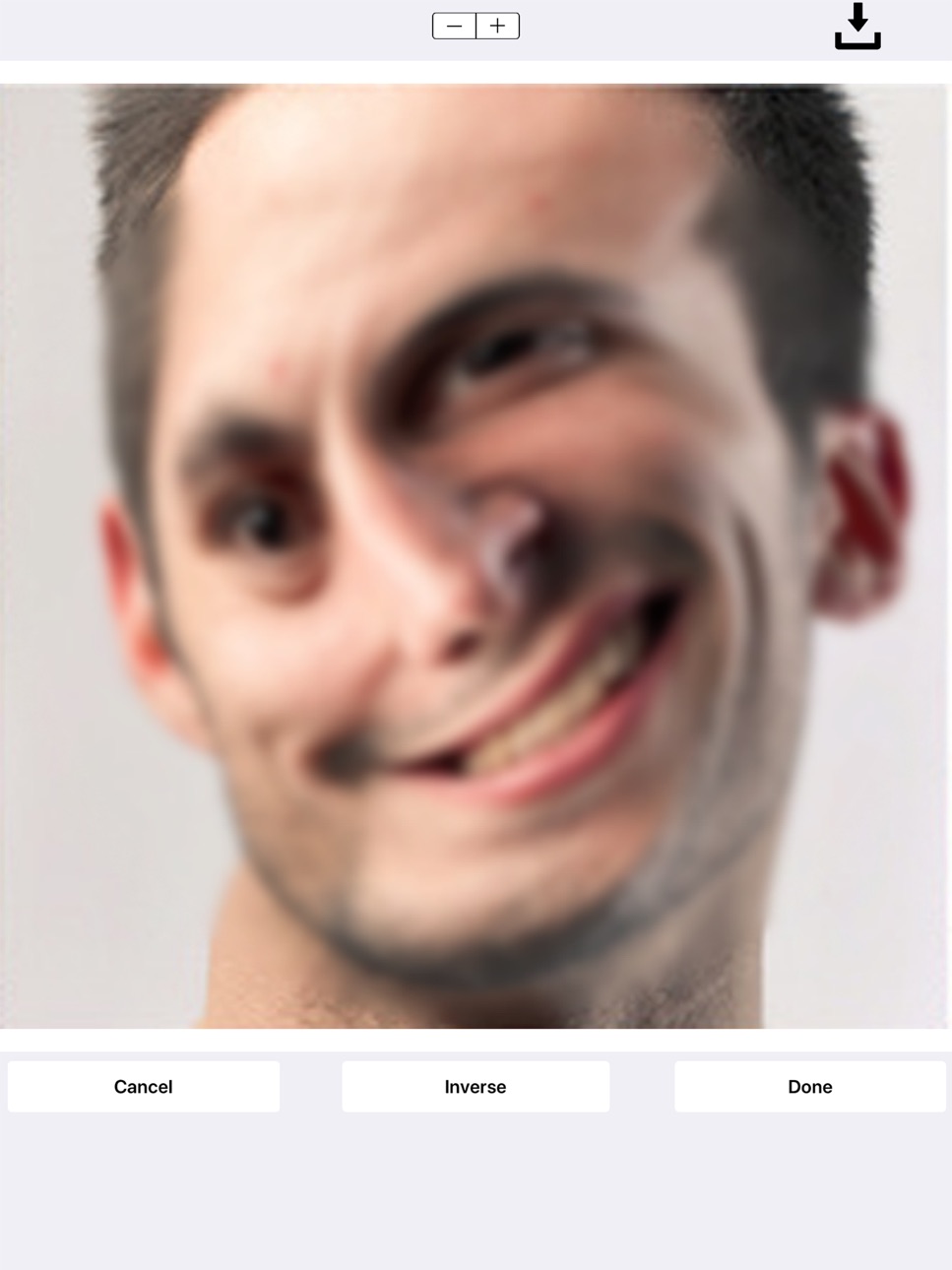
Face Blur+ makes it easy to blur out faces, license plates or objects in photos. The app features many types of blur effects as well as icons. No internet connection is required!
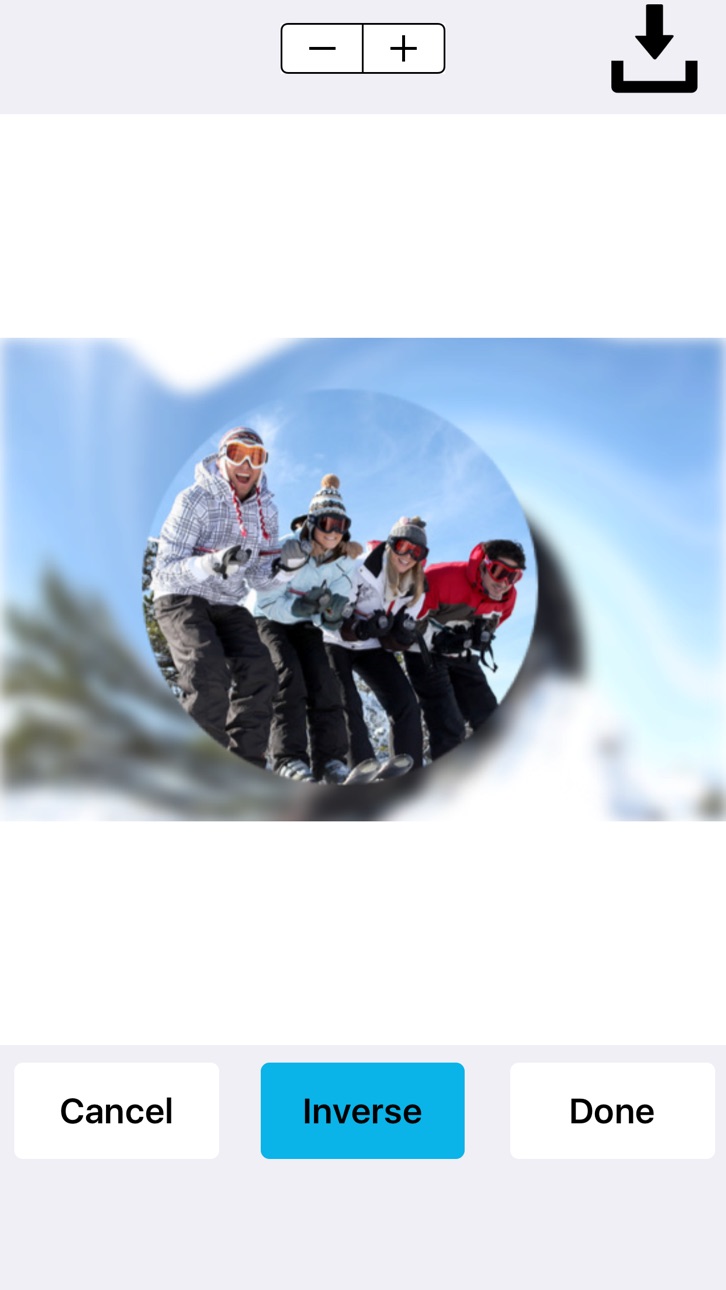
To blur your photo, simply highlight the area that you would like blurred using the selection tool and tap blur. At this point you will be able to select the type of blur that you want applied.
You can add a:
Standard or pixelated blur effect.
Radial/motion blur effect.
You can place stickers over your photos such as emoticons, flags, censored labels, food, animals, sport balls and more.
Face Blur+ is also capable of:
Blurring out multiple areas/sections in a photo.
Applying overlapping blur effects.
Performing inverse blur effects.
The inverse effect applies a blur around the selected area rather than inside the selected area. So if you're looking to blur out the background of an image and/or applying a radial blur to the background of an image, the inverse effect is capable of doing this.
Once you've finished blurring out your photo(s), you can save it to your photos or share the photo(s).
In-App Purchases US pricing
One-Time Purchases
Remove Ads$1.99
Capabilities
In-App Purchases
Accessibility
ipadiphonemacrealityDevicetvoswatch
Version history 8 versions
Build 826456399v2.42018-03-29 13:27:10
This update from Apple will improve the functionality of this app. No new features are included.
This update addresses an issue with inverse blurring not working on a particular blur effect.
The radial blur effect has been improved.
Added a photo quality slider which can be set from low to high. This slider determines whether the photo should be resized. This fix was added due to two complaints about the quality of the photo being reduced and also about the size of the photo being reduced.
The app now uses less memory overall.
Note that the app has a higher chance of crashing if the photo quality is set too high. During our tests, the app didn't crash but our analysis tell us it's possible. To prevent the app from crashing, it is recommended that you release other apps while Face Blur+ is running or set the photo quality at a lower level. If Face Blur+ is the only app running, chances are very low. With certain photos, the chances of the app crashing are very low. Low quality photos will not affect how the app runs regardless of the photo quality settings and therefore, the app's chances of crashing are very low.
Build 825579700v2.32018-01-09 17:58:36
Some minor improvements and navigational changes.
Build 825454375v2.22017-12-28 23:43:07
Version 2.2 offers a completely rebuilt Face Blur+ app.
Face Blur+ now fully supports iPhone X.
Choose a photo from your photo library or take a picture with your camera!
You can apply a standard blur effect, pixelated blur effects and radial blur effects. An inverse option is available for all blur effects.
You can also add stickers to images which can be used to cover up parts of photos which you don't want visible.
These stickers can be made smaller and larger by simply pinching them.
The stickers can be rotated by using the rotation gesture.
You can move the stickers around by dragging them.
Add text to your photos:
We've added the ability to add text to your photos before or after blurring them. The text editor lets you:
Change the font color of the text.
Make the text bold.
Add multiple lines of text by tapping the "+" sign.
Make text smaller or larger by simply pinching the text.
Text can be rotated by using the rotation gesture.
You can move the text around by dragging.
We’ve added a traditional cropper as well as a shape cropper:
You can now crop in a rectangular or square shape right in the app!
You can also crop your photos into a circle, flag, heart, star or square!
Added the ability to share your photo or to save it to your photo library right from within the app!
A lot of time, effort and testing was added into this release! We took into consideration the feedback of our users during development.
Build 820829056v2.12017-02-06 18:40:30
Fixed some UI elements.
Removed some deprecated functions.
Improved overall stability of the app.
Build 819108493v2.02016-09-29 20:16:11
improved performance and code cleanup.
Build 818887697v1.42016-09-15 17:45:10
Improved performance.
Build 817826797v1.32016-06-18 20:36:38
Improved performance.
Build 817340794v1.02016-05-16 22:10:34
Price history by region
Currency
Show
Columns
Search
Availability 1 of 1 storefronts
| Region | Language | Price | Ratings | Avg | Version |
|---|---|---|---|---|---|
| US | en-US | Free | 326 | 4.7 | 2.4 |
Change log 12 changes · US
✎
releaseNotes updated
This update from Apple will improve the functionality of this app. No new features are included.
This update addresses an issue with inverse blurring not worki
✎
description updated
Face Blur+ makes it easy to blur out faces, license plates or objects in photos. The app features many types of blur effects as well as icons. No internet conne
✎
subtitle updated
Photo Blur Effects and More
✎
name updated
Face Blur+
◆
Version 2.4 released
This update from Apple will improve the functionality of this app. No new features are included.
This update addresses an issue with inverse blurring not working on a particular blur effect.
The radial blur effect has been improved.
Added
◆
Version 2.3 released
Some minor improvements and navigational changes.
◆
Version 2.2 released
Version 2.2 offers a completely rebuilt Face Blur+ app.
Face Blur+ now fully supports iPhone X.
Choose a photo from your photo library or take a picture with your camera!
You can apply a standard blur effect, pixelated blur effects and r
◆
Version 2.1 released
Fixed some UI elements.
Removed some deprecated functions.
Improved overall stability of the app.
◆
Version 2.0 released
improved performance and code cleanup.
◆
Version 1.4 released
Improved performance.
◆
Version 1.3 released
Improved performance.
◆
Version 1.0 released