Home › Business

 US
US
 AGen-GB
 AIen-GB
 ARes-MX
 BBen-GB
 BJen-GB
 BOes-MX
 BRpt-BR
 BSen-GB
 BZen-GB
 CDen-GB
 CGen-GB
 CLes-MX
 COes-MX
 CRes-MX
 CVen-GB
 DMen-GB
 DOes-MX
 DZen-GB
 ECes-MX
 GAfr-FR
 GDen-GB
 GMen-GB
 GTes-MX
 GWen-GB
 GYen-GB
 HNes-MX
 JMen-GB
 KNen-GB
 KYen-GB
 LCen-GB
 LRen-GB
 LYen-GB
 MAen-GB
 MGen-GB
 MSen-GB
 MWen-GB
 MXes-MX
 NEen-GB
 NIes-MX
 PAes-MX
 PEes-MX
 PYes-MX
 RWen-GB
 SCen-GB
 SLen-GB
 SNen-GB
 SRen-GB
 STen-GB
 SVes-MX
 SZen-GB
 TCen-GB
 TDen-GB
 TNen-GB
 TTen-GBUSen-US
 UYen-GB
 VCen-GB
 VEes-MX
58 of 58 storefronts
Content in en-US
Content in en-US
Information
Preview 2 platforms
iPhone 4 images



iPad 4 images


What’s New Version 1.5.8
Enhanced compatibility with newer iOS devices for seamless handling and optimized performance.
Improved presentation views to deliver a more engaging and visually appealing user experience.
Streamlined notification handling for better responsiveness and timely delivery of important updates.
Implemented general usability updates to enhance overall user satisfaction and ease of use.
Description
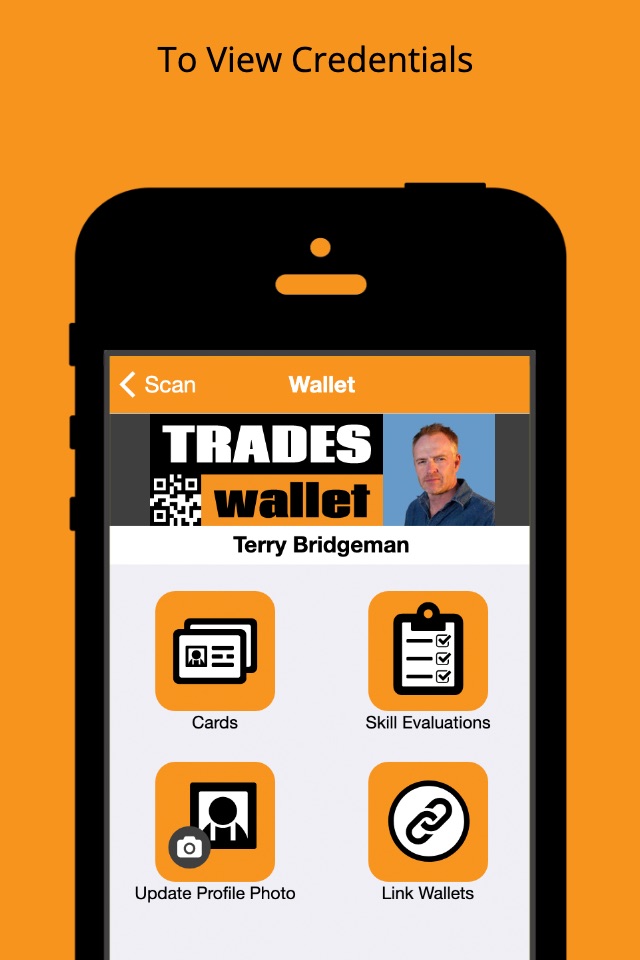
The Trades Wallet Field Scanner is the companion mobile application used to review the contents of someone’s Trades Wallet while out in the field, or on a job site.
When presented with someone's unique Trades Wallet QR Code, simply scan it with the Field Scanner to unlock the contents of their wallet for review and management.
What are Trades Wallet QR Codes?
While a Trades Wallet QR Code may look like any other QR Code, it has been uniquely secured such that it can only be scanned using either the Trades Wallet Field Scanner or Self Service mobile applications.
Trades Wallet QR Codes are only issued from an organization within the Trades Wallet community, and can only be scanned by the official Trades Wallet apps. As such, these QR Codes eliminate fraudulent reproductions of someone’s Trades Wallet.
Where do you get a Trades Wallet QR Code?
Organizations who have joined the Trades Wallet community will create and issue individual Trades Wallets to their members and/or employees.
Once issued, the wallet holder will receive a “Welcome Email” from Trades Wallet containing their unique Trades Wallet QR Code. Once scanned by the Trades Wallet Field Scanner mobile application, this QR Code will unlock the contents of the wallet for review and management.
Can any QR Code reader scan a Trades Wallet QR Code?
No, each individual Trades Wallet QR Code is uniquely secured such that it can only be used in conjunction with the Trades Wallet Field Scanner or Self Service apps.
Accessibility
ipadiphonemacrealityDevicetvoswatch
Version history 11 versions
Build 857392848v1.5.82023-05-31 15:12:03
Enhanced compatibility with newer iOS devices for seamless handling and optimized performance.
Improved presentation views to deliver a more engaging and visually appealing user experience.
Streamlined notification handling for better responsiveness and timely delivery of important updates.
Implemented general usability updates to enhance overall user satisfaction and ease of use.
Build 834216188v1.5.72020-07-31 17:19:47
We now have better support for iPhone XR and XS.
Build 826022641v1.5.32018-05-18 16:24:50
Bug fixes and user experience improvements.
Build 825569892v1.5.22018-01-16 20:15:25
Better iPhone X support.
Build 824368688v1.5.12017-11-16 16:16:21
Minor bug fixes.
Build 823832413v1.52017-10-27 22:43:12
Minor bug fixes.
Build 823231256v1.42017-08-17 21:09:53
Minor bug fixes and layout changes.
Build 822043024v1.32017-05-11 18:47:32
Minor branding changes.
Build 820067170v1.22016-12-10 04:58:24
-Minor bug fixes.
Build 818584268v1.12016-08-22 18:06:49
Corrected issue with camera when started in landscape orientation.
Build 817335948v1.02016-06-30 21:15:24
No pricing data captured yet — comparisons appear once the app has paid storefronts or in-app purchases.
Availability 58 of 58 storefronts
| Region | Language | Price | Ratings | Avg | Version |
|---|---|---|---|---|---|
| AG | en-GB | Free | 0 | — | 1.5.8 |
| AI | en-GB | Free | 0 | — | 1.5.8 |
| AR | es-MX | Free | 0 | — | 1.5.8 |
| BB | en-GB | Free | 0 | — | 1.5.8 |
| BJ | en-GB | Free | 0 | — | 1.5.8 |
| BO | es-MX | Free | 0 | — | 1.5.8 |
| BR | pt-BR | Free | 0 | — | 1.5.8 |
| BS | en-GB | Free | 0 | — | 1.5.8 |
| BZ | en-GB | Free | 0 | — | 1.5.8 |
| CD | en-GB | Free | 0 | — | 1.5.8 |
| CG | en-GB | Free | 0 | — | 1.5.8 |
| CL | es-MX | Free | 0 | — | 1.5.8 |
| CO | es-MX | Free | 0 | — | 1.5.8 |
| CR | es-MX | Free | 0 | — | 1.5.8 |
| CV | en-GB | Free | 0 | — | 1.5.8 |
| DM | en-GB | Free | 0 | — | 1.5.8 |
| DO | es-MX | Free | 0 | — | 1.5.8 |
| DZ | en-GB | Free | 0 | — | 1.5.8 |
| EC | es-MX | Free | 0 | — | 1.5.8 |
| GA | fr-FR | Free | 0 | — | 1.5.8 |
| GD | en-GB | Free | 0 | — | 1.5.8 |
| GM | en-GB | Free | 0 | — | 1.5.8 |
| GT | es-MX | Free | 0 | — | 1.5.8 |
| GW | en-GB | Free | 0 | — | 1.5.8 |
| GY | en-GB | Free | 0 | — | 1.5.8 |
| HN | es-MX | Free | 0 | — | 1.5.8 |
| JM | en-GB | Free | 0 | — | 1.5.8 |
| KN | en-GB | Free | 0 | — | 1.5.8 |
| KY | en-GB | Free | 0 | — | 1.5.8 |
| LC | en-GB | Free | 0 | — | 1.5.8 |
| LR | en-GB | Free | 0 | — | 1.5.8 |
| LY | en-GB | Free | 0 | — | 1.5.8 |
| MA | en-GB | Free | 0 | — | 1.5.8 |
| MG | en-GB | Free | 0 | — | 1.5.8 |
| MS | en-GB | Free | 0 | — | 1.5.8 |
| MW | en-GB | Free | 0 | — | 1.5.8 |
| MX | es-MX | Free | 0 | — | 1.5.8 |
| NE | en-GB | Free | 0 | — | 1.5.8 |
| NI | es-MX | Free | 0 | — | 1.5.8 |
| PA | es-MX | Free | 0 | — | 1.5.8 |
| PE | es-MX | Free | 0 | — | 1.5.8 |
| PY | es-MX | Free | 0 | — | 1.5.8 |
| RW | en-GB | Free | 0 | — | 1.5.8 |
| SC | en-GB | Free | 0 | — | 1.5.8 |
| SL | en-GB | Free | 0 | — | 1.5.8 |
| SN | en-GB | Free | 0 | — | 1.5.8 |
| SR | en-GB | Free | 0 | — | 1.5.8 |
| ST | en-GB | Free | 0 | — | 1.5.8 |
| SV | es-MX | Free | 0 | — | 1.5.8 |
| SZ | en-GB | Free | 0 | — | 1.5.8 |
| TC | en-GB | Free | 0 | — | 1.5.8 |
| TD | en-GB | Free | 0 | — | 1.5.8 |
| TN | en-GB | Free | 0 | — | 1.5.8 |
| TT | en-GB | Free | 0 | — | 1.5.8 |
| US | en-US | Free | 0 | — | 1.5.8 |
| UY | en-GB | Free | 0 | — | 1.5.8 |
| VC | en-GB | Free | 0 | — | 1.5.8 |
| VE | es-MX | Free | 0 | — | 1.5.8 |
Change log 15 changes · US
✎
releaseNotes updated
Enhanced compatibility with newer iOS devices for seamless handling and optimized performance.
Improved presentation views to deliver a more engaging and visua
✎
description updated
The Trades Wallet Field Scanner is the companion mobile application used to review the contents of someone’s Trades Wallet while out in the field, or on a job s
✎
subtitle updated
Access wallets in the field
✎
name updated
Trades Wallet Field Scanner
◆
Version 1.5.8 released
Enhanced compatibility with newer iOS devices for seamless handling and optimized performance.
Improved presentation views to deliver a more engaging and visually appealing user experience.
Streamlined notification handling for better res
◆
Version 1.5.7 released
We now have better support for iPhone XR and XS.
◆
Version 1.5.3 released
Bug fixes and user experience improvements.
◆
Version 1.5.2 released
Better iPhone X support.
◆
Version 1.5.1 released
Minor bug fixes.
◆
Version 1.5 released
Minor bug fixes.
◆
Version 1.4 released
Minor bug fixes and layout changes.
◆
Version 1.3 released
Minor branding changes.
◆
Version 1.2 released
-Minor bug fixes.
◆
Version 1.1 released
Corrected issue with camera when started in landscape orientation.
◆
Version 1.0 released