Home › Productivity

 US
US
1 of 1 storefronts
Content in en-US
Content in en-US
Information
Preview 2 platforms
iPhone 8 images




iPad 8 images



What’s New Version 3.0.1330
Local Network Mode - Now access your Growlink devices via the local network when cloud connectivity is unavailable (supported devices on updated firmware required).
Description
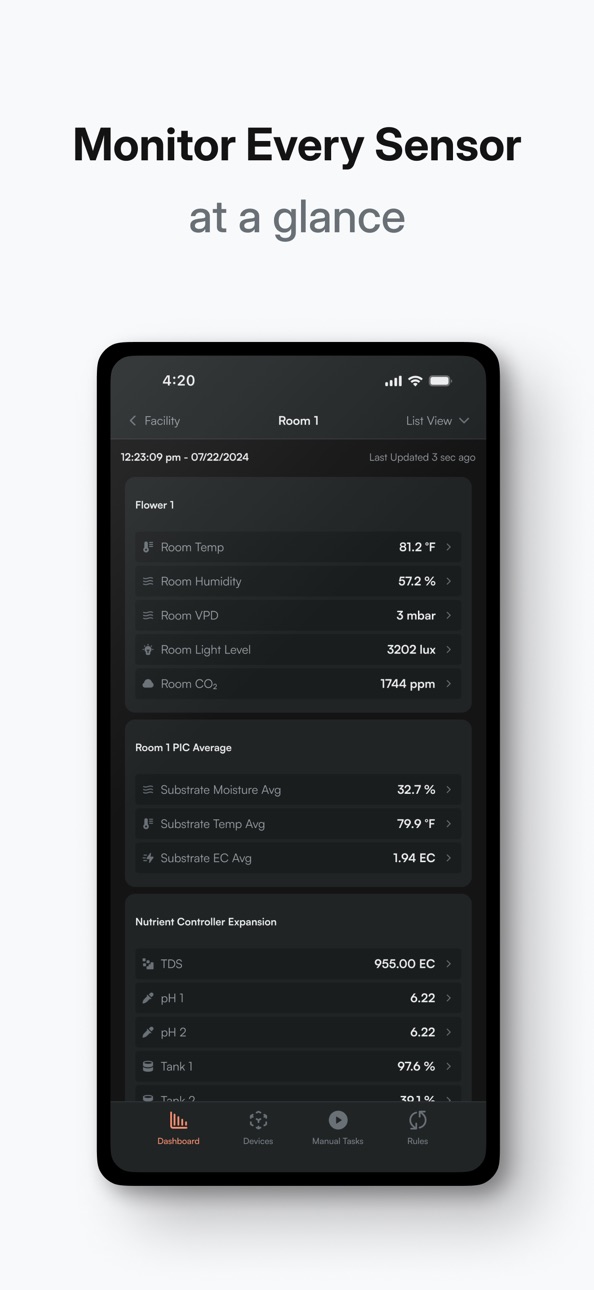
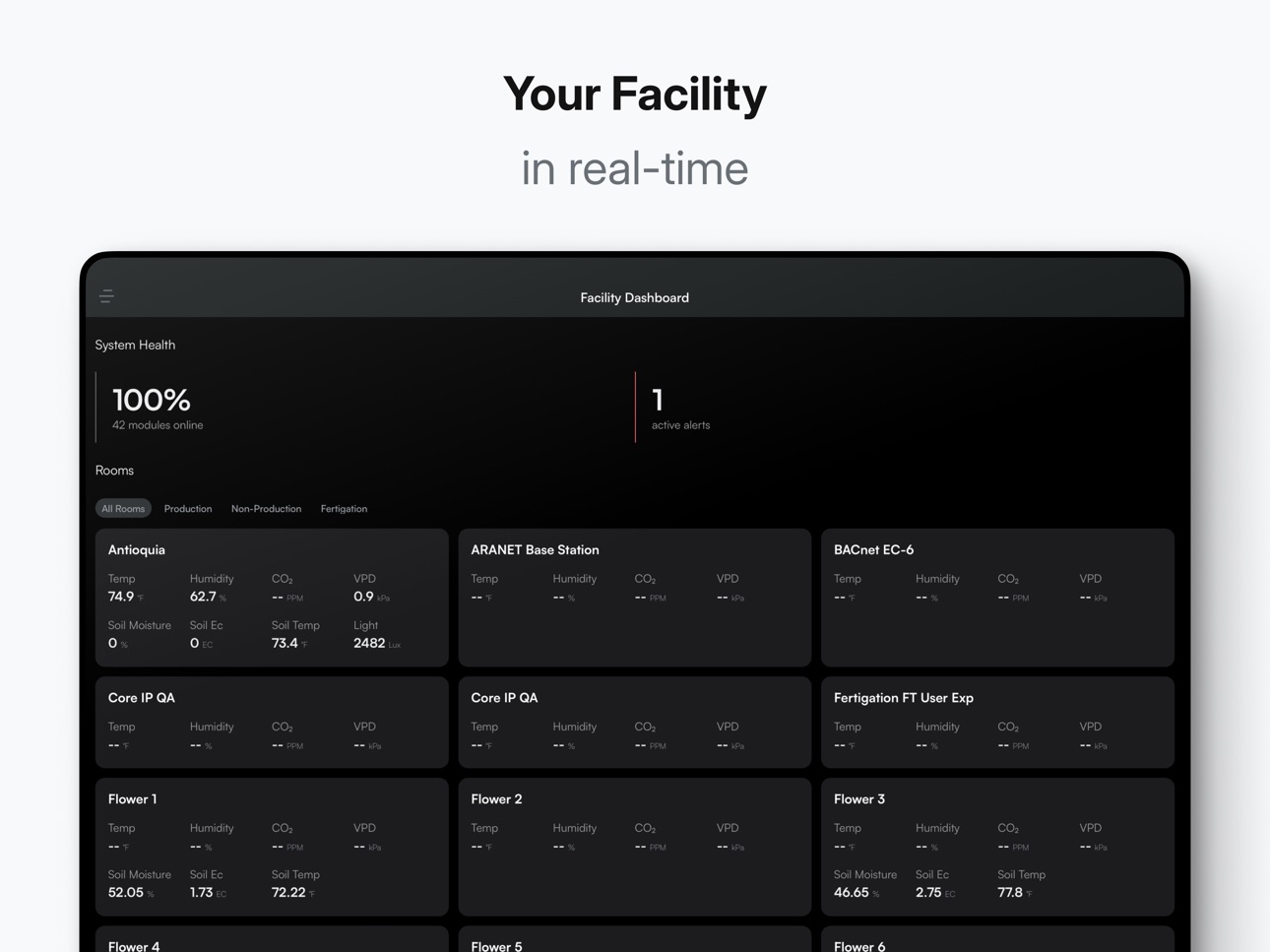
Take control of your grow from anywhere with the Growlink Mobile App. Seamlessly integrated with Growlink’s irrigation, climate, and nutrient delivery systems, the app offers a fast and intuitive experience—whether you're managing a single room or remotely operating multiple facilities.
Accessibility
ipadiphonemacrealityDevicetvoswatch
Version history 25 versions
Build 883769280v3.0.13302026-04-01 15:50:34
Local Network Mode - Now access your Growlink devices via the local network when cloud connectivity is unavailable (supported devices on updated firmware required).
Build 874023920v3.0.12182025-08-26 13:45:22
- Modernized UI – A completely redesigned interface that simplifies workflows and makes managing your grow easier than ever.
- AI Grow Assistant – Your grower in a pocket to answer any questions about Growlink or general cultivation advice
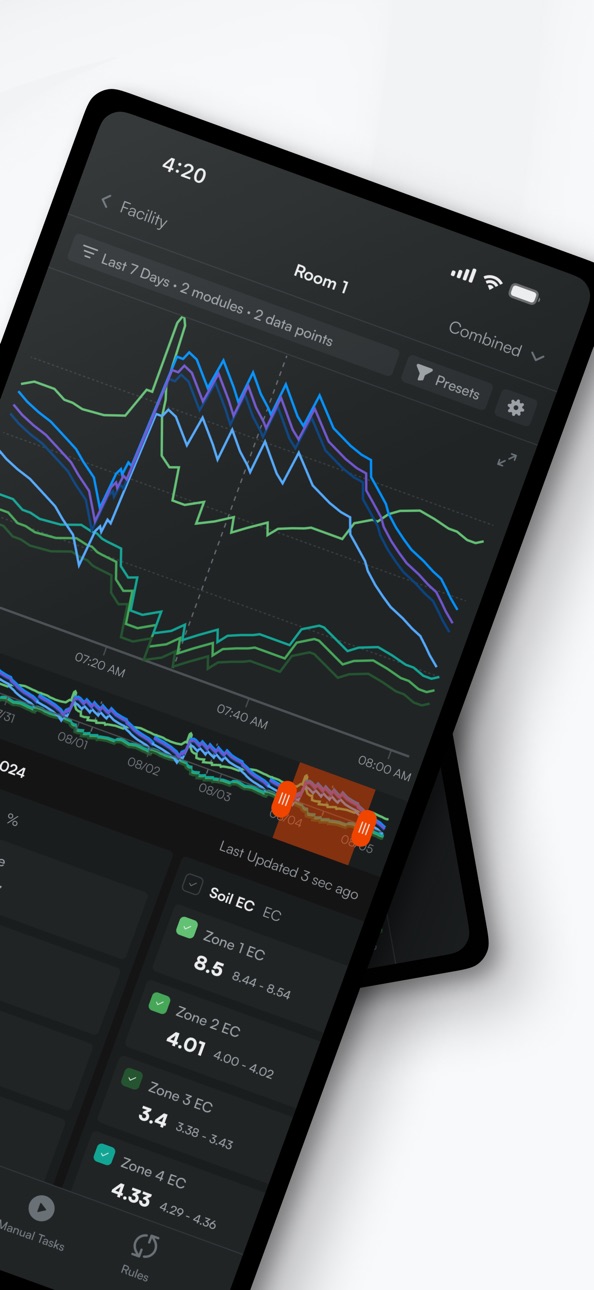
- Portrait Dashboard Charts – Monitor your grow in any orientation with fully customizable time frames and presets.
- Flexible Data Views – View sensor data combined, grouped, or as individual points for deeper insights.
- Device Safety Locking – Prevent accidental changes with built-in safety locks for critical hardware.
- Same Powerful Automation – Set rules, schedules, sensor triggers, and timers to automate your entire grow process.
- Hardware Control – Manage devices, manual tasks, and setup with ease.
- Expanded Partner Integrations – Seamlessly connect partner hardware for an even more unified grow operation.
Build 873593224v2.10.122025-03-28 13:40:37
- Support for new device type "Flow Rate (Auxiliary)"
- Support for new/upcoming API integrations
- Updated device setup for LINKS products
- Fixes to ESM aggregate module assignment
- Misc. cleanup and fixes
- Support for MFA login challenges
- Fix for notes/photos in rooms
- Grouping for canopyLINK substrate readings
- Fix for Wi-Fi devices not detecting through hardware wizard
Build 873397460v2.10.112025-03-25 16:55:22
- Support for new device type "Flow Rate (Auxiliary)"
- Support for new/upcoming API integrations
- Updated device setup for LINKS products
- Fixes to ESM aggregate module assignment
- Misc. cleanup and fixes
- Support for MFA login challenges
- Fix for notes/photos in rooms
- Grouping for canopyLINK substrate readings
- Fix for Wi-Fi devices not detecting through hardware wizard
Build 872999634v2.10.92025-03-17 17:24:37
- Support for new device type "Flow Rate (Auxiliary)"
- Support for new/upcoming API integrations
- Updated device setup for LINKS products
- Fixes to ESM aggregate module assignment
- Misc. cleanup and fixes
- Support for MFA login challenges
- Fix for notes/photos in rooms
- Grouping for canopyLINK substrate readings
Build 872858556v2.10.42025-03-05 14:18:57
- Support for new device type "Flow Rate (Auxiliary)"
- Support for new/upcoming API integrations
- Updated device setup for LINKS products
- Fixes to ESM aggregate module assignment
- Misc. cleanup and fixes
- Support for MFA login challenges
- Fix for notes/photos in rooms
- Grouping for canopyLINK substrate readings
Build 872273051v2.10.02025-02-19 19:20:45
- Support for new device type "Flow Rate (Auxiliary)"
- Support for new/upcoming API integrations
- Updated device setup for LINKS products
- Fixes to ESM aggregate module assignment
- Misc. cleanup and fixes
- Support for MFA login challenges
Build 869983023v2.8.42024-11-19 19:08:56
- Support for rooms w/ multiple controllers
- Support for integrations hubs
- Adjusted notification permission requests
- Fixed Sao Paolo time zone data
- Cleaned up sensor gauge layout
- Updated journal sensor sorting
- Fix for sensor dashboard sorting
- Fixes to PIC and Connect registration workflows
Build 869743095v2.7.162024-10-17 15:23:06
- Support for rooms w/ multiple controllers
- Support for integrations hubs
- Adjusted notification permission requests
- Fixed Sao Paolo time zone data
- Cleaned up sensor gauge layout
- Updated journal sensor sorting
Build 867856493v2.6.22024-08-06 14:19:58
- New analytics to measure user engagement
- Fixes and improvements to sensor alert push notifications
Build 867442634v2.5.02024-07-16 15:32:31
- New analytics to measure user engagement
Build 866715503v2.4.52024-06-17 14:02:51
- Added new hardware setup wizard with support for Agrowtek GCX registration
- Fix for crop steering programs not appearing on the rules page
Build 866615268v2.4.32024-06-12 18:34:07
- Added new hardware setup wizard with support for Agrowtek GCX registration
Build 865306133v2.3.52024-04-24 14:36:00
- Enabled support for manual task device overrides
- Allowed read-only users w/ manual tasks access to start tasks
Build 862340290v2.2.82024-01-03 19:18:40
- Added support for applying firmware updates to Bluetooth controllers from the profile screen
- Fix for intermittent crashes
- Fix for incorrect threshold suffix shown on some sensor triggers
Build 862080146v2.2.62023-12-11 15:51:02
- Added support for applying firmware updates to Bluetooth controllers from the profile screen
- Fix for intermittent crashes
Build 861861091v2.2.52023-12-04 19:45:03
- Added support for applying firmware updates to Bluetooth controllers from the profile screen
Build 860522191v2.1.32023-10-23 15:14:33
- Support for adjusting PAR readings on weather station module
- Fix for device lock button not appearing if first device module is hidden
- Fix for the refresh button appearing off screen when setting up a controller
Build 859426586v2.1.22023-08-29 17:01:17
- Removed equipment filters for unit of measure preferences
- Minor clean-up to the lighting dashboard graph for conflicting schedules
- Restructured the connect to controller page for large font sizes
Build 858658226v2.0.92023-08-07 16:45:41
- Configure substrate probes individually
- Ethernet controller registration
- Improvements to Wi-Fi controller setup
- Support for configuring customizable inputs
- Opt-in flags for adaptive light dimming triggers
- Per lighting device voltage configuration
- Added controller delete option on controller profile page
Build 853651340v1.21.202022-12-01 16:04:33
- Migrated manual tasks to a dedicated tab
- Fixes to gauges dashboard
- Restored missing "seconds" option on some time fields
- Updated sensor trigger/alert UI for new digital input modules
- Styling updates and migration to newer platform frameworks
- Enabled proportional controls for ESM-2s and Metz AOs
- Enabled dosing pump configuration for Metz DOs
- Support for requesting account deletion
- Fix for app crash loading certain modules with no available data
Build 851661866v1.21.192022-11-30 19:08:17
- Migrated manual tasks to a dedicated tab
- Fixes to gauges dashboard
- Restored missing "seconds" option on some time fields
- Updated sensor trigger/alert UI for new digital input modules
- Styling updates and migration to newer platform frameworks
- Enabled proportional controls for ESM-2s and Metz AOs
- Enabled dosing pump configuration for Metz DOs
- Support for requesting account deletion
Build 850659696v1.19.382022-07-11 16:33:44
- Updates and fixes to recipe and rules management
- Enabled pH targeting on supported controllers
- Enabled crop steering with recipes on supported controllers
- Enabled alternate substrate configuration for TDR probes on PIC devices
- Support for partial motor control positions on supported controllers
- Fix for crashes in some regions
- Fix for time picker in iOS 15+
- Fixed missing conversions on dashboard gauges
- New controller setup workflow for refreshed device hardware
- Removed inactive manual tasks from dashboard
Build 849909743v1.18.312022-06-30 17:23:22
- Updates and fixes to recipe and rules management
- Enabled pH targeting on supported controllers
- Enabled crop steering with recipes on supported controllers
- Enabled alternate substrate configuration for TDR probes on PIC devices
Build 848543453v1.18.242022-04-26 18:08:27
- Fix to incorrect device states shown after change
- Fix to lighting visualization for some schedules
- Misc. error handling and stability improvements
- Fixes to unit of measure presentation for some sensors and devices
- Fix for device states not updating automatically after app resume
No pricing data captured yet — comparisons appear once the app has paid storefronts or in-app purchases.
Availability 1 of 1 storefronts
| Region | Language | Price | Ratings | Avg | Version |
|---|---|---|---|---|---|
| US | en-US | Free | 6 | 1.7 | 3.0.1330 |
Change log 28 changes · US
✎
releaseNotes updated
Local Network Mode - Now access your Growlink devices via the local network when cloud connectivity is unavailable (supported devices on updated firmware requir
✎
description updated
Take control of your grow from anywhere with the Growlink Mobile App. Seamlessly integrated with Growlink’s irrigation, climate, and nutrient delivery systems,
✎
name updated
Growlink
◆
Version 3.0.1330 released
Local Network Mode - Now access your Growlink devices via the local network when cloud connectivity is unavailable (supported devices on updated firmware required).
◆
Version 3.0.1218 released
- Modernized UI – A completely redesigned interface that simplifies workflows and makes managing your grow easier than ever.
- AI Grow Assistant – Your grower in a pocket to answer any questions about Growlink or general cultivation advice
◆
Version 2.10.12 released
- Support for new device type "Flow Rate (Auxiliary)"
- Support for new/upcoming API integrations
- Updated device setup for LINKS products
- Fixes to ESM aggregate module assignment
- Misc. cleanup and fixes
- Support for MFA login ch
◆
Version 2.10.11 released
- Support for new device type "Flow Rate (Auxiliary)"
- Support for new/upcoming API integrations
- Updated device setup for LINKS products
- Fixes to ESM aggregate module assignment
- Misc. cleanup and fixes
- Support for MFA login ch
◆
Version 2.10.9 released
- Support for new device type "Flow Rate (Auxiliary)"
- Support for new/upcoming API integrations
- Updated device setup for LINKS products
- Fixes to ESM aggregate module assignment
- Misc. cleanup and fixes
- Support for MFA login ch
◆
Version 2.10.4 released
- Support for new device type "Flow Rate (Auxiliary)"
- Support for new/upcoming API integrations
- Updated device setup for LINKS products
- Fixes to ESM aggregate module assignment
- Misc. cleanup and fixes
- Support for MFA login ch
◆
Version 2.10.0 released
- Support for new device type "Flow Rate (Auxiliary)"
- Support for new/upcoming API integrations
- Updated device setup for LINKS products
- Fixes to ESM aggregate module assignment
- Misc. cleanup and fixes
- Support for MFA login challe
◆
Version 2.8.4 released
- Support for rooms w/ multiple controllers
- Support for integrations hubs
- Adjusted notification permission requests
- Fixed Sao Paolo time zone data
- Cleaned up sensor gauge layout
- Updated journal sensor sorting
- Fix for senso
◆
Version 2.7.16 released
- Support for rooms w/ multiple controllers
- Support for integrations hubs
- Adjusted notification permission requests
- Fixed Sao Paolo time zone data
- Cleaned up sensor gauge layout
- Updated journal sensor sorting
◆
Version 2.6.2 released
- New analytics to measure user engagement
- Fixes and improvements to sensor alert push notifications
◆
Version 2.5.0 released
- New analytics to measure user engagement
◆
Version 2.4.5 released
- Added new hardware setup wizard with support for Agrowtek GCX registration
- Fix for crop steering programs not appearing on the rules page
◆
Version 2.4.3 released
- Added new hardware setup wizard with support for Agrowtek GCX registration
◆
Version 2.3.5 released
- Enabled support for manual task device overrides
- Allowed read-only users w/ manual tasks access to start tasks
◆
Version 2.2.8 released
- Added support for applying firmware updates to Bluetooth controllers from the profile screen
- Fix for intermittent crashes
- Fix for incorrect threshold suffix shown on some sensor triggers
◆
Version 2.2.6 released
- Added support for applying firmware updates to Bluetooth controllers from the profile screen
- Fix for intermittent crashes
◆
Version 2.2.5 released
- Added support for applying firmware updates to Bluetooth controllers from the profile screen
◆
Version 2.1.3 released
- Support for adjusting PAR readings on weather station module
- Fix for device lock button not appearing if first device module is hidden
- Fix for the refresh button appearing off screen when setting up a controller
◆
Version 2.1.2 released
- Removed equipment filters for unit of measure preferences
- Minor clean-up to the lighting dashboard graph for conflicting schedules
- Restructured the connect to controller page for large font sizes
◆
Version 2.0.9 released
- Configure substrate probes individually
- Ethernet controller registration
- Improvements to Wi-Fi controller setup
- Support for configuring customizable inputs
- Opt-in flags for adaptive light dimming triggers
- Per lighting device vo
◆
Version 1.21.20 released
- Migrated manual tasks to a dedicated tab
- Fixes to gauges dashboard
- Restored missing "seconds" option on some time fields
- Updated sensor trigger/alert UI for new digital input modules
- Styling updates and migration to newer plat
◆
Version 1.21.19 released
- Migrated manual tasks to a dedicated tab
- Fixes to gauges dashboard
- Restored missing "seconds" option on some time fields
- Updated sensor trigger/alert UI for new digital input modules
- Styling updates and migration to newer platform
◆
Version 1.19.38 released
- Updates and fixes to recipe and rules management
- Enabled pH targeting on supported controllers
- Enabled crop steering with recipes on supported controllers
- Enabled alternate substrate configuration for TDR probes on PIC devices
- Sup
◆
Version 1.18.31 released
- Updates and fixes to recipe and rules management
- Enabled pH targeting on supported controllers
- Enabled crop steering with recipes on supported controllers
- Enabled alternate substrate configuration for TDR probes on PIC devices
◆
Version 1.18.24 released
- Fix to incorrect device states shown after change
- Fix to lighting visualization for some schedules
- Misc. error handling and stability improvements
- Fixes to unit of measure presentation for some sensors and devices
- Fix for device s