Home › Finance

Riverfront FCU Digital Banking
Spend, Save & Borrow On the Go
 US
US
USen-US AGNot Available
 AINot Available
 AONot Available
 ARNot Available
 BBNot Available
 BFNot Available
 BJNot Available
 BONot Available
 BRNot Available
 BSNot Available
 BWNot Available
 BZNot Available
 CDNot Available
 CGNot Available
 CINot Available
 CLNot Available
 CMNot Available
 CONot Available
 CRNot Available
 CVNot Available
 DMNot Available
 DONot Available
 DZNot Available
 ECNot Available
 GANot Available
 GDNot Available
 GHNot Available
 GMNot Available
 GTNot Available
 GWNot Available
 GYNot Available
 HNNot Available
 JMNot Available
 KENot Available
 KNNot Available
 KYNot Available
 LCNot Available
 LRNot Available
 LYNot Available
 MANot Available
 MGNot Available
 MLNot Available
 MSNot Available
 MUNot Available
 MWNot Available
 MXNot Available
 MZNot Available
 NANot Available
 NENot Available
 NGNot Available
 NINot Available
 PANot Available
 PENot Available
 PYNot Available
 RWNot Available
 SCNot Available
 SLNot Available
 SNNot Available
 SRNot Available
 STNot Available
 SVNot Available
 SZNot Available
 TCNot Available
 TDNot Available
 TNNot Available
 TTNot Available
 TZNot Available
 UGNot Available
 UYNot Available
 VCNot Available
 VENot Available
 VGNot Available
 ZMNot Available
 ZWNot Available
1 of 75 storefronts
Content in en-US
Content in en-US
Information
Preview 3 platforms
iPhone 6 images


iPad 6 images




Apple Watch 1 image

What’s New Version 5.3.2
Includes minor bug fixes.
Description
Riverfront’s convenient mobile app is like having a Riverfront branch in your pocket! It enables you to manage your Riverfront accounts 24/7 from your smartphone or tablet from wherever you happen to be. You can open a new account, apply for a loan, add new services, set up payments and enjoy many other useful features like:
• View all accounts and current balances
• Transfer Funds
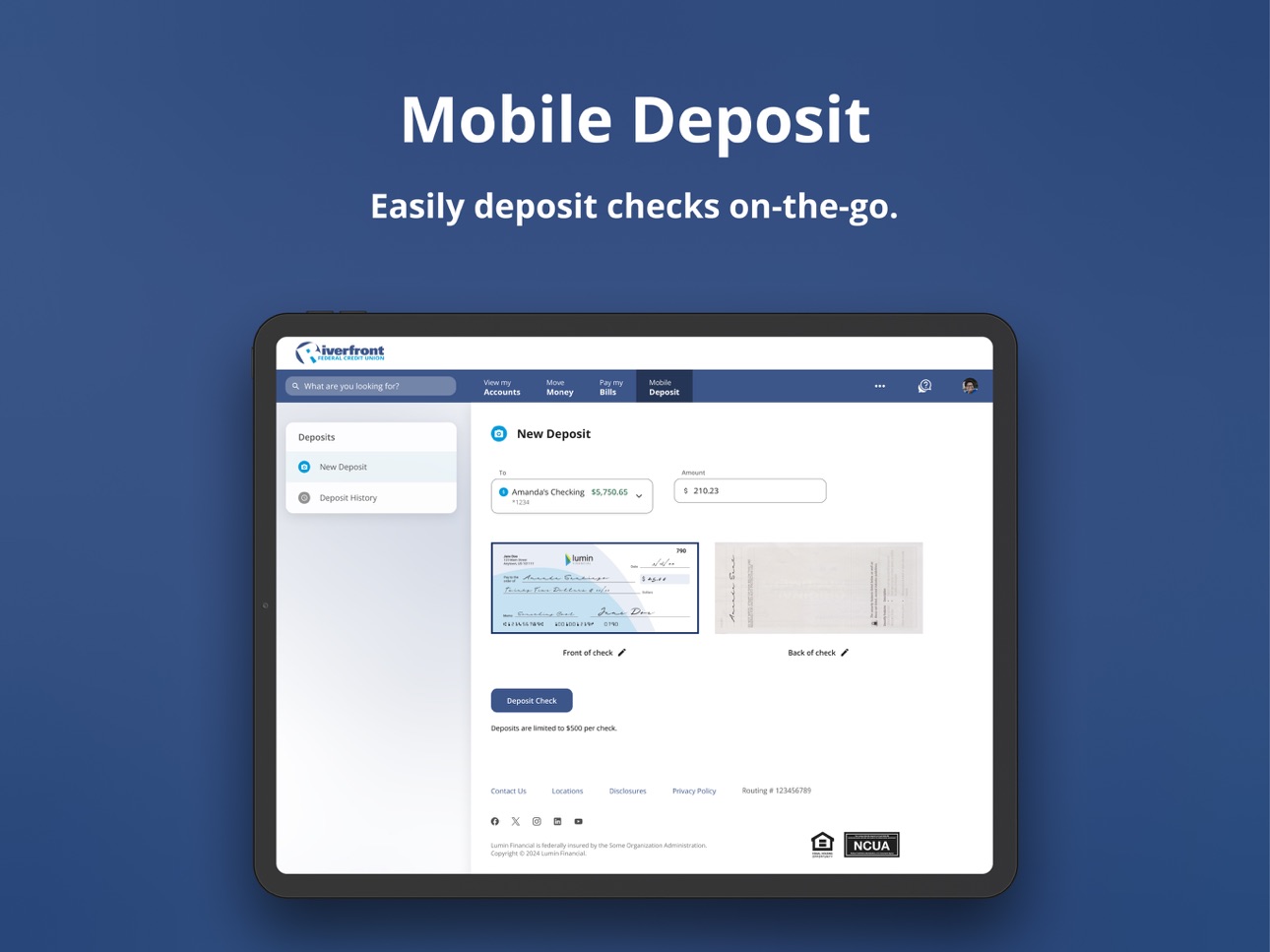
• Make a Mobile Check Deposit
• Design a Custom Debit Card
• View transaction history
• Make a loan payment
• Access Bill Pay
• View loan and deposit rates
And don’t forget to add your Riverfront debit and/or credit card information to your digital wallet so you can make payments right from your smartphone – It doesn’t get much easier than that!
Download Riverfront’s Mobile app today and experience the convenience of having your Riverfront accounts at your fingertips.
Capabilities
Wallet
Accessibility
ipadiphonemacrealityDevicetvoswatch
Version history 9 versions
Build 884738401v5.3.22026-06-30 20:15:14
Includes minor bug fixes.
Build 874723860v5.1.12026-03-16 21:34:40
New version includes some bug fixes.
Build 874371154v5.0.22025-05-13 00:32:47
Performance enhancements and bug fixes.
Build 851430038v4.41.1002022-08-31 06:30:08
FaceID bugfix
Build 839580311v4.34.1092020-12-15 07:34:50
FaceID bugfix
Build 838502314v4.34.1032020-11-11 07:29:22
• Easily switch accounts: Your accounts will automatically aggregate on login. Switch easily between accounts to access features like Bill Pay and Mobile Deposit.
• Manage Alerts now in mobile: Easily turn on account alerts, on the go.
• Update your profile: Easily change your contact information and more, directly in-app.
Build 828102110v4.11.2432018-08-21 12:11:24
Bug fixes
Build 822537802v4.4.1342017-06-28 05:37:00
- Transfer to alternate other member shares accounts
- Updated look and feel throughout the app
- Quick action buttons for popular functions
- Sliding menu for improved navigation
Build 817196603v4.0.4512016-05-01 18:29:01
No pricing data captured yet — comparisons appear once the app has paid storefronts or in-app purchases.
Availability 1 of 75 storefronts
| Region | Language | Price | Ratings | Avg | Version |
|---|---|---|---|---|---|
| US | en-US | Free | 1.2k | 4.9 | 5.3.2 |
Not available in: AG, AI, AO, AR, BB, BF, BJ, BO, BR, BS, BW, BZ, CD, CG, CI, CL, CM, CO, CR, CV, DM, DO, DZ, EC, GA, GD, GH, GM, GT, GW, GY, HN, JM, KE, KN, KY, LC, LR, LY, MA, MG, ML, MS, MU, MW, MX, MZ, NA, NE, NG, NI, PA, PE, PY, RW, SC, SL, SN, SR, ST, SV, SZ, TC, TD, TN, TT, TZ, UG, UY, VC, VE, VG, ZM, ZW
Change log 13 changes · US
✎
releaseNotes updated
Includes minor bug fixes.
✎
description updated
Riverfront’s convenient mobile app is like having a Riverfront branch in your pocket! It enables you to manage your Riverfront accounts 24/7 from your smartphon
✎
subtitle updated
Spend, Save & Borrow On the Go
✎
name updated
Riverfront FCU Digital Banking
◆
Version 5.3.2 released
Includes minor bug fixes.
◆
Version 5.1.1 released
New version includes some bug fixes.
◆
Version 5.0.2 released
Performance enhancements and bug fixes.
◆
Version 4.41.100 released
FaceID bugfix
◆
Version 4.34.109 released
FaceID bugfix
◆
Version 4.34.103 released
• Easily switch accounts: Your accounts will automatically aggregate on login. Switch easily between accounts to access features like Bill Pay and Mobile Deposit.
• Manage Alerts now in mobile: Easily turn on account alerts, on the go.
•
◆
Version 4.11.243 released
Bug fixes
◆
Version 4.4.134 released
- Transfer to alternate other member shares accounts
- Updated look and feel throughout the app
- Quick action buttons for popular functions
- Sliding menu for improved navigation
◆
Version 4.0.451 released