Home › Utilities

 US
US
1 of 1 storefronts
Content in en-US
Content in en-US
Information
Preview 3 platforms
iPhone 9 images




iPad 4 images

Apple Watch 1 image

What’s New Version 16.0
Now you can do speed test on your phone, see network parameters like ping, jitter.
Description
Will help you to avoid to avoid bill shocks when you are on internation roaming- with a home screen widget, Apple Watch support and alerts before you hit your carrier's limit. No VPN required.
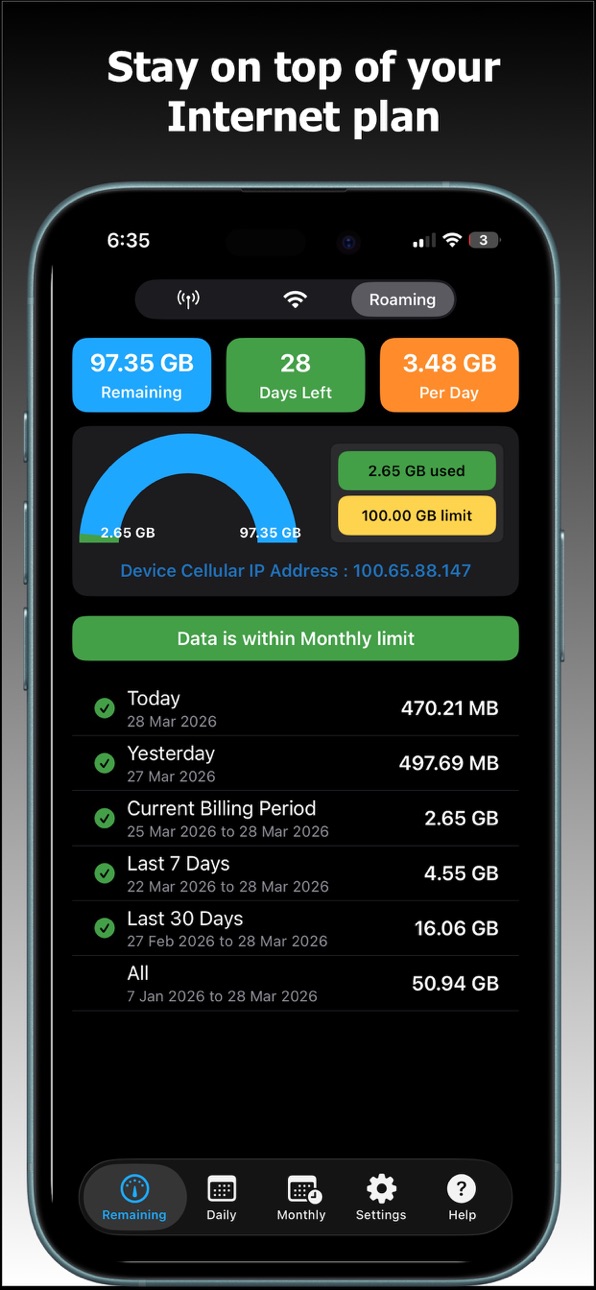
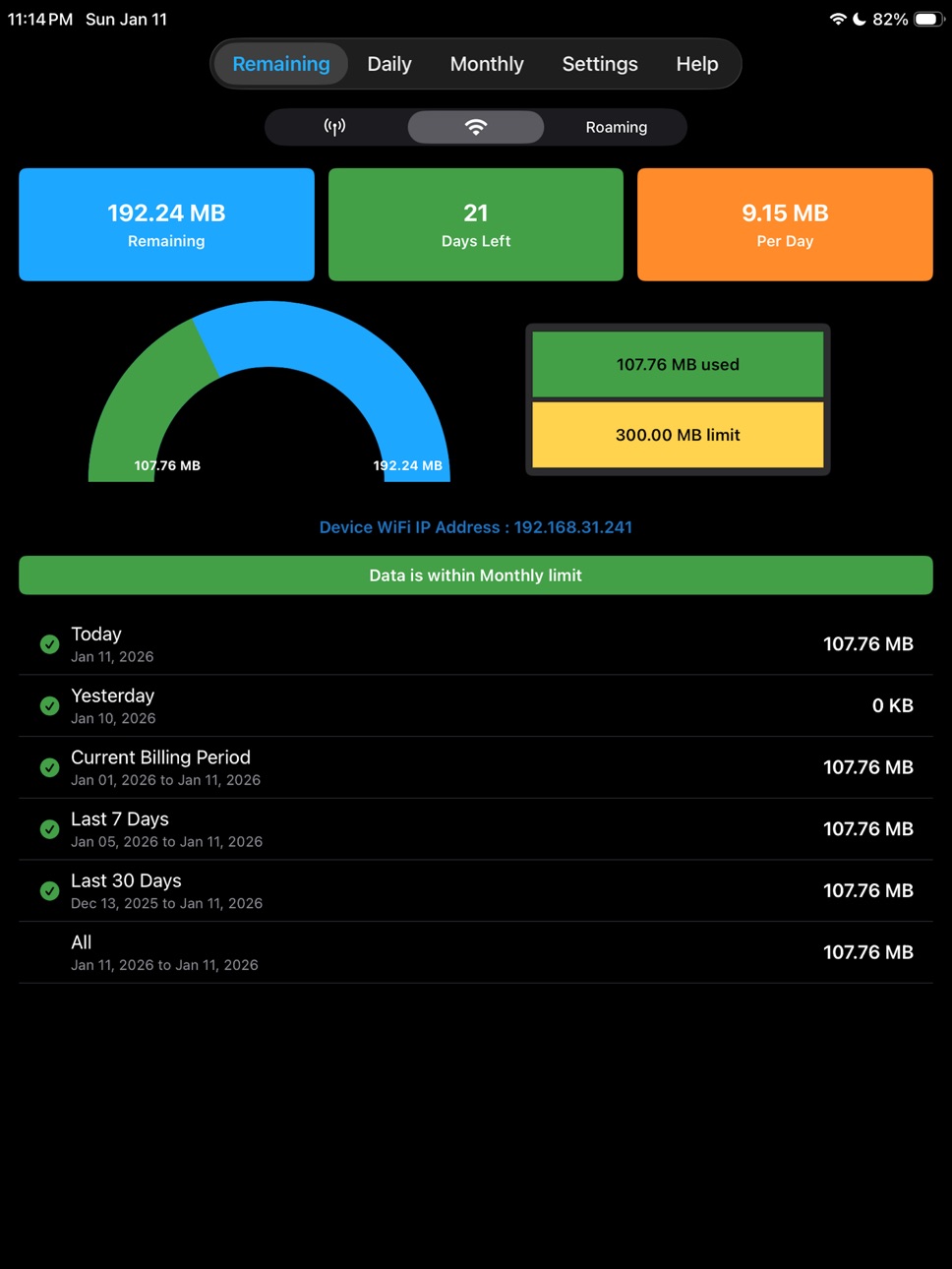
App shows how much data you've used, how much is left and how many days you can safely use it without hitting your limit.
Works with all network types - 5G, LTE, 4G, 3G, Wi-Fi and international roaming.
REMAINING AT A GLANCE
Monitor Cellular, Wi-Fi and Roaming usage in one place
See Remaining data, Days left and Per-day allowance at a glance
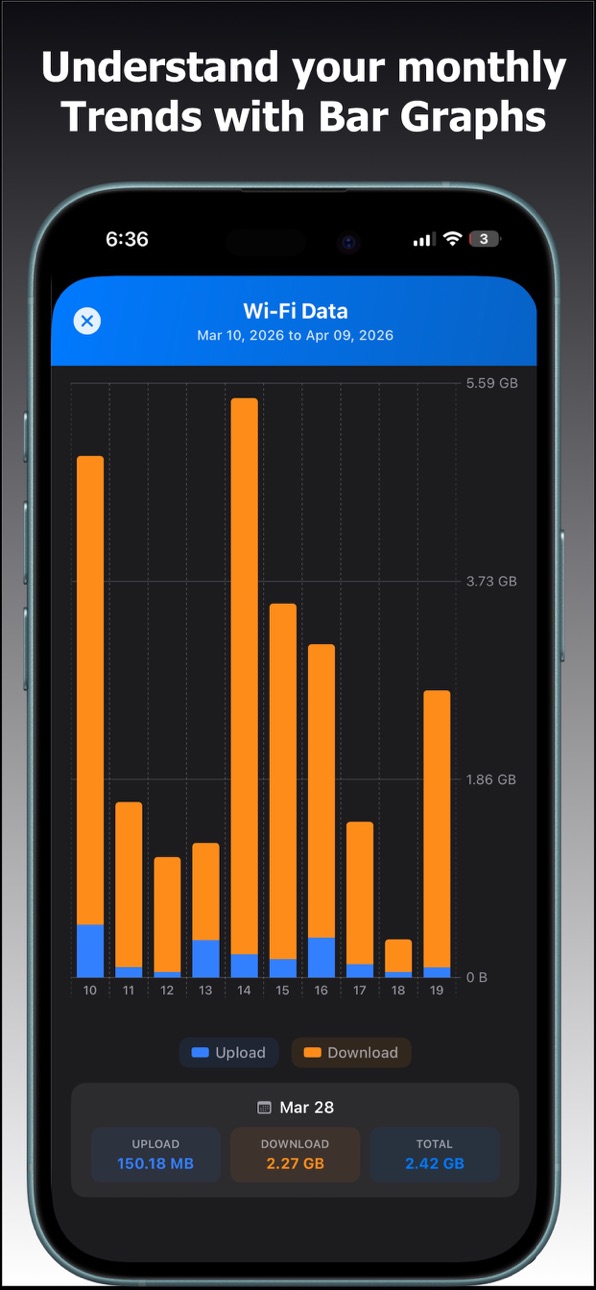
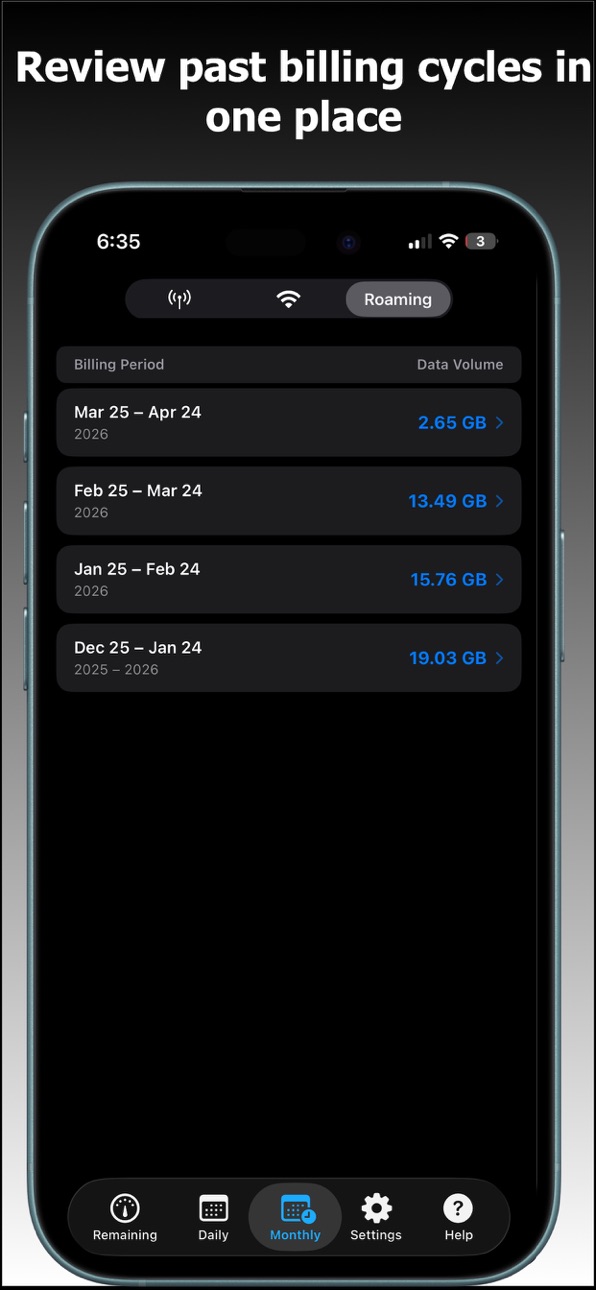
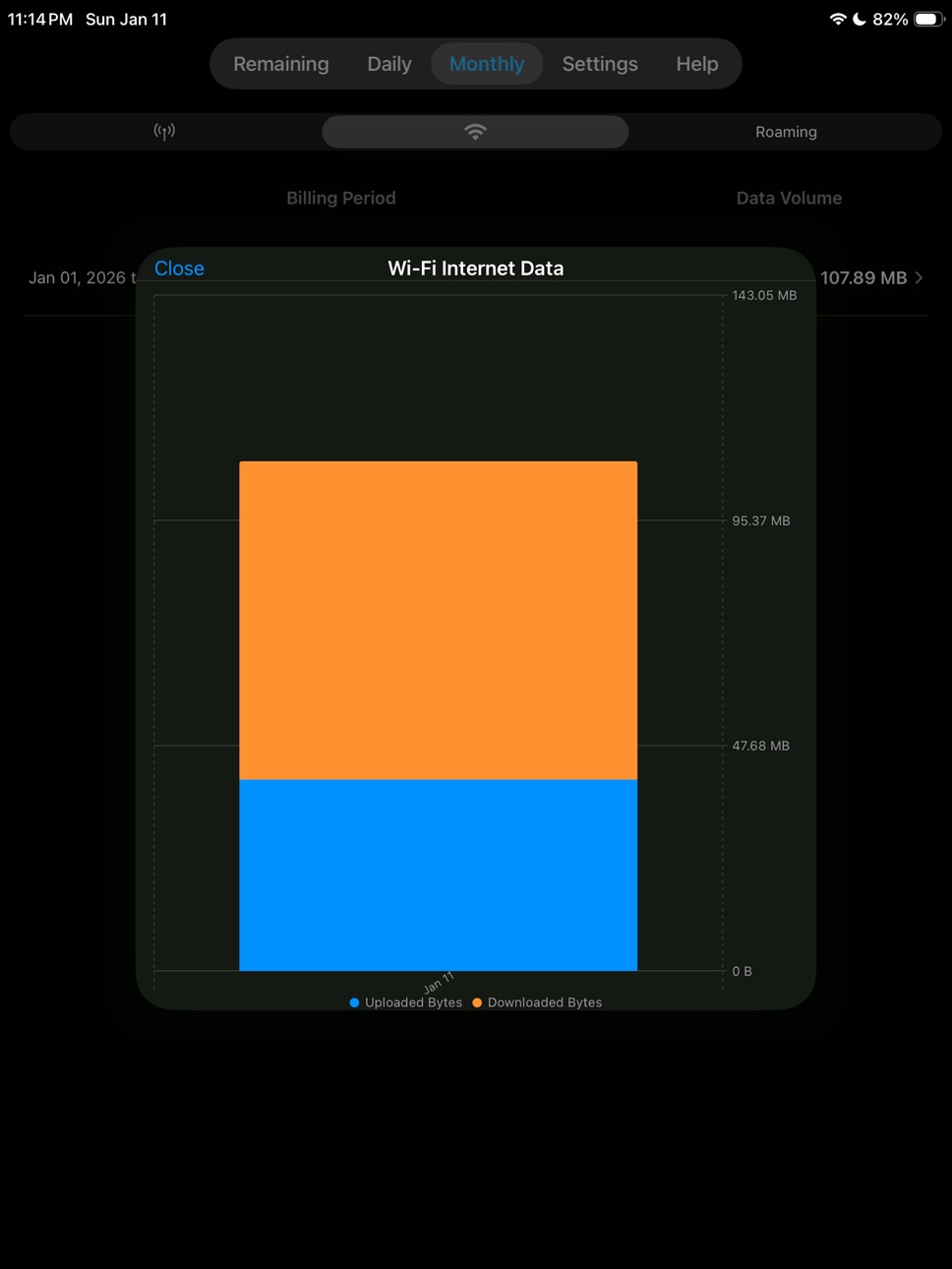
Understand monthly trends with a clear bar graph of your billing periods
Tap any bar to see a color-coded upload vs download breakdown
REAL-TIME · NO VPN · NO SERVER
All monitoring happens on-device using live network interface counters. No VPN profile is installed. No data ever leaves your phone. 100% private, 100% on-device.
DAILY & MONTHLY HISTORY
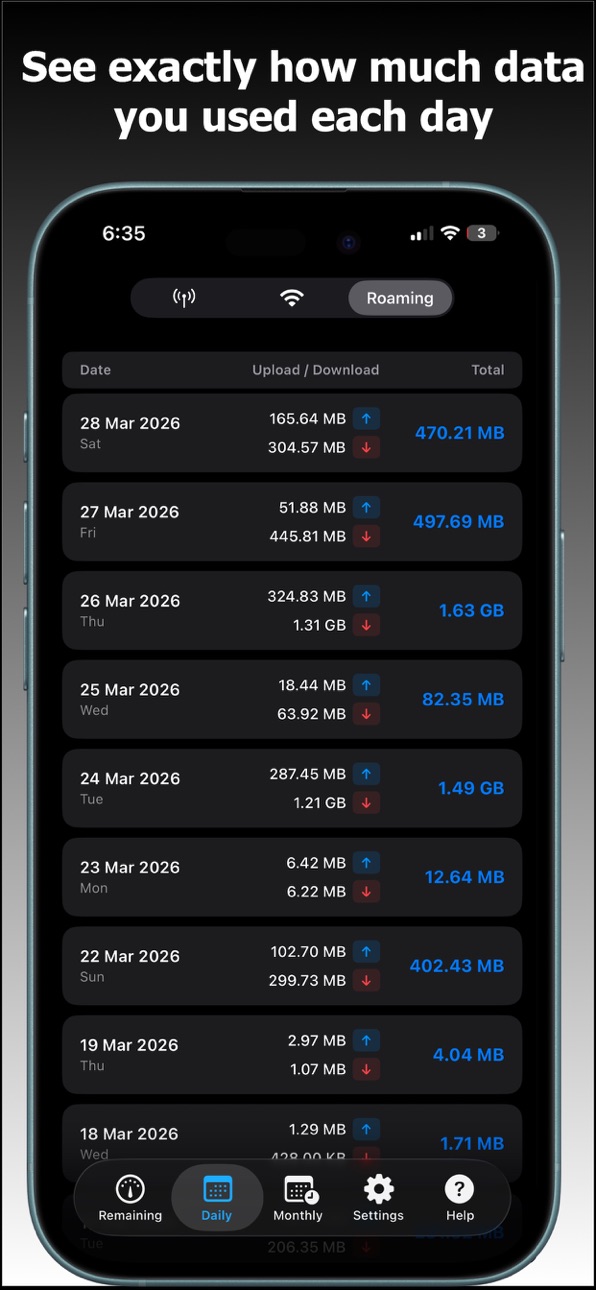
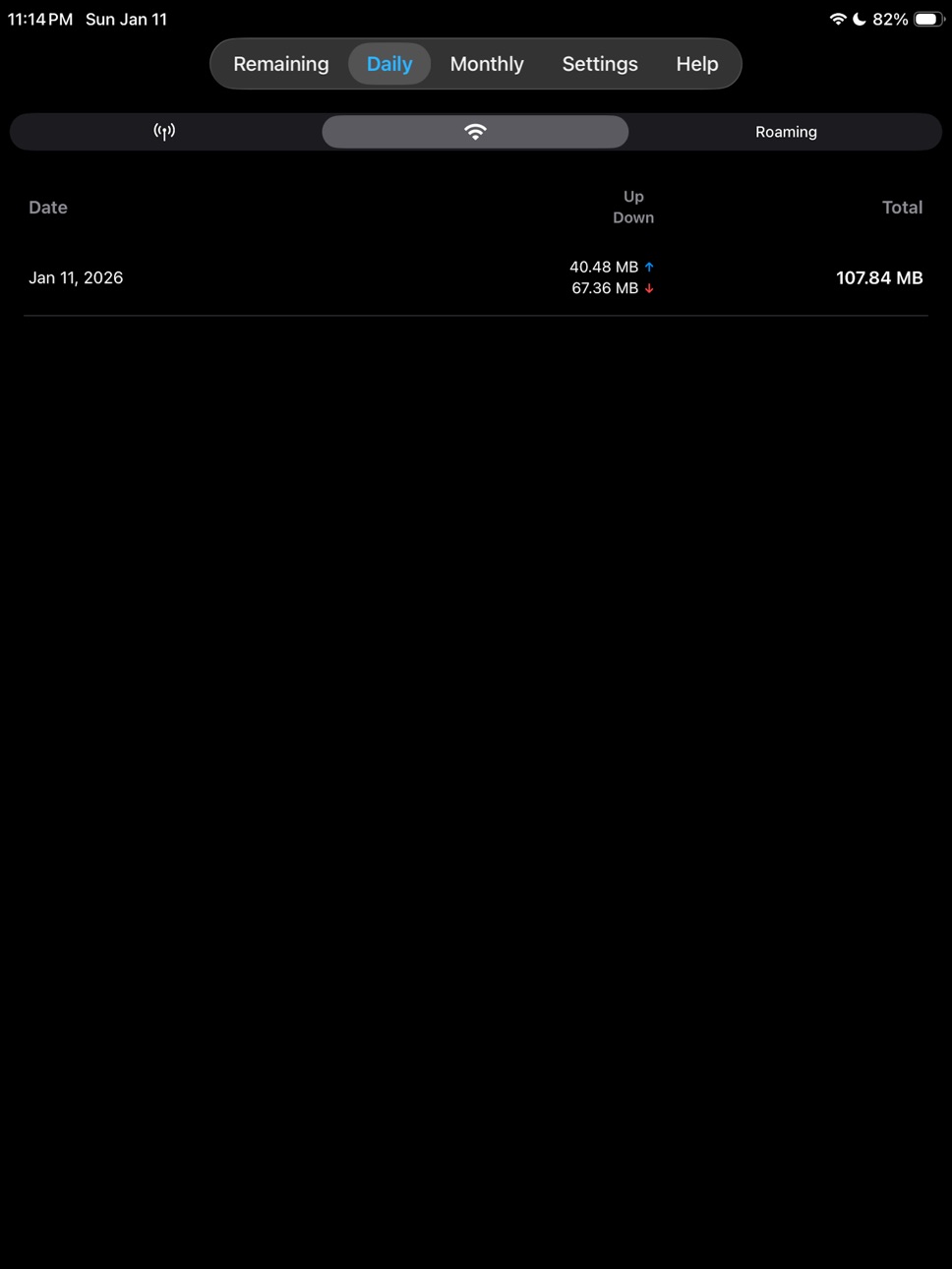
Track today's and yesterday's usage separately
Review up to the last 6 billing cycles with per-period totals
Quickly spot spikes so you can avoid overages and throttling
HOME SCREEN WIDGET
Add the InternetTracker widget to your Home Screen
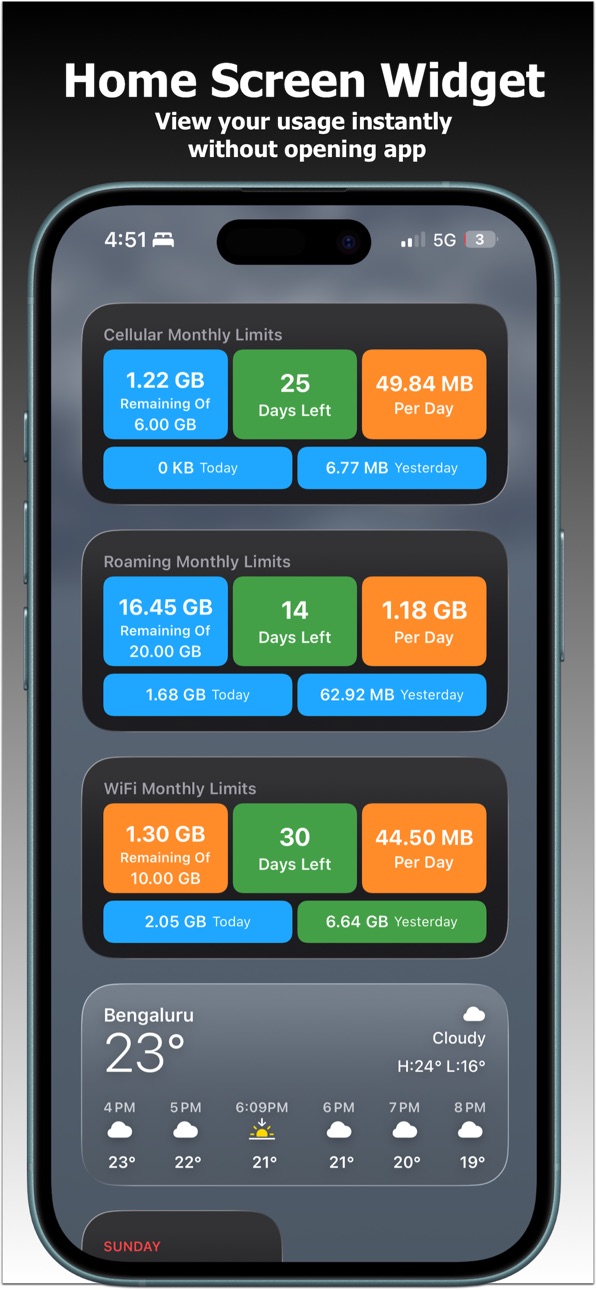
See Remaining / Days Left / Per Day plus Today & Yesterday usage without opening the app
Tap the widget to jump straight into the correct mode (Cellular, Wi-Fi or Roaming)
APPLE WATCH
Use Apple Watch complications to see your status at a glance
View your current remaining data and days left on Apple Watch
Check usage while traveling, right from your wrist
Data is synced from your iPhone so your watch always reflects your latest usage
SMART ALERTS
Set your monthly limit and billing cycle day once per bearer (Cellular, Wi-Fi, Roaming)
See a clear status banner: within limit, nearing limit or exceeded
Optional alerts before you hit your configured threshold
ROAMING TRACKER - TRAVELING ABROAD?
Switch to Roaming mode to track international data separately.
Get alerted before you hit your carrier's roaming cap and avoid expensive overage charges.
INTELLIGENT GAP RECOVERY
Didn't open the app for a few days? No problem. The app estimates your usage from raw hardware interface counters and fills in the missing days automatically — so your history stays complete and your monthly total stays accurate.
INTERNET TRACKER PRO
Upgrade to InternetTracker Pro to unlock the full experience:
- Remove all banner ads across the app
- Unlock full Remaining, Daily and Monthly views with complete history
- Enable detailed monthly usage graphs for each data bearer
- Use Home Screen widgets and Apple Watch to check usage instantly
InternetTracker is designed for clarity, not clutter. Whether you're on a strict roaming plan, sharing a hotspot or just want to avoid surprise bills, InternetTracker gives you the numbers that matter - right when you need them.
Enjoying the app? A quick rating helps others find it - thank you!
In-App Purchases US pricing
Pro Features unlock internet data tracker functions Subscription
Unlock Data Tracker functionality · Monthly$0.99
Unlock Data Tracker functionality · Yearly$5.99
One-Time Purchases
InternetDataTrackerLite$8.99
Capabilities
In-App Purchases
Accessibility
ipadiphonemacrealityDevicetvoswatch
Version history 20 versions
Build 885322548v16.02026-05-06 18:30:35
Now you can do speed test on your phone, see network parameters like ping, jitter.
Build 884691898v15.02026-04-20 17:43:43
App now supports in your own languates
Build 884383640v14.02026-04-10 23:30:42
Improvised grpah for daily, monthly data usage
Build 884172991v13.02026-04-06 18:26:08
• Smart gap recovery fills missing days using live counters
• Gap data shown in a distinct shade on the monthly usage chart
• Bug fixes and performance improvements
Build 883873696v12.02026-03-28 18:53:29
Polished UI & minor bug fixes
Build 883376912v11.02026-03-15 00:46:13
Daily Data Limit can now be configured for each data bearer. Improvised notifications.
Build 882249131v10.02026-02-07 21:18:08
Improved notifications & Minor UX tweaks.
Build 881269074v9.02026-01-13 01:20:16
Apple Watch Support & Home Screen Widget.
Updated UI,Various bug fixes and performance improvements
Build 837571911v8.12020-08-31 00:48:14
iOS13 Enhancements with dark mode.
Build 830786653v7.52019-03-29 16:56:44
User Experience Enhancements
Build 830186264v7.22019-02-04 20:43:33
Minor UX issue and polished UI for iOS12.
Build 830136924v7.12019-02-02 18:43:54
Polished updated UI for iOS12.
Tracks the data even if app is not running through remote push notifications. So you will never miss data tracking.
Build 829088095v6.02018-10-28 16:22:41
Bug fixes & Enhancements.
Tracks data while user on roaming.
iOS12 Optimisation.
Build 826016371v5.42018-02-16 19:38:56
Optimized for iOS11.
Build 821356316v5.022017-03-28 13:04:37
Tracks Roaming Cellular Data.
Build 820721424v4.312017-02-01 05:14:02
Minor improvements in Data views.
Build 820698682v4.32017-01-25 23:15:12
Alert Notification Improvements
Build 819154684v4.02016-10-05 01:08:50
Enhanced UI with more clearer data.
Build 817324266v3.42016-08-19 19:25:57
Shows IP Address of the device both for cellular & WIFI.
User Interface enhancements.
Build 816953831v1.22016-04-14 03:14:16
Price history by region
Currency
Show
Columns
Search
Availability 1 of 1 storefronts
| Region | Language | Price | Ratings | Avg | Version |
|---|---|---|---|---|---|
| US | en-US | Free | 112 | 4.6 | 16.0 |
Change log 24 changes · US
✎
releaseNotes updated
Now you can do speed test on your phone, see network parameters like ping, jitter.
✎
description updated
Will help you to avoid to avoid bill shocks when you are on internation roaming- with a home screen widget, Apple Watch support and alerts before you hit your c
✎
subtitle updated
Daily Usage Monitor : Roaming
✎
name updated
Internet Data Tracker Manager
◆
Version 16.0 released
Now you can do speed test on your phone, see network parameters like ping, jitter.
◆
Version 15.0 released
App now supports in your own languates
◆
Version 14.0 released
Improvised grpah for daily, monthly data usage
◆
Version 13.0 released
• Smart gap recovery fills missing days using live counters
• Gap data shown in a distinct shade on the monthly usage chart
• Bug fixes and performance improvements
◆
Version 12.0 released
Polished UI & minor bug fixes
◆
Version 11.0 released
Daily Data Limit can now be configured for each data bearer. Improvised notifications.
◆
Version 10.0 released
Improved notifications & Minor UX tweaks.
◆
Version 9.0 released
Apple Watch Support & Home Screen Widget.
Updated UI,Various bug fixes and performance improvements
◆
Version 8.1 released
iOS13 Enhancements with dark mode.
◆
Version 7.5 released
User Experience Enhancements
◆
Version 7.2 released
Minor UX issue and polished UI for iOS12.
◆
Version 7.1 released
Polished updated UI for iOS12.
Tracks the data even if app is not running through remote push notifications. So you will never miss data tracking.
◆
Version 6.0 released
Bug fixes & Enhancements.
Tracks data while user on roaming.
iOS12 Optimisation.
◆
Version 5.4 released
Optimized for iOS11.
◆
Version 5.02 released
Tracks Roaming Cellular Data.
◆
Version 4.31 released
Minor improvements in Data views.
◆
Version 4.3 released
Alert Notification Improvements
◆
Version 4.0 released
Enhanced UI with more clearer data.
◆
Version 3.4 released
Shows IP Address of the device both for cellular & WIFI.
User Interface enhancements.
◆
Version 1.2 released