Home › Utilities

 US
US
1 of 1 storefronts
Content in en-US
Content in en-US
Information
Preview 2 platforms
iPhone 2 images

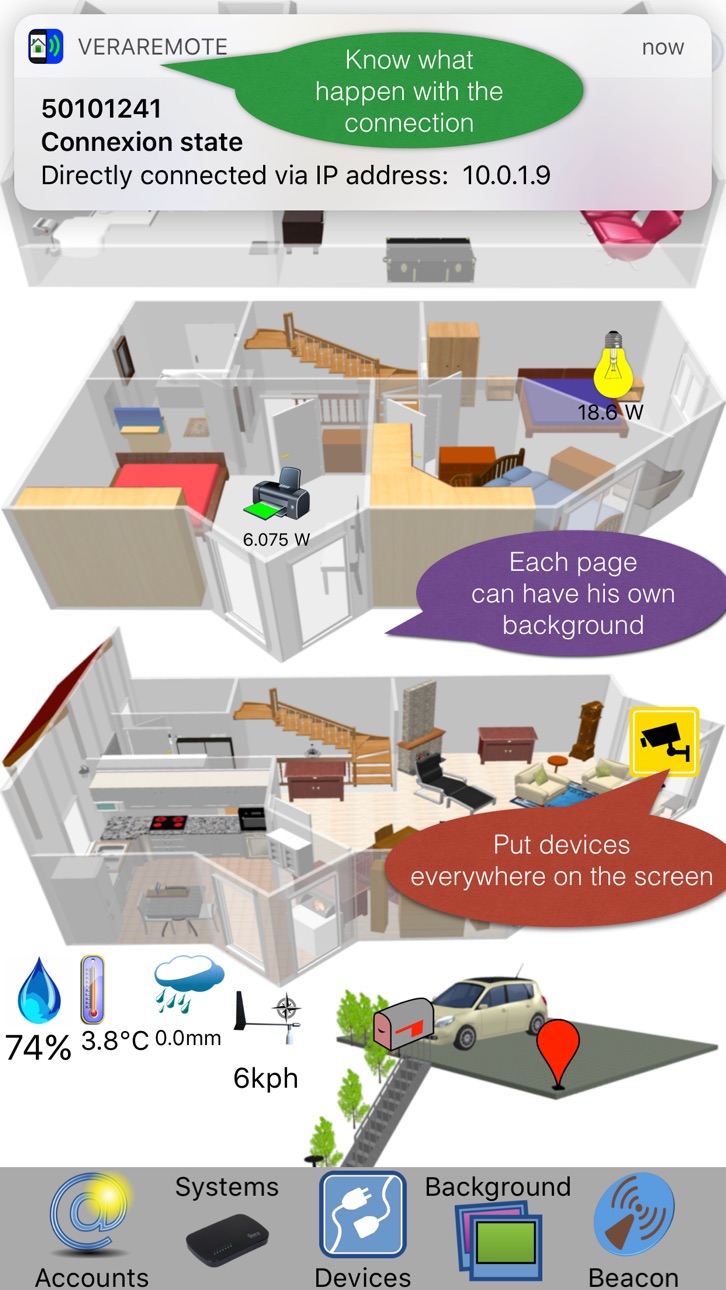
iPad 2 images


What’s New Version 1.3
- Adapted to the new iPhones, especially the iPhones X series with the notch and rounded corners
- You can tap on the icons of the help screen to have direct access to the config screens
- If only one system is configured you see immediately the devices on the configuration screen
- Live screen background coming from a camera, just make double tap on the camera icon
- With hidden devices on the screen you can click on the object to activate it (I'll post later a video on the dedicated support web site)
- In the property of the devices you can decide if the device should be invisible or not ont the live screen
- No more recurring subscriptions, you can buy an In-App product to unlock all the features forever
- All existing In-App products or subscriptions are converted to the Unlock All In-App product
Description
Totally graphic
The only application that allows you to control elements of your home automation without passing through menus.
Choose you own backgrounds representing your home.
Live screen images coming from a camera could be used as background.
Put devices or scenes on different pages that represents your home.
Activate scenes or switching loads in using regions controlled by beacons.
You can test the application, all features are available for trial for14 days at no charge.
Once the free trial is expired you can only manage 1 system over one page and having two devices controlled. Beacons and vera accounts are only accessible during the trial period ou with the unlock In-App product.
Everything is on the screen or the various screens that you will easily configure.
You can control several Vera systems, either directly or through your Vera account.
You can unlock all the features forever with an In-App purchase of 5 CHF
Capabilities
In-App Purchases
Accessibility
ipadiphonemacrealityDevicetvoswatch
Version history 4 versions
Build 823098842v1.32019-01-05 12:48:44
- Adapted to the new iPhones, especially the iPhones X series with the notch and rounded corners
- You can tap on the icons of the help screen to have direct access to the config screens
- If only one system is configured you see immediately the devices on the configuration screen
- Live screen background coming from a camera, just make double tap on the camera icon
- With hidden devices on the screen you can click on the object to activate it (I'll post later a video on the dedicated support web site)
- In the property of the devices you can decide if the device should be invisible or not ont the live screen
- No more recurring subscriptions, you can buy an In-App product to unlock all the features forever
- All existing In-App products or subscriptions are converted to the Unlock All In-App product
Build 821946878v1.22017-04-30 20:28:42
Fixing some problems during the decoding of the Vera answers
Build 821865287v1.12017-04-24 00:02:15
Bug correction to solve an app crash when entering the IP address of the box
Build 816793441v1.02017-02-03 17:39:43
No pricing data captured yet — comparisons appear once the app has paid storefronts or in-app purchases.
Availability 1 of 1 storefronts
| Region | Language | Price | Ratings | Avg | Version |
|---|---|---|---|---|---|
| US | en-US | Free | 2 | 1.0 | 1.3 |
Change log 8 changes · US
✎
releaseNotes updated
- Adapted to the new iPhones, especially the iPhones X series with the notch and rounded corners
- You can tap on the icons of the help screen to have direct ac
✎
description updated
Totally graphic
The only application that allows you to control elements of your home automation without passing through menus.
Choose you own backgrounds rep
✎
subtitle updated
Your Vera at fingertip
✎
name updated
Vera MiOS Remote
◆
Version 1.3 released
- Adapted to the new iPhones, especially the iPhones X series with the notch and rounded corners
- You can tap on the icons of the help screen to have direct access to the config screens
- If only one system is configured you see immediatel
◆
Version 1.2 released
Fixing some problems during the decoding of the Vera answers
◆
Version 1.1 released
Bug correction to solve an app crash when entering the IP address of the box
◆
Version 1.0 released