Home › Utilities

 US
US
1 of 1 storefronts
Content in en-US
Content in en-US
Information
Preview 1 platform
iPhone 5 images


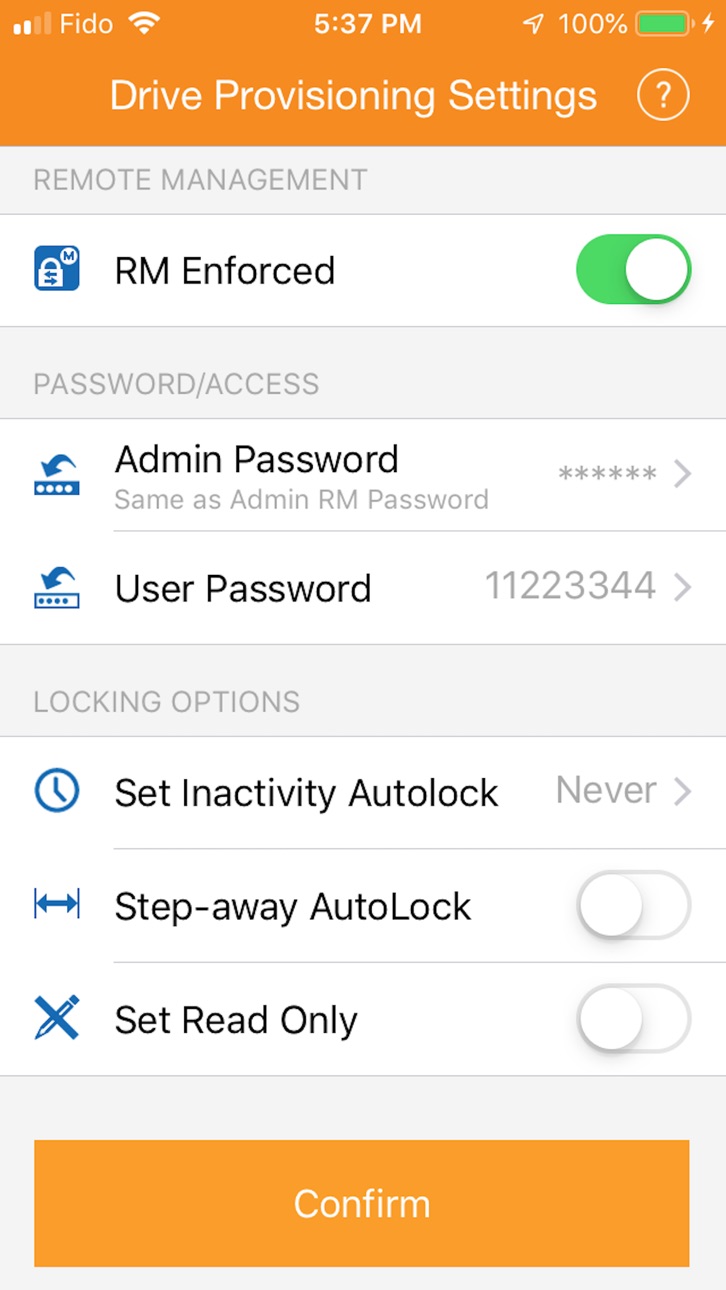
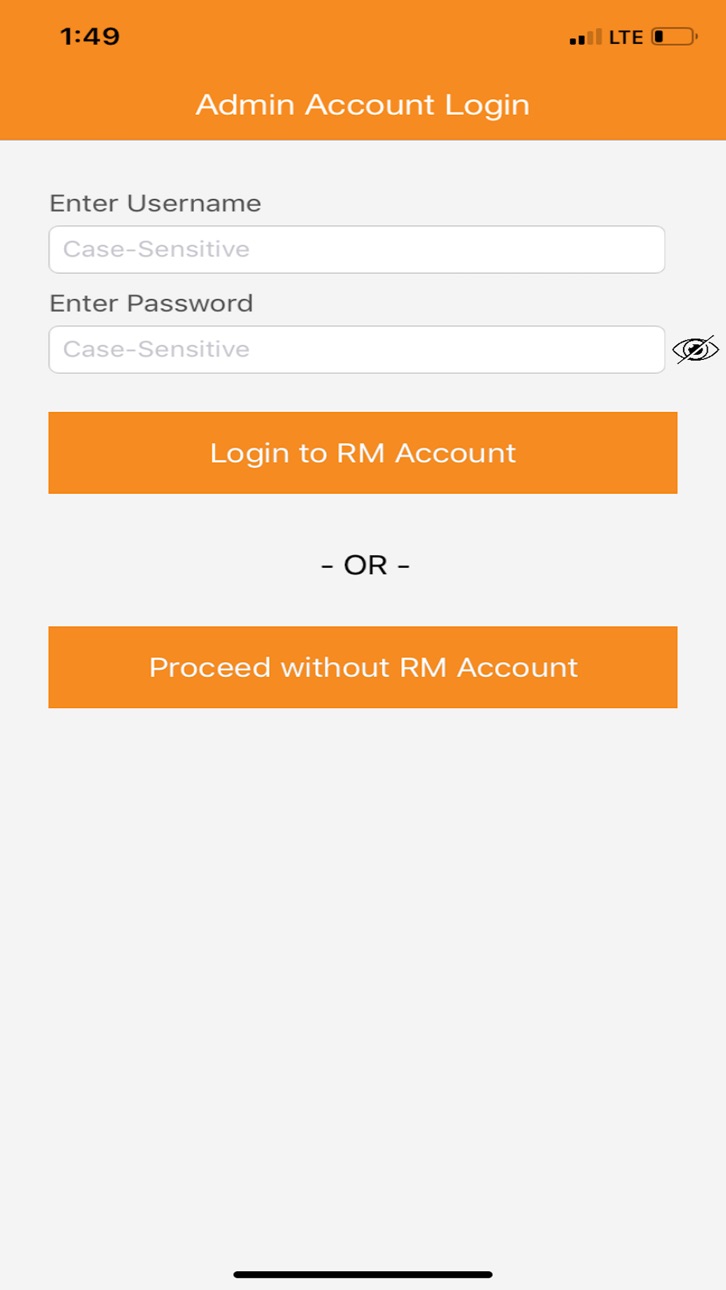
What’s New Version 21.13
- Added ability to provision M.2 drive as Consumer (no PIN set)
Description
Note: Requires purchase of a DataLock® BT Secured USB drive.
DataLock BT Technology (by ClevX) enables customers to use their iPhone or Apple Watch to authenticate user for access to the drive via Bluetooth Smart®. Multilayer user-authentication is available via: phone, phone + PIN, or phone + PIN + User ID/location/time.
The DataLock Admin app enables IT Administrators to enforce policies regarding DataLock BT Secured drive usage and help them to better protect their personal and business information stored on the drive. Multiple-factor authentication is supported. Also, with a subscription to DataLock Remote Management (by ClevX) users will be able to Remote Kill their drives, as well as many other important security related functions.
DataLock BT self-encrypting drives (full disk, XTS-AES 256-Bit hardware encryption) can be used with any host OS (i.e., Windows, Mac, Linux, Chrome, etc.) and any devices (computers, medical devices, TVs, DVDs, cars, printers, scanners, projectors, etc.) that have a standard USB port. DataLock BT requires no software preloaded on the drives.
Accessibility
ipadiphonemacrealityDevicetvoswatch
Version history 25 versions
Build 867944983v21.132024-08-03 07:47:21
- Added ability to provision M.2 drive as Consumer (no PIN set)
Build 864562124v21.122024-03-19 19:20:15
Support for M.2 SED
Build 863785604v21.62024-02-15 21:16:42
- Allow switching between Consumer and Managed modes for 2.5" SED drives
Build 856575308v21.52023-04-22 05:27:05
Added support for ClevX SED drive.
Build 838488362v18.02020-11-03 14:38:10
Bug fixes and performance improovement
Build 837468299v17.32020-08-22 17:40:46
Bug fixes
Build 837431143v17.22020-08-20 00:55:13
Fixed crash caused by another phone with Exposure Notifications enabled
Build 833812777v17.12019-12-02 02:05:59
√ Bug Fix
Build 832887415v17.02019-09-25 18:31:34
√ iOS 13 Support
Build 831714407v16.02019-06-21 17:56:34
- Added localization for French, German, Spanish, Portuguese, Italian, Polish, Russian, Chinese Traditional, Chinese Simplified, Korean and Japanese.
Build 831355796v15.32019-05-18 21:39:17
Bug fixes
Build 830768119v15.22019-03-28 12:56:06
- Bug fixes
Build 830738672v15.12019-03-26 15:34:38
- Bug fixes
Build 830620303v15.02019-03-15 14:56:28
- Allow drive provisioning without reset
- Provisioning for non-managed drives (without RM account)
Build 829835494v14.22019-01-08 08:27:23
- Bug fixes
Build 828602514v12.42018-09-16 22:07:45
- Automatic provisioning for Managed drives
Build 828180428v12.02018-08-10 16:24:16
Bug fixes
Build 826192657v11.192018-03-06 17:55:17
- Bug fixes and performance improvements
Build 823442005v11.42017-08-26 20:41:22
Support for the new hardware (2.X)
Build 822662052v8.122017-06-23 18:29:05
- Bug fixes and performance improvement
Build 822405678v8.72017-06-03 03:07:39
- Minor bug fixes
Build 822049919v8.02017-05-08 20:06:17
- Further stability tweaks to make DataLock Bluetooth experience as easy as possible
Build 821862826v7.122017-04-23 21:58:41
- Bug fixes and performance improvements.
Build 821772056v7.112017-04-17 20:13:41
Bug fixes and performance improvement
Build 821627642v7.92017-04-05 23:55:02
- Admin authentication added
- Drive registration from Admin app
No pricing data captured yet — comparisons appear once the app has paid storefronts or in-app purchases.
Availability 1 of 1 storefronts
| Region | Language | Price | Ratings | Avg | Version |
|---|---|---|---|---|---|
| US | en-US | Free | 1 | 5.0 | 21.13 |
Change log 28 changes · US
✎
releaseNotes updated
- Added ability to provision M.2 drive as Consumer (no PIN set)
✎
description updated
Note: Requires purchase of a DataLock® BT Secured USB drive.
DataLock BT Technology (by ClevX) enables customers to use their iPhone or Apple Watch to authenti
✎
name updated
DataLock Admin
◆
Version 21.13 released
- Added ability to provision M.2 drive as Consumer (no PIN set)
◆
Version 21.12 released
Support for M.2 SED
◆
Version 21.6 released
- Allow switching between Consumer and Managed modes for 2.5" SED drives
◆
Version 21.5 released
Added support for ClevX SED drive.
◆
Version 18.0 released
Bug fixes and performance improovement
◆
Version 17.3 released
Bug fixes
◆
Version 17.2 released
Fixed crash caused by another phone with Exposure Notifications enabled
◆
Version 17.1 released
√ Bug Fix
◆
Version 17.0 released
√ iOS 13 Support
◆
Version 16.0 released
- Added localization for French, German, Spanish, Portuguese, Italian, Polish, Russian, Chinese Traditional, Chinese Simplified, Korean and Japanese.
◆
Version 15.3 released
Bug fixes
◆
Version 15.2 released
- Bug fixes
◆
Version 15.1 released
- Bug fixes
◆
Version 15.0 released
- Allow drive provisioning without reset
- Provisioning for non-managed drives (without RM account)
◆
Version 14.2 released
- Bug fixes
◆
Version 12.4 released
- Automatic provisioning for Managed drives
◆
Version 12.0 released
Bug fixes
◆
Version 11.19 released
- Bug fixes and performance improvements
◆
Version 11.4 released
Support for the new hardware (2.X)
◆
Version 8.12 released
- Bug fixes and performance improvement
◆
Version 8.7 released
- Minor bug fixes
◆
Version 8.0 released
- Further stability tweaks to make DataLock Bluetooth experience as easy as possible
◆
Version 7.12 released
- Bug fixes and performance improvements.
◆
Version 7.11 released
Bug fixes and performance improvement
◆
Version 7.9 released
- Admin authentication added
- Drive registration from Admin app