Home › Utilities

 US
US
1 of 1 storefronts
Content in en-US
Content in en-US
Information
Apple ID1072873744
Bundle IDcom.bluemedialabs.smartstopwatch
SellerSeller
Min iOS9.0
Min macOS11.0
Device familiesiphone, ipod
Released2016-05-04
Copyright© 2016 blue media labs GmbH
WebsiteLink ↗
Preview 1 platform
iPhone 5 images



What’s New Version 2.1
This update from Apple will improve the functionality of this app. No new features are included.
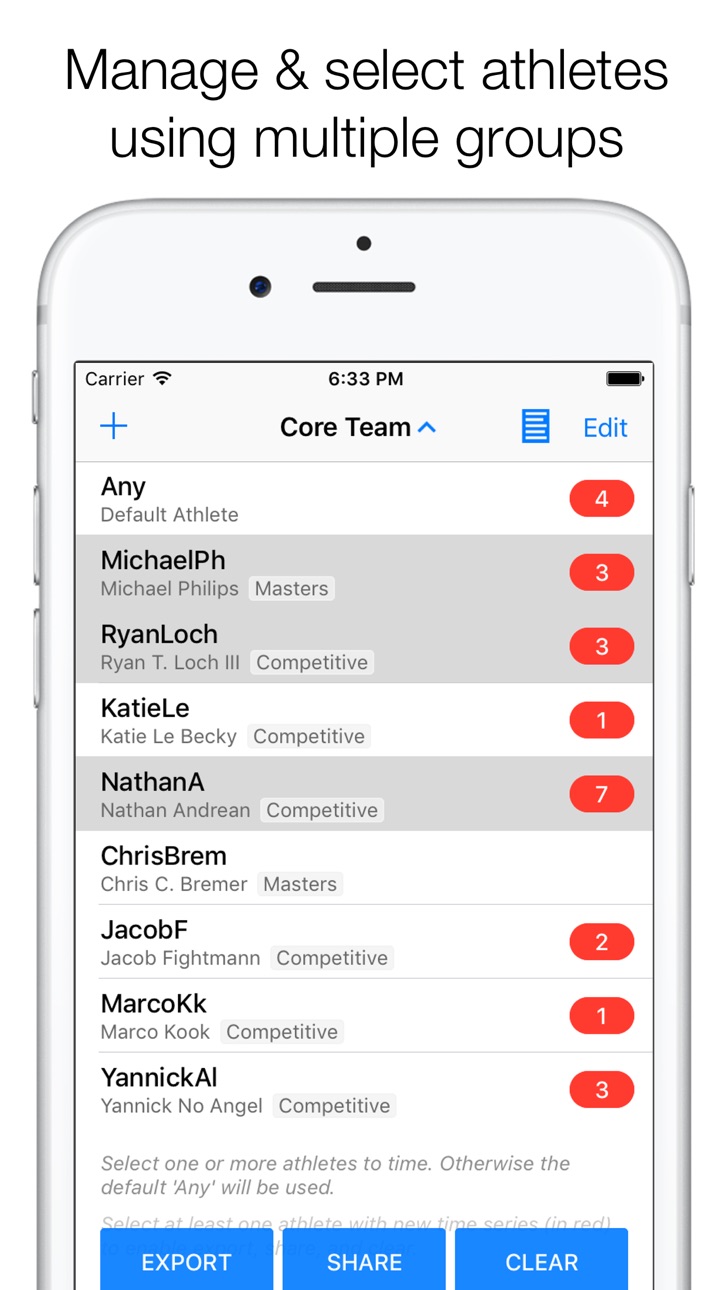
• Easier handling of LARGE TEAMS: Organize athletes instantly through GROUP TAGS to create multiple, possibly overlapping groups with minimum effort
• Improved export: Exported data now also includes athletes’ name, if present
• Athlete codes EASIER to remember: Athlete CODES can now have up to 12 CHARACTERS, as long as the codes take somewhat less space than ‘WWWWWW’ (6 times the letter W)
Description
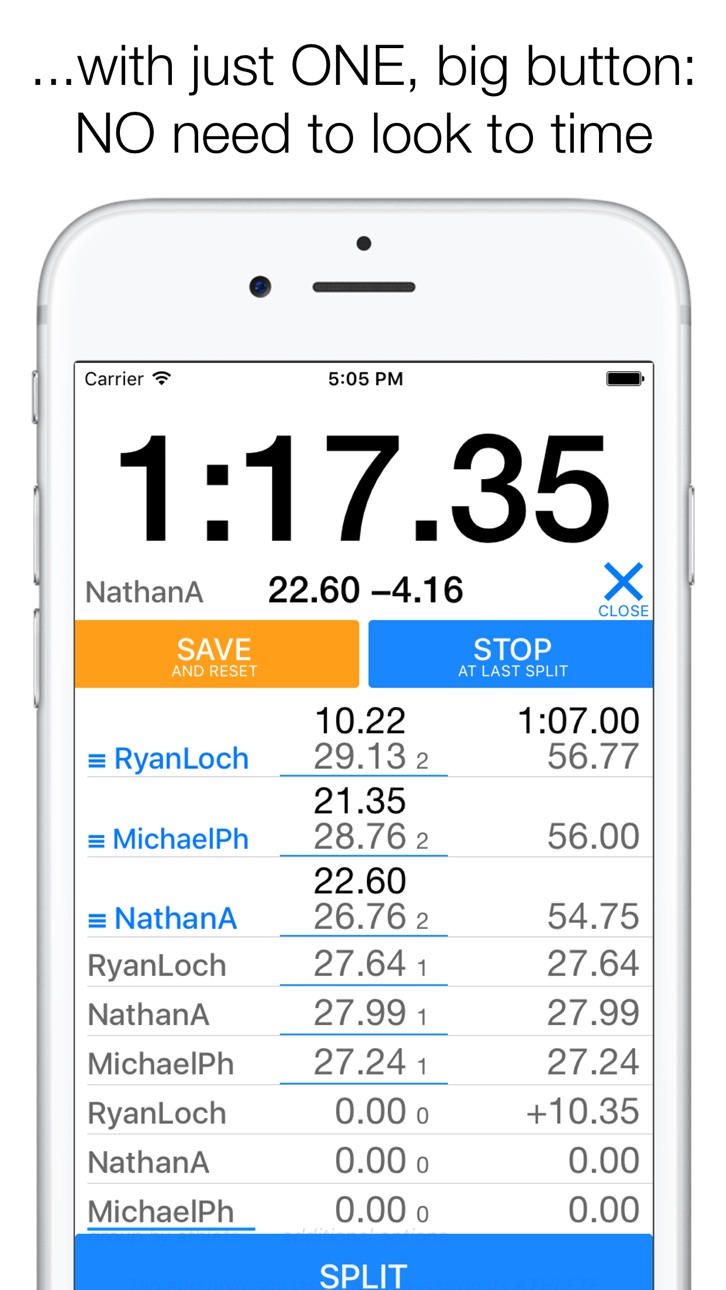
World’s first and only single-button multi-stopwatch enables a SINGLE COACH to time SEVERAL ATHLETES at once with maximum PRECISION no matter the start configuration. Like no other stopwatch app: Take times without looking at the screen; the only true replacement for a handheld stopwatch. You can take exact cadence data for every split, too, and instantly export athlete-specific reports to your connected cloud store.
If you are a sports coach, teacher or supporter, this stopwatch app is the last replacement of your collection of traditional sports stopwatches that you will ever need. Preserve all of your athletes’ precious performance data. Don't waste your time on paper notes. Have more time for the work you truly enjoy!
Featuring:
• Patent-pending tap&arrange technology: World’s first PRACTICAL solution to timing multiple athletes at once, at maximum precision, without needing to look at the screen to take times
• Physical button support
• Add or remove athletes in seconds
• NEW: Organize athletes through group tags
• Export detailed timing history to Dropbox, Evernote or Google Drive
• .csv export directly opens in Excel
• Take stride/stroke rates effortlessly for every individual split
Herotime on the web: smartstopwatch.com
Like us on Facebook: facebook.com/smartstopwatch
Follow #Herotime @smartstopwatch on Twitter: twitter.com/smartstopwatch
Have a question or feedback? Contact me at marco@smartstopwatch.com
Have special requirements? Let’s talk, too! I am actively developing this app to make it the best sports stopwatch ever and your suggestions matter.
Accessibility
ipadiphonemacrealityDevicetvoswatch
Version history 6 versions
Build 820820066v2.12017-02-09 21:57:58
This update from Apple will improve the functionality of this app. No new features are included.
• Easier handling of LARGE TEAMS: Organize athletes instantly through GROUP TAGS to create multiple, possibly overlapping groups with minimum effort
• Improved export: Exported data now also includes athletes’ name, if present
• Athlete codes EASIER to remember: Athlete CODES can now have up to 12 CHARACTERS, as long as the codes take somewhat less space than ‘WWWWWW’ (6 times the letter W)
Build 820724488v2.0.12017-01-27 16:55:02
Selecting and moving time records ("tap&arrange") in the Stopwatch view is now much more responsive and thus quicker to do. Give it a try! Also included: A fix for athletes not always properly staying selected as intended when getting out of the Stopwatch view. Sorry, if due to this problem your next timing included athletes that currently did not appear to be selected!
Build 820076852v2.02017-01-10 00:12:16
Completely revised user interface following all the great feedback (thanks to all of you for that, keep the feedback coming!): Same innovation in a completely new, more intuitive package. Plus: Single-timing mode specifically adapted to timing just one athlete. The fully functional base app is forever FREE now with all advanced options on extended, free trial.
Build 817591211v1.12016-05-31 19:18:32
Various enhancements including much requested physical button support, vibrate on touch, enhanced timing AI, even bigger touch area and improved layout for larger screen sizes.
Don’t miss the extended set of quick tutorial videos in Help > Quick Overview and do let me know what YOU think and need to make this the best sports stopwatch ever.
Build 816987589v1.0.12016-04-11 18:08:44
Internal enhancements.
Build 815732816v1.02016-03-31 14:58:15
No pricing data captured yet — comparisons appear once the app has paid storefronts or in-app purchases.
Availability 1 of 1 storefronts
| Region | Language | Price | Ratings | Avg | Version |
|---|---|---|---|---|---|
| US | en-US | Free | 4 | 4.8 | 2.1 |
Change log 9 changes · US
✎
releaseNotes updated
This update from Apple will improve the functionality of this app. No new features are included.
• Easier handling of LARGE TEAMS: Organize athletes instantly
✎
description updated
World’s first and only single-button multi-stopwatch enables a SINGLE COACH to time SEVERAL ATHLETES at once with maximum PRECISION no matter the start configur
✎
name updated
Herotime: Smart Multi Stopwatch
◆
Version 2.1 released
This update from Apple will improve the functionality of this app. No new features are included.
• Easier handling of LARGE TEAMS: Organize athletes instantly through GROUP TAGS to create multiple, possibly overlapping groups with minimum
◆
Version 2.0.1 released
Selecting and moving time records ("tap&arrange") in the Stopwatch view is now much more responsive and thus quicker to do. Give it a try! Also included: A fix for athletes not always properly staying selected as intended when getting out
◆
Version 2.0 released
Completely revised user interface following all the great feedback (thanks to all of you for that, keep the feedback coming!): Same innovation in a completely new, more intuitive package. Plus: Single-timing mode specifically adapted to tim
◆
Version 1.1 released
Various enhancements including much requested physical button support, vibrate on touch, enhanced timing AI, even bigger touch area and improved layout for larger screen sizes.
Don’t miss the extended set of quick tutorial videos in Help >
◆
Version 1.0.1 released
Internal enhancements.
◆
Version 1.0 released