Home › Navigation

 US
US
1 of 1 storefronts
Content in en-US
Content in en-US
Information
Preview 3 platforms
iPhone 9 images




iPad 9 images



Apple Watch 8 images



What’s New Version 4.4
Measure heights. Remember routes. Stay free. Altimeter.
What's new:
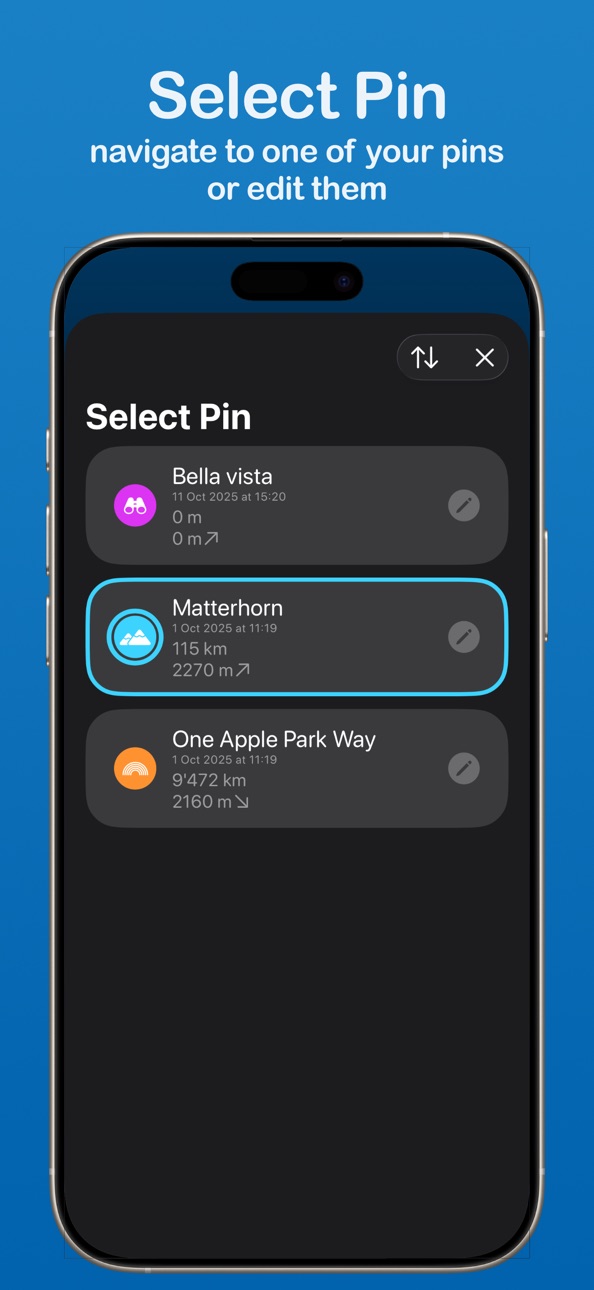
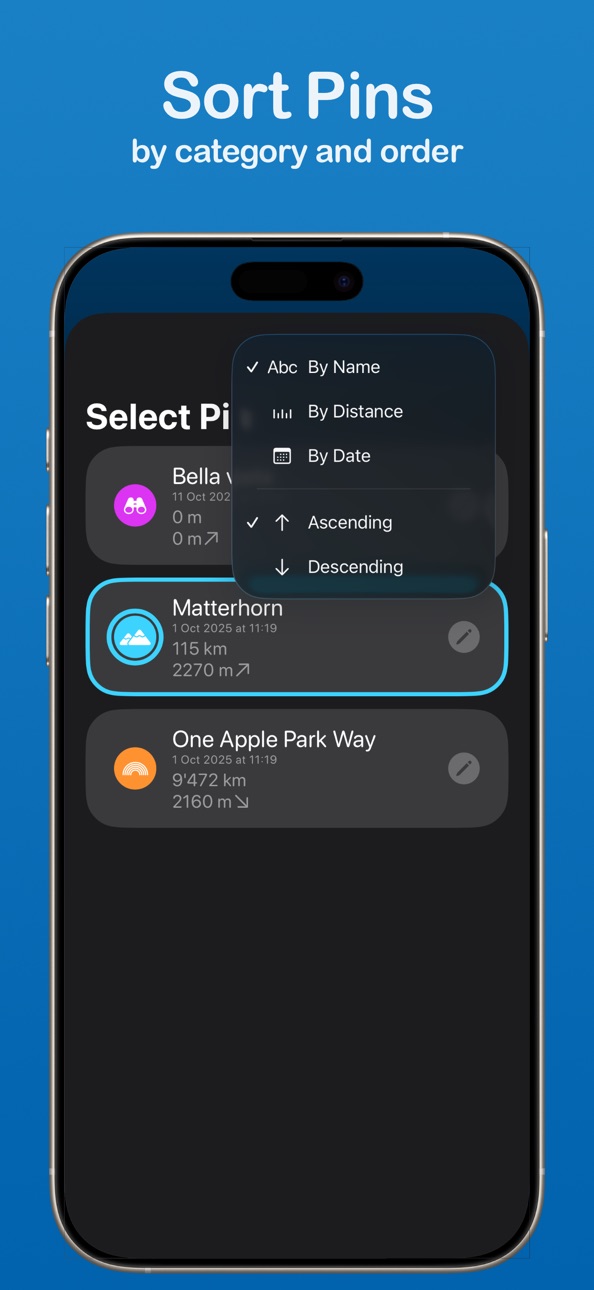
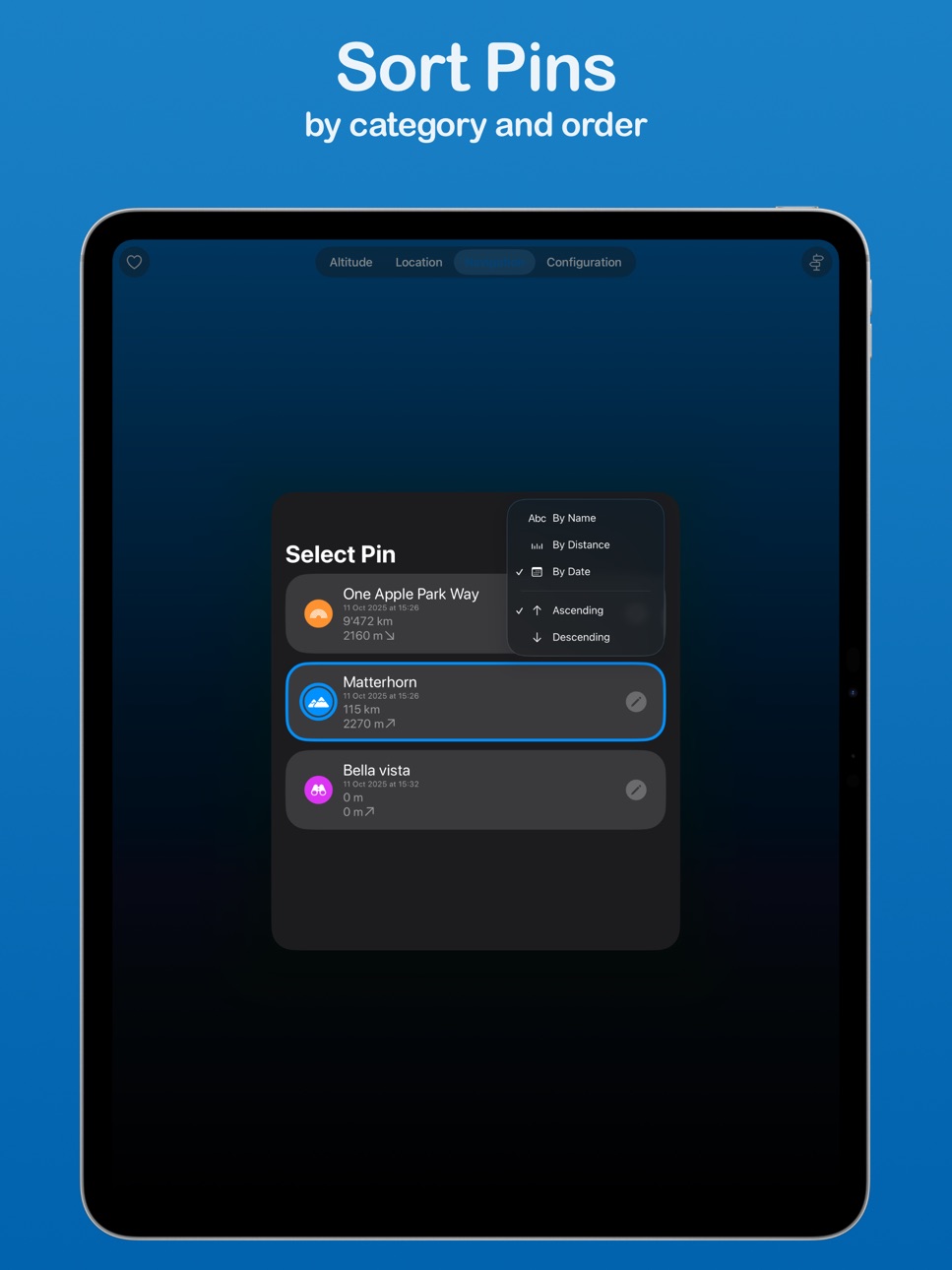
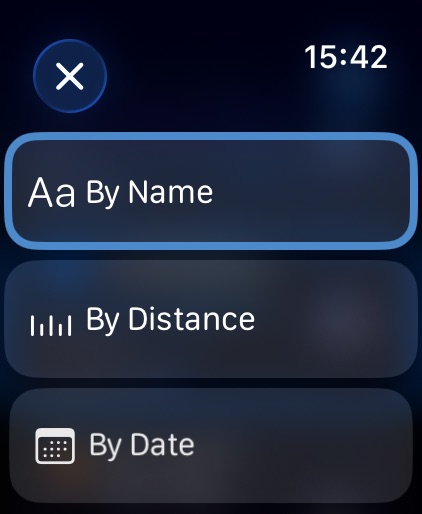
- sort pins: Now you can sort your marked waypoints by name, distance, and date
- edit pins: At any time you can change the icon, color, name, and exact location of already saved pins
- altitude of pins: Manually dropped pins have the correct altitude
- design changes: A fresh look of Altimeter
Description
Have you reached the summit of a mountain and want to determine the altitude? Or are you on the way there and want to know how far it is? Altimeter shows you your current altitude. Also on your Apple Watch!
Or there are points on your route that you want to find again later? No problem, Altimeter allows you to save locations with name and icon to navigate back to them later. On your iPhone, your iPad and your Apple Watch.
Altimeter is free and has no ads. If you like using Altimeter, you can support further development by making a donation.
If you have any questions or comments, you can send a support request within the app.
Features
- Height in meters or feet with accuracy
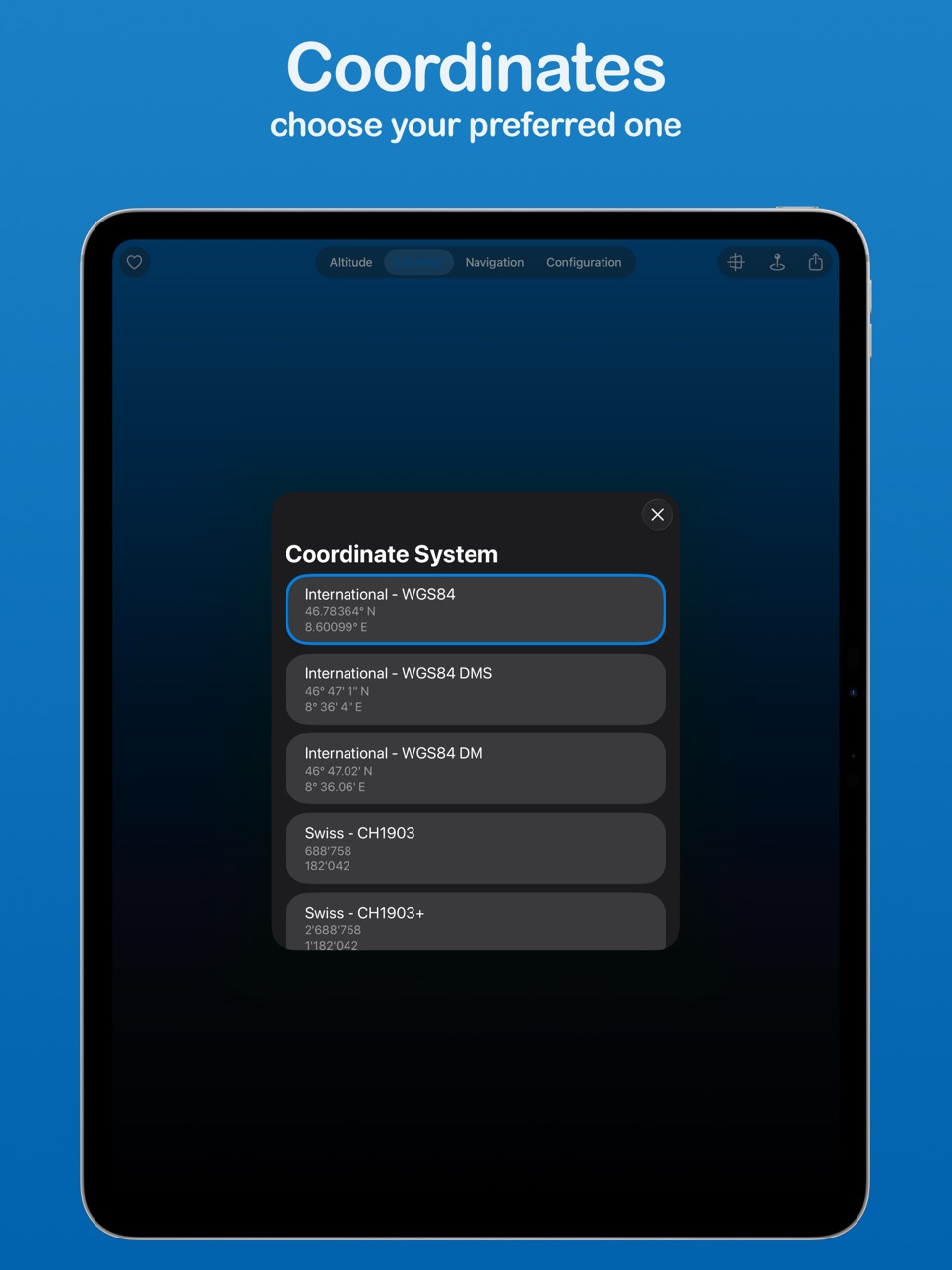
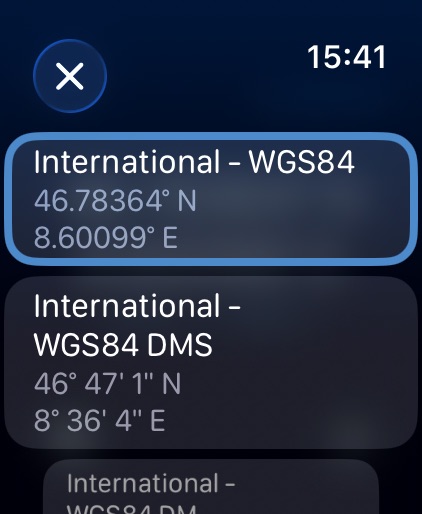
- Locations in multiple coordinate systems (International, Swiss, UTM, MGRS)
- Save locations and navigate to them
- Share location and altitude with friends
- System light/dark mode, colored or monochrome
- iPhone, iPad and Apple Watch
Altimeter uses the GPS chip to determine altitude. To save battery, the chip is only used when the app is displayed on your iPhone, your iPad or Apple Watch. No background activity. Your position is not recorded.
Note
The accuracy depends on the reception of the GPS satellites. Reception is limited indoors.
Continuous use of the GPS can significantly shorten the battery life.
Privacy Policy: https://altimeter.22of8.ch/privacy-policy.html
Terms of Use: https://altimeter.22of8.ch/terms-of-use.html
In-App Purchases US pricing
One-Time Purchases
Generous tip$0.99
Massive tip$1.99
Amazing tip$4.99
Buy me a Mac$999.99
Capabilities
In-App Purchases
Accessibility
ipadiphonemacrealityDevicetvoswatch
Version history 16 versions
Build 878800708v4.42025-10-17 08:51:49
Measure heights. Remember routes. Stay free. Altimeter.
What's new:
- sort pins: Now you can sort your marked waypoints by name, distance, and date
- edit pins: At any time you can change the icon, color, name, and exact location of already saved pins
- altitude of pins: Manually dropped pins have the correct altitude
- design changes: A fresh look of Altimeter
Build 867078663v4.32024-06-30 10:46:06
Hi Altimeters, this is a small bug fix release:
- UTM coordinates are no longer truncated on iOS and on watchOS
If you like Altimeter as much as I do, please consider leaving a tip and/or a review on the App Store.
Any comments or suggestions via mail are welcome, too.
Build 865711098v4.22024-05-06 19:04:40
Hey there, I'm back with another Altimeter update! Here's what's new:
Today you can have more control over the data displayed.
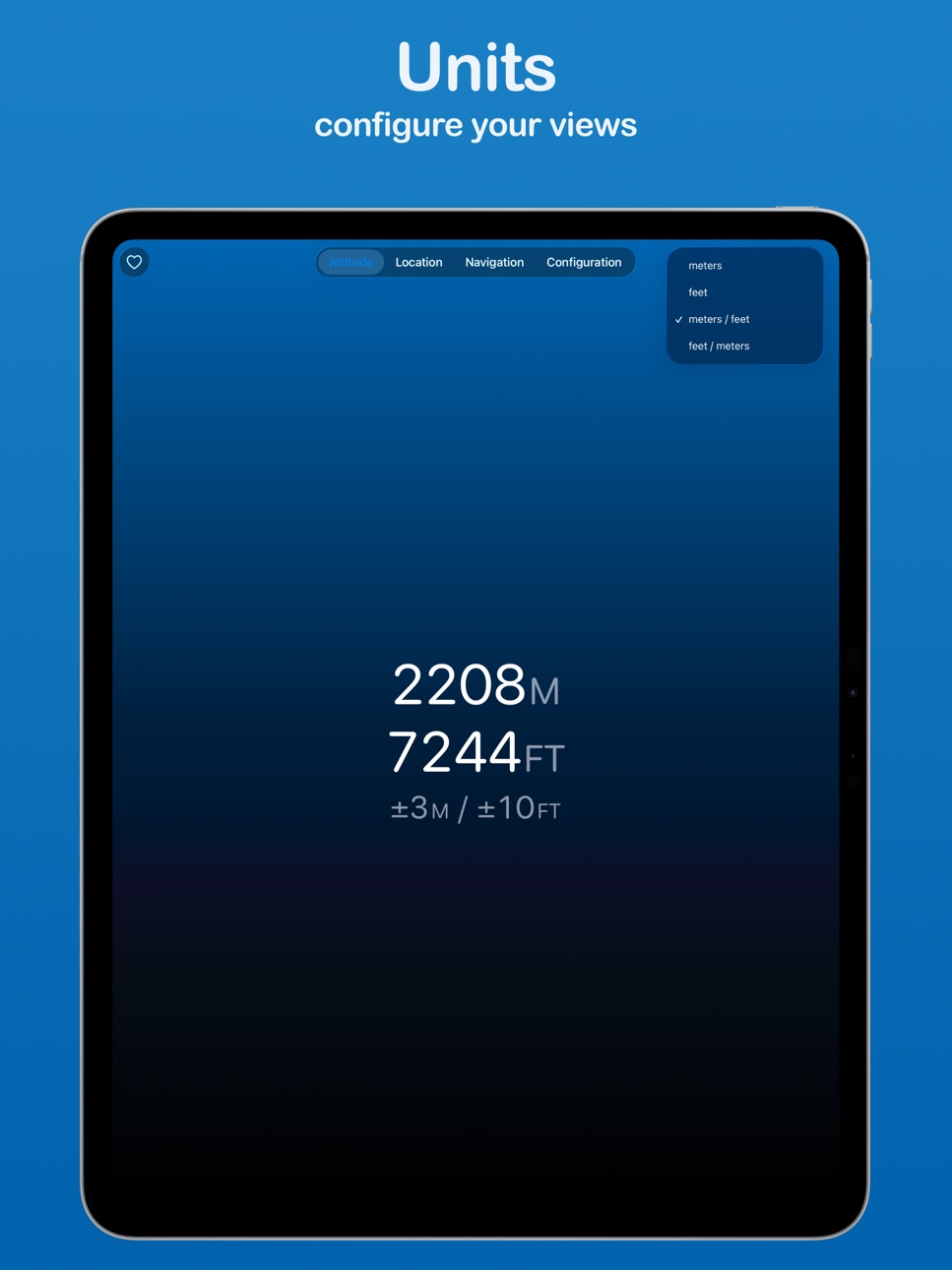
Previously you could already choose between metric and imperial units, now you can display both at the same time and also specify their order.
You will find a parameter in the settings menu.
The selected unit is also taken into account when sending.
If you like Altimeter as much as I do, please consider leaving a tip and/or a review on the App Store.
Any comments or suggestions via mail are welcome, too.
Build 865154706v4.12024-04-18 06:28:21
Hi Altimeters, this is mainly a bug-fixed version, but there are also new features.
Fixed:
- The manual coordinate input uses the correct decimal separator of your locale
- Enhanced contrast for buttons
- Improved checks for permissions and location accuracy
- On iPad, navigation shows correct direction for each device orientation
New:
- Long tap on the coordinate in the location view copies it to the clipboard
- Added symbols for pins: climbing, water
- Manual coordinate input shows hint only for invalid values
- Manual coordinate input for WGS system adds minus sign for West and South
- Sending your current location can add a link to the Google maps website (must be enabled in Settings)
Changed:
- Display when too close to your selected pin
If you like Altimeter as much as I do, please consider leaving a tip and/or a review on the App Store.
Any comments or suggestions via mail are welcome, too.
Build 862694809v4.02024-01-21 23:01:08
Hi Altimeters, this is what I've got for you this time:
- all new design (I hope you like it)
- support for new coordinate system what3words
- set icon and color for dropped pins
- on iPhone you can edit the pin coordinate in your coordinate system of choice
And some bug fixes:
- rounding elevation instead of truncating
- show correct accuracy for elevation and location
If you like Altimeter as much as I do, please consider leaving a tip and/or a review on the App Store.
Build 846944513v3.02022-04-06 10:22:23
- Drop a pin on the current location. Later you can choose any of these dropped pins and Altimeter shows you the direct horizontal and vertical distance, and the direction using the compass.
- Sharing you current location includes a link into maps.
- Fix: display position with W or S instead of negative E or N
Build 837959745v2.3.22020-09-25 22:28:26
Fixes an issue in the "Like" menu which caused an app crash.
Fixes an issue with the colors in the settings menu when the iPhone is in dark mode.
Build 837908883v2.3.12020-09-23 00:39:47
Bug fix for the Apple Watch.
Build 832249891v2.32019-09-01 21:47:09
Hello
This update of Altimeter brings you two more coordinate systems: UTM and MGRS. On iPhone, iPad and Apple Watch.
When you think that the new coordinate systems show wrong values please contact me.
If you like Altimeter please please give a 5 star rating, and/or a tip to support developing this free and ad-free app.
Build 826176511v2.2.0.02018-03-04 19:26:11
Hi everybody
I added the position view on your Apple Watch. Swipe horizontally to switch between altitude mode and position mode. Swipe vertically to change the coordinate system.
Thank you
Thank you everybody for using Altimeter.
My special kudos to all the people helping me to develop new features by giving a tip.
If you like Altimeter please add a five star rating in the app store.
Build 825717150v2.1.02018-01-22 20:32:18
Now you can share your location or copy it to the paste board. Just tap the share icon in the bottom right.
Thank you
Thank you everybody for using Altimeter.
My special kudos to all the people helping me to develop new features by giving a tip.
If you like Altimeter please add a five star rating in the app store.
Build 825183031v2.0.02018-01-15 20:56:47
- Display your position. Choose the coordinate system. If you need more, contact me by e-mail.
- Faster on the Apple Watch
- Supporting the screen size of the fantastic new iPhone X
- Requires less permissions
Thank you
Thank you everybody for using Altimeter.
My special kudos to all the people helping me to develop new features by giving a tip.
If you like Altimeter please add a five star rating in the app store.
Build 818684343v1.3.02016-08-31 04:04:39
You like the dark mode? It's the default by now. You can change it to lighter modes at any time.
Now you can add a complication to your Apple Watch to quick launch Altimeter.
Thank you all for your great support!
Build 816393042v1.2.02016-02-17 18:40:31
- today widget for even faster information: swipe down from the top of the screen and add Altimeter
- landscape view
Build 815790777v1.1.02016-01-20 06:28:09
- Dark Themes! Beside the light background you can choose from 3 other darker backgrounds. So you will no longer be dazzled in the night.
- Multitasking on new iPads
Build 815242159v1.0.02015-12-18 18:59:44
Price history by region
Currency
Show
Columns
Search
Availability 1 of 1 storefronts
| Region | Language | Price | Ratings | Avg | Version |
|---|---|---|---|---|---|
| US | en-US | Free | 19 | 4.6 | 4.4 |
Change log 20 changes · US
✎
releaseNotes updated
Measure heights. Remember routes. Stay free. Altimeter.
What's new:
- sort pins: Now you can sort your marked waypoints by name, distance, and date
- edit pins
✎
description updated
Have you reached the summit of a mountain and want to determine the altitude? Or are you on the way there and want to know how far it is? Altimeter shows you yo
✎
subtitle updated
Altitude, location, navigation
✎
name updated
Altimeter - altitude and more
◆
Version 4.4 released
Measure heights. Remember routes. Stay free. Altimeter.
What's new:
- sort pins: Now you can sort your marked waypoints by name, distance, and date
- edit pins: At any time you can change the icon, color, name, and exact location of alread
◆
Version 4.3 released
Hi Altimeters, this is a small bug fix release:
- UTM coordinates are no longer truncated on iOS and on watchOS
If you like Altimeter as much as I do, please consider leaving a tip and/or a review on the App Store.
Any comments or suggest
◆
Version 4.2 released
Hey there, I'm back with another Altimeter update! Here's what's new:
Today you can have more control over the data displayed.
Previously you could already choose between metric and imperial units, now you can display both at the same time
◆
Version 4.1 released
Hi Altimeters, this is mainly a bug-fixed version, but there are also new features.
Fixed:
- The manual coordinate input uses the correct decimal separator of your locale
- Enhanced contrast for buttons
- Improved checks for permissions an
◆
Version 4.0 released
Hi Altimeters, this is what I've got for you this time:
- all new design (I hope you like it)
- support for new coordinate system what3words
- set icon and color for dropped pins
- on iPhone you can edit the pin coordinate in your coordinat
◆
Version 3.0 released
- Drop a pin on the current location. Later you can choose any of these dropped pins and Altimeter shows you the direct horizontal and vertical distance, and the direction using the compass.
- Sharing you current location includes a link in
◆
Version 2.3.2 released
Fixes an issue in the "Like" menu which caused an app crash.
Fixes an issue with the colors in the settings menu when the iPhone is in dark mode.
◆
Version 2.3.1 released
Bug fix for the Apple Watch.
◆
Version 2.3 released
Hello
This update of Altimeter brings you two more coordinate systems: UTM and MGRS. On iPhone, iPad and Apple Watch.
When you think that the new coordinate systems show wrong values please contact me.
If you like Altimeter please please
◆
Version 2.2.0.0 released
Hi everybody
I added the position view on your Apple Watch. Swipe horizontally to switch between altitude mode and position mode. Swipe vertically to change the coordinate system.
Thank you
Thank you everybody for using Altimeter.
My speci
◆
Version 2.1.0 released
Now you can share your location or copy it to the paste board. Just tap the share icon in the bottom right.
Thank you
Thank you everybody for using Altimeter.
My special kudos to all the people helping me to develop new features by giving
◆
Version 2.0.0 released
- Display your position. Choose the coordinate system. If you need more, contact me by e-mail.
- Faster on the Apple Watch
- Supporting the screen size of the fantastic new iPhone X
- Requires less permissions
Thank you
Thank you everybody
◆
Version 1.3.0 released
You like the dark mode? It's the default by now. You can change it to lighter modes at any time.
Now you can add a complication to your Apple Watch to quick launch Altimeter.
Thank you all for your great support!
◆
Version 1.2.0 released
- today widget for even faster information: swipe down from the top of the screen and add Altimeter
- landscape view
◆
Version 1.1.0 released
- Dark Themes! Beside the light background you can choose from 3 other darker backgrounds. So you will no longer be dazzled in the night.
- Multitasking on new iPads
◆
Version 1.0.0 released