Home › Photo & Video

 US
US
1 of 1 storefronts
Content in en-US
Content in en-US
Information
Apple ID1054206021
Bundle IDcom.chiangchoyi.scam
SellerSeller
Min iOS17.0
Min macOS14.0
Device familieswatch, iphone, ipad
Released2015-11-20
Copyright© 2026 Zhongyue
Privacy policyLink ↗
Preview 3 platforms
iPhone 7 images


iPad 3 images


Apple Watch 3 images


What’s New Version 2.4.5
· Improved shutter response: press repeatedly to capture multiple photos
· Added watch face and Smart Stack shortcuts on Apple Watch
· Fixed multiple known issues
Description
A camera app built for everyday moments — especially when you need to shoot quietly, quickly, and with minimal distraction.
Whether you're capturing plants, food, pets, selfies, group shots, class or meeting notes, or quick everyday moments, SCamera gives you a clean capture flow, instant review, and essential editing tools so you can stay focused on the frame.
Everyday shooting:
· Quiet-friendly shooting — capture photos with minimal disturbance to your surroundings
· 12MP / 48MP photo options — balance file size and image detail
· 4K Video with stabilization — smoother, steadier recordings
· Slow Motion capture mode for moments with movement and speed
· Live Photos — preserve the moments before and after each shot
· Long-press the shutter in Photo mode to start recording quickly without switching modes
· HDR Mode — richer highlights and deeper shadows for more dynamic range
· Smooth zoom across wide, ultra-wide, and telephoto lenses
· Front camera dual field of view — toggle between standard and wide for selfies and group shots
· Portrait Mode — capture depth-of-field photos with a real-time blur preview (on supported devices)
· Countdown timer for hands-free shots
· Viewfinder assists — grid, level, face detection, and QR code recognition on demand
· Optional location tagging for your photo library
· Built-in gallery — browse and manage your shots in-app
Creative control and editing:
· Manual Mode — take full creative control of exposure, focus, and white balance, with a real-time brightness histogram to guide every shot
· Real-time Filters — a variety of film-inspired looks with adjustable intensity, previewed live as you compose
· Photo editing — crop, rotate, adjust color, apply filters, and auto enhance
· Video editing — trim clips, mute audio, adjust color, apply filters, and track export progress
· Multiple aspect ratios for portrait, landscape, or square compositions
· Customizable date watermark to stamp your memories your way
Apple ecosystem:
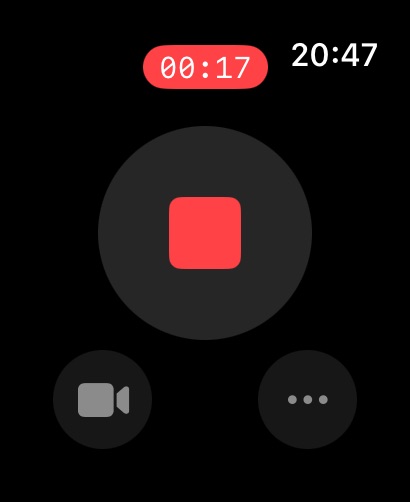
· Apple Watch Remote — see a live preview on your watch, then control the shutter, recording, modes, and common settings
· Home Screen Widget — jump straight into Photo, Video, Selfie, or Manual mode
· Lock Screen Widget — launch SCamera with a single tap
· Control Center Shortcut — quick access from iOS 18+
If you enjoy SCamera, we'd love a rating or review. Your feedback helps us improve.
In-App Purchases US pricing
One-Time Purchases
SCamera Pro$2.99
Capabilities
In-App Purchases
Accessibility
ipadiphonemacrealityDevicetvoswatch
Version history 25 versions
Build 887865663v2.4.52026-07-09 05:39:37
· Improved shutter response: press repeatedly to capture multiple photos
· Added watch face and Smart Stack shortcuts on Apple Watch
· Fixed multiple known issues
Build 887585238v2.4.42026-07-02 10:56:06
· Improved stability when saving photos and reviewing shots after capture
· Prevented accidental aspect ratio changes while recording videos or taking photos
· Improved photo editing
· Fixed multiple known issues
Build 887271803v2.4.32026-06-28 08:33:40
· Added Slow Motion capture mode
· Added live preview to Apple Watch remote control, with improved shutter and settings controls
· Added color adjustments and filters for video editing
· Fixed multiple known issues
Build 887002166v2.4.22026-06-22 04:30:49
· Added video trimming so you can keep just the part you want
· Added automatic photo enhancement for easier editing
· Swipe up in detail view to see capture and file information
· Improved gallery browsing, batch actions, and Apple Watch remote shutter control
Build 886712356v2.4.12026-06-15 14:19:39
· Improved instant review after capture
· Improved photo saving and gallery browsing stability
· Various bug fixes
Build 886585223v2.4.02026-06-09 05:10:44
· Live Photo capture
· Record video by holding the shutter in Photo mode
· Expanded live filters and filter management
· Various bug fixes
Build 886282473v2.3.92026-06-03 02:05:52
· Photo editing
· Various bug fixes
Build 885913119v2.3.82026-05-27 13:49:10
· Landscape selfies while holding your phone vertically
· Various bug fixes
Build 885793074v2.3.72026-05-19 14:29:31
· New Portrait Mode
· Mark photos as favorites
· New auto flash mode
· Various bug fixes
Build 885650446v2.3.62026-05-14 14:57:38
· Improved front camera capture experience
· Fixed color accuracy on certain devices
· Various bug fixes
Build 885439430v2.3.52026-05-12 14:02:53
· Added 16:9 photo aspect ratio
· Refined visuals for iOS 26
· Camera Control support — adjust zoom and exposure with the hardware button
· Improved zoom interaction
· Improved capture performance — faster response and smoother operation
· Fixed an issue where landscape photos could appear in the wrong orientation in some cases
· Fixed front camera image orientation on certain devices
· Fixed an occasional false "Save Failed" alert
· Various bug fixes
Build 885339810v2.3.32026-05-07 01:21:43
· Improved capture performance
· Improved gallery browsing
· Redesigned photo info page
· Various bug fixes
Build 885365924v2.3.42026-05-07 16:30:21
· Fixed photo quality and format settings not taking effect in some cases
· Fixed an issue where location information could be missing from some photos
· Smoother selection in the gallery
· Various bug fixes
Build 885201773v2.3.22026-05-05 08:09:52
· Improved gallery experience
· Various bug fixes
Build 884680949v2.3.12026-04-21 01:42:30
· 48MP Ultra HD Photos — crisp details even when you zoom in (on supported models)
· Apple Watch Remote — prop up your phone, tap from your wrist, nail every group shot and selfie
· Home Screen Widget — jump straight into Photo, Video, Selfie, or Manual mode
· QR code scanning, front camera wide/standard toggle, filter intensity slider, and JPEG format
Build 884467212v2.3.02026-04-18 10:47:38
· Manual Mode — full control over ISO, shutter speed, white balance, and focus
· Real-time Filters — preview effects as you shoot
· Performance improvements and stability fixes
· Added Vietnamese language support
Build 884245331v2.2.22026-04-10 04:58:39
· New 12MP photo mode — sharper, more detailed photos
· Quality switcher — quickly change resolution and HDR
· UI improvements and stability fixes
Build 884088244v2.2.12026-04-07 08:07:47
· New zoom control — tap to switch lenses, swipe for fine-grained zoom
· EV value now shown next to the exposure slider
Build 883981428v2.2.02026-04-02 17:15:55
· Video Stabilization — smoother recording with anti-shake (Pro)
· Improved exposure slider with a natural response curve
· Added German, French, and Spanish language support
Build 883886727v2.1.12026-03-31 00:59:27
Bug fixes and stability improvements.
· Fixed a crash that could occur during extended camera use
· Improved overall usability and interface consistency
· Better error handling when sharing photos
· Enhanced capture stability and concurrency safety
Build 883595022v2.1.02026-03-29 00:02:31
Completely redesigned and rebuilt from the ground up.
What's new in 2.0:
· Brand new UI — minimal, clean, and intuitive
· HDR photo mode for richer detail
· Ultra wide lens support
· Level indicator for perfectly straight shots
· Burst capture mode
· Selfie mirror option
· Lock Screen Widget for instant access
· Control Center shortcut (iOS 18+)
· Built-in gallery with drag-to-select and swipe-to-dismiss
· Watermark now supports custom font, color, and position
· Privacy fallback — saves to app sandbox when album access is denied
Thank you for your continued support!
Build 837010958v1.3.02021-03-16 14:20:44
bug fix and performance improve.
Build 833543503v1.2.72019-11-11 16:27:31
bug fix and performance improve.
Build 833463946v1.2.62019-11-06 00:50:03
bug fix and performance improve.
Build 833354958v1.2.52019-10-30 15:43:41
bug fix
Price history by region
Currency
Show
Columns
Search
Availability 1 of 1 storefronts
| Region | Language | Price | Ratings | Avg | Version |
|---|---|---|---|---|---|
| US | en-US | Free | 94 | 4.1 | 2.4.5 |
Change log 29 changes · US
✎
releaseNotes updated
· Improved shutter response: press repeatedly to capture multiple photos
· Added watch face and Smart Stack shortcuts on Apple Watch
· Fixed multiple known issu
✎
description updated
A camera app built for everyday moments — especially when you need to shoot quietly, quickly, and with minimal distraction.
Whether you're capturing plants, fo
✎
subtitle updated
Minimal. Clean. Focused.
✎
name updated
SCamera
◆
Version 2.4.5 released
· Improved shutter response: press repeatedly to capture multiple photos
· Added watch face and Smart Stack shortcuts on Apple Watch
· Fixed multiple known issues
◆
Version 2.4.4 released
· Improved stability when saving photos and reviewing shots after capture
· Prevented accidental aspect ratio changes while recording videos or taking photos
· Improved photo editing
· Fixed multiple known issues
◆
Version 2.4.3 released
· Added Slow Motion capture mode
· Added live preview to Apple Watch remote control, with improved shutter and settings controls
· Added color adjustments and filters for video editing
· Fixed multiple known issues
◆
Version 2.4.2 released
· Added video trimming so you can keep just the part you want
· Added automatic photo enhancement for easier editing
· Swipe up in detail view to see capture and file information
· Improved gallery browsing, batch actions, and Apple Watch r
◆
Version 2.4.1 released
· Improved instant review after capture
· Improved photo saving and gallery browsing stability
· Various bug fixes
◆
Version 2.4.0 released
· Live Photo capture
· Record video by holding the shutter in Photo mode
· Expanded live filters and filter management
· Various bug fixes
◆
Version 2.3.9 released
· Photo editing
· Various bug fixes
◆
Version 2.3.8 released
· Landscape selfies while holding your phone vertically
· Various bug fixes
◆
Version 2.3.7 released
· New Portrait Mode
· Mark photos as favorites
· New auto flash mode
· Various bug fixes
◆
Version 2.3.6 released
· Improved front camera capture experience
· Fixed color accuracy on certain devices
· Various bug fixes
◆
Version 2.3.5 released
· Added 16:9 photo aspect ratio
· Refined visuals for iOS 26
· Camera Control support — adjust zoom and exposure with the hardware button
· Improved zoom interaction
· Improved capture performance — faster response and smoother operation
·
◆
Version 2.3.4 released
· Fixed photo quality and format settings not taking effect in some cases
· Fixed an issue where location information could be missing from some photos
· Smoother selection in the gallery
· Various bug fixes
◆
Version 2.3.3 released
· Improved capture performance
· Improved gallery browsing
· Redesigned photo info page
· Various bug fixes
◆
Version 2.3.2 released
· Improved gallery experience
· Various bug fixes
◆
Version 2.3.1 released
· 48MP Ultra HD Photos — crisp details even when you zoom in (on supported models)
· Apple Watch Remote — prop up your phone, tap from your wrist, nail every group shot and selfie
· Home Screen Widget — jump straight into Photo, Video, Self
◆
Version 2.3.0 released
· Manual Mode — full control over ISO, shutter speed, white balance, and focus
· Real-time Filters — preview effects as you shoot
· Performance improvements and stability fixes
· Added Vietnamese language support
◆
Version 2.2.2 released
· New 12MP photo mode — sharper, more detailed photos
· Quality switcher — quickly change resolution and HDR
· UI improvements and stability fixes
◆
Version 2.2.1 released
· New zoom control — tap to switch lenses, swipe for fine-grained zoom
· EV value now shown next to the exposure slider
◆
Version 2.2.0 released
· Video Stabilization — smoother recording with anti-shake (Pro)
· Improved exposure slider with a natural response curve
· Added German, French, and Spanish language support
◆
Version 2.1.1 released
Bug fixes and stability improvements.
· Fixed a crash that could occur during extended camera use
· Improved overall usability and interface consistency
· Better error handling when sharing photos
· Enhanced capture stability and concurren
◆
Version 2.1.0 released
Completely redesigned and rebuilt from the ground up.
What's new in 2.0:
· Brand new UI — minimal, clean, and intuitive
· HDR photo mode for richer detail
· Ultra wide lens support
· Level indicator for perfectly straight shots
· Burst cap
◆
Version 1.3.0 released
bug fix and performance improve.
◆
Version 1.2.7 released
bug fix and performance improve.
◆
Version 1.2.6 released
bug fix and performance improve.
◆
Version 1.2.5 released
bug fix