Home › Finance

 US
US
1 of 1 storefronts
Content in en-US
Content in en-US
Information
Preview 3 platforms
iPhone 7 images


iPad 5 images



Apple Watch 5 images



What’s New Version 2.45.0
Bug fixes and improvements
Description
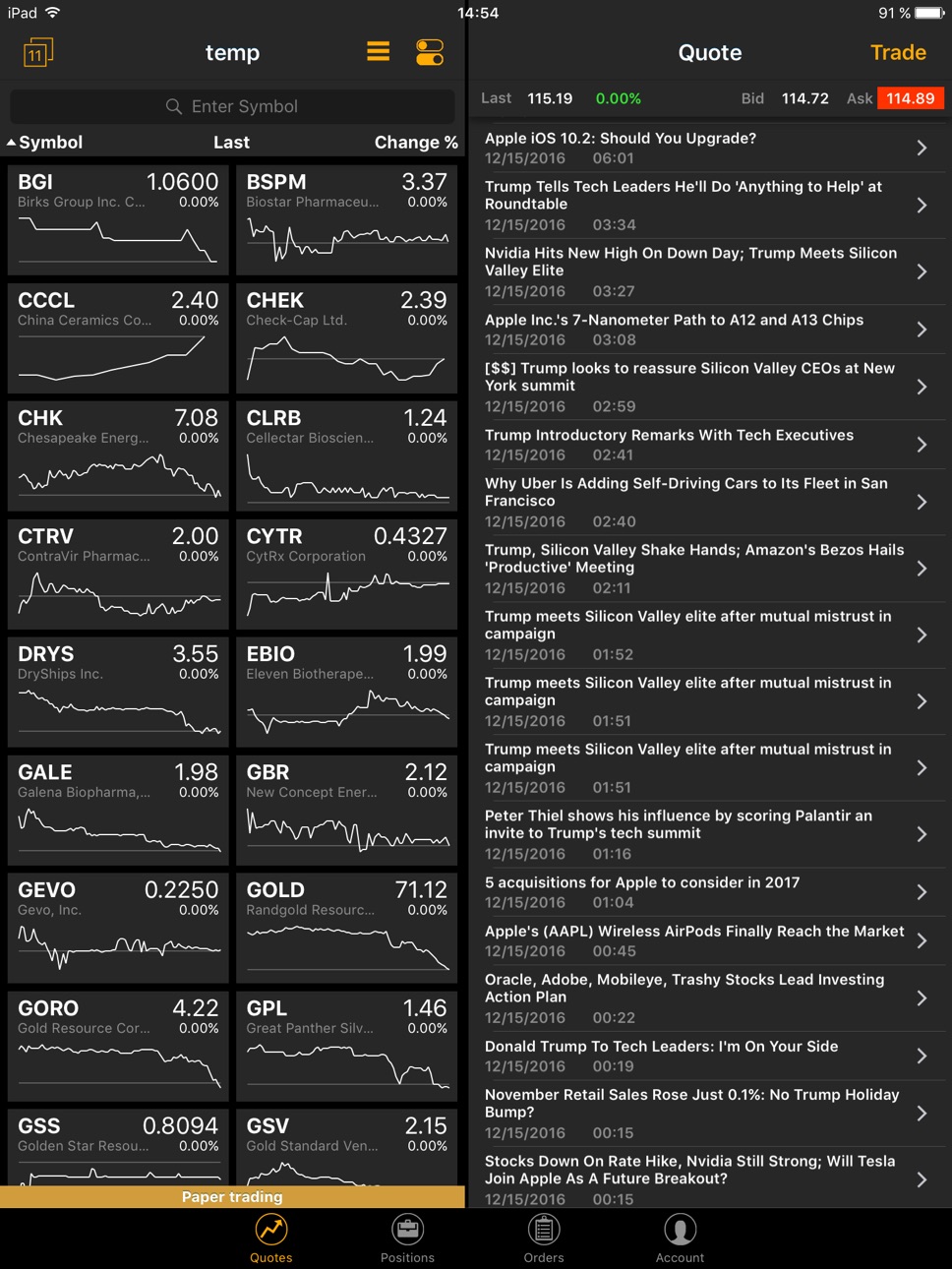
Lightspeed Mobile is the perfect complement to your Lightspeed Web account. Monitor the markets, trade stocks, options, and ETFs with ease. *** NOT compatible with Lightspeed Trader. A Lightspeed account is required to access the mobile app. ***
· High performance, real-time Level I market data
· Real time charting; configurable charts with OHLC, line, area, and bar charts
· Dynamic time and sales data
· Real time alerts; price, orders, and trades
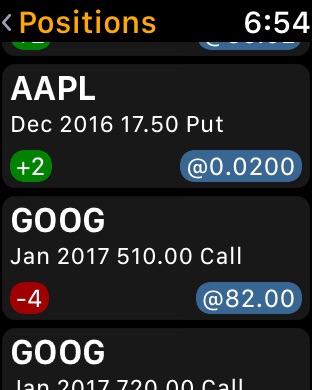
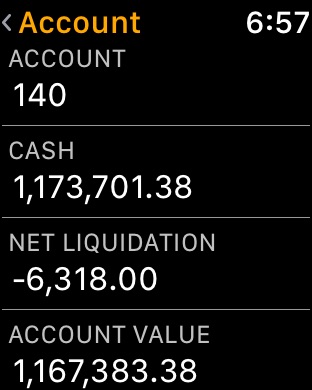
· Portfolio management; real time position, P&L and Account Values
· Options display with strike prices
· Updated watchlists
Disclaimer: Lightspeed Financial Services Group LLC’s SIPC coverage is available only for securities, and for cash held in connection with the purchase or sale of securities, in equities and equities options accounts. Equities, equities options, and commodity futures products and services are offered by Lightspeed Financial Services Group LLC (Member FINRA, NFA and SIPC).
Accessibility
ipadiphonemacrealityDevicetvoswatch
Version history 25 versions
Build 868368308v2.45.02025-10-25 09:28:56
Bug fixes and improvements
Build 861229442v2.44.02024-02-06 12:23:20
• Added New Fields: More detailed stock information at your fingertips.
• App Improvements: Enjoy smoother and faster app performance.
• Bug Fixes: We've ironed out the kinks for uninterrupted trading.
Build 855774614v2.42.02023-04-10 11:27:16
• Option trading in landscape mode
• iOS 16 adjustments
• Various improvements and bug fixes
Build 851159714v2.41.02022-08-05 16:03:02
Improved user experience on iPad
Build 850192877v2.40.02022-06-17 10:07:38
• Positions and Orders screen improvements
• Positions columns sorting bug fix
Build 849483583v2.39.02022-05-31 08:49:44
• Added fingerprint/face recognition login
• Improved Position and Quotes screens
• Bug fixes
Build 848342545v2.38.02022-04-18 08:07:12
Lightspeed Mobile's new look
Build 847513146v2.37.12022-03-07 09:37:58
• Improved user experience for iPad
• Bug fixes and minor improvements
Build 847349427v2.37.02022-02-24 10:06:07
• Grouping positions by underlying symbol
• Full screen display of positions on iPad
• Bug fixes and minor changes
Build 845538977v2.36.02021-11-25 09:31:31
- UI and UX improvements
- Calculation improvements
- Label changes
- Bug fixes
Build 844360097v2.35.02021-11-01 10:11:53
- Added Daily P/L
- Various additions and improvements
- Bug fixes
Build 841416722v2.34.02021-06-08 11:50:09
- Updated branding
- Main tabs rearranged for better user experience
- New columns in Positions page/screen: Day High, Day Low, Year High, Year Low, Option Expiration Date, Option Strike, Current Yield, Market Capitalization
- Added settings menu to vertical symbol chart
- Increased vertical chart size
- Bug fixes
Build 839763621v2.33.32021-01-26 06:41:11
Added Last Exchange, Ask Exchange and Bid Exchange to Order Detail screen.
Build 834387877v2.33.22020-01-18 01:30:52
Changed how credentials are handled upon login/logout.
Changes in displaying Partially Filled orders.
Other app improvements and bug fixes.
Build 834062810v2.33.02019-12-27 12:07:41
Changed how credentials are handled upon login/logout.
Changes in displaying Partially Filled orders.
Other app improvements and bug fixes.
Build 833401214v2.32.392019-11-01 09:15:31
Your last username will be saved for further login attempts.
iOS 13 improvements.
Bugfixes.
Build 832568010v2.32.312019-09-17 16:01:22
Bugfixes.
Build 821193944v2.28.12017-03-06 16:10:58
Improvements and fixes to deliver even better mobile trading experience:
- Account History Chart Added to Account Screen
- Tilt your phone to access Account History Chart Full view
- Quick Watchlist Edit from Panel View: tap symbol and hold
- In-App Tutorial Updated
- Filled Orders now show execution price.
Build 820629277v2.27.062017-01-20 18:45:59
This release includes improvements and bug fixes to make your experience as great as it possible.
Build 820249656v2.27.032016-12-21 16:09:00
- Added Panel view for watchlists
- Display chart period and interval
- Chart zoom improvements
- Added white color scheme
- Added ability to cancel all orders
- Candles improvements on the chart
- Number of columns on the watchlist was expanded
- Added support of Apple Watch
- Added 'Day Chart' column to the watchlist
- Added Realized P/L field to the position details
Build 819679337v2.25.122016-11-10 14:56:37
UI improvements and fixes
Build 819196884v2.25.32016-10-06 23:37:36
UI improvements and fixes
Build 818714123v2.25.22016-09-27 02:17:18
UI improvements and optimization
Build 818264370v2.252016-07-26 00:26:08
- Added statistics display by orders on Orders screen.
- Added new intervals on the Chart screen
- Added ability for sorting positions.
- Added 3D touch quick actions on the Home screen.
Build 816746579v1.12016-03-19 16:53:33
-Added and updated tutorial screens.
-Added a series of new functions to the quote detail screen, including: adding the symbol to the current watch list, viewing your position for that symbol, and a transition to the detail screen for that symbol.
-Added a display for open positions on the charts.
-Display added to show the current trading account being used if a user has more than one. The account is reflected in the following areas: Orders, Positions, Trade Screen, Verify Popup, and Cancel Popup.
-The app now remembers the last selected Watch list and opens it the next time you login.
-Added the ability to edit column in the watchlist. By default, the columns displayed are as follows: Last / Change%, Bid / Bid Size, Ask / Ask Size.
No pricing data captured yet — comparisons appear once the app has paid storefronts or in-app purchases.
Availability 1 of 1 storefronts
| Region | Language | Price | Ratings | Avg | Version |
|---|---|---|---|---|---|
| US | en-US | Free | 80 | 1.6 | 2.45.0 |
Change log 29 changes · US
✎
releaseNotes updated
Bug fixes and improvements
✎
description updated
Lightspeed Mobile is the perfect complement to your Lightspeed Web account. Monitor the markets, trade stocks, options, and ETFs with ease. *** NOT compatible
✎
subtitle updated
Stock, options, and ETFs
✎
name updated
Lightspeed Mobile
◆
Version 2.45.0 released
Bug fixes and improvements
◆
Version 2.44.0 released
• Added New Fields: More detailed stock information at your fingertips.
• App Improvements: Enjoy smoother and faster app performance.
• Bug Fixes: We've ironed out the kinks for uninterrupted trading.
◆
Version 2.42.0 released
• Option trading in landscape mode
• iOS 16 adjustments
• Various improvements and bug fixes
◆
Version 2.41.0 released
Improved user experience on iPad
◆
Version 2.40.0 released
• Positions and Orders screen improvements
• Positions columns sorting bug fix
◆
Version 2.39.0 released
• Added fingerprint/face recognition login
• Improved Position and Quotes screens
• Bug fixes
◆
Version 2.38.0 released
Lightspeed Mobile's new look
◆
Version 2.37.1 released
• Improved user experience for iPad
• Bug fixes and minor improvements
◆
Version 2.37.0 released
• Grouping positions by underlying symbol
• Full screen display of positions on iPad
• Bug fixes and minor changes
◆
Version 2.36.0 released
- UI and UX improvements
- Calculation improvements
- Label changes
- Bug fixes
◆
Version 2.35.0 released
- Added Daily P/L
- Various additions and improvements
- Bug fixes
◆
Version 2.34.0 released
- Updated branding
- Main tabs rearranged for better user experience
- New columns in Positions page/screen: Day High, Day Low, Year High, Year Low, Option Expiration Date, Option Strike, Current Yield, Market Capitalization
- Added sett
◆
Version 2.33.3 released
Added Last Exchange, Ask Exchange and Bid Exchange to Order Detail screen.
◆
Version 2.33.2 released
Changed how credentials are handled upon login/logout.
Changes in displaying Partially Filled orders.
Other app improvements and bug fixes.
◆
Version 2.33.0 released
Changed how credentials are handled upon login/logout.
Changes in displaying Partially Filled orders.
Other app improvements and bug fixes.
◆
Version 2.32.39 released
Your last username will be saved for further login attempts.
iOS 13 improvements.
Bugfixes.
◆
Version 2.32.31 released
Bugfixes.
◆
Version 2.28.1 released
Improvements and fixes to deliver even better mobile trading experience:
- Account History Chart Added to Account Screen
- Tilt your phone to access Account History Chart Full view
- Quick Watchlist Edit from Panel View: tap symbol and hol
◆
Version 2.27.06 released
This release includes improvements and bug fixes to make your experience as great as it possible.
◆
Version 2.27.03 released
- Added Panel view for watchlists
- Display chart period and interval
- Chart zoom improvements
- Added white color scheme
- Added ability to cancel all orders
- Candles improvements on the chart
- Number of columns on the watchlist was exp
◆
Version 2.25.12 released
UI improvements and fixes
◆
Version 2.25.3 released
UI improvements and fixes
◆
Version 2.25.2 released
UI improvements and optimization
◆
Version 2.25 released
- Added statistics display by orders on Orders screen.
- Added new intervals on the Chart screen
- Added ability for sorting positions.
- Added 3D touch quick actions on the Home screen.
◆
Version 1.1 released
-Added and updated tutorial screens.
-Added a series of new functions to the quote detail screen, including: adding the symbol to the current watch list, viewing your position for that symbol, and a transition to the detail screen for that