Home › Photo & Video

 US
US
1 of 1 storefronts
Content in en-US
Content in en-US
Information
Preview 2 platforms

iPhone 7 images


iPad 7 images




What’s New Version 7.12.10
+ Fixes a bug with the visualization of such LivePhotos that are missing the video part. These are now visualized as normal still pictures.
Description
Utiful is the photo filing system Apple forgot to build. As featured in The Wall Street Journal.
Are you frustrated that the Apple Photos app mixes everything—and won't let you create real order?
Unlike Apple Photos and other photo apps, Utiful lets you:
• Move photos out of your camera roll and outside of the main gallery—finally!
• Sort your photos into separate categories—work, hobbies, personal, and more.
• Keep utility photos like documents, receipts, and IDs out of your main gallery.
• Keep your main gallery clean and tidy.
How Utiful Works:
• Use Utiful to move photos out of your camera roll and save them to Utiful folders.
• The photos are removed from the camera roll but kept in your Utiful folders.
• Your Utiful folders are automatically backed up to your iCloud Backup.
• The Utiful sync feature lets you access your folders across all your iOS devices.
Utiful’s further unique features include:
• Save photos to Utiful folders straight from the Photos app.
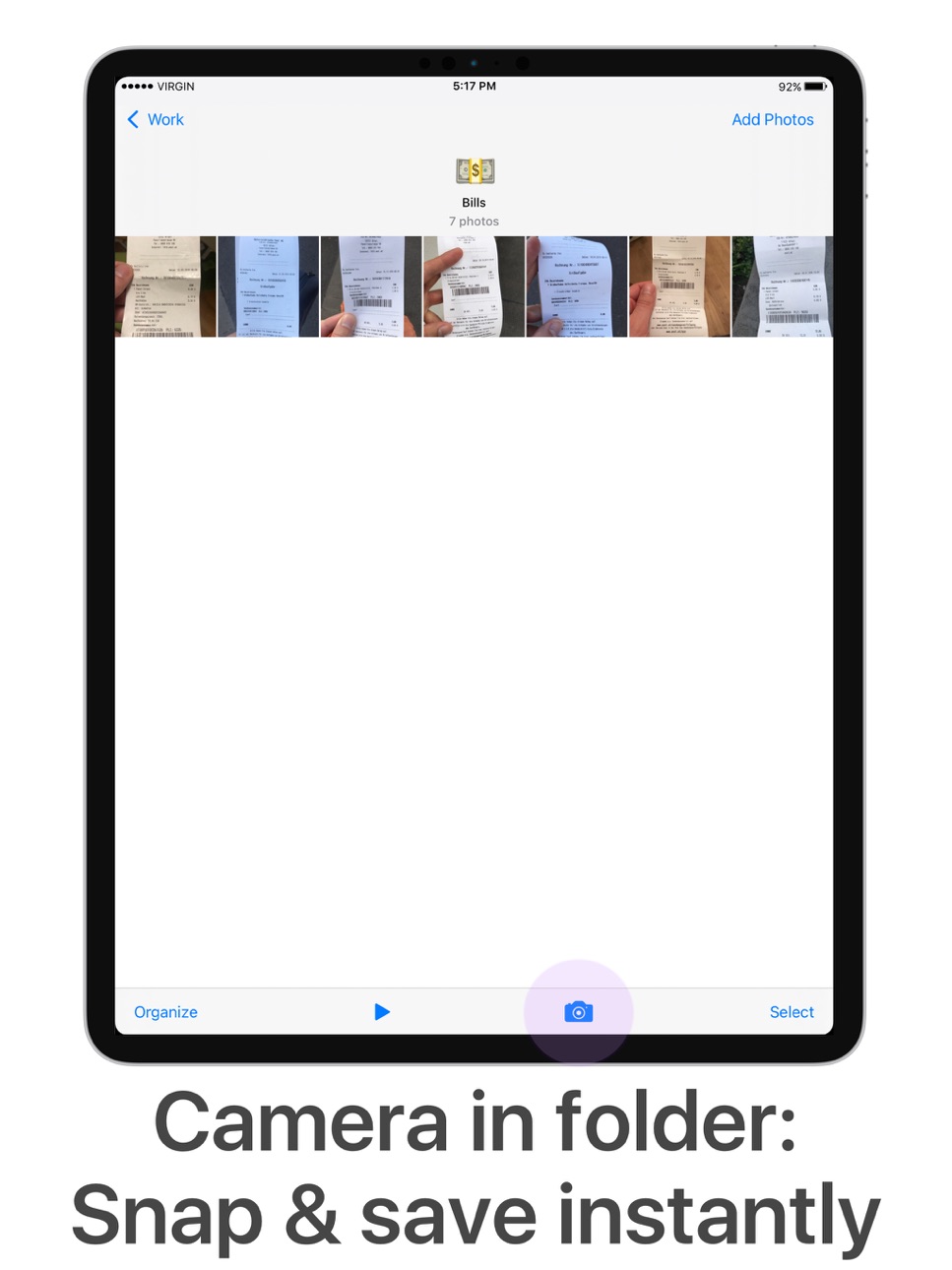
• Take photos with the folder camera that save directly to the folder.
• Manually rearrange photos in a folder—just the way you like.
• Protect your Utiful folders with a passcode lock (Touch ID and Face ID supported).
• Import/export photo folders from/to computer, cloud storage, external hard drives, also wirelessly via AirDrop.
Who Uses Utiful:
• Professionals & freelancers keeping work photos separate from personal ones
• Contractors & service providers managing before/after project pictures
• Doctors & lawyers organizing reference photos, evidence, and case documentation
• Hobbyists & creatives storing inspiration, artwork, and craft ideas
• Everyday users organizing screenshots, receipts, IDs, and notes by category as well as reference pictures such as haircuts, clothes, fitness tracking, songs identified with Shazam etc.
Quick Start Guide:
1. Open Utiful, tap "Add Photos", select photos from the camera roll and tap "Move".
2. Or, while in the Photos app, select photos, tap Share and choose "Save to Utiful".
All photo, video, GIF, and RAW formats are supported. Original image quality & metadata are preserved.
The full feature list, User’s Manual, and tutorial videos are available anytime in the app’s settings.
Download Utiful today and take control of your photo library!
Subscription & Free Trial
New users get a free trial before the subscription begins. After the free trial, your subscription automatically renews annually unless canceled at least 24 hours before the billing period ends. You can manage your subscription in Settings > Apple ID > Subscriptions.
Terms of Use: utifulapp.com/terms.html
Privacy Policy: utifulapp.com/privacy.html
In-App Purchases US pricing
Utiful All Access Subscription
(Year) · Yearly 1-month free trial$49.99
(Month) · Monthly$6.99
Capabilities
In-App PurchasesiMessage
Accessibility
ipadiphonemacrealityDevicetvoswatch
Version history 25 versions
Build 883619731v7.12.102026-03-22 00:45:29
+ Fixes a bug with the visualization of such LivePhotos that are missing the video part. These are now visualized as normal still pictures.
Build 883146057v7.12.92026-03-08 22:05:26
+ Fixes a critical bug with LivePhotos that in some cases can lead to losing the live part.
Build 882210884v7.12.82026-02-07 09:12:50
+ Minor bugfixes
Build 879826540v7.12.72025-11-18 01:27:25
+ Fixes the access to Utiful from iMessage in iOS 26. After installing this update, you need to close and restart the Messages app, so that the new Utiful version gets registered with iMessage.
Build 879052336v7.12.62025-10-21 01:23:52
+ Fixes a crash related to Passcode Lock that sometimes happened when opening the app
Build 878904054v7.12.52025-10-14 22:49:05
+ Fixes a crash that happened sometimes when moving videos.
Build 878523287v7.12.42025-09-30 21:12:19
+ Minor bugfixes
Build 878407685v7.12.32025-09-25 21:23:28
+ Minor bugfixes
Build 878239662v7.12.22025-09-21 16:59:33
+ In iOS 26 the "Save to Utiful" sharing action in the Photos app was not working, we now fixed that.
Build 878159404v7.12.12025-09-17 15:04:49
+ Minor bugfixes
Build 877724531v7.12.02025-09-02 11:09:04
+ When you save photos or videos back to the Photos app, now they get saved with their original filename instead of a random technical ID as filename.
Build 877518793v7.11.02025-08-25 12:44:04
+ Hello Brasil! The app now supports your language!
Build 876432386v7.10.02025-07-16 09:15:05
+ Videos you start playing, will now play automatically in a loop until you stop them or swipe away
Build 876013480v7.9.02025-07-01 12:05:41
+ Slideshow: Shuffle mode added
+ Shuffle-sort photos in a folder
Build 872829385v7.8.02025-05-13 15:54:39
+ The app now supports Live Photos
Build 872039876v7.7.202025-01-27 11:11:50
+ Fixes a problem with synchronization.
Build 871610022v7.7.192025-01-08 13:21:35
+ Fixes a crash when previewing videos.
Build 871064823v7.7.182024-12-12 02:16:20
+ Bug fixes.
Build 870651140v7.7.172024-11-25 00:58:56
+ Fixes an issue that was sometimes happening when rotating photos
Build 870348169v7.7.162024-11-12 09:36:26
+ iOS 18 compatibility
Build 870056605v7.7.152024-10-30 14:43:53
+ Minor bugfixes
Build 869604198v7.7.142024-10-09 22:12:47
+ iOS 18 compatibility
Build 869533317v7.7.132024-10-07 13:03:22
+ iOS 18 compatibility
Build 867848047v7.7.122024-07-30 20:07:50
+ Minor bugfixes
Build 867293884v7.7.112024-07-07 19:52:38
+ Minor bugfixes
Price history by region
Currency
Show
Columns
Search
Availability 1 of 1 storefronts
| Region | Language | Price | Ratings | Avg | Version |
|---|---|---|---|---|---|
| US | en-US | Free | 770 | 4.1 | 7.12.10 |
Change log 29 changes · US
✎
releaseNotes updated
+ Fixes a bug with the visualization of such LivePhotos that are missing the video part. These are now visualized as normal still pictures.
✎
description updated
Utiful is the photo filing system Apple forgot to build. As featured in The Wall Street Journal.
Are you frustrated that the Apple Photos app mixes everything—
✎
subtitle updated
Organizing photos made easy
✎
name updated
Utiful: Move & Organize Photos
◆
Version 7.12.10 released
+ Fixes a bug with the visualization of such LivePhotos that are missing the video part. These are now visualized as normal still pictures.
◆
Version 7.12.9 released
+ Fixes a critical bug with LivePhotos that in some cases can lead to losing the live part.
◆
Version 7.12.8 released
+ Minor bugfixes
◆
Version 7.12.7 released
+ Fixes the access to Utiful from iMessage in iOS 26. After installing this update, you need to close and restart the Messages app, so that the new Utiful version gets registered with iMessage.
◆
Version 7.12.6 released
+ Fixes a crash related to Passcode Lock that sometimes happened when opening the app
◆
Version 7.12.5 released
+ Fixes a crash that happened sometimes when moving videos.
◆
Version 7.12.4 released
+ Minor bugfixes
◆
Version 7.12.3 released
+ Minor bugfixes
◆
Version 7.12.2 released
+ In iOS 26 the "Save to Utiful" sharing action in the Photos app was not working, we now fixed that.
◆
Version 7.12.1 released
+ Minor bugfixes
◆
Version 7.12.0 released
+ When you save photos or videos back to the Photos app, now they get saved with their original filename instead of a random technical ID as filename.
◆
Version 7.11.0 released
+ Hello Brasil! The app now supports your language!
◆
Version 7.10.0 released
+ Videos you start playing, will now play automatically in a loop until you stop them or swipe away
◆
Version 7.9.0 released
+ Slideshow: Shuffle mode added
+ Shuffle-sort photos in a folder
◆
Version 7.8.0 released
+ The app now supports Live Photos
◆
Version 7.7.20 released
+ Fixes a problem with synchronization.
◆
Version 7.7.19 released
+ Fixes a crash when previewing videos.
◆
Version 7.7.18 released
+ Bug fixes.
◆
Version 7.7.17 released
+ Fixes an issue that was sometimes happening when rotating photos
◆
Version 7.7.16 released
+ iOS 18 compatibility
◆
Version 7.7.15 released
+ Minor bugfixes
◆
Version 7.7.14 released
+ iOS 18 compatibility
◆
Version 7.7.13 released
+ iOS 18 compatibility
◆
Version 7.7.12 released
+ Minor bugfixes
◆
Version 7.7.11 released
+ Minor bugfixes