Home › Education

 US
US
1 of 1 storefronts
Content in en-US
Content in en-US
Information
Preview 2 platforms
iPhone 5 images


iPad 5 images


What’s New Version 2.16.1
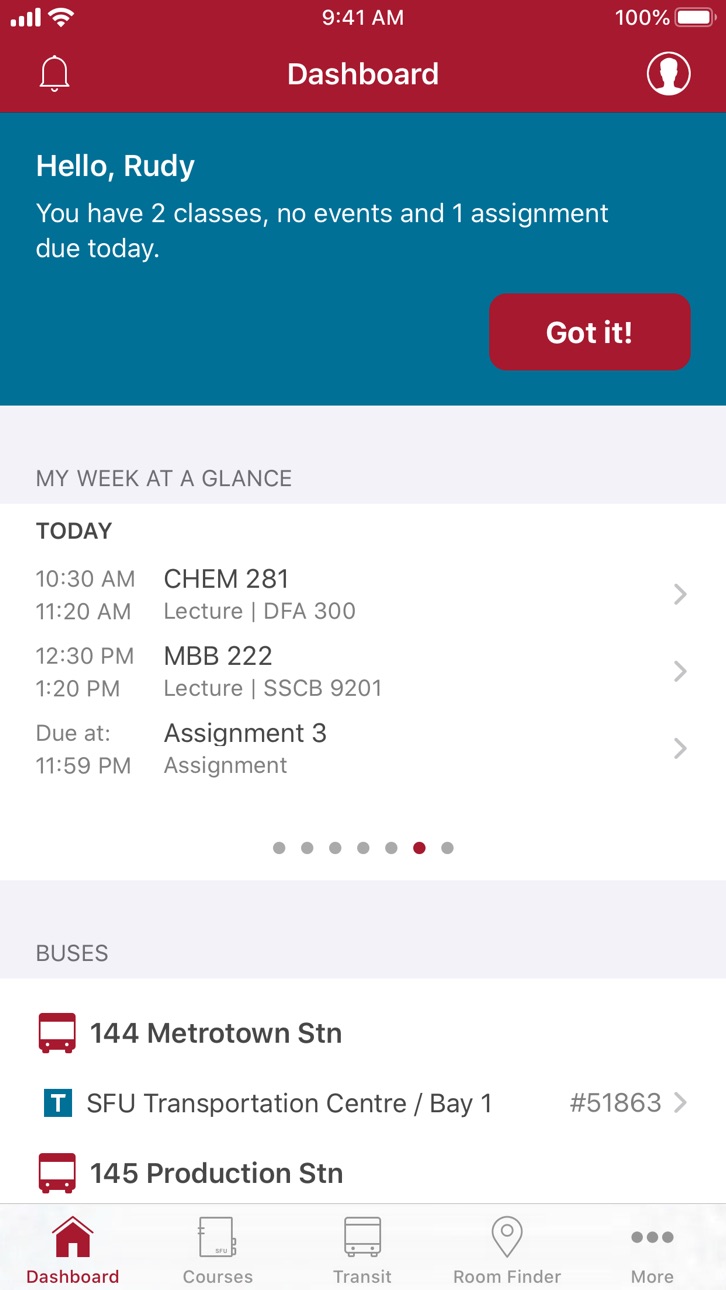
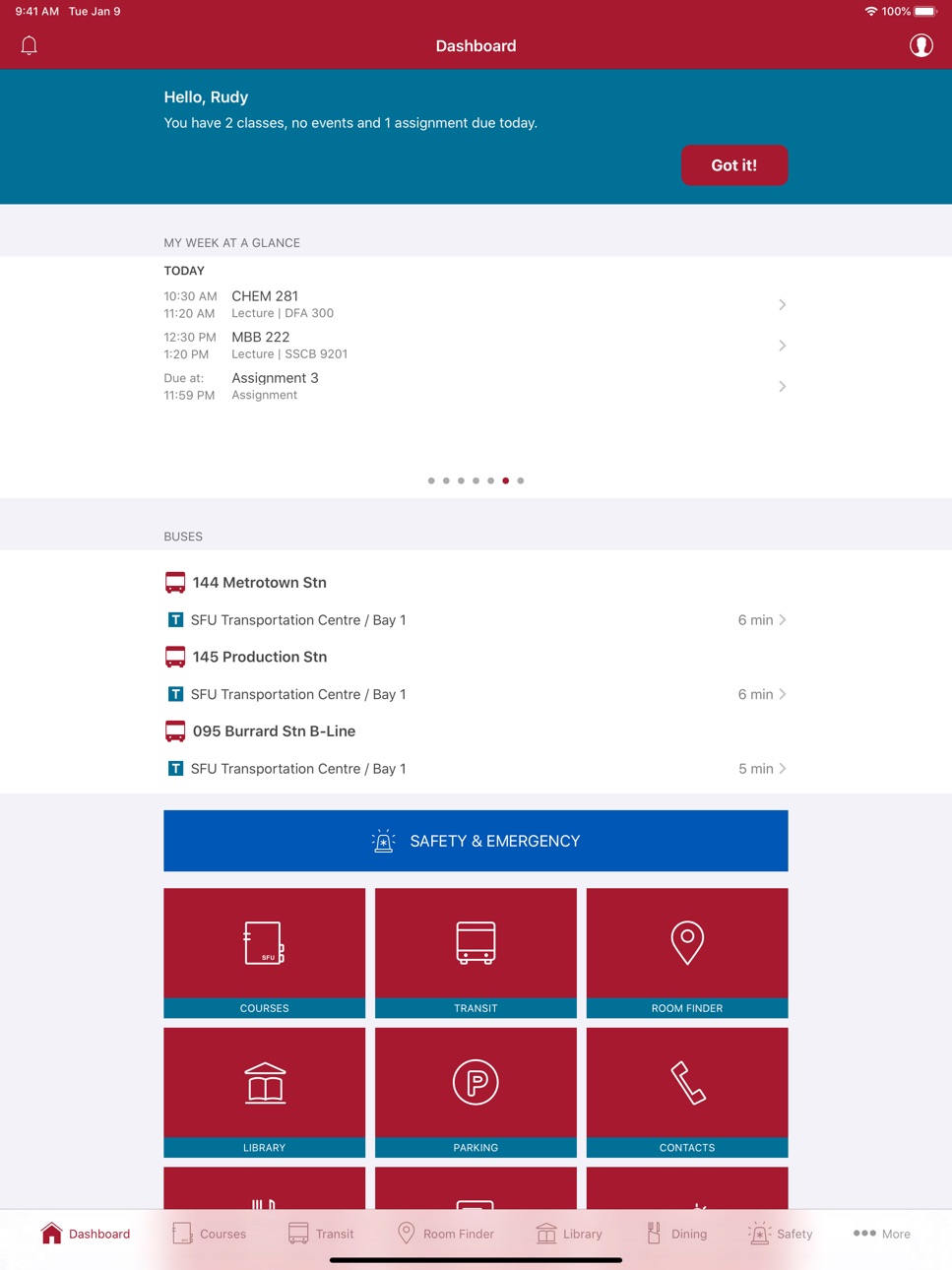
Fixed a rendering issue in the Buses widget on the Dashboard.
Description
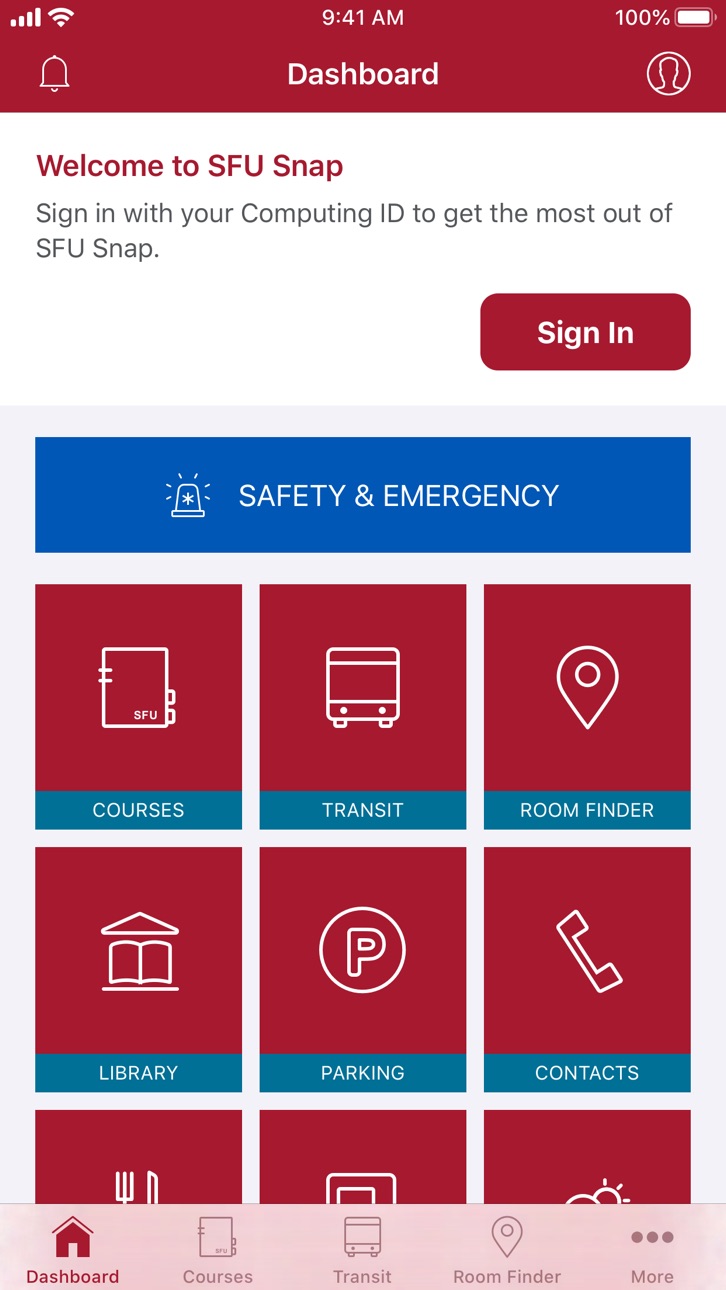
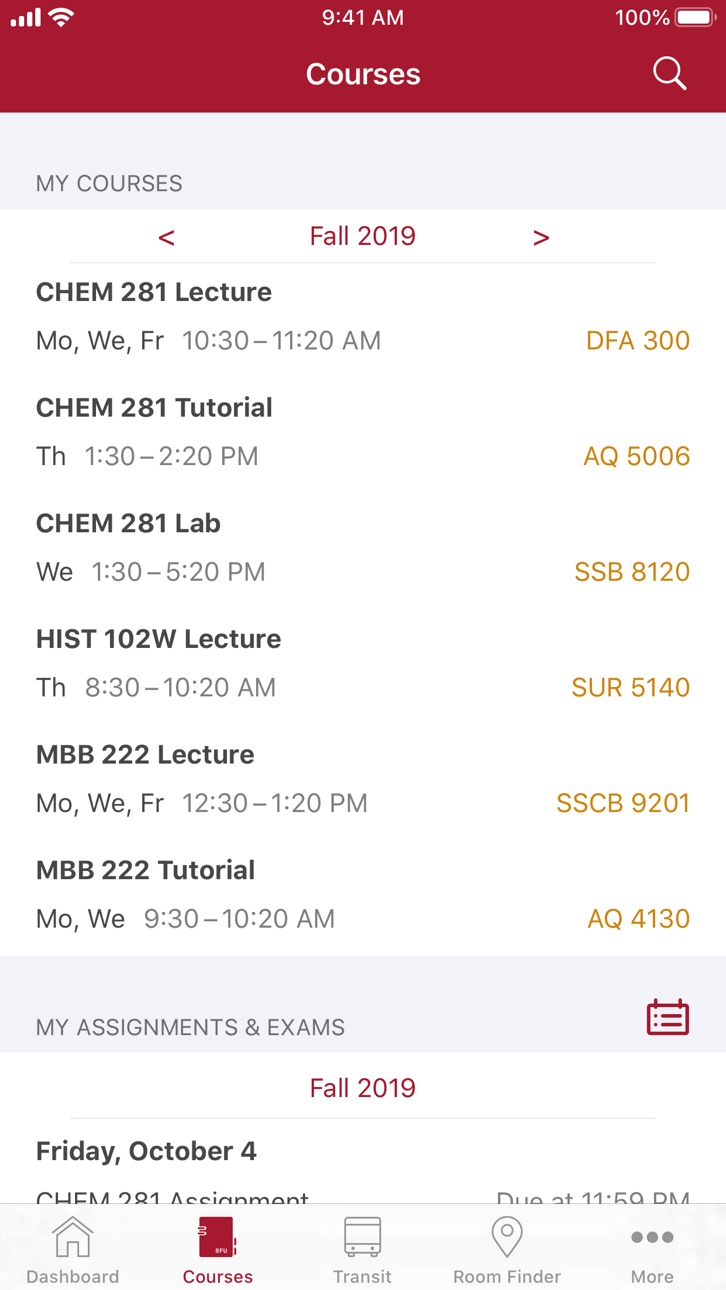
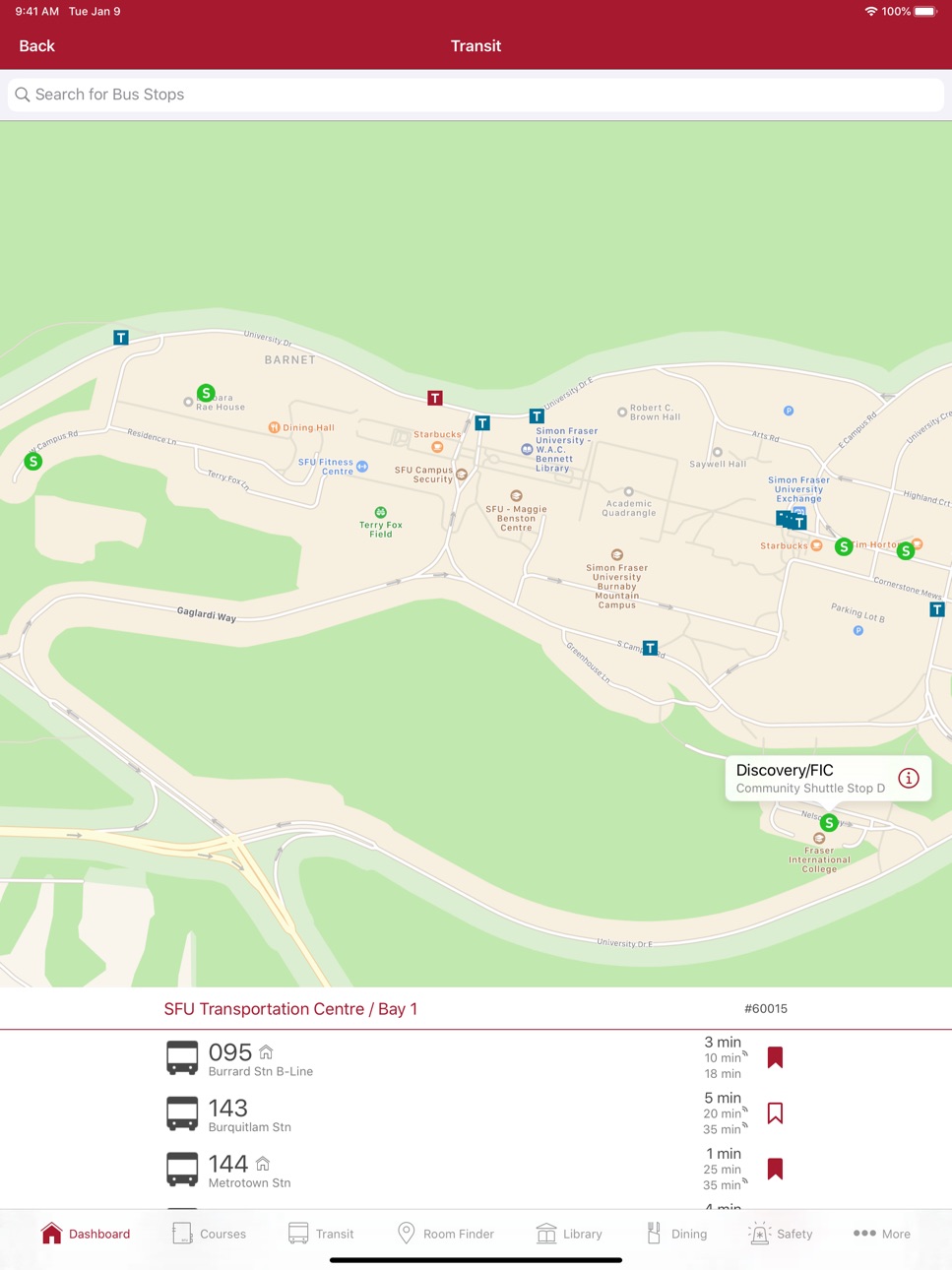
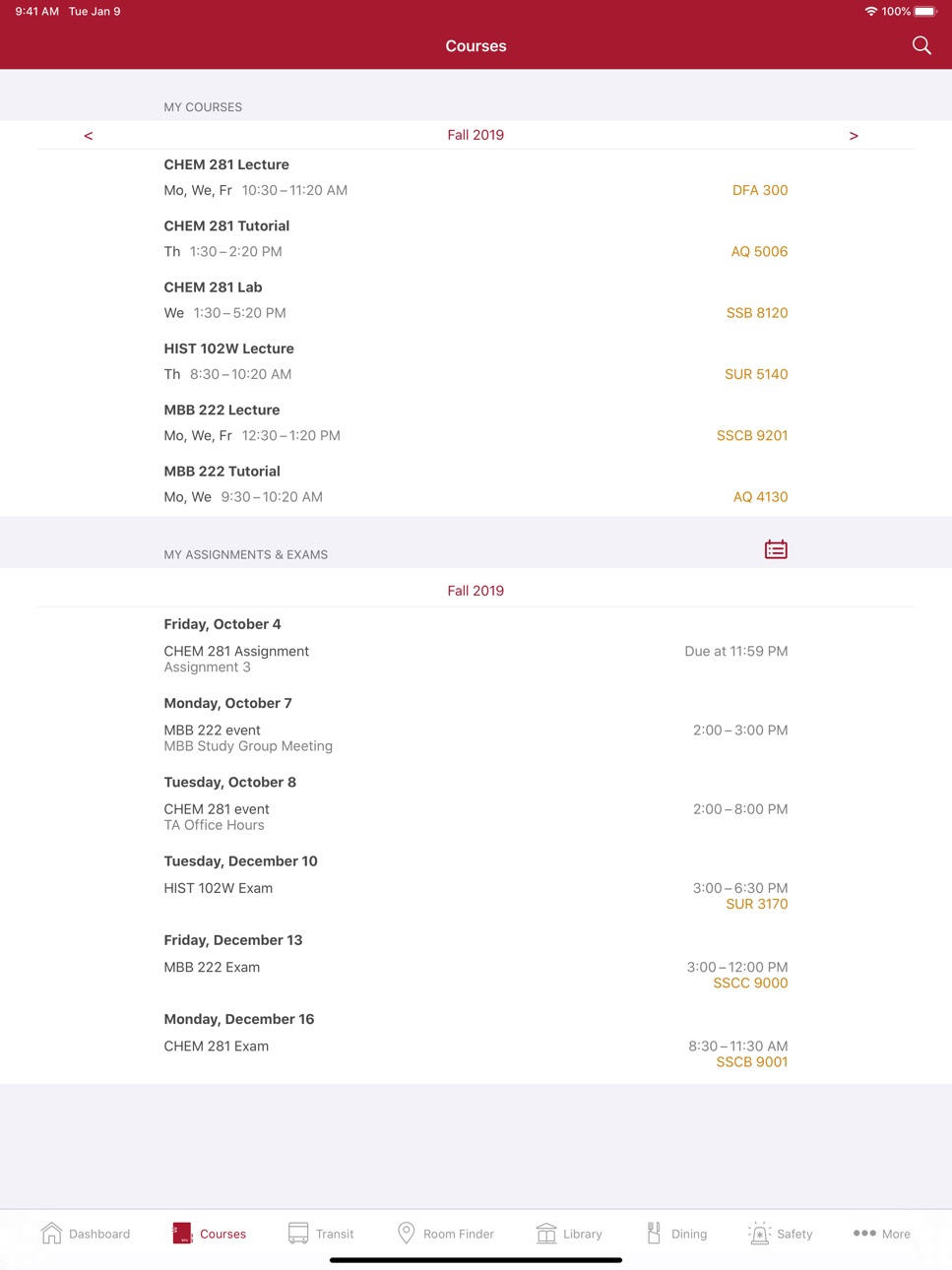
SFU Snap was created by students, for students. It provides you with the information you need to easily plan your campus experience in a snap. Access your personalized course schedule, find room locations, locate the shuttle bus, and explore campus services like dining and library.
You can provide us direct feedback at http://www.sfu.ca/apps/feedback.html.
Accessibility
ipadiphonemacrealityDevicetvoswatch
Version history 25 versions
Build 871597276v2.16.12025-01-08 07:23:14
Fixed a rendering issue in the Buses widget on the Dashboard.
Build 870794787v2.162024-12-03 01:42:57
Removed real-time transit information as TransLink has retired the information service. To check next bus times and more, please visit translink.ca.
Build 863132098v2.15.12024-01-24 21:41:06
Improved the handling of cancelled transit departures. Cancellations are now crossed out in the schedules and excluded from the bookmarks in My Buses.
Build 860621541v2.152023-10-12 23:43:33
• Improved how push notifications are handled
• Updated the Room Finder floor plans
• Refined the look and feel in several places
Build 853796203v2.14.22022-12-08 23:17:18
• Updated Room Finder with the latest floor plans
• Improved the tool to diagnose push notification issues
Build 853308391v2.14.12022-11-16 23:32:46
• Added the ability to receive Time Sensitive Notifications
• Added a tool to diagnose push notification issues
• Fixed a problem that caused extraneous items to be logged in Notifications
• Updated the holiday calendar
Build 849746255v2.142022-06-03 16:16:10
• Added President Statements and an improved SFU News feed to the News tab
• Replaced outdated content in the Parking tab with the official website
Build 847917482v2.132022-04-04 17:43:07
• Added new webcams and refreshed the user interface
• Fixed an issue with loading articles from SFU News
Build 845006822v2.12.12021-11-02 03:08:02
• Optimized for iOS 13 and later
• Fixed the erroneous "No Internet" alerts in Transit
Build 843955196v2.122021-09-20 21:25:53
Bottle refill stations and water fountains have been added to Room Finder. They appear as blue icons on the map and are also searchable, making it even easier to reduce single-use plastic waste.
Build 840906433v2.112021-03-19 01:00:14
Updated Room Finder with the latest floor plans (including the SUB) and the ability to search for washrooms near you or a selected building.
Build 839914695v2.102021-01-08 16:07:44
Redesigned the Library tab to show more relevant information about what's currently open
Build 838460898v2.9.22020-11-03 16:05:58
Updated the button link to COVID-19 Resources
Build 838039391v2.9.12020-10-02 15:09:57
• Added the ability to open Room Finder web links in the app
• Fixed a issue when launching the app from a push notification
Build 837632543v2.92020-09-04 15:08:52
Room Finder was rebuilt with the latest mapping framework to improve the overall user experience, including clearer labels, map rotation, zoom gestures, and Dark Mode. Also, your device location will now only be requested if you tap on the location button.
Build 835765846v2.8.62020-05-07 15:05:53
Fixed several minor issues with course schedules and remote instruction locations.
Build 835655741v2.8.52020-04-23 17:30:11
• Added a Dashboard link to information about building access changes
• Fixed an issue that caused some webcam images to be cropped
• Removed goSFU from the App Suite list
Build 834127989v2.8.42019-12-30 16:05:03
• Fixed a crash when viewing courses with undefined meeting times
• Fixed the status bar and term selector colours in the Course Explorer
Build 834008822v2.8.32019-12-18 08:57:50
• Fixed a data loading issue that affected the Course Explorer
• Fixed an issue that caused old contacts and dining locations to persist
• Fixed a handful of colour issues
Build 833388053v2.8.22019-10-30 20:02:54
• Fixed a crash that can occur after signing in from the Transit tab
• Fixed a few Dark Mode interface issues
Build 833096996v2.8.12019-10-09 23:06:49
Version 2.8.1 fixes push notifications in iOS 13 and Transit search, in addition to these changes from version 2.8:
• Added support for iOS 13 and Dark Mode
• Added Burnaby campus shuttle stops and real-time map
• Fixed the inability to delete Transit bookmarks of inactive stops
• Fixed a handful of bugs and crashes
Build 833004597v2.82019-10-07 21:13:37
• Added support for iOS 13 and Dark Mode
• Added Burnaby campus shuttle stops and real-time map
• Fixed the inability to delete Transit bookmarks of inactive stops
• Fixed a handful of bugs and crashes
Build 832689437v2.7.12019-09-09 18:57:07
• Updated Room Finder with the latest floor plans
• Improved searches for rooms in the Shrum Science Centre
Build 832566281v2.72019-08-29 22:34:51
• Added static maps for the new SRYE building
• Improved formatting of Canvas grades
• Improved layout on the iPad
Build 831171747v2.6.12019-05-02 22:04:01
Fixed broken links in Dining and Parking tabs.
And in case you missed it, the previous version (2.6) contained the following notable changes:
• Added a new Safety & Emergency screen
• Streamlined Dashboard banner
• Enabled Contacts to be updated dynamically
• Fixed an issue related to item editing in Notifications
• Fixed an issue with clearing cached data upon logout
Note to iPad users — You may have to rearrange tabs in the bottom tab bar if you have customized them before.
No pricing data captured yet — comparisons appear once the app has paid storefronts or in-app purchases.
Availability 1 of 1 storefronts
| Region | Language | Price | Ratings | Avg | Version |
|---|---|---|---|---|---|
| US | en-US | Free | 2 | 1.0 | 2.16.1 |
Change log 29 changes · US
✎
releaseNotes updated
Fixed a rendering issue in the Buses widget on the Dashboard.
✎
description updated
SFU Snap was created by students, for students. It provides you with the information you need to easily plan your campus experience in a snap. Access your perso
✎
subtitle updated
Your campus experience planner
✎
name updated
SFU Snap
◆
Version 2.16.1 released
Fixed a rendering issue in the Buses widget on the Dashboard.
◆
Version 2.16 released
Removed real-time transit information as TransLink has retired the information service. To check next bus times and more, please visit translink.ca.
◆
Version 2.15.1 released
Improved the handling of cancelled transit departures. Cancellations are now crossed out in the schedules and excluded from the bookmarks in My Buses.
◆
Version 2.15 released
• Improved how push notifications are handled
• Updated the Room Finder floor plans
• Refined the look and feel in several places
◆
Version 2.14.2 released
• Updated Room Finder with the latest floor plans
• Improved the tool to diagnose push notification issues
◆
Version 2.14.1 released
• Added the ability to receive Time Sensitive Notifications
• Added a tool to diagnose push notification issues
• Fixed a problem that caused extraneous items to be logged in Notifications
• Updated the holiday calendar
◆
Version 2.14 released
• Added President Statements and an improved SFU News feed to the News tab
• Replaced outdated content in the Parking tab with the official website
◆
Version 2.13 released
• Added new webcams and refreshed the user interface
• Fixed an issue with loading articles from SFU News
◆
Version 2.12.1 released
• Optimized for iOS 13 and later
• Fixed the erroneous "No Internet" alerts in Transit
◆
Version 2.12 released
Bottle refill stations and water fountains have been added to Room Finder. They appear as blue icons on the map and are also searchable, making it even easier to reduce single-use plastic waste.
◆
Version 2.11 released
Updated Room Finder with the latest floor plans (including the SUB) and the ability to search for washrooms near you or a selected building.
◆
Version 2.10 released
Redesigned the Library tab to show more relevant information about what's currently open
◆
Version 2.9.2 released
Updated the button link to COVID-19 Resources
◆
Version 2.9.1 released
• Added the ability to open Room Finder web links in the app
• Fixed a issue when launching the app from a push notification
◆
Version 2.9 released
Room Finder was rebuilt with the latest mapping framework to improve the overall user experience, including clearer labels, map rotation, zoom gestures, and Dark Mode. Also, your device location will now only be requested if you tap on the
◆
Version 2.8.6 released
Fixed several minor issues with course schedules and remote instruction locations.
◆
Version 2.8.5 released
• Added a Dashboard link to information about building access changes
• Fixed an issue that caused some webcam images to be cropped
• Removed goSFU from the App Suite list
◆
Version 2.8.4 released
• Fixed a crash when viewing courses with undefined meeting times
• Fixed the status bar and term selector colours in the Course Explorer
◆
Version 2.8.3 released
• Fixed a data loading issue that affected the Course Explorer
• Fixed an issue that caused old contacts and dining locations to persist
• Fixed a handful of colour issues
◆
Version 2.8.2 released
• Fixed a crash that can occur after signing in from the Transit tab
• Fixed a few Dark Mode interface issues
◆
Version 2.8.1 released
Version 2.8.1 fixes push notifications in iOS 13 and Transit search, in addition to these changes from version 2.8:
• Added support for iOS 13 and Dark Mode
• Added Burnaby campus shuttle stops and real-time map
• Fixed the inability to de
◆
Version 2.8 released
• Added support for iOS 13 and Dark Mode
• Added Burnaby campus shuttle stops and real-time map
• Fixed the inability to delete Transit bookmarks of inactive stops
• Fixed a handful of bugs and crashes
◆
Version 2.7.1 released
• Updated Room Finder with the latest floor plans
• Improved searches for rooms in the Shrum Science Centre
◆
Version 2.7 released
• Added static maps for the new SRYE building
• Improved formatting of Canvas grades
• Improved layout on the iPad
◆
Version 2.6.1 released
Fixed broken links in Dining and Parking tabs.
And in case you missed it, the previous version (2.6) contained the following notable changes:
• Added a new Safety & Emergency screen
• Streamlined Dashboard banner
• Enabled Contacts to be