Home › Utilities

 US
US
1 of 1 storefronts
Content in en-US
Content in en-US
Information
Preview 2 platforms
iPhone 4 images


iPad 3 images


What’s New Version 4.0.1
Ten years. One job: count. And Count 4.0 is the biggest leap yet.
Sense, reborn.
Hands-free counting is back in a big way. On iPhone 14 Pro and later, Count now uses the TrueDepth camera to track your push-ups. Set the phone down, start moving, and let Count keep score. Everything runs on-device so your data stays private.
A fresh coat.
Rebuilt from scratch in SwiftUI, with Liquid Glass touches on iOS 26 and a cleaner, get-out-of-your-way design.
Now in 8 languages.
Willkommen, Bienvenue, Bienvenido, Benvenuto, ようこそ, Добро пожаловать, Welcome, 欢迎
Still the same simple counter you've trusted since 2015. Just sharper, faster, and ready for the next ten years.
— Kevin
Description
Sense: Hands-free Counting
• The TrueDepth sensors on iPhone lets you count without even touching the screen.
• Ideal for push-ups.
Tap
• Tap the screen to count once.
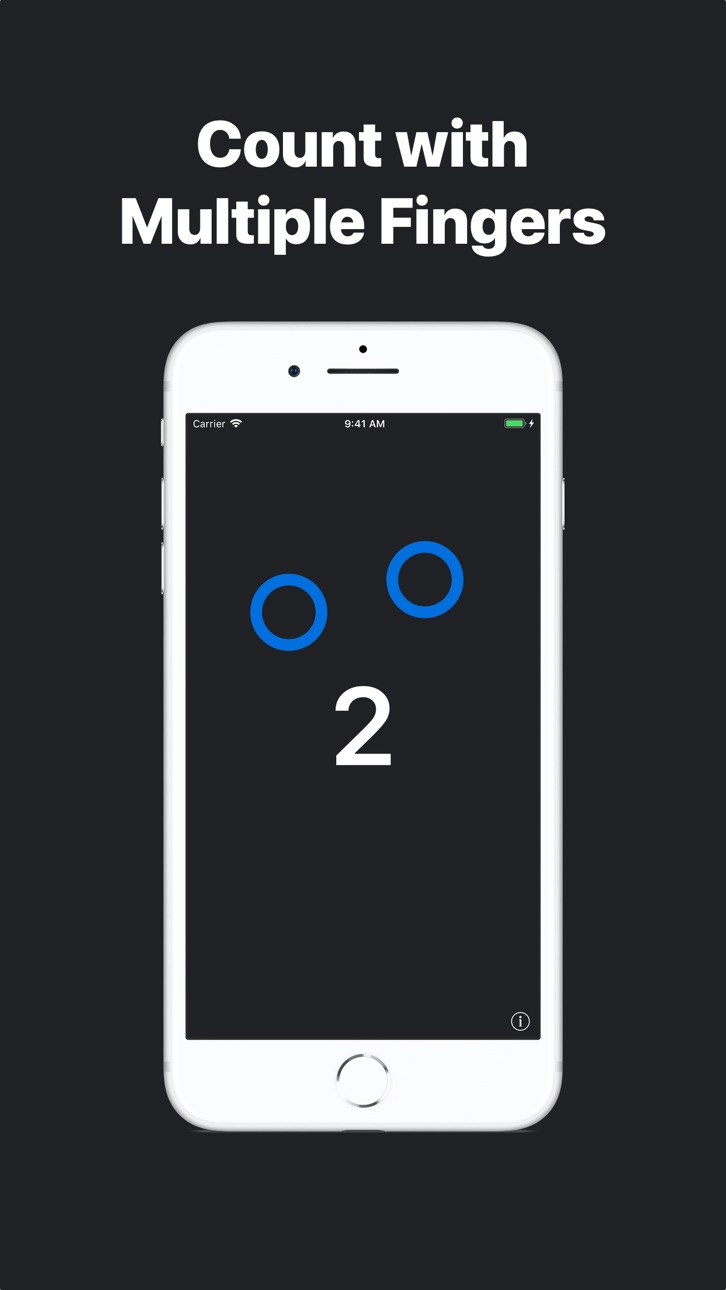
• Tap with multiple fingers to count multiple times.
Swipe
• Swipe left or right to subtract from the counter.
Hold
• Press and hold to reset the counter.
Random
• Shake the device to generate a random number.
Key Features:
• Simple design
• Multi-Touch
• Sense: Hands-free counting
• Generate random numbers
• Count with Gestures
• Multitasking Support on iPad
• Audio Feedback
Count has been keeping tallies since 2015. Designed by Kevin Wang.
In-App Purchases US pricing
One-Time Purchases
去除广告$0.99
Remove Ads$0.99
Capabilities
In-App Purchases
Accessibility
ipadiphonemacrealityDevicetvoswatch
Version history 12 versions
Build 887207714v4.0.12026-06-20 15:38:21
Ten years. One job: count. And Count 4.0 is the biggest leap yet.
Sense, reborn.
Hands-free counting is back in a big way. On iPhone 14 Pro and later, Count now uses the TrueDepth camera to track your push-ups. Set the phone down, start moving, and let Count keep score. Everything runs on-device so your data stays private.
A fresh coat.
Rebuilt from scratch in SwiftUI, with Liquid Glass touches on iOS 26 and a cleaner, get-out-of-your-way design.
Now in 8 languages.
Willkommen, Bienvenue, Bienvenido, Benvenuto, ようこそ, Добро пожаловать, Welcome, 欢迎
Still the same simple counter you've trusted since 2015. Just sharper, faster, and ready for the next ten years.
— Kevin
Build 886936044v4.0.02026-06-17 15:42:53
Ten years. One job: count. And Count 4.0 is the biggest leap yet.
Sense, reborn.
Hands-free counting is back in a big way. On iPhone 14 Pro and later, Count now uses the TrueDepth camera to track your push-ups. Set the phone down, start moving, and let Count keep score. Everything runs on-device so your data stays private.
A fresh coat.
Rebuilt from scratch in SwiftUI, with Liquid Glass touches on iOS 26 and a cleaner, get-out-of-your-way design.
Now in 8 languages.
Willkommen, Bienvenue, Bienvenido, Benvenuto, ようこそ, Добро пожаловать, Welcome, 欢迎
Still the same simple counter you've trusted since 2015. Just sharper, faster, and ready for the next ten years.
— Kevin
Build 863990307v3.2.42024-02-24 18:54:37
Bug fixes and performance improvements
Build 863701245v3.2.32024-02-12 08:15:56
Bug fixes and performance improvements
Build 859551257v3.2.22023-08-31 11:05:19
Bug fixes and performance improvements
Build 832396766v3.2.12019-08-18 21:39:36
We're introducing Audio Feedback. When enabled, the counter will announce the current count. The settings panel has been completely redesigned to give you more control. We've also added a new tutorial to help you use Count. Ads can now be removed through in-app purchase.
New Features:
• Audio Feedback
• New Tutorial
• Redesigned Settings Panel
• Ads can now be removed through in-app purchase.
• Bug fixes and improvements
Build 831023591v3.22019-04-18 18:54:26
We are making Count free so that more people can count more easily.
- Sense is now enabled by default.
- We now show a short introduction the first time you open the app.
- Fixed a bug that caused the tally to not save.
Build 827804333v3.1.12018-07-09 19:44:10
• Display no longer turns off after inactivity
• Bug fixes and improvements
Build 827746784v3.12018-07-03 19:06:59
• Haptic feedback on supported devices
• Bug fixes and enhancements
Build 814442686v3.02018-01-21 20:56:34
We've completely rebuilt Count from the ground up.
New Features:
• Random - You can now generate random numbers by shaking your device.
• Optimized for iPhone X and iOS 11
• Removed the ads and in-app purchases
• Redesigned UI
• Bug fixes and stability improvements
Build 813537163v2.02015-10-27 07:41:02
New Features:
• The new Sense feature allows you to count without even touching the screen. Enable it in the information tab.
• Split View and Slide Over support on iPads running iOS 9.
Improvements:
- Support for iOS 9
- Count now automatically saves your counter's data
- Optimized for iPhone 6s and iPhone 6s Plus
- Stability improvements
Build 813176956v1.12015-09-13 02:03:37
Price history by region
Currency
Show
Columns
Search
Availability 1 of 1 storefronts
| Region | Language | Price | Ratings | Avg | Version |
|---|---|---|---|---|---|
| US | en-US | Free | 24 | 4.1 | 4.0.1 |
Change log 16 changes · US
✎
releaseNotes updated
Ten years. One job: count. And Count 4.0 is the biggest leap yet.
Sense, reborn.
Hands-free counting is back in a big way. On iPhone 14 Pro and later, Count no
✎
description updated
Sense: Hands-free Counting
• The TrueDepth sensors on iPhone lets you count without even touching the screen.
• Ideal for push-ups.
Tap
• Tap the screen to cou
✎
subtitle updated
Hands-free Counter
✎
name updated
Count: A Simple Counter
◆
Version 4.0.1 released
Ten years. One job: count. And Count 4.0 is the biggest leap yet.
Sense, reborn.
Hands-free counting is back in a big way. On iPhone 14 Pro and later, Count now uses the TrueDepth camera to track your push-ups. Set the phone down, start mo
◆
Version 4.0.0 released
Ten years. One job: count. And Count 4.0 is the biggest leap yet.
Sense, reborn.
Hands-free counting is back in a big way. On iPhone 14 Pro and later, Count now uses the TrueDepth camera to track your push-ups. Set the phone down, start mo
◆
Version 3.2.4 released
Bug fixes and performance improvements
◆
Version 3.2.3 released
Bug fixes and performance improvements
◆
Version 3.2.2 released
Bug fixes and performance improvements
◆
Version 3.2.1 released
We're introducing Audio Feedback. When enabled, the counter will announce the current count. The settings panel has been completely redesigned to give you more control. We've also added a new tutorial to help you use Count. Ads can now be r
◆
Version 3.2 released
We are making Count free so that more people can count more easily.
- Sense is now enabled by default.
- We now show a short introduction the first time you open the app.
- Fixed a bug that caused the tally to not save.
◆
Version 3.1.1 released
• Display no longer turns off after inactivity
• Bug fixes and improvements
◆
Version 3.1 released
• Haptic feedback on supported devices
• Bug fixes and enhancements
◆
Version 3.0 released
We've completely rebuilt Count from the ground up.
New Features:
• Random - You can now generate random numbers by shaking your device.
• Optimized for iPhone X and iOS 11
• Removed the ads and in-app purchases
• Redesigned UI
• Bug fixes
◆
Version 2.0 released
New Features:
• The new Sense feature allows you to count without even touching the screen. Enable it in the information tab.
• Split View and Slide Over support on iPads running iOS 9.
Improvements:
- Support for iOS 9
- Count now automat
◆
Version 1.1 released