Home › Productivity

 US
US
1 of 1 storefronts
Content in en-US
Content in en-US
Information
Apple ID1033254046
Bundle IDit.stefanorussello.pushtowatch
SellerSeller
Min iOS15.0
Min macOS12.0
Device familieswatch, iphone, ipod
Released2015-09-02
Copyright© 2018, Stefano Russello
Privacy policyLink ↗
Preview 2 platforms
iPhone 3 images


Apple Watch 5 images



What’s New Version 1.3.1
• Fixed a misleading "File transfer timed out" message that appeared even when the item (PDF, photo or text) was still being delivered in the background.
• Added a local notification when a queued item finally arrives on your Apple Watch (great for Series 3 and other slower Bluetooth pairings).
• New Diagnostics menu (long-press the tip label at the bottom) with an "Export logs" action to help us troubleshoot your reports faster.
• Improved handling of the free 1-item limit: items still in flight now count toward the limit correctly.
Description
► Push to Watch ◄
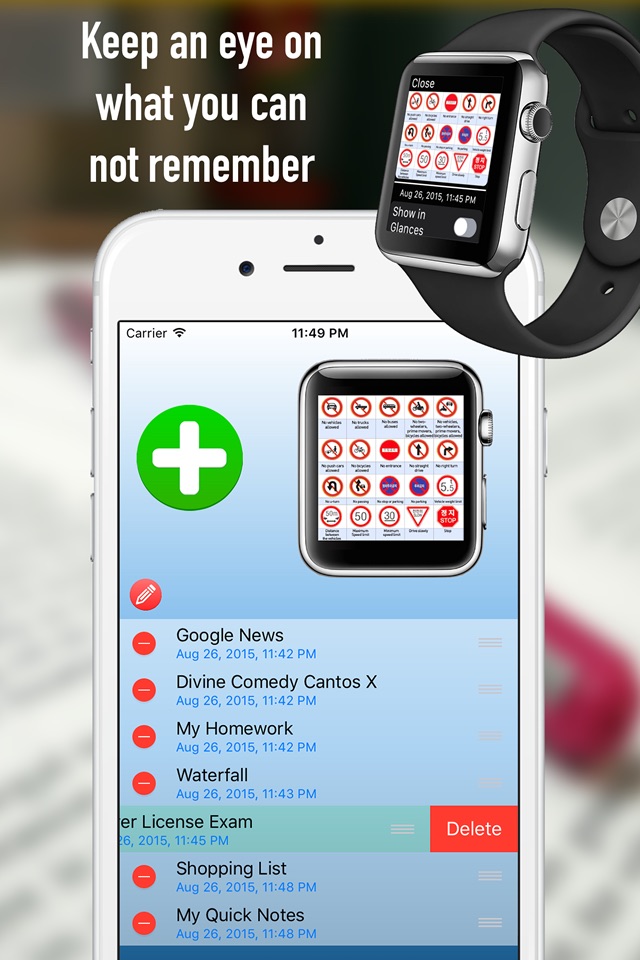
Leave your iPhone in your pocket and view your documents directly to your wrist.
Push to Watch allows you to share files between iPhone and Apple Watch.
You can create text documents or images and photos to be displayed on your Apple Watch!
You can write directly the text, copy it from the clipboard or retrieve it from an internet link.
This allows you to download the text of an entire website to read it later on Apple Watch.
You can add, move and delete documents and choose from iPhone or Apple Watch, which document you want to see or delete.
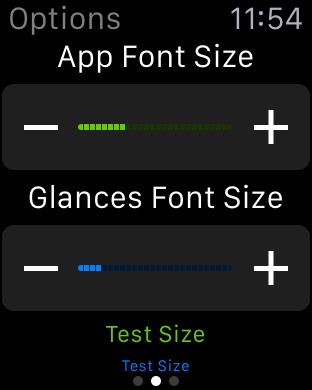
You can set directly from Apple Watch the font size to display the text as you like.
Zoom your pictures on you Apple Watch in order to see a small details!
The update of documents is instantaneously and to read them you do not need to unlock the iPhone.
Push to Watch have all your documents on your wrist!
Capabilities
In-App Purchases
Accessibility
ipadiphonemacrealityDevicetvoswatch
Version history 9 versions
Build 887940242v1.3.12026-07-07 17:19:23
• Fixed a misleading "File transfer timed out" message that appeared even when the item (PDF, photo or text) was still being delivered in the background.
• Added a local notification when a queued item finally arrives on your Apple Watch (great for Series 3 and other slower Bluetooth pairings).
• New Diagnostics menu (long-press the tip label at the bottom) with an "Export logs" action to help us troubleshoot your reports faster.
• Improved handling of the free 1-item limit: items still in flight now count toward the limit correctly.
Build 885851747v1.3.02026-05-20 09:52:27
This is the long-overdue update bringing the app back to life:
• Apple Watch viewer now uses the full screen — no more white side bars.
• Reliable iPhone ↔ Apple Watch sync with retry, timeout and clearer error messages.
• "Restore Purchase" now works correctly (was broken for years).
• Layout adapted for Apple Watch Series 7+, Ultra and SE.
• Zoom text size on Watch with the Digital Crown (Force Touch was removed by Apple).
• New center-tap menu replaces the discontinued Force Touch menu — Zoom +/− and Delete reachable on every Watch.
• Support for text files in non-UTF-8 encodings (Chinese, Russian, etc.).
• Many crashes and small bugs squashed.
Thanks for sticking with us!
Build 829965830v1.2.82019-01-16 20:36:05
- Sorting files from Apple watch
- Multilanguage
Build 829805994v1.2.62019-01-08 19:48:53
Chinese translation
Bug fixes
Build 829334252v1.2.52018-11-19 01:59:32
- Improved stability
- Web Server with top information
Build 828911107v1.2.12018-10-12 12:48:35
- Fixed in-app purchase:
Now you can buy the full version as well as restore the purchase.
Build 828823645v1.22018-10-05 00:27:10
- Compatibility with iOS 12 and watchOS 5
- Added zoom and drag for pictures
- Improved performance speed
- Zoom (+) (-) for text and picture with force touch
- Modify text files
- watchOS 1 not supported anymore
Build 828739117v1.1.22018-09-29 21:34:45
- Compatibility with iOS 12 and watchOS 5
- Added zoom and drag for pictures
- Improved performance speed
- Zoom (+) (-) for text and picture with force touch
- Modify text files
- watchOS 1 not supported anymore
Build 813174473v1.02015-09-02 20:57:29
No pricing data captured yet — comparisons appear once the app has paid storefronts or in-app purchases.
Availability 1 of 1 storefronts
| Region | Language | Price | Ratings | Avg | Version |
|---|---|---|---|---|---|
| US | en-US | Free | 12 | 3.0 | 1.3.1 |
Change log 13 changes · US
✎
releaseNotes updated
• Fixed a misleading "File transfer timed out" message that appeared even when the item (PDF, photo or text) was still being delivered in the background.
• Adde
✎
description updated
► Push to Watch ◄
Leave your iPhone in your pocket and view your documents directly to your wrist.
Push to Watch allows you to share files between iPhone and A
✎
subtitle updated
Send documents on your Watch
✎
name updated
Push to Watch
◆
Version 1.3.1 released
• Fixed a misleading "File transfer timed out" message that appeared even when the item (PDF, photo or text) was still being delivered in the background.
• Added a local notification when a queued item finally arrives on your Apple Watch (g
◆
Version 1.3.0 released
This is the long-overdue update bringing the app back to life:
• Apple Watch viewer now uses the full screen — no more white side bars.
• Reliable iPhone ↔ Apple Watch sync with retry, timeout and clearer error messages.
• "Restore Purchas
◆
Version 1.2.8 released
- Sorting files from Apple watch
- Multilanguage
◆
Version 1.2.6 released
Chinese translation
Bug fixes
◆
Version 1.2.5 released
- Improved stability
- Web Server with top information
◆
Version 1.2.1 released
- Fixed in-app purchase:
Now you can buy the full version as well as restore the purchase.
◆
Version 1.2 released
- Compatibility with iOS 12 and watchOS 5
- Added zoom and drag for pictures
- Improved performance speed
- Zoom (+) (-) for text and picture with force touch
- Modify text files
- watchOS 1 not supported anymore
◆
Version 1.1.2 released
- Compatibility with iOS 12 and watchOS 5
- Added zoom and drag for pictures
- Improved performance speed
- Zoom (+) (-) for text and picture with force touch
- Modify text files
- watchOS 1 not supported anymore
◆
Version 1.0 released