Home › Medical

 US
US
1 of 1 storefronts
Content in en-US
Content in en-US
Information
Apple ID1028816447
Bundle IDcom.app.PerfectWard
SellerSeller
Min iOS15.0
Min macOS12.0
Device familiesiphone, ipad, ipod
Released2015-10-03
Copyright© Tendable 2025
Privacy policyLink ↗
Preview 2 platforms
iPhone 6 images


iPad 6 images


What’s New Version 4.4.3
New Features
In an effort to improve data privacy, a reminder pops up at customisable intervals when evidence is added to an inspection or action. This reminds inspectors that PII can not be added to evidence. This feature can be enabled/disabled at the organisation level, as can the frequency of the reminder.
Improvements to existing features
Aligned back buttons and other elements with iOS 26 designs
Bug fixes
Fixed bug where empty observations could be added at the end of an inspection
Description
Tendable is a quality inspection app, used across the full spectrum of the healthcare space.
We make auditing easier and more effective by bringing the mobile user experience we all know and love to the frontlines of care. By making inspections up to 60% faster, Tendable frees up time to care, while providing healthcare leaders instant access to critical data.
Tendable is a health tech company that brings people together to understand and improve quality in health and social care settings. Our products lead a transformation in the culture of quality improvement across your organisation – from the frontline to the boardroom.
Driving improvement
Spot ongoing issues and successes to make the most out of your inspections. Identify and manage improvement activities to spread good practice and overcome barriers to high-quality care.
Current deadlines
A single-page overview of outstanding deadlines across all audit schedules. Adjust the areas and audits for your own personal preference to easily monitor progress against audits to complete in your areas.
Role-specific inspection schedules
Define and perform ‘check’ inspections to ensure ongoing high quality through the inspection process. A general inspection can be performed frequently, as required, and a separate inspection can take place less frequently to create assurance and oversight.
Accessibility
ipadiphonemacrealityDevicetvoswatch
Version history 25 versions
Build 884485476v4.4.32026-05-18 08:34:49
New Features
In an effort to improve data privacy, a reminder pops up at customisable intervals when evidence is added to an inspection or action. This reminds inspectors that PII can not be added to evidence. This feature can be enabled/disabled at the organisation level, as can the frequency of the reminder.
Improvements to existing features
Aligned back buttons and other elements with iOS 26 designs
Bug fixes
Fixed bug where empty observations could be added at the end of an inspection
Build 884056353v4.4.22026-04-12 19:03:43
New Features:
- Added suggestions to the Start New Inspection flow:
1. 'Recently Used' on the Area selection screen
2. 'Upcoming Inspections' on the Inspection screen (if your organisation uses Schedules).
3. Upon completing an inspection, you'll also see the next upcoming inspection when waiting for the report.
- Evidence can now be added to each individual record for questions with sets, rather than this being capped at one of each type per question.
Improvements to existing features:
- Aligning deeper Reporting and My Areas screens with our latest design style.
- Users registering without an org code will be rerouted
Bug fixes:
- 6 small UI bugs and 3 non-fatal errors
Build 880487841v4.4.12025-12-14 19:19:30
New Features:
- Added ‘Guides & Surveys’ implementation from Amplitude which means we can serve in-app guides to assist in self-onboarding, and run surveys to capture feedback
Improvements to existing features:
- Updated the designs of our notifications, adding a notification for large inspection submission reports
- Submission reports screen refreshes when the alert screen is dismissed
- Small design improvements and battery usage optimisations
Bug fixes:
- Stability improvements
- Fixes within our amplitude implementation
- Fixed an ‘Unknown Error Occurred’ bug at submission
Build 878272860v4.42025-09-24 14:32:34
Additional support for inspection answer types:
- A dropdown picker when questions have more than five possible answers
- A calendar picker for when a question requires a date answer
- A new textbox for free text answers
Shared Drafts:
When starting a new inspection, you will see your own drafts and the other available Shared Drafts in one place. This helps you to make the best decision about whether to start a brand new inspection, or resume the progress of an existing draft.
When submitting large inspections, the report generation process now happens in the background. You'll receive a notification when the report is ready!
We've also doubled the submission window for inspections, which means you're better supported in cases of large inspections or slow internet coverage.
Build 876862977v4.3.32025-08-04 13:38:58
This is a small release covering a few higher priority bugs.
- Auto Logout: Fixed an issue where the auto logout functionality was not triggering after the expected period of inactivity.
- Answer Banners: Resolved a display issue where answer banner colours (e.g. Yes/No/NA) were not rendering correctly in inspections reports, improving clarity for users.
- Registration - Org Code Input: Users entering lowercase organisation codes when registering with a hospital site were unable to proceed. This has now been fixed, and the input is no longer case-sensitive.
- “My Areas” – Missing Search Bar: The search bar was not appearing on the “My Areas” screen, limiting navigability. This has been restored.
- Deadline Lozenge Display: Deadline state indicators now correctly show values like “Due by", "Deadline completed" and "No due date assigned"
Build 876227673v4.3.22025-07-09 12:37:36
This release brings a mix of new features, improvements, and bug fixes to improve stability and user experience:
New Features & Enhancements
- Submission performance optimised across Historical and Area Reports
- Shared Drafts expiry notifications now supported
- Improved filtering and empty states on drafts and reports screens
- Links on the Guidance screen are now clickable
Bug Fixes
- Fixed an issue where display pictures wouldn’t save after updates
- Resolved audit image loss due to submission conflicts
- Addressed empty observations being created from the Review Actions screen
- Fixed crash issues in More Settings and Historical Reports
- Auto logout no longer asks for a password twice
- Notifications now display full screen names (no more truncated text)
- ‘Clear cache’ button now works as expected
- Fixed overlapping filters and filter button crashes on reports screens
- Fixed issues with the “Assigned to Me” roundel and deadline indicators
As always, we’ve also squashed a few other minor bugs and made background improvements to keep things running smoothly. Thanks for using Tendable!
Build 875249867v4.3.12025-06-03 11:24:23
We've added the 'Last inspected by' timestamp and name under an inspection's details when starting a new inspection
Build 873869626v4.3.02025-05-13 09:47:37
Features:
We're super excited to be launching our new feature: Shared Drafts. Once enabled, inspection drafts will be accessible to your team (anybody with the permission to perform that inspection). This unlocks collaboration across multi-disciplinary teams and accreditation days, as well as removing any single points of failure in a team. Longer inspections or those with multiple sets can now be a shared effort, and handing over to (or picking up from) other team members in the case of sickness, annual leave or busy periods is now very simple! We've also included an audit trail within the inspection and the PDF reports.
Check out our Knowledge Base for more information by tapping 'Help Articles' in the 'More' menu!
Improvements:
For all of our users, with Shared Drafts on or off, we've listened to your feedback and made improvements to the Drafts screen. You'll now see more information when resuming an inspection, and deleting is now much clearer.
All users will now see timestamps under previously answered questions, and within the PDF inspection reports.
Keyboard behaviour improved to close when scrolling and once a selection has been made
Build 873336639v4.2.52025-03-25 09:41:57
- Improved stability and crash rate
Build 871907142v4.2.42025-03-12 09:25:38
- Bug fixes
- Improved stability and crash rate
- Improvements to recently released Actions feature
Build 870842891v4.2.32025-01-16 12:36:35
Hotfix for a bug where Actions could not be updated until the keyboard is closed
Build 870695630v4.2.22024-12-02 15:35:10
Performance & Tracking Improvements
- Integrated Amplitude analytics to provide deeper insights into app usage and user behaviour
User Interface Refinements
- Minor UI tweaks to improve overall visual consistency and user experience
- Subtle design adjustments for a cleaner, more intuitive interface
Action Functionality Upgrade
- Significantly improved action filtering capabilities
- New advanced filtering options to help you quickly find and manage actions
Bug Fixes
- Resolved minor stability issues
- Improved app performance and responsiveness
Build 870450030v4.2.12024-11-16 10:01:27
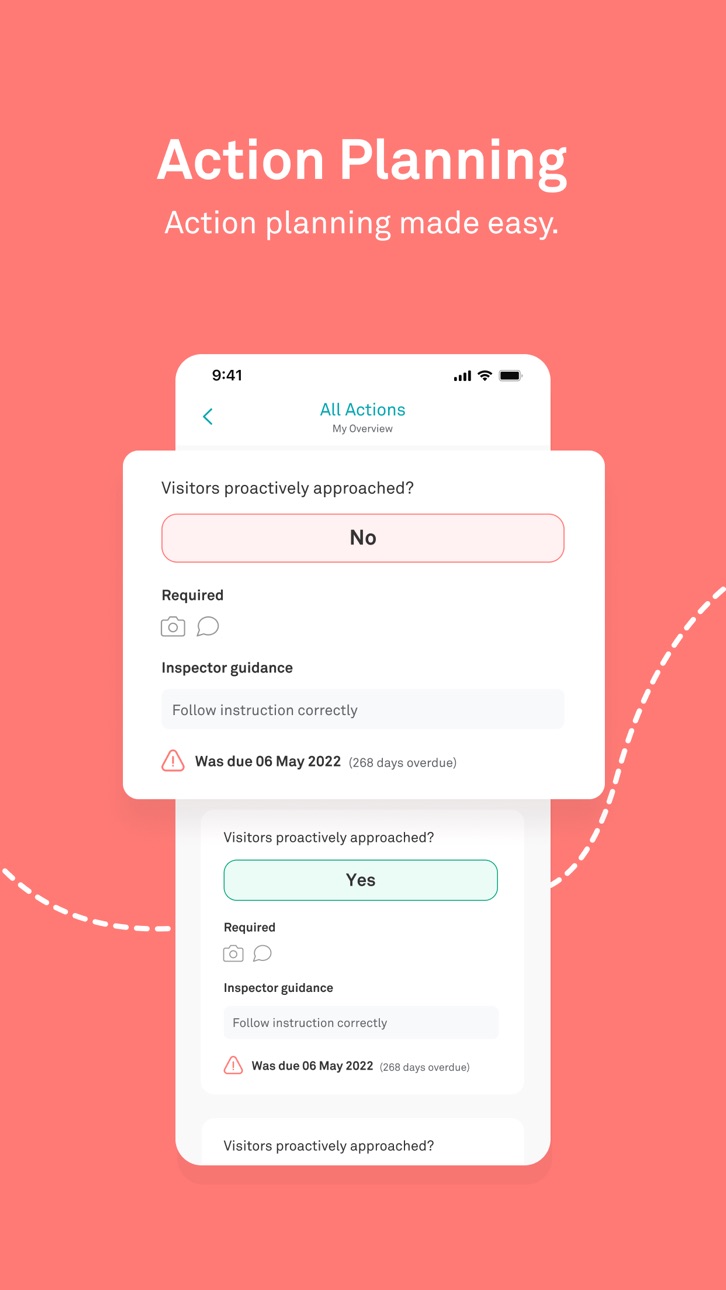
Features: We've given Actions a full revamp for mobile! Our goal is to make quality improvement accessible to everybody, so that we can focus on closing these down and driving real quality improvement.
- 'Filter by' improvements: if you haven't set this up from your home screen, then you're missing out
- You'll notice a new 'My Actions' section on the home screen (once 'Filter by' has been set) - it gives you direct access to a filtered list of your Actions
- Quickly find and close down actions with the new list view, including filtering and sorting
Improvements
- We've made some changes to the 'Requires Action on First Fail' logic, which no longer allows a blank actions to be created
- Logic around automatically raising actions on second fail can now be disabled at an organisational level
- We heard from a few users that the visibility of the grey colour was low, so we've now improved the colouring of greyed out buttons and N/A
Bugs
- The ‘Next Set’ button within multiple slots was broken... Not any more.
- We've also fixed some cases of text cropping in historical reports so ensure readability is protected
Build 869304573v4.22024-11-14 15:06:32
Features: We've given Actions a full revamp for mobile! Our goal is to make quality improvement accessible to everybody, so that we can focus on closing these down and driving real quality improvement.
- 'Filter by' improvements: if you haven't set this up from your home screen, then you're missing out
- You'll notice a new 'My Actions' section on the home screen (once 'Filter by' has been set) - it gives you direct access to a filtered list of your Actions
- Quickly find and close down actions with the new list view, including filtering and sorting
Improvements
- We've made some changes to the 'Requires Action on First Fail' logic, which no longer allows a blank actions to be created
- Logic around automatically raising actions on second fail can now be disabled at an organisational level
- We heard from a few users that the visibility of the grey colour was low, so we've now improved the colouring of greyed out buttons and N/A
Bugs
- The ‘Next Set’ button within multiple slots was broken... Not any more.
- We've also fixed some cases of text cropping in historical reports so ensure readability is protected
Build 865951847v4.1.32024-05-20 05:00:46
Feature:
- A confirmation checkbox now appears when Peer or Expert is selected when starting an inspection.
Improvements:
- The Drafts screen has been redesigned to be more space efficient, with a swipe gesture to delete drafts.
- Aligned language on the Home Screen to consistently say ‘My’ rather than ‘Your’
- You can now find the app version number at the bottom of the More screen.
Bugs:
- We’ve fixed a number of bugs affecting stability, error reporting, UI inconsistencies, data accuracy and data duplication.
Build 864695424v4.1.22024-03-27 13:16:46
Feature
- Tendable now offers Peer and Expert Review! Contact your organisation's Tendable Lead to activate this feature and start utilising it for inspections and reporting.
- New registrations can now specify their hospital 'site' for faster approvals.
Bug
- Inspections marked fully as 'n/a' now receive an 'n/a' score instead of 0%
- Fixed: branching categories not being triggered in some inspections
Build 864590207v4.1.12024-03-21 11:43:09
Feature
- Tendable now offers Peer and Expert Review! Contact your organisation's Tendable Lead to activate this feature and start utilising it for inspections and reporting.
- New registrations can now specify their hospital 'site' for faster approvals.
Bug
- Inspections marked fully as 'n/a' now receive an 'n/a' score instead of 0%
- Fixed: branching categories not being triggered in some inspections
Build 864438032v4.1.02024-03-18 07:01:03
Feature
- Tendable now offers Peer and Expert Review! Contact your organisation's Tendable Lead to activate this feature and start utilising it for inspections and reporting.
- New registrations can now specify their hospital 'site' for faster approvals.
Bug
- Inspections marked fully as 'n/a' now receive an 'n/a' score instead of 0%
- Fixed: branching categories not being triggered in some inspections
Build 861992259v4.0.22023-12-11 13:53:45
New Features
- Users can now pick ‘most applicable role’ when registering, to aid in automatic provision of permissions
Improvements
- Improved automatic scrolling once a text field is tapped
- Performance tweaks to the main inspections screen
- Unanswered questions within multiple slots are now highlighted
- Required actions from negatively scoring questions are now removed when the answer is changed
Bugs
- Fixed a bug where Parent Inspections were being sorted alphabetically rather than by position number
- Fixed a bug where some dates were showing ~30 years into the future
Build 861281699v4.0.12023-11-07 09:14:58
New Features
- Additional support around enabling camera access if you have previously denied or disabled it
- Removed any Inspections from the Select an Inspection list that aren’t relevant to the selected area
- Added search functionality to the Select an Inspection list
- Removed two screens from the inspection set up process, getting you into your Inspection faster
- Updated the designs across the whole Inspection experience
Improvements
- Removed empty All/Selected headers from My Inspections and My Areas lists
Bugs
- Fixed a bug where some biometrics users were logged out each time the app was closed
Build 860820250v4.02023-10-23 08:01:06
New Features
- Additional support around enabling camera access if you have previously denied or disabled it
- Removed any Inspections from the Select an Inspection list that aren’t relevant to the selected area
- Added search functionality to the Select an Inspection list
- Removed two screens from the inspection set up process, getting you into your Inspection faster
- Updated the designs across the whole Inspection experience
Improvements
- Removed empty All/Selected headers from My Inspections and My Areas lists
Bugs
- Fixed a bug where some biometrics users were logged out each time the app was closed
Build 858851996v3.11.12023-08-07 09:00:25
New features
- From now until early September, you’ll see a (dismissible) banner promoting entries to the Nurses Technology Innovation Competition once you complete an inspection.
Improvements
- Biometrics is now supported when your session times out - another opportunity to not enter your password.
- The Your Next Inspection and Upcoming Deadlines areas now show the next deadline for every inspection you’re responsible for, rather than just those due in the next seven days.
- We’ve increased security at login by integrating our new login strategy endpoint.
- Any reference of ‘Employee ID’ from our login and registration flow has now been removed, as we no longer use this feature.
Bugs
- Fixed a bug stopping a user from cancelling the ‘contact us’ via email process
- Fixed a few UI issues surrounding Inspection Alerts.
- Fixed a UI problem when signing in with a new user.
Build 854732527v3.112023-07-03 08:02:27
We've been working on some game-changing features for you, all with the aim of respecting your time. Here's what's new:
Login with Touch/Face ID: You can now use biometrics to log in. It's now 10 times faster to get logged in and start inspecting. This feature is only available for single-user devices which don't use Active Directory login.
Universal 'Filter by' control: We've made it easier than ever to adjust the areas and inspections displayed throughout the app. Simply click the 'Filter by' button wherever you see it, and your changes will be reflected everywhere.
Your Next Inspection and Upcoming Deadlines: On your home screen, you'll find a new section that displays the next two inspections due within the next seven days. You can even begin these inspections with a single tap.
Redesigns: We've also refreshed the designs of several app pages. This is the first round of redesigns, with more to come in the future.
Build 854545070v3.102023-01-25 10:13:42
We’re constantly improving our app to optimise your user experience.
This update contains a number of bug fixes and improvements across the Tendable system. We’ve also conducted a usability review of the Tendable app and made some small changes to the user interface in the registration, login, landing page, and user profile screens.
Build 853741605v3.92022-12-13 11:49:48
- You can now edit actions for inspection types you have inspect access to without being a Team in Charge member
- My Actions on the Home screen provides a clear path to all actions related to the inspection types/areas you’ve selected in Settings
- The Requires action toggle no longer switches on for negatively answered questions if an action already exists for it in that area
- The inspector guidance field is now optional when raising actions
- Updated messaging gives clarity to uneditable actions
No pricing data captured yet — comparisons appear once the app has paid storefronts or in-app purchases.
Availability 1 of 1 storefronts
| Region | Language | Price | Ratings | Avg | Version |
|---|---|---|---|---|---|
| US | en-US | Free | 0 | — | 4.4.3 |
Change log 29 changes · US
✎
releaseNotes updated
New Features
In an effort to improve data privacy, a reminder pops up at customisable intervals when evidence is added to an inspection or action. This reminds
✎
description updated
Tendable is a quality inspection app, used across the full spectrum of the healthcare space.
We make auditing easier and more effective by bringing the mobile
✎
subtitle updated
Quality Improvement Inspection
✎
name updated
Tendable | Healthcare Audits
◆
Version 4.4.3 released
New Features
In an effort to improve data privacy, a reminder pops up at customisable intervals when evidence is added to an inspection or action. This reminds inspectors that PII can not be added to evidence. This feature can be enabled/di
◆
Version 4.4.2 released
New Features:
- Added suggestions to the Start New Inspection flow:
1. 'Recently Used' on the Area selection screen
2. 'Upcoming Inspections' on the Inspection screen (if your organisation uses Schedules).
3. Upon completing an inspe
◆
Version 4.4.1 released
New Features:
- Added ‘Guides & Surveys’ implementation from Amplitude which means we can serve in-app guides to assist in self-onboarding, and run surveys to capture feedback
Improvements to existing features:
- Updated the designs of our
◆
Version 4.4 released
Additional support for inspection answer types:
- A dropdown picker when questions have more than five possible answers
- A calendar picker for when a question requires a date answer
- A new textbox for free text answers
Shared Drafts:
Wh
◆
Version 4.3.3 released
This is a small release covering a few higher priority bugs.
- Auto Logout: Fixed an issue where the auto logout functionality was not triggering after the expected period of inactivity.
- Answer Banners: Resolved a display issue where a
◆
Version 4.3.2 released
This release brings a mix of new features, improvements, and bug fixes to improve stability and user experience:
New Features & Enhancements
- Submission performance optimised across Historical and Area Reports
- Shared Drafts expiry notif
◆
Version 4.3.1 released
We've added the 'Last inspected by' timestamp and name under an inspection's details when starting a new inspection
◆
Version 4.3.0 released
Features:
We're super excited to be launching our new feature: Shared Drafts. Once enabled, inspection drafts will be accessible to your team (anybody with the permission to perform that inspection). This unlocks collaboration across multi
◆
Version 4.2.5 released
- Improved stability and crash rate
◆
Version 4.2.4 released
- Bug fixes
- Improved stability and crash rate
- Improvements to recently released Actions feature
◆
Version 4.2.3 released
Hotfix for a bug where Actions could not be updated until the keyboard is closed
◆
Version 4.2.2 released
Performance & Tracking Improvements
- Integrated Amplitude analytics to provide deeper insights into app usage and user behaviour
User Interface Refinements
- Minor UI tweaks to improve overall visual consistency and user experience
- Subt
◆
Version 4.2.1 released
Features: We've given Actions a full revamp for mobile! Our goal is to make quality improvement accessible to everybody, so that we can focus on closing these down and driving real quality improvement.
- 'Filter by' improvements: if you ha
◆
Version 4.2 released
Features: We've given Actions a full revamp for mobile! Our goal is to make quality improvement accessible to everybody, so that we can focus on closing these down and driving real quality improvement.
- 'Filter by' improvements: if you ha
◆
Version 4.1.3 released
Feature:
- A confirmation checkbox now appears when Peer or Expert is selected when starting an inspection.
Improvements:
- The Drafts screen has been redesigned to be more space efficient, with a swipe gesture to delete drafts.
- Aligned
◆
Version 4.1.2 released
Feature
- Tendable now offers Peer and Expert Review! Contact your organisation's Tendable Lead to activate this feature and start utilising it for inspections and reporting.
- New registrations can now specify their hospital 'site' for fas
◆
Version 4.1.1 released
Feature
- Tendable now offers Peer and Expert Review! Contact your organisation's Tendable Lead to activate this feature and start utilising it for inspections and reporting.
- New registrations can now specify their hospital 'site' for fas
◆
Version 4.1.0 released
Feature
- Tendable now offers Peer and Expert Review! Contact your organisation's Tendable Lead to activate this feature and start utilising it for inspections and reporting.
- New registrations can now specify their hospital 'site' for fas
◆
Version 4.0.2 released
New Features
- Users can now pick ‘most applicable role’ when registering, to aid in automatic provision of permissions
Improvements
- Improved automatic scrolling once a text field is tapped
- Performance tweaks to the main inspections sc
◆
Version 4.0.1 released
New Features
- Additional support around enabling camera access if you have previously denied or disabled it
- Removed any Inspections from the Select an Inspection list that aren’t relevant to the selected area
- Added search functionality
◆
Version 4.0 released
New Features
- Additional support around enabling camera access if you have previously denied or disabled it
- Removed any Inspections from the Select an Inspection list that aren’t relevant to the selected area
- Added search functionality
◆
Version 3.11.1 released
New features
- From now until early September, you’ll see a (dismissible) banner promoting entries to the Nurses Technology Innovation Competition once you complete an inspection.
Improvements
- Biometrics is now supported when your sessio
◆
Version 3.11 released
We've been working on some game-changing features for you, all with the aim of respecting your time. Here's what's new:
Login with Touch/Face ID: You can now use biometrics to log in. It's now 10 times faster to get logged in and start ins
◆
Version 3.10 released
We’re constantly improving our app to optimise your user experience.
This update contains a number of bug fixes and improvements across the Tendable system. We’ve also conducted a usability review of the Tendable app and made some small c
◆
Version 3.9 released
- You can now edit actions for inspection types you have inspect access to without being a Team in Charge member
- My Actions on the Home screen provides a clear path to all actions related to the inspection types/areas you’ve selected in S